This repository aims to present an implementation of using Redis and Health Checks
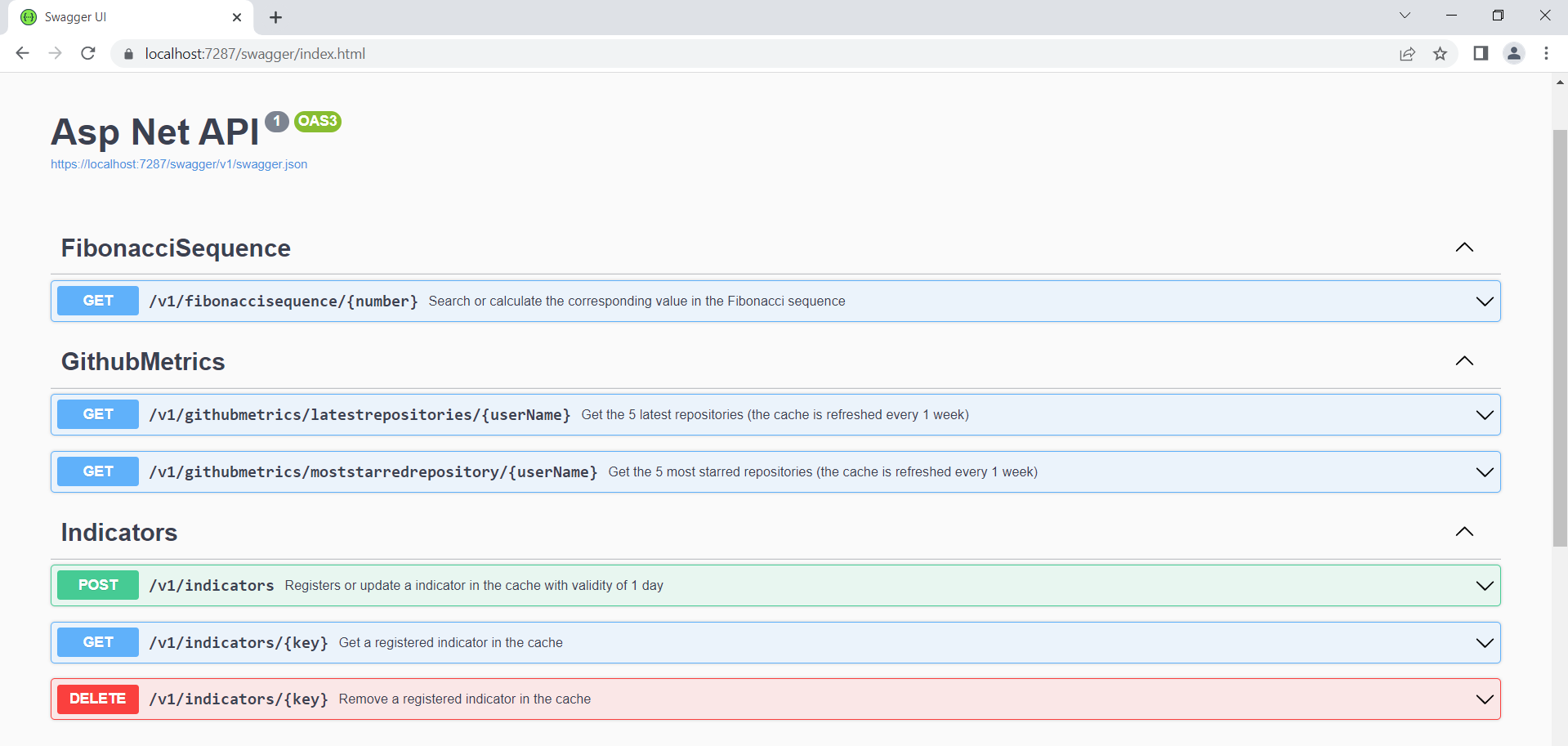

You can see more about Redis at https://redis.io/
Installing the packages: Microsoft.Extensions.Caching.Abstractions and Microsoft.Extensions.Caching.StackExchangeRedis
I used a docker image to run Redis, the commands were:
docker run --name my-redis -p 6379:6379 -d redis
And with the commands below I was able to access the Redis terminal:
docker exec -it my-redis sh
#redis-cli
I added the following configuration in the Startup.cs file:
private static readonly string PROJECT_NAME = "AspNet.Redis";
public void ConfigureServices(IServiceCollection services)
{
    ...
    services.AddStackExchangeRedisCache(options =>
    {
        options.Configuration = Configuration.GetConnectionString("Redis");
        options.InstanceName = $"{PROJECT_NAME}:";
    });
}
In the appsettings.json file I configured the ConnectionStrings.Redis parameter. I used docker to access Redis, and in docker I configured port 6379 without authentication.
{
  "Logging": {
    "LogLevel": {
      "Default": "Information",
      "Microsoft.AspNetCore": "Warning"
    }
  },
  "AllowedHosts": "*",
  "ConnectionStrings": {
    "Redis": "localhost:6379"
  }
}
For best practice reasons I created an interface called ICacheRepository and then defined the methods to be implemented.
public interface ICacheRepository
{
    Task AddAsync<T>(string key, T data, TimeSpan? absoluteExpirationTime = null, TimeSpan? slidingExpiration = null);
    Task<T> GetAsync<T>(string key);
    Task RemoveAsync(string key);
}
The implementation of data access and manipulation was relatively simple.
public class DistributedCacheRedis : ICacheRepository
{
    private readonly IDistributedCache _cache;

    public DistributedCacheRedis(IDistributedCache cache)
    {
        _cache = cache;
    }

    public async Task AddAsync<T>(string key, T data, TimeSpan? absoluteExpirationTime = null, TimeSpan? slidingExpiration = null)
    {
        var options = new DistributedCacheEntryOptions
        {
            AbsoluteExpirationRelativeToNow = absoluteExpirationTime,
            SlidingExpiration = slidingExpiration
        };

        var json = JsonSerializer.Serialize(data);

        await _cache.SetStringAsync(key, json, options);
    }

    public async Task<T> GetAsync<T>(string key)
    {
        var json = await _cache.GetStringAsync(key);

        if (json is null)
            return default;

        return JsonSerializer.Deserialize<T>(json);
    }

    public async Task RemoveAsync(string key)
    {
        await _cache.RemoveAsync(key);
    }
}
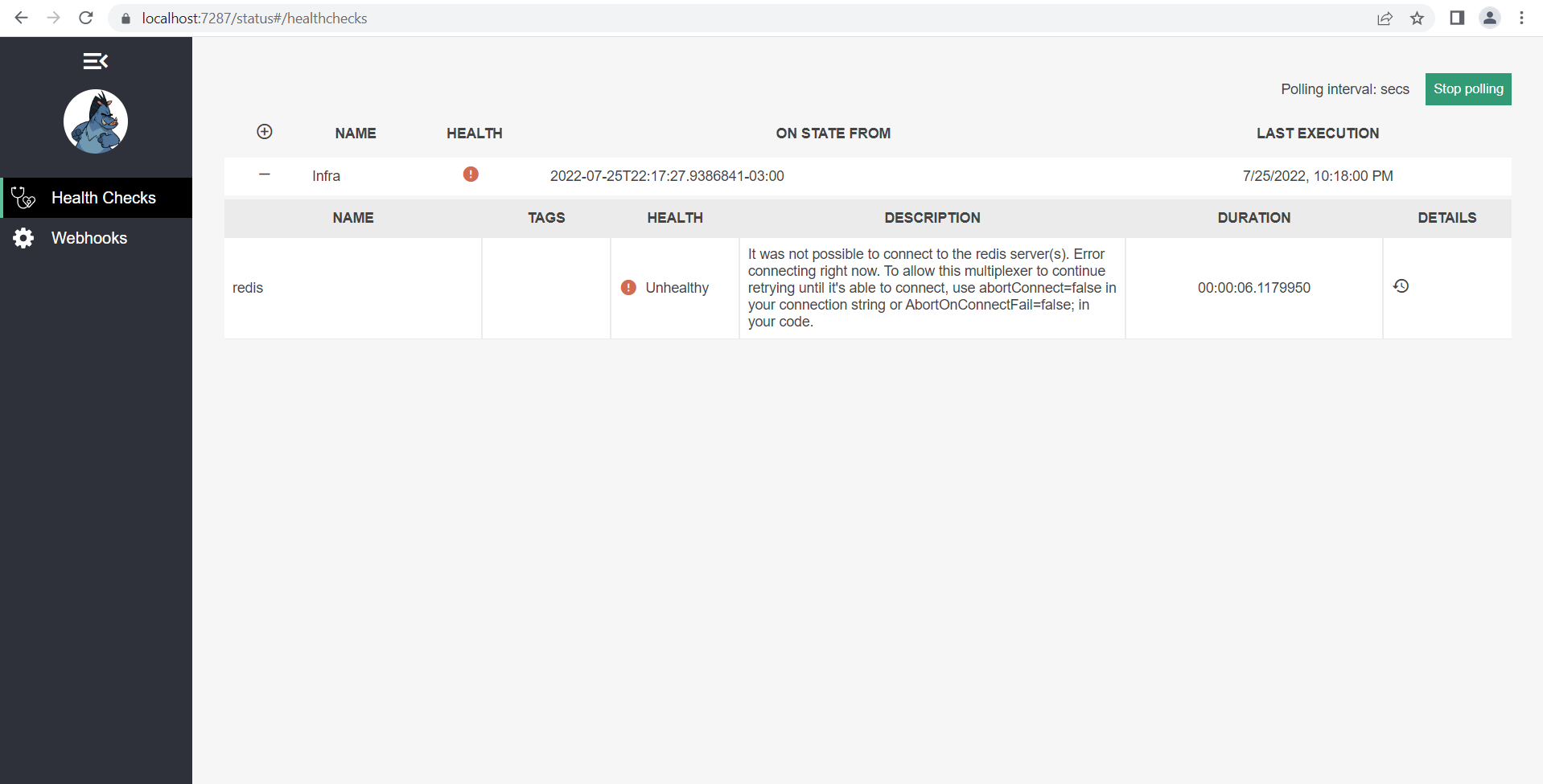
I decided to use a graphical interface to see the health of the infrastructure (which in my case is just redis).
Installing the packages: AspNetCore.HealthChecks.Redis , AspNetCore.HealthChecks.UI, AspNetCore.HealthChecks.UI.Client and AspNetCore.HealthChecks.UI.InMemory.Storage
In the Startup.cs file I added the following lines:
public void ConfigureServices(IServiceCollection services)
{
    ...
    services.AddHealthChecks()
        .AddRedis(Configuration.GetConnectionString("Redis"), name: "redis");

    services.AddHealthChecksUI()
        .AddInMemoryStorage();

   ...
}
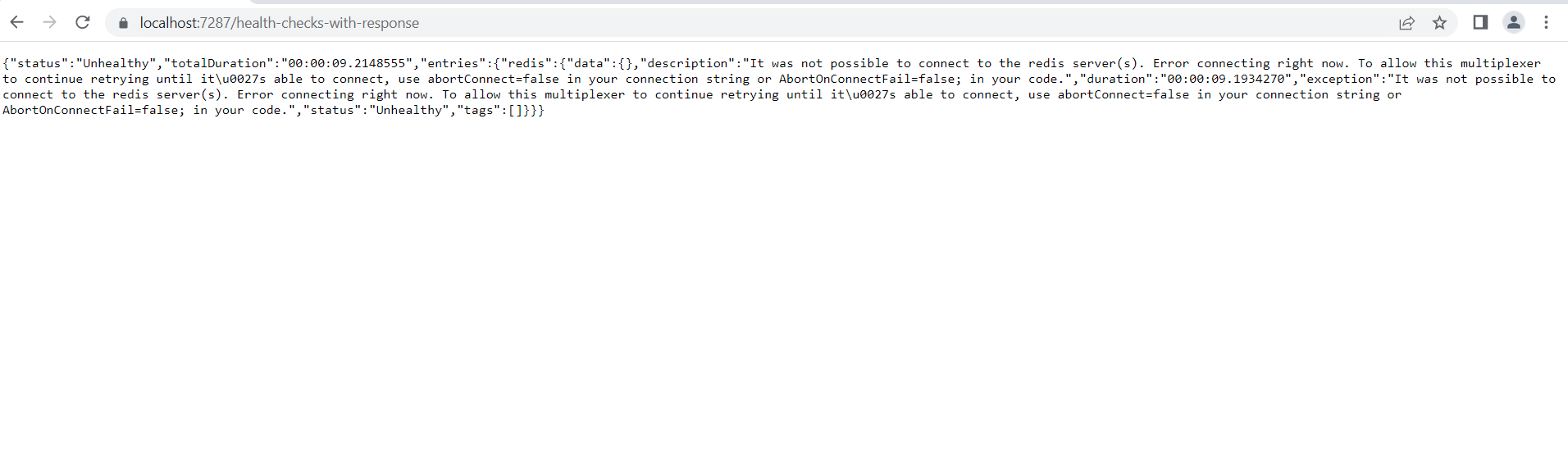
To access the GUI use the /status route. To access the json response use the /health-checks-with-response route.
public void Configure(IApplicationBuilder app, IWebHostEnvironment env)
{
    ...
    app.UseHealthChecks("/health-check",
        new HealthCheckOptions
        {
            ResponseWriter = async (context, healthReport) =>
            {
                var result = JsonSerializer.Serialize(
                new
                {
                    time = DateTime.UtcNow.ToString("yyyy-MM-dd HH:mm:ss"),
                    status = healthReport.Status.ToString(),
                    healthChecks = healthReport.Entries.Select(c => new
                    {
                        check = c.Key,
                        status = Enum.GetName(typeof(HealthStatus), c.Value.Status)
                    })
                });

                context.Response.ContentType = MediaTypeNames.Application.Json;
                await context.Response.WriteAsync(result);
            }
        });

    app.UseHealthChecks("/health-checks-with-response", new HealthCheckOptions
    {
        Predicate = _ => true,
        ResponseWriter = UIResponseWriter.WriteHealthCheckUIResponse
    });

    app.UseHealthChecksUI(o => o.UIPath = "/status");
    ...
}
The final appsettings.json file looks like this, after configuring Redis and health checks:
{
  "Logging": {
    "LogLevel": {
      "Default": "Information",
      "Microsoft.AspNetCore": "Warning"
    }
  },
  "AllowedHosts": "*",
  "ConnectionStrings": {
    "Redis": "localhost:6379"
  },
  "HealthChecks-UI": {
    "HealthChecks":
    [
      {
        "Name": "Infra",
        "Uri": "/health-checks-ui"
      }
    ]
  }
}
If you found this Implementation helpful or used it in your Projects, do give it a star. Thanks!