No Audio with Sony Camcorder #12
santiguese
started this conversation in
General

Replies: 0 comments
Sign up for free
to join this conversation on GitHub.
Already have an account?
Sign in to comment

Uh oh!
There was an error while loading. Please reload this page.
-
No Audio with Sony Camcorder
It has been identified that a few Sony camcorders (e.g., CX405) do not transmit audio via HDMI cable. This means that you will need to make a choice on how to proceed with your broadcast setup.
Option 1 (No audio)
Option 2 (Use audio from tablet/laptop)
Make note of the audio device that your tablet/laptop uses by clicking the speaker symbol at the bottom right of your screen.
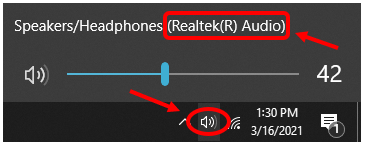
Within SSC select the Audio Capture Device that matches the device used by your tablet/laptop.

NOTE: Choosing this option means that any audio that occurs near your tablet/laptop will be heard through your livestream broadcast.
Option 3 (use an external microphone)
If you prefer to have audio that is more directionally oriented and more isolated, then a good option is to use an external microphone such as a shotgun microphone.
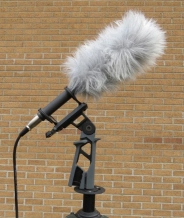
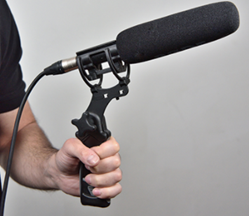
If your camera does not have a microphone input, then you can plug the external microphone directly into your tablet/laptops microphone input and then follow the above steps (under Option 2) to direct SSC to your external microphone.
NOTE: Not all tablets/laptops have a microphone input. Please reference your user manual prior to making any purchases.
Beta Was this translation helpful? Give feedback.
All reactions