Applying a License Key #7
santiguese
started this conversation in
General

Replies: 0 comments
Sign up for free
to join this conversation on GitHub.
Already have an account?
Sign in to comment

Uh oh!
There was an error while loading. Please reload this page.
-
Applying a License Key
Applying a License Key
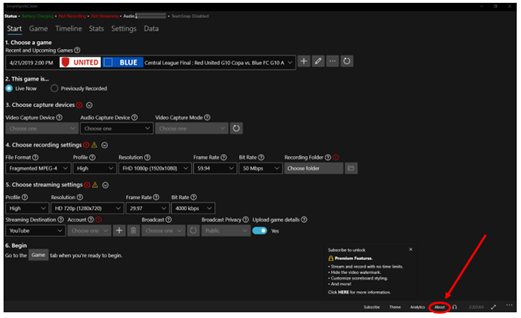
Click the About option along the bottom bar of the application. If you do not see the About button click the three dots on the lower right-hand side of the screen to make these options visible.
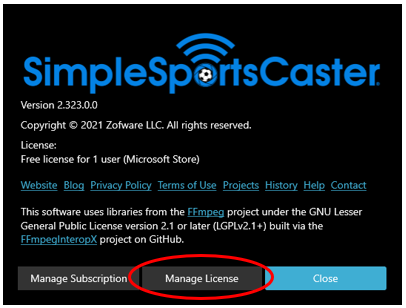
Click Manage License
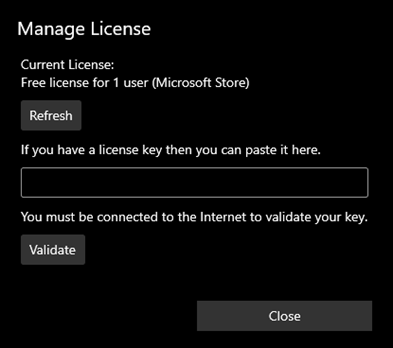
Input the License Key then click Validate and then Close.
Beta Was this translation helpful? Give feedback.
All reactions