More Info:
- This issue cannot reproduce without SplitContainer.
- This issue cannot reproduce on WebBrowser from Winforms control that put into SplitContainer.
- This issue cannot reproduce on custom webbrowser component that put into other containers(Panel, TabControl, GroupBox..).
Steps to reproduce:
-
Open the attached app “Custom_component_WebBrowser_issue.zip” in VS.
Custom_component_WebBrowser_issue.zip
-
Build and run this application.
-
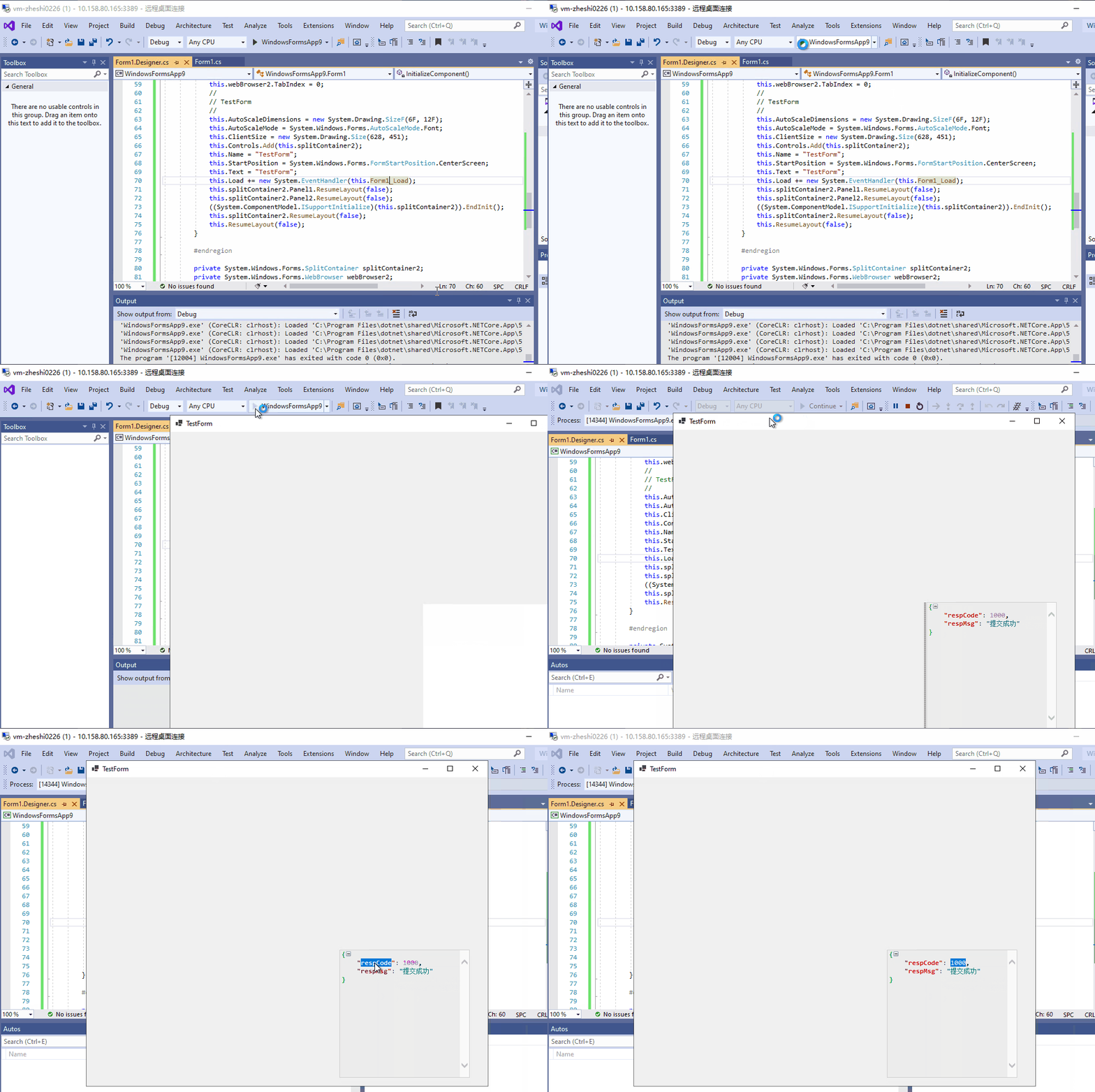
Double-clicking the text in the custom webbrowser component and observe the behavior.
Actual behavior:
Double-clicking the text in the custom webbrowser component that put into SplitContainer cannot be selected.
Expected behavior:
Double-clicking the text in the custom webbrowser component that put into SplitContainer should be selected. The behavior should be like below:

.NET Core Version:
.Net Core 3.1.200-preview-015002 from 3.1 Release branch + VS2019 with latest core designer
Have you experienced this same bug with .NET Framework?:
Yes
More Info:
Steps to reproduce:
Open the attached app “Custom_component_WebBrowser_issue.zip” in VS.
Custom_component_WebBrowser_issue.zip
Build and run this application.
Double-clicking the text in the custom webbrowser component and observe the behavior.
Actual behavior:
Double-clicking the text in the custom webbrowser component that put into SplitContainer cannot be selected.
Expected behavior:

Double-clicking the text in the custom webbrowser component that put into SplitContainer should be selected. The behavior should be like below: