- OpenAI Model and URL Configuration: Added support for specifying the OpenAI model and URL in the configuration file and during project initialization.
- Supported LLMs Documentation: Included documentation for various LLMs compatible with the OpenAI API, such as DeepSeek, Qwen, Gemini, Together AI, and DeepInfra.
- Behavior File Enhancements: Improved the behavior file to guide the AI's writing process more effectively, ensuring alignment with the writer's vision.
- Interactive Chat Enhancements: Enhanced the chat feature to support more dynamic interactions and command executions directly from the chat interface.
- Support for PaperCraftr: Major refactor to extend support for PaperCraftr, a CLI aimed at academic paper writing. Users can now initialize paper projects with a dedicated structure, distinct from book projects, for enhanced productivity in academic writing.
- Multiple Prompt Support: Implemented multi-purpose prompts for both book and paper creation, allowing users to generate and refine content for different aspects such as research questions, contributions, and outlines.
- Define Command Extensions: Added new commands under the
definegroup to generate key sections for papers, including defining research questions and contributions. - Contribution Generation: Added the
define_contributioncommand to generate or refine the main contribution of a paper, supporting improved clarity and focus for academic projects.
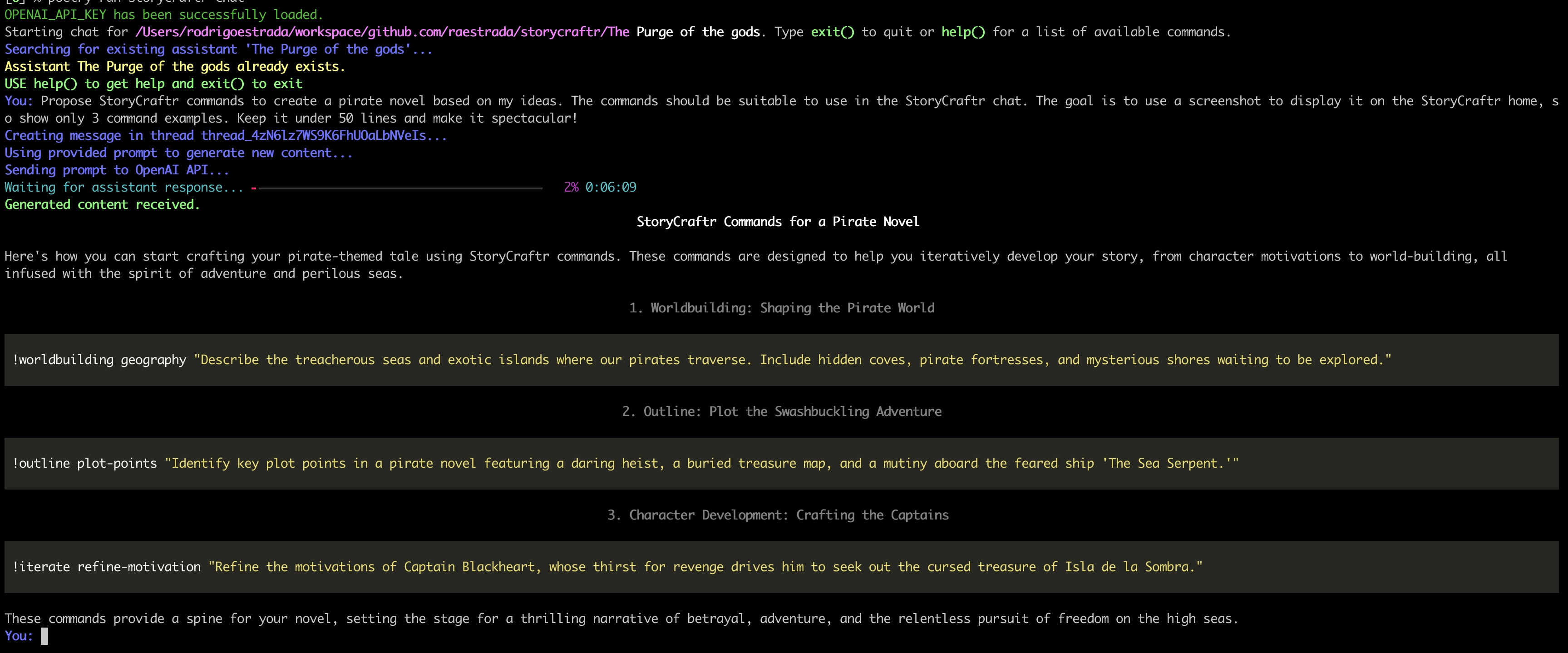
- Interactive Chat with Commands: Enhanced chat functionality now allows users to interact with StoryCraftr using direct command prompts, helping with outlining, world-building, and chapter writing.
- Documentation-Driven Chat: StoryCraftr's documentation is fully loaded into the system, allowing users to ask for help with commands directly from within the chat interface.
- Improved User Interface: New UI elements for an enhanced interactive experience. Chat commands and documentation queries are more intuitive.
- VSCode Extension Alpha: Launched an alpha version of the StoryCraftr extension for VSCode, which automatically detects the
storycraftr.jsonfile in the workspace and launches a terminal for interacting with the StoryCraftr CLI.
- VSCode Terminal Chat: Chat functionality embedded into the VSCode extension, allowing users to launch a terminal directly from VSCode and interact with StoryCraftr.
- Multi-command Iteration: New CLI functionality allowing iterative refinement of plot points, character motivations, and chapter structures.
- Insert Chapter Command: Users can now insert chapters between existing ones and automatically renumber subsequent chapters for seamless story progression.
- Story Iteration: Introduced the ability to iterate over various aspects of your book, including refining character motivations and checking plot consistency.
- Flashback Insertion: Users can now insert flashback chapters that automatically adjust surrounding chapters.
- Outline Generation: Generate detailed story outlines based on user-provided prompts.
- World-Building: New commands to generate history, geography, culture, and technology elements of your book’s world.
- Behavior Guidance: A behavior file that helps guide the AI's understanding of the writing style, themes, and narrative focus of your novel.
- Initial Release: Base functionalities including chapter writing, character summaries, and basic outline generation.
StoryCraftr has come a long way from simple chapter generation to enabling an entire AI-powered creative writing workflow. With interactive chats, rich command sets, and VSCode integration, it’s now easier than ever to bring your stories to life!