
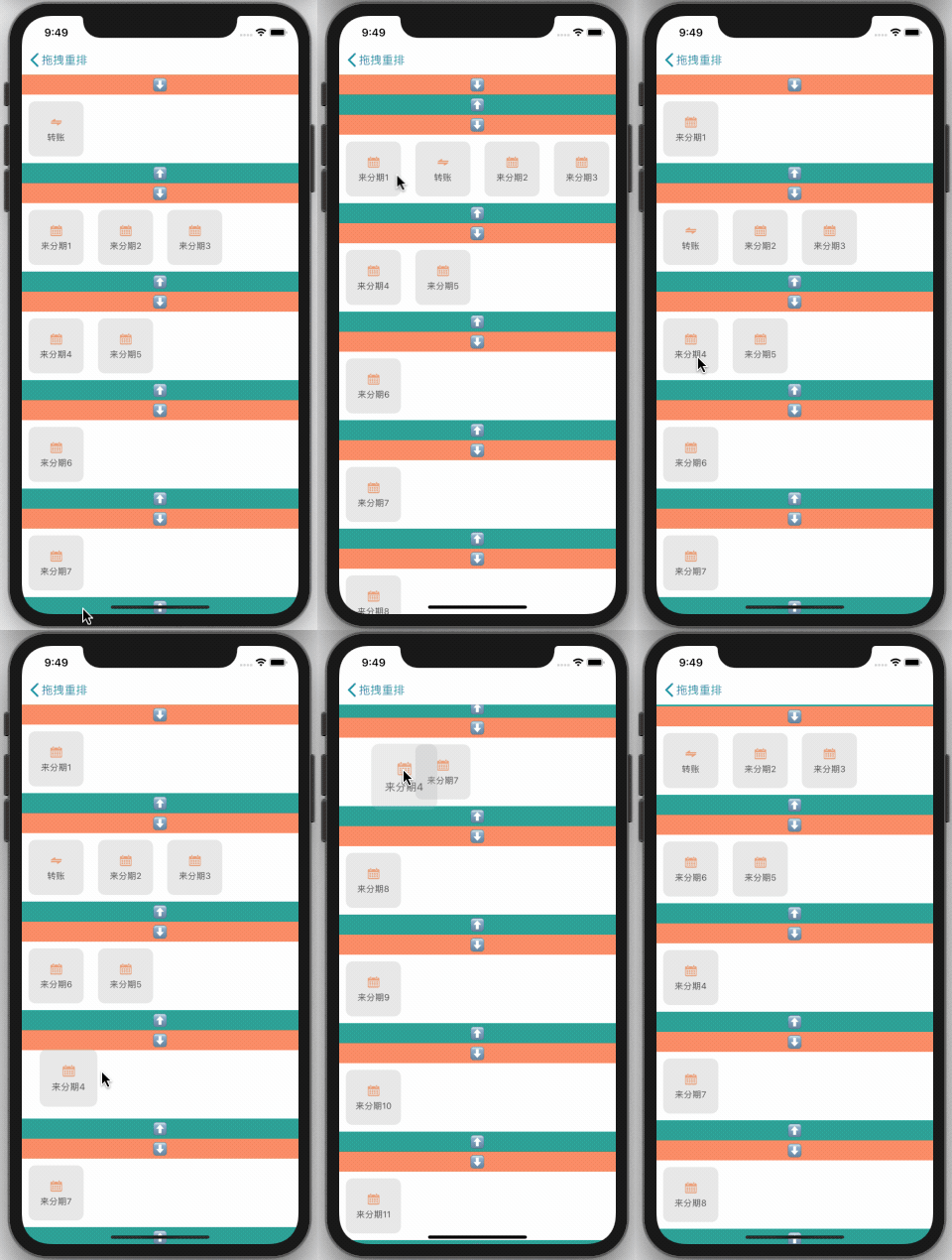







- This framework lets you easily add drag-and-drop rearrangement functionality similar to the Alipay app. It supports customization - check out the code for details. (
iOS 8+)
pod 'BMLongPressDragCellCollectionView'
pod install
#import "BMLongPressDragCellCollectionView.h"- Download the project:
git clone https://github.com/liangdahong/BMLongPressDragCellCollectionView.git - Drag and drop all the contents of the
BMLongPressDragCellCollectionViewfolder to your project
BMLongPressDragCellCollectionViewis a subclass ofUICollectionView, so usage is the exact same asUICollectionView. Just replaceUICollectionViewwithBMLongPressDragCellCollectionViewin your Xib or Storyboard.- Replace your
UICollectionViewDataSourcewithBMLongPressDragCellCollectionViewDataSource - Replace your
UICollectionViewDelegateFlowLayoutwithBMLongPressDragCellCollectionViewDelegate - Implement the data source method, which will be used internally to obtain the data source. This is required. The data structure of
NSArray< NSArray<id> *> *is for the internalcelldata source's sort processing.
- (NSArray< NSArray<id> *> *)dataSourceWithDragCellCollectionView:(__kindof BMLongPressDragCellCollectionView *)dragCellCollectionView;
Implementation:
- (NSArray<NSArray<id> *> *)dataSourceWithDragCellCollectionView:(__kindof BMLongPressDragCellCollectionView *)dragCellCollectionView {
    return self.dataSourceArray;
}
- Implement the proxy method, which is called when a
cellis swapped with anothercell. The latest data source needs to be saved outside (If there is an exchange, the data source is updated). This is also required.
- (void)dragCellCollectionView:(BMLongPressDragCellCollectionView *)dragCellCollectionView newDataArrayAfterMove:(nullable NSArray< NSArray<id> *> *)newDataArray;
Implementation:
- (void)dragCellCollectionView:(BMLongPressDragCellCollectionView *)dragCellCollectionView newDataArrayAfterMove:(nullable NSArray< NSArray<id> *> *)newDataArray {
    self.dataSourceArray = [newDataArray mutableCopy];
}


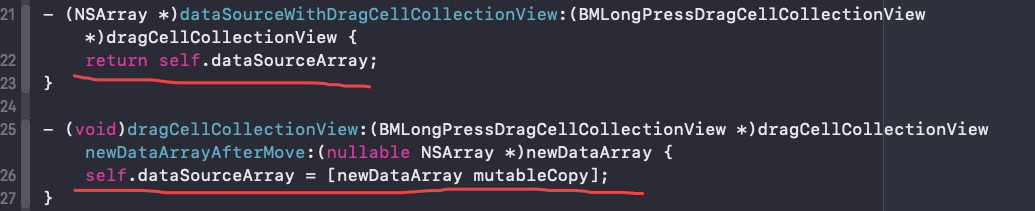
In a Xib or Storyboard, you only need the above 3 steps to make your UICollectionView support drag and drop rearrangement perfectly.
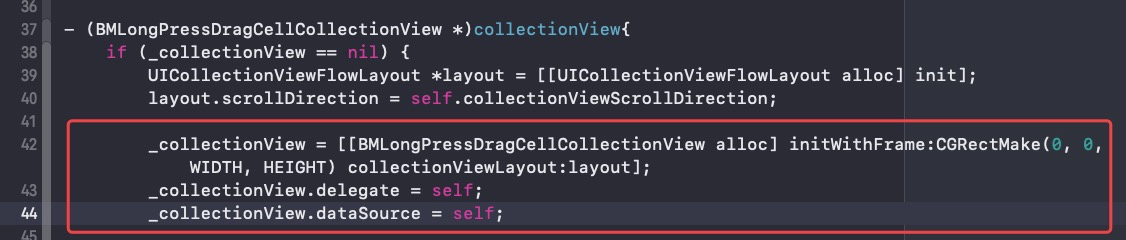


Programmatically, you only need the above 3 steps to make your UICollectionView support drag and drop rearrangement perfectly.
If you want to add custom behavior, you can set the relevant properties of BMLongPressDragCellCollectionView or implement some specific protocol methods (find them in the header file of BMLongPressDragCellCollectionView and the protocol of BMLongPressDragCellCollectionViewDelegate and BMLongPressDragCellCollectionViewDataSource)

- A pure Swift rewrite is planned for August 5, 2020...
- The core implementation is based off XWDragCellCollectionView. Special thanks!
- 🖖 Use a high-performance auto-height for
UITableViewCellandUITableViewHeaderFooterView. An internal height cache is also automatically managed.
BMLongPressDragCellCollectionView is released under the MIT license. See LICENSE for details.
| Convenient calendar app, supports holidays, breaks, etc | Convenient payroll tax cut calculator |
|---|---|
 |
 |