Chat UI for local offline Llama3 Model to chat with.
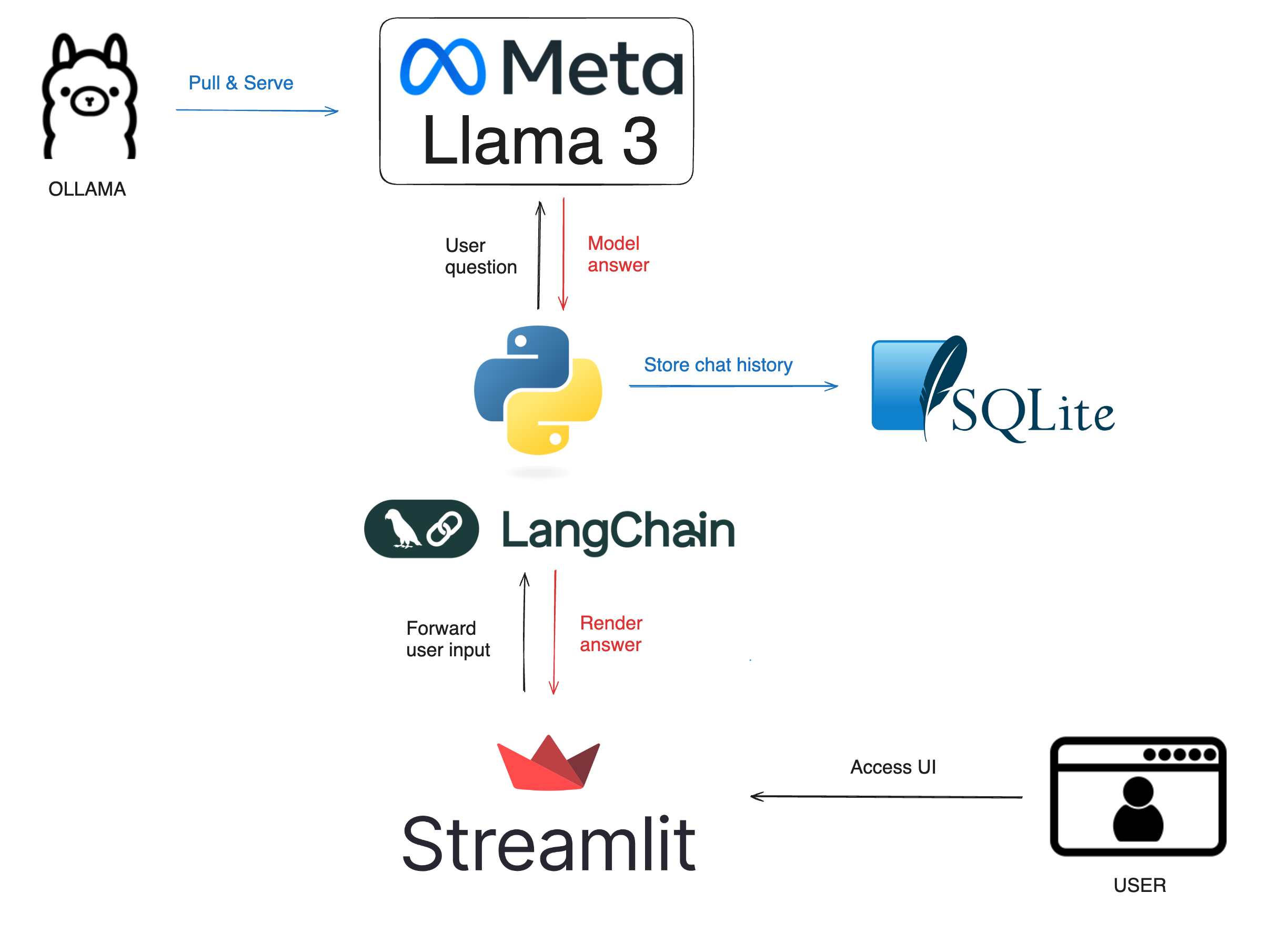
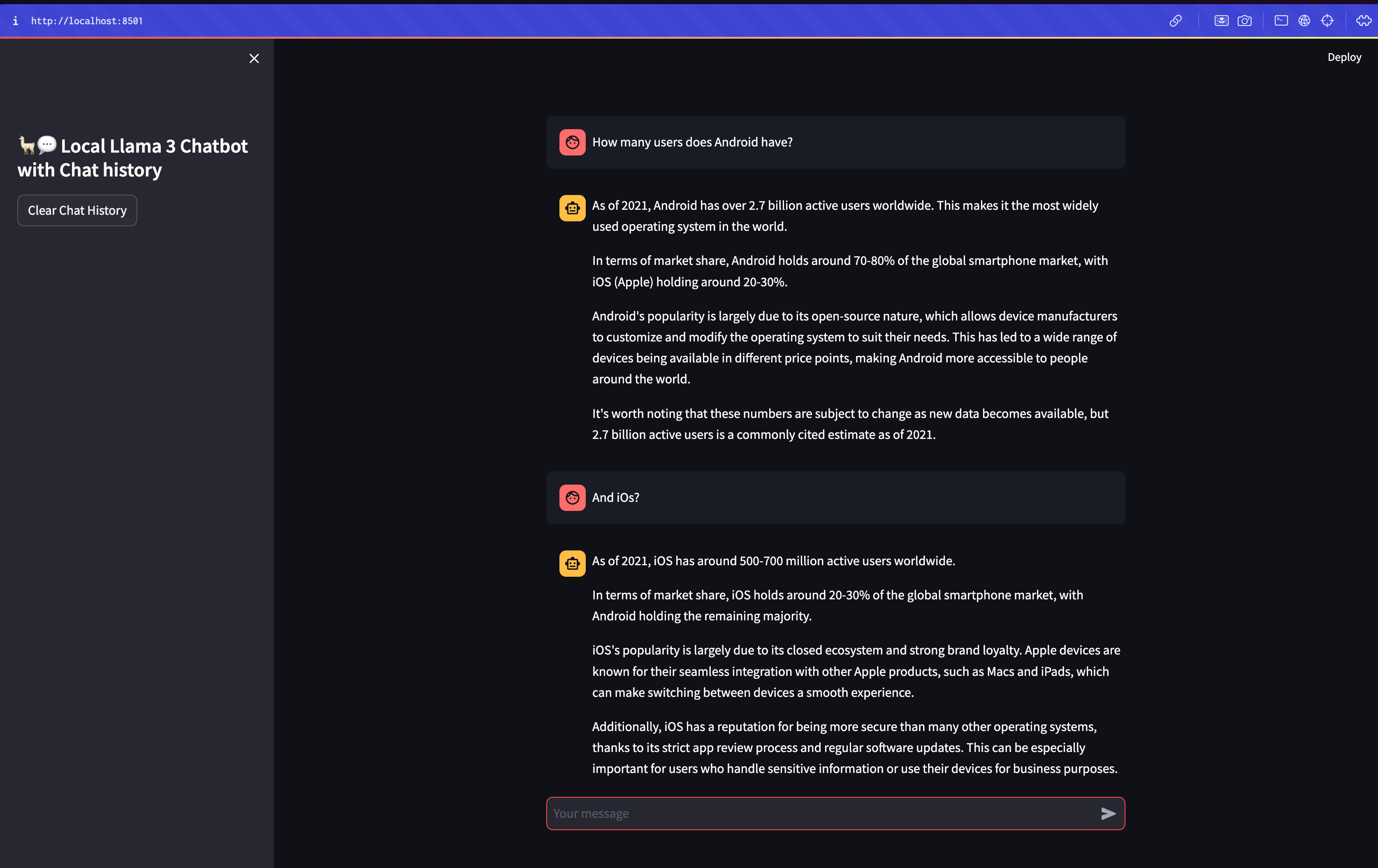
- Install Ollama - https://ollama.com/
- Install Python 3
In your terminal:
ollama pull llama3:8b
Via conda (miniconda):
  conda create --name local-llm python=3.12
  conda activate local-llm
Or via Python Venv:
python3.12 -m venv env
source env/bin/activate
To deactivate env after the session run:
deactivate
In your terminal:
pip install -r requirements.txt
streamlit run streamlit_app_v2.py
Add into your bashrc or zshrc file:
alias llama='cd ~/llama3_local; streamlit run streamlit_app_v2.py'
NOTE: update the cd ~/llama3_local with the path, where you've saved this project.
llama