| Option | Description | Details |
|---|---|---|
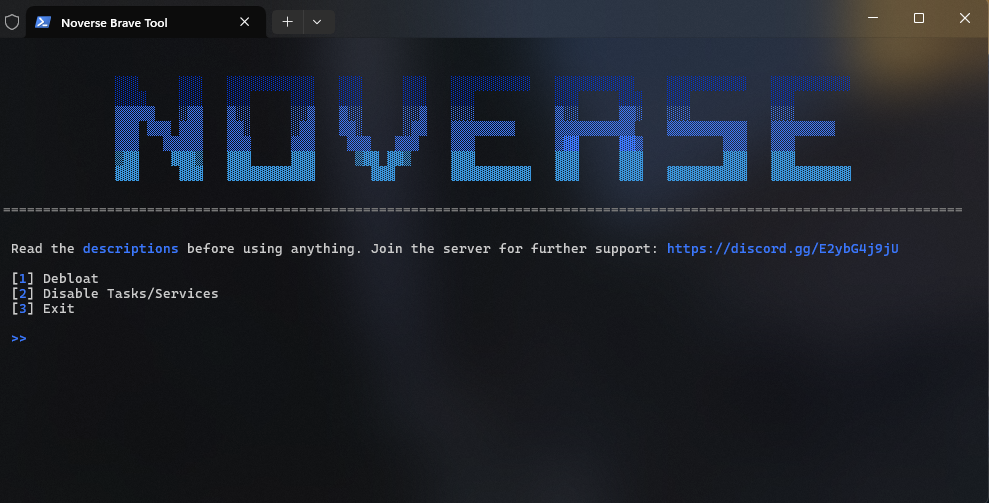
| Debloat | Removes crash handler, language packs, event log files (some are optional), and older Brave versions | - |
| Disable Tasks/Services | Disables scheduled tasks and services | brave, BraveElevationService, bravem, BraveSoftwareUpdate* scheduled tasks |


Possible uBO configuration (which I currently use):
https://github.com/nohuto/app-tools/blob/main/assets/uBlock-Config.txt
uBlock Origin Filters:
https://github.com/nohuto/blocklist-mgr
https://github.com/yokoffing/filterlists
https://filterlists.com/
Further extensions you may want:
https://chromewebstore.google.com/detail/ublock-origin-development/cgbcahbpdhpcegmbfconppldiemgcoii?pli=1 (uBlock Origin development build)
uBlock origin was removed from the chrome extension store, but you can still add it via the link (may be removed soon).
https://chromewebstore.google.com/detail/duckduckgo-privacy-essent/bkdgflcldnnnapblkhphbgpggdiikppg (search engine)
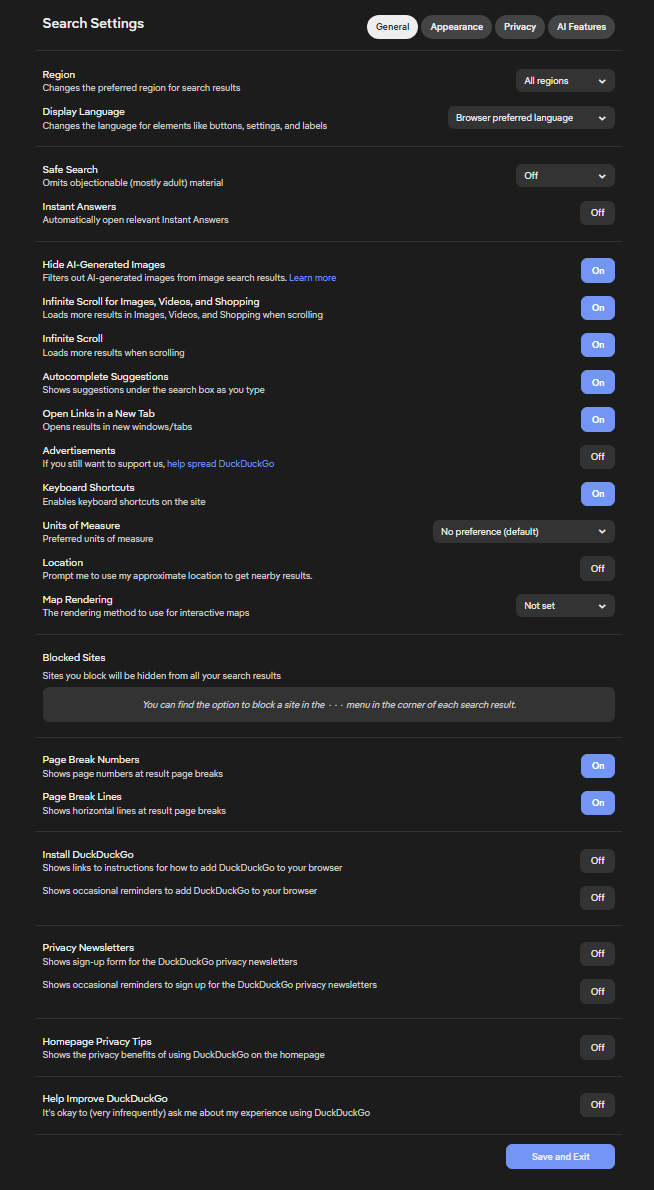
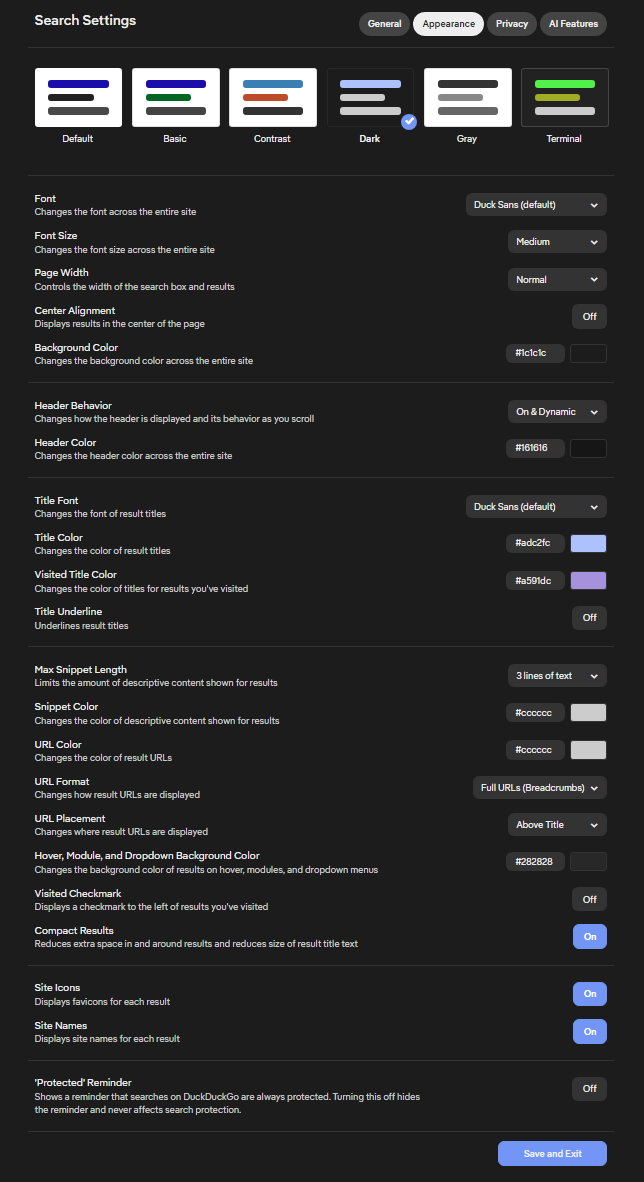
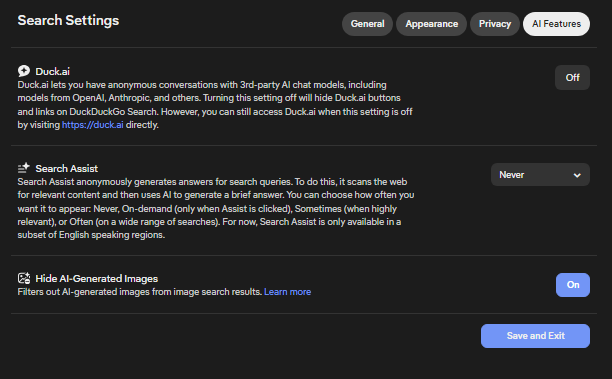
You can get my minimal configuration for the search engine via the nohutoddg passphrase.
https://chromewebstore.google.com/detail/i-still-dont-care-about-c/edibdbjcniadpccecjdfdjjppcpchdlm (skips cookies - don't use
I don't care about cookies) https://chromewebstore.google.com/detail/dark-reader/eimadpbcbfnmbkopoojfekhnkhdbieeh
Possible DDG search engine configuration:
You could also add command lines, instead of applying some of them via brave://flags, but you won't see the changes if the command line is also available in brave://flags. Verify them by entering brave://version and looking into the 'Command Line' section, you should see all commands, which are currently used there.
How do I use command line flags in Brave?
https://support.brave.com/hc/en-us/articles/360044860011-How-Do-I-Use-Command-Line-Flags-in-Brave
The following are flags, which can be changed, by opening brave://flags and pasting the name into the search bar. Some are personal preference, some may disable features, which you want, so read the desc of the flag, before changing it.
Since Brave comes with crypo features, Leo AI etc. by default it's recommended to disable these features via flags (which completely hides them from the UI).
| Flag | Description | State |
|---|---|---|
brave-wallet-zcash |
Zcash support for native Brave Wallet | Disabled |
brave-wallet-bitcoin |
Bitcoin support for native Brave Wallet | Disabled |
brave-wallet-cardano |
Cardano support for native Brave Wallet | Disabled |
brave-ai-chat |
Summarize articles and engage in conversation with AI | Disabled |
brave-ai-chat-history |
Enables AI Chat History persistence and management | Disabled |
brave-ai-chat-tools |
Conversations can provide Tools to the AI to perform more specific actions. | Disabled |
brave-ai-chat-agent-profile |
Enables Leo's content agent features and only in a separate built-in profile. | Disabled |
brave-ai-chat-open-leo-from-brave-search |
Enables opening Leo AI Chat from Brave Search | Disabled |
brave-ai-rewriter |
Enables the Brave AI rewriter dialog | Disabled |
block-insecure-private-network-requests |
Prevents non-secure contexts from making subresource requests to more-private IP addresses | Enabled |
clear-cross-site-cross-browsing-context-group-window-name |
Clear the preserved window.name property when it's a top-level cross-site navigation that swaps BrowsingContextGroup | Enabled |
disallow-doc-written-script-loads |
Disallows fetches for third-party parser-blocking scripts inserted into the main frame via document.write | Enabled |
enable-gpu-rasterization |
Use GPU to rasterize web content | Enabled |
enable-parallel-downloading |
Enable parallel downloading to accelerate download speed | Enabled |
enable-quic |
Enable experimental QUIC protocol support | Enabled |
enable-webrtc-hide-local-ips-with-mdns |
Conceal local IP addresses with mDNS hostnames | Enabled |
enable-zero-copy |
Raster threads write directly to GPU memory associated with tiles | Enabled |
brave-adblock-default-1p-blocking |
Allow Brave Shields to block first-party network requests in Standard blocking mode | Enabled |
brave-override-download-danger-level |
Disables download warnings for files which are considered dangerous when Safe Browsing is disabled. Use at your own risks. | Enabled |
brave-module-filename-patch |
Enables patching of executable's name from brave.exe to chrome.exe in sandboxed processes. | Enabled |
enable-generic-sensor-extra-classes |
Enables an extra set of sensor classes based on Generic Sensor API, which expose previously unavailable platform features, i.e. AmbientLightSensor and Magnetometer interfaces | Disabled |
enable-vulkan |
Use Vulkan as the graphics backend | Disabled |
enable-webrtc-remote-event-log |
Allow collecting WebRTC event logs and uploading them to Crash | Disabled |
in-product-help-demo-mode-choice |
Selects the In-Product Help demo mode | Disabled |
media-router-cast-allow-all-ips |
Have the Media Router connect to Cast devices on all IP addresses, not just RFC1918/RFC4193 private addresses | Disabled |
pull-to-refresh |
Pull-to-refresh gesture in response to vertical overscroll | Disabled |
use-dev-updater-url |
Use the dev URL for the component updater | Disabled |
brave-cosmetic-filtering-sync-load |
Enable sync loading of cosmetic filter rules | Disabled |
brave-ads-should-always-run-brave-ads-service |
Always run Brave Ads service to support triggering ad events when Brave Private Ads are disabled | Disabled |
translate |
Should be used with brave-translate-go | Disabled |
native-brave-wallet |
Native cryptocurrency wallet support without the use of extensions | Disabled |
brave-news-peek |
Prompt Brave News via the top featured article peeking up from the bottom of the New Tab Page, after a short delay | Disabled |
brave-news-feed-update |
Use the updated Brave News feed | Disabled |
brave-rewards-gemini |
Enables support for Gemini as an external wallet provider for Brave | Disabled |
top-chrome-touch-ui |
Enables touch UI layout in the browser's top chrome | Disabled |
zero-copy-video-capture |
Camera produces a GPU-friendly buffer on capture and, if there is, hardware accelerated video encoder consumes the buffer | Disabled |
record-web-app-debug-info |
Enables recording additional web app related debugging data to be displayed in: chrome://web-app-internals | Disabled |
run-video-capture-service-in-browser |
Run the video capture service in the browser process | Disabled |
show-autofill-type-predictions |
Annotates web forms with Autofill field type predictions as placeholder text | Disabled |
smooth-scrolling |
Animate smoothly when scrolling page content | Disabled |
overlay-strategies |
Select strategies used to promote quads to HW overlays. Note that strategies other than Default may break playback of protected content. | None / Occluded and unoccluded buffers |
use-angle |
Choose the graphics backend for ANGLE. D3D11 is used on most Windows computers by default. Using the OpenGL backend is not supported and will likely exhibit rendering artifacts. | D3D11on12 (Test) |
The following are flags, which also can be useful, but youll have to test them yourself. Make sure to read the desc of the flag! If you experience issues, revert them to their default value. Using the flags listed above is already enough, this is just for people, who want to test more. If you dont know much about such settings, leave them, as for example enable-waitable-swap-chain can cause frame drops, if changing it to max 1 frame.
| Flag | Description | State |
|---|---|---|
enable-isolated-sandboxed-iframes |
When enabled, applies process isolation to iframes with the 'sandbox' attribute and without the 'allow-same-origin' permission set on that attribute | Enabled |
enable-web-bluetooth-new-permissions-backend |
Enables the new permissions backend for Web Bluetooth. This will enable persistent storage of device permissions and Web Bluetooth features such as BluetoothDevice.watchAdvertisements() and Bluetooth.getDevices() | Enabled |
fingerprinting-canvas-image-data-noise |
Slightly modifies at most 10 pixels in Canvas image data extracted via JS APIs | Enabled |
fingerprinting-canvas-measuretext-noise |
Scale the output values of Canvas::measureText() with a randomly selected factor in the range -0.0003% to 0.0003%, which are recomputed on every document initialization | Enabled |
fingerprinting-client-rects-noise |
Scale the output values of Range::getClientRects() and Element::getBoundingClientRect() with a randomly selected factor in the range -0.0003% to 0.0003%, which are recomputed on every document initialization | Enabled |
isolate-origins |
Isolate additional origins | Enabled |
strict-origin-isolation |
Experimental security mode that strengthens the site isolation policy. Controls whether site isolation should use origins instead of scheme and eTLD+1 | Enabled |
use-dns-https-svcb-alpn |
When enabled, Chrome may try QUIC on the first connection using the ALPN information in the DNS HTTPS record | Enabled |
enable-webusb-device-detection |
When enabled, the user will be notified when a device which advertises support for WebUSB is connected. Disable if problems with USB devices are observed when the browser is running | Disabled |
system-keyboard-lock |
Enables websites to use the keyboard.lock() API to intercept system keyboard shortcuts and have the events routed directly to the website when in fullscreen mode | Disabled |
username-first-flow-with-intermediate-values-predictions |
New single username predictions based on voting from Username First Flow with intermediate values | Disabled |
username-first-flow-with-intermediate-values-voting |
Support voting on username first flow with intermediate values. Username first flow is login/sign-up flow where a user has to type username first on one page and then password on another page. Intermediate fields are usually an OTP field or CAPTCHA | Disabled |
web-share |
Enables the Web Share (navigator.share) APIs on experimentally supported platforms | Disabled |
enable-waitable-swap-chain |
Use waitable swap chains to reduce presentation latency (effective only on Windows 8.1 or later). If enabled, specify the maximum number of frames that can be queued, ranging from 1–3. 1 has the lowest delay but is most likely to drop frames, while 3 has the highest delay but is least likely to drop frames. | Enabled Max 2 Frame |
It might fail execution if the powershell execution policy is set to it's default values. See PS Unrestricted Policy for details.