| Option | Description |
|---|---|
| SpotX Installer | Asks if you want to uninstall your current version. Features: - Blocks all banner, video, and audio ads in the client - Hides podcasts, episodes, and audiobooks from the homepage (optional) - Blocks Spotify automatic updates (optional) - Activates more experimental features - Disables sentry's console log/error/warning messages to Spotify developers, halts user interaction logging, eliminates right-to-left CSS rules for simplification, and performs code minification - The tool currently downloads the old theme. You can install the new theme here, if you don’t like the old one (I recommend the old one). - You can install spicetify after installing SpotX if you want custom themes, apps, and more extensions. If you don’t care about that, just use SpotX. - SpotX for Linux/MacOS. |
| In-App Settings | Changes all in-app settings automatically. - Asks for the proxy settings, streaming quality, equalizer (on/off) |
| Debloat | Removes language packs, startup tasks, migrator files, debug logs, crash files, and more. - Options to remove login.spa, which breaks the login part (use after logging into Spotify) |
| Clean up | Removes storage, data, browser files, cache, offline data, user data, shader cache, logs, and error report files. |
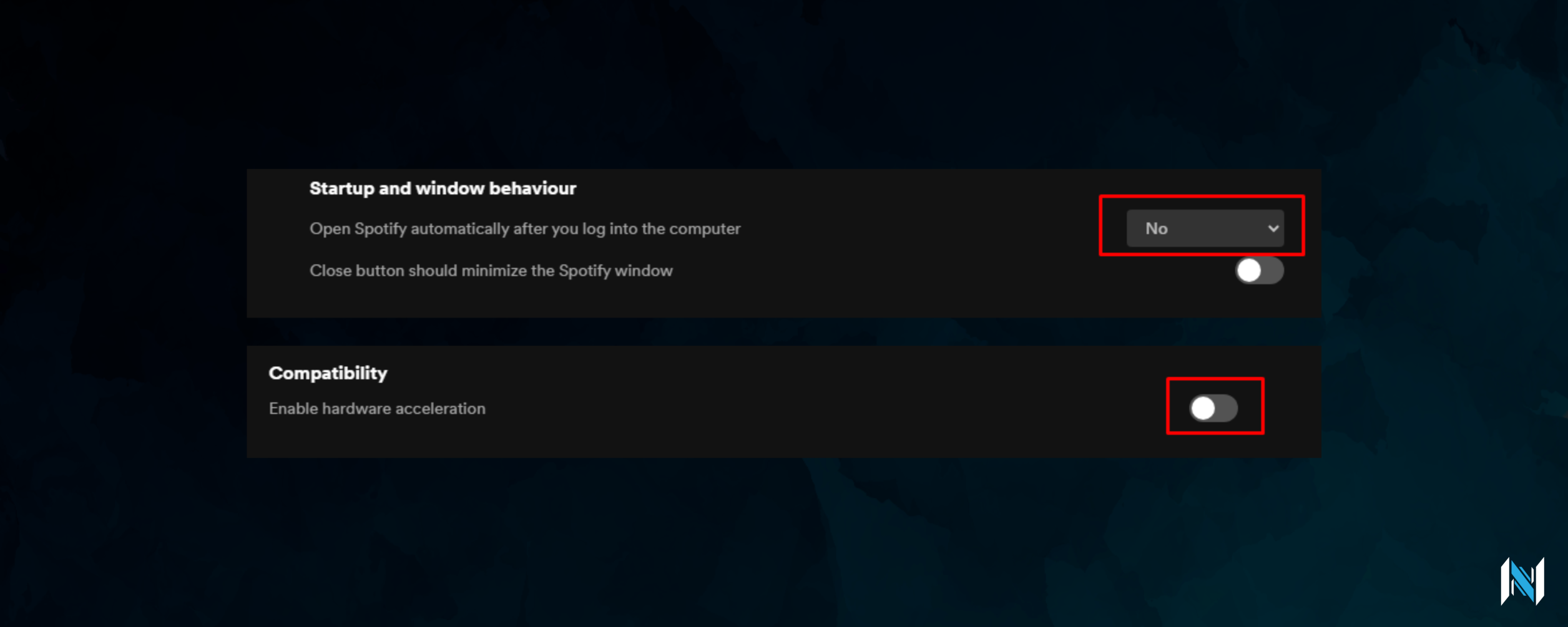
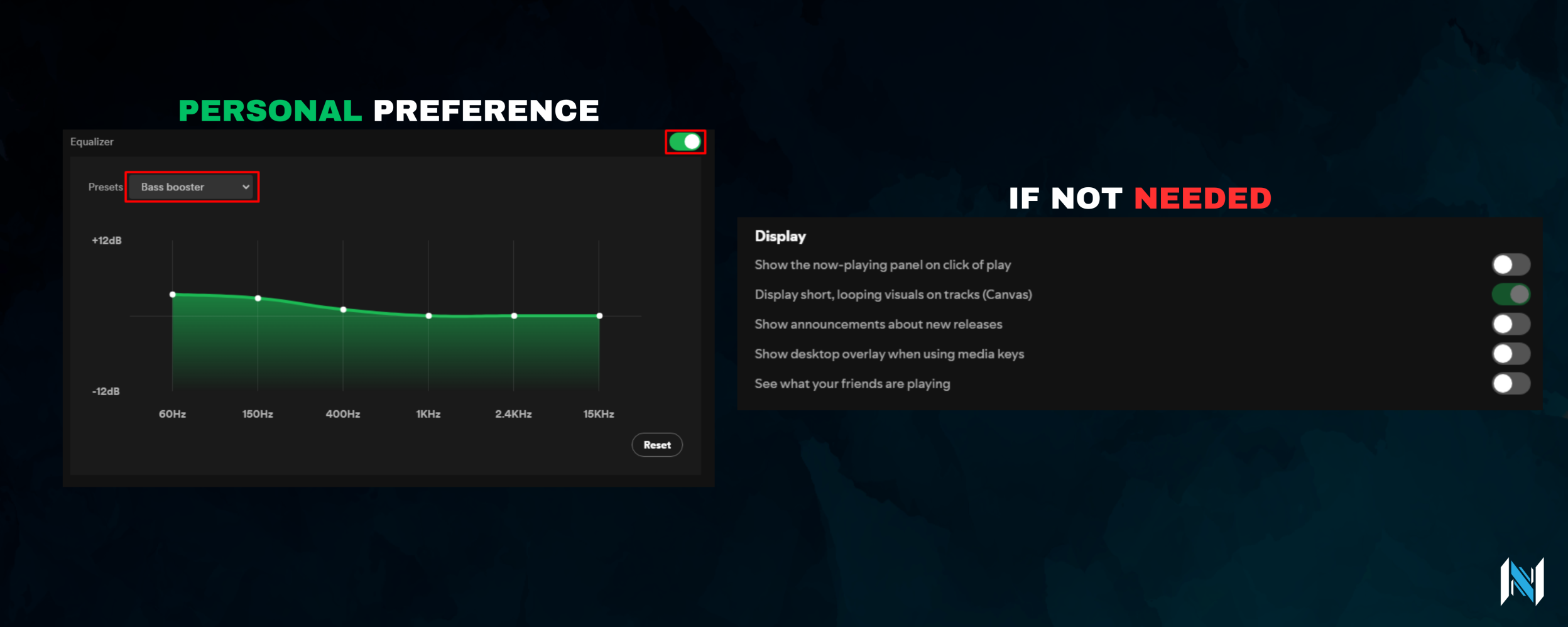
No need to apply, if using the tools In-App Settings option.
Miscellaneous notes about SpotX arguments:
-podcasts_off -adsections_off // -v -confirm_spoti_recomended_over -block_update_on are used by default (Install_Old_theme.bat)-mirror // Use github.io mirror for script
-devtools // Enable developer mode in Spotify
-podcasts_off // Hide podcasts/episodes/audiobooks
-adsections_off // Hide ad-like homepage sections
-podcasts_on // Show podcasts/episodes/audiobooks
-block_update_on // Block Spotify automatic updates
-block_update_off // Allow Spotify automatic updates
-confirm_uninstall_ms_spoti // Auto-uninstall MS Store Spotify
-confirm_spoti_recomended_over // Force install recommended version over old
-confirm_spoti_recomended_uninstall // Remove old version then install recommended
-premium // Skip ad-block for premium accounts
-DisableStartup // Stop Spotify auto-start on Windows boot
-start_spoti // Auto-launch Spotify after install
-exp_spotify // Enable experimental features
-topsearchbar // Enable top search bar
-newFullscreenMode // Enable new fullscreen mode
-hide_col_icon_off // Show collaboration icon in playlists
-rightsidebar_off // Disable new right sidebar
-plus // Replace heart icon with “plus” save button
-funnyprogressBar // Use fun progress bar
-new_theme // Apply new theme layout
-rightsidebarcolor // Match right sidebar color to cover art
-old_lyrics // Restore old lyrics
-lyrics_block // Disable native lyrics
-no_shortcut // Skip creating desktop shortcut
-err_ru // Error log ru stringYou can practically install it with (old theme):
Invoke-Expression "& { $(Invoke-WebRequest -UseBasicParsing 'https://raw.githubusercontent.com/SpotX-Official/spotx-official.github.io/main/run.ps1') } -v 1.2.13.661.ga588f749-4064 -confirm_spoti_recomended_over -block_update_on -podcasts_off -adsections_off"It might fail execution if the powershell execution policy is set to it's default values. See PS Unrestricted Policy for details.
The SpotX repository got removed, means that the tool won't be able to download it anymore. I did upload a powershell script which works with a local mirror of the repository on my Discord server.