


Eficy is a zero‑build JSX runtime for React. It renders JSX directly in the browser using existing React components without bundlers or compilation. Register React components once and use them as protocol elements (e.g., e-Button). Built‑in signals make state simple. Great for LLM‑generated pages.

English | 简体中文
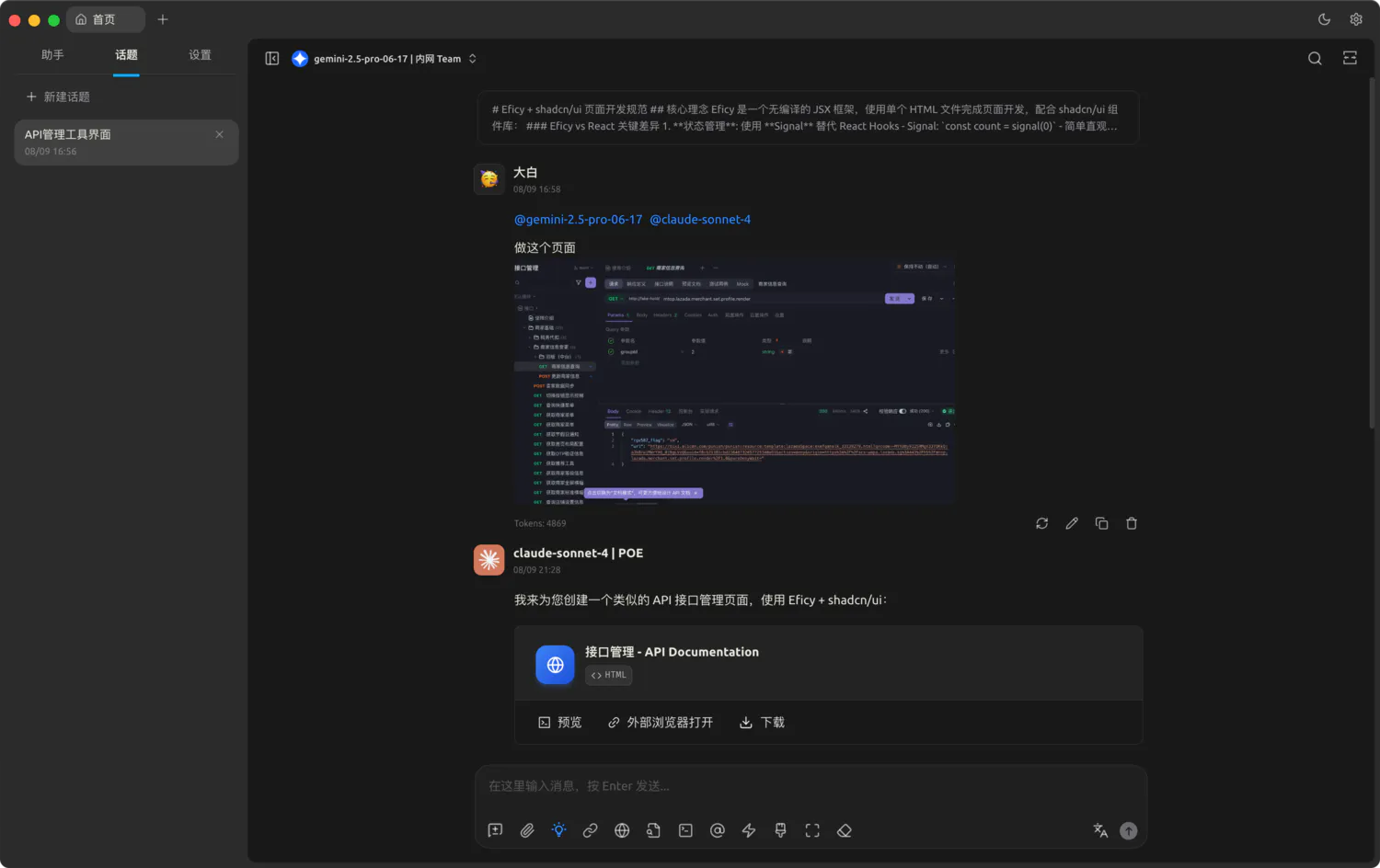
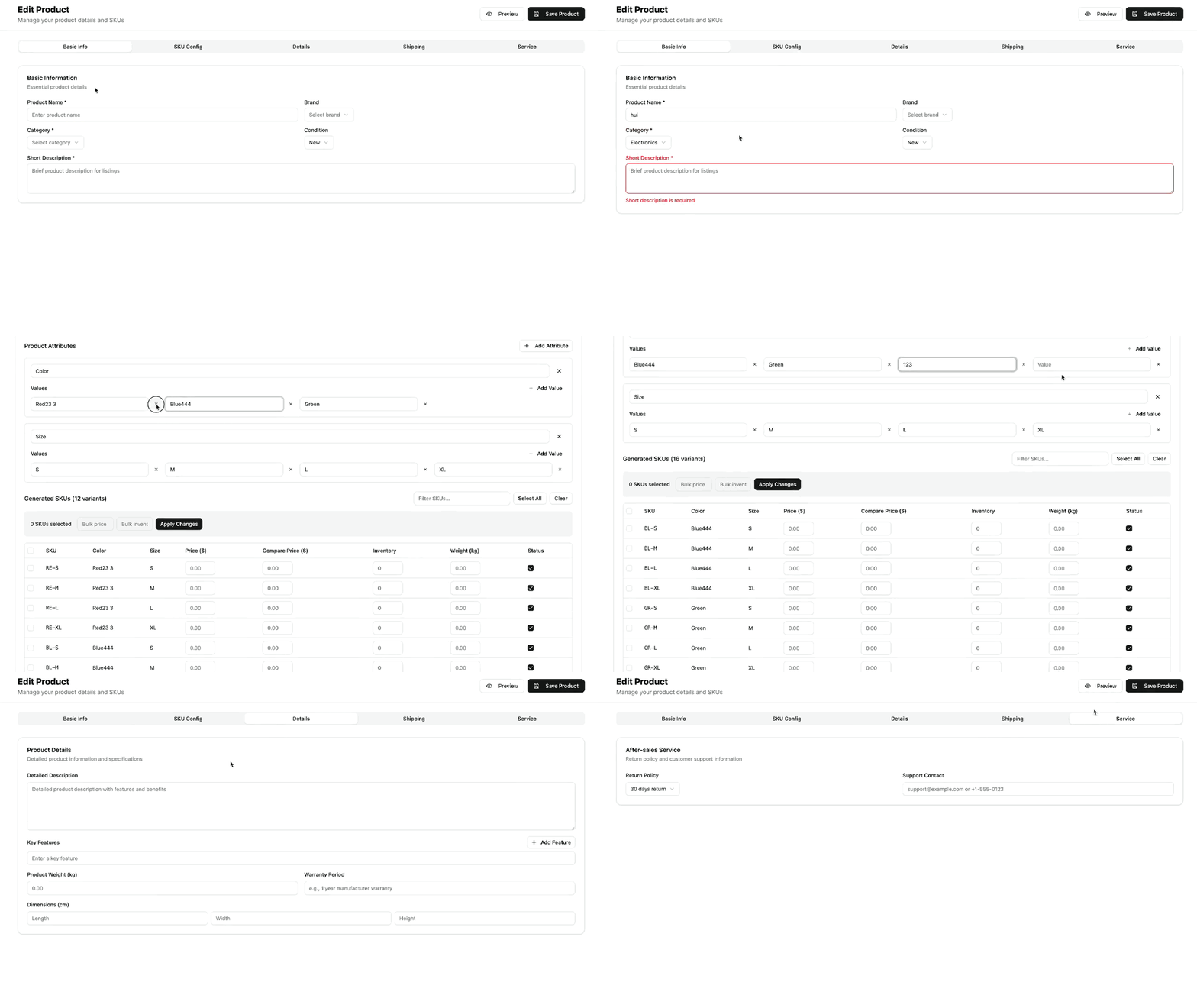
If you want to quickly generate pages with Eficy, you can use the prompt set provided in llm_shadcn.txt.
- What it includes: best-practice prompts for Eficy + shadcn/ui, component protocol with
e-prefix, ready-to-use HTML template, and common examples - How to use:
- Open the prompts in
llm_shadcn.txt - In an LLM client that supports HTML preview (e.g., Cherry Studio), ask it to generate a page using Eficy + shadcn/ui with these prompts
- Preview the result directly in the chat window — no manual copy-paste into HTML is required
- Open the prompts in
- Related: Browser usage guide
Eficy helps you:
- Run JSX with no build — use
<script type="text/eficy">in a plain HTML page - Protocol components — register React components and use them as
e-Button, ensuring consistent LLM output - Simple reactive state — signals with fine‑grained updates
- Optional UnoCSS plugin — generate atomic CSS from
className
- Intuitive State Management: Eliminates the need for complex React Hooks
- Automatic Dependency Tracking: Signals used in JSX are automatically tracked
- Fine-grained Updates: Only components using changed signals re-render
- Async Data Support: Built-in async signals with automatic loading/error handling
- Direct Browser Execution: Run JSX directly in browser environments
- Script Tag Support: Use
<script type="text/eficy">for inline JSX - Real-time Transpilation: Instantly convert JSX to executable JavaScript
- Prefix-based Components: Use
e-Buttonsyntax for registered components - Global Component Registry: Register components once, use everywhere
- Consistent LLM Output: Reduce variability in LLM-generated components
- Atomic CSS Generation: Automatically generate styles from className attributes
- Real-time Style Processing: Extract and generate CSS during rendering
- Smart Caching: Avoid regenerating identical styles
- Full React Compatibility: Work with existing React component libraries
- Custom JSX Runtime: Transparent integration with signals
- TypeScript Support: Complete type safety
npm install eficy
# or
yarn add eficy
# or
pnpm add eficy<!DOCTYPE html>
<html>
<head>
<title>Eficy Demo</title>
<script type="module" src="https://unpkg.com/@eficy/browser@1.0.19/dist/standalone.mjs"></script>
</head>
<body>
<div id="root"></div>
<script type="text/eficy">
import { signal } from 'eficy';
import * as antd from 'antd';
// Register components
Eficy.registerComponents(antd);
const App = () => {
const count = signal(0);
const name = signal('World');
return (
<div className="p-6 bg-gray-100 min-h-screen">
<h1 className="text-2xl font-bold mb-4">Hello, {name}!</h1>
<p className="mb-4">Count: {count}</p>
<input
className="border p-2 mr-2"
value={name}
onChange={(e) => name.set(e.target.value)}
placeholder="Enter your name"
/>
<e-Button
type="primary"
onClick={() => count.set(count() + 1)}
>
Increment
</e-Button>
</div>
);
};
Eficy.render(App, document.getElementById('root'));
</script>
</body>
</html>import React from 'react';
import { createRoot } from 'react-dom/client';
import { create, EficyProvider } from 'eficy';
import { signal } from '@eficy/reactive';
import * as antd from 'antd';
// Create Eficy instance
const core = await create();
// Register components
core.registerComponents(antd);
const App = () => {
const count = signal(0);
const name = signal('Eficy');
return (
<div className="p-6 bg-gray-100 min-h-screen">
<h1 className="text-2xl font-bold mb-4">Hello, {name}!</h1>
<p className="mb-4">Count: {count}</p>
<input
className="border p-2 mr-2"
value={name}
onChange={(e) => name.set(e.target.value)}
placeholder="Enter your name"
/>
<e-Button
type="primary"
onClick={() => count.set(count() + 1)}
>
Increment
</e-Button>
</div>
);
};
// Render application
const root = createRoot(document.getElementById('root'));
root.render(
<EficyProvider core={core}>
<App />
</EficyProvider>
);import { signal, computed } from 'eficy';
// Create signals for state
const count = signal(0);
const name = signal('World');
// Create computed values
const greeting = computed(() => `Hello, ${name()}!`);
// Use in JSX (automatic subscription)
const App = () => (
<div>
<h1>{greeting}</h1>
<p>Count: {count}</p>
<button onClick={() => count.set(count() + 1)}>
Increment
</button>
</div>
);import { asyncSignal } from 'eficy';
const userList = asyncSignal(async () => {
const response = await fetch('/api/users');
return response.json();
});
const UserList = () => (
<div>
{userList.loading() && <div>Loading...</div>}
{userList.error() && <div>Error: {userList.error().message}</div>}
{userList.data() && (
<ul>
{userList.data().map(user => (
<li key={user.id}>{user.name}</li>
))}
</ul>
)}
</div>
);// Register components globally
core.registerComponents({
Button: ({ children, ...props }) => (
<button className="px-4 py-2 bg-blue-500 text-white rounded" {...props}>
{children}
</button>
)
});
// Use with e- prefix
const App = () => (
<div>
<e-Button onClick={() => console.log('Clicked!')}>
Click me
</e-Button>
</div>
);The Eficy package includes the following core modules:
- @eficy/core-jsx - Third-generation core engine based on custom JSX runtime
- @eficy/reactive - High-performance reactive state management system
- @eficy/reactive-react - React reactive integration
- @eficy/reactive-async - Async reactive support
- @eficy/plugin-unocss - UnoCSS atomic CSS auto-generation plugin
- @eficy/browser - Browser-ready bundle for no-compilation usage
- Modern browsers
- Node.js environments
- Server-side Rendering
- Electron
 IE / Edge |
 Firefox |
 Chrome |
 Safari |
 Electron |
|---|---|---|---|---|
| IE11, Edge | last 2 versions | last 2 versions | last 2 versions | last 2 versions |
- Core Framework Documentation - Detailed documentation for @eficy/core-jsx
- Reactive System Documentation - Detailed documentation for @eficy/reactive
- React Reactive Integration Documentation - Detailed documentation for @eficy/reactive-react
- Async Reactive Documentation - Detailed documentation for @eficy/reactive-async
- UnoCSS Plugin Documentation - Detailed documentation for @eficy/plugin-unocss
- Browser Package Documentation - Documentation for browser usage
- Playground Examples - Complete application examples
create()- Create a pre-configured Eficy instanceEficyProvider- Component that provides Eficy contextuseEficyContext()- Hook to get Eficy instance
signal(value)- Create reactive signalcomputed(fn)- Create computed propertyasyncSignal(fn, options)- Create async signaluseObserver(fn)- React Hook to observe signal changes
core.install(Plugin, config)- Install plugincore.registerComponent(name, component)- Register single componentcore.registerComponents(components)- Batch register components
We welcome issues and pull requests!
- Fork the repository
- Create a feature branch (
git checkout -b feature/amazing-feature) - Commit changes (
git commit -m 'Add some amazing feature') - Push to branch (
git push origin feature/amazing-feature) - Open a Pull Request
MIT License - see LICENSE file for details
Thanks for the inspiration and support from the following open-source projects:
- React - User interface library
- Preact Signals - Reactive system foundation
- @preact/signals-react - React reactive integration
- UnoCSS - Atomic CSS engine
- TSyringe - Dependency injection container
- Ant Design - Enterprise UI design language
Enabling LLMs to truly generate pages with one sentence