
A Visual Studio Code extension designed to enhance the development experience for LookML -- Looker's custom markup language for data modeling and business intelligence.
- Features
- Architecture
- Installation & Setup
- Project Status
- Development & Testing
- Known Issues
- Changelog
- Advanced Syntax Highlighting: Two-layer highlighting system with fast TextMate grammar and intelligent semantic analysis
- Embedded SQL Support: Full SQL syntax highlighting within LookML blocks
- Context-Aware Auto-completion: Intelligent suggestions for views, fields, and LookML constructs
- Workspace Intelligence: AST-based parsing for accurate field and view reference resolution
- Looker API Integration: Secure credential storage and API connectivity
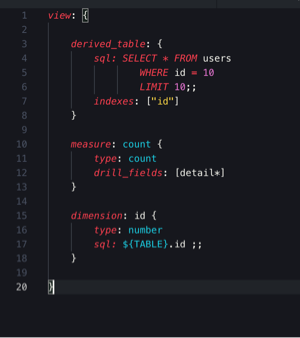

Useful templated code shortcuts.

dim + Tab
dimension: name {
    label: "Readable Dimension Name"
    description: "Description of the dimension"
    type: type
    sql: SQL string ;;
}
mes + Tab
measure: name {
    label: "Readable Dimension Name"
    description: "Description of the dimension"
    type: type
    sql: SQL string ;;
}
fil + Tab
filter: name {
    label: "Readable Filter Name"
    description: "Description of the filter"
    type: string
    suggest_dimension: id
    suggest_persist_for: "24 hours"
}
- Use of API. For example, running SQL queries directly from Visual Studio Code using Run SQL Runner Query. SQL can be selected, sent to this endpoint, and the result saved to a temporary folder, where it could be viewed with a tabular data viewer like the VScode Excel Viewer extension.
- LookML validation (with use of API endpoint Validate Project)
- LookML and SQL auto-formatting.
- Check if referencing a field from parallel view.
- Alphabetize
include:statements. - Auto include view files needed.
This extension implements a sophisticated two-layer highlighting system for optimal LookML development experience:
- Purpose: Provides immediate, basic syntax highlighting as you type
- Scope: Handles fundamental tokens like comments, strings, SQL blocks, and liquid variables
- Performance: Extremely fast, regex-based pattern matching
- Reliability: Only highlights unambiguous tokens with high confidence
- Purpose: Delivers advanced, context-aware semantic highlighting and language features
- Technology: AST-based parsing with full LookML language understanding
- Capabilities:
- Context-aware keyword highlighting (distinguishes
dimensionas a keyword vs. field name) - Intelligent auto-completion with workspace awareness
- Accurate field and view reference resolution
- Semantic token classification for precise highlighting
- Context-aware keyword highlighting (distinguishes
This architecture ensures you get instant visual feedback while typing, followed by rich, accurate highlighting and language features as the Language Server processes your code. The result is a responsive, robust development experience that scales with complex LookML projects.
- Visual Studio Code
- None yet
Note: This project was originally created by GitHub user Ladvien. We have now forked this project and are actively working to improve it.
We have significantly improved the extension's architecture and LookML language support. The extension now features a sophisticated two-layer highlighting system that provides both fast initial highlighting and advanced context-aware semantic analysis.
We welcome contributions from the community to help enhance LookML tooling and developer experience.
This project uses Jest for comprehensive testing with snapshot testing capabilities.
# Run all tests
npm test

# Run tests with coverage
npm test -- --coverage

# Run tests in watch mode (for development)
npm test -- --watch

# Run integration tests (VSCode extension tests)
npm run test:integration- Unit Tests: Located in
src/workspace-tools/__tests__/ - Test Fixtures: LookML test files in
src/workspace-tools/__tests__/fixtures/ - Snapshots: Auto-generated expected outputs in
src/workspace-tools/__tests__/__snapshots__/
- Create LookML fixture files in the
fixtures/directory - Add test cases in
parse-lookml.test.ts - Run tests to generate snapshots
- Commit both test files and generated snapshots
GitHub Actions automatically run:
- Unit Tests: Jest tests with coverage reporting
- Integration Tests: VSCode extension integration tests
- Linting: ESLint code quality checks
- Compilation: TypeScript compilation verification
Tests run on multiple Node.js versions (18.x, 20.x, 22.x) to ensure compatibility.
- None yet
- Syntax highlighting with embedded SQL
- Storing and retrieval of Looker API credentials
- Looker API Login
- Parse workspace for field names
- Completion items for views and their relevant fields