If you haven’t already, check out our contributing guidelines for onboarding and email contributors@expensify.com to request to join our Slack channel!
Action Performed:
- Click on the + icon to create a new IOU
- Click
Request Money
- Enter an amount and click next
- Hover over the
< icon at the top of the drawer that slides out and notice the tooltip
Alternatively:
- Open the app
- Go to Setting
1.Go to Profile
- hover on the back button
Expected Result:
The tooltip should be centered
Actual Result:
The tooltip is slightly askew
Workaround:
N/A
Platforms:
Which of our officially supported platforms is this issue occurring on?
Version Number: v1.2.48-2, v1.2.49-0
Reproducible in staging?: yes
Reproducible in production?: yes
Notes/Photos/Videos: Any additional supporting documentation
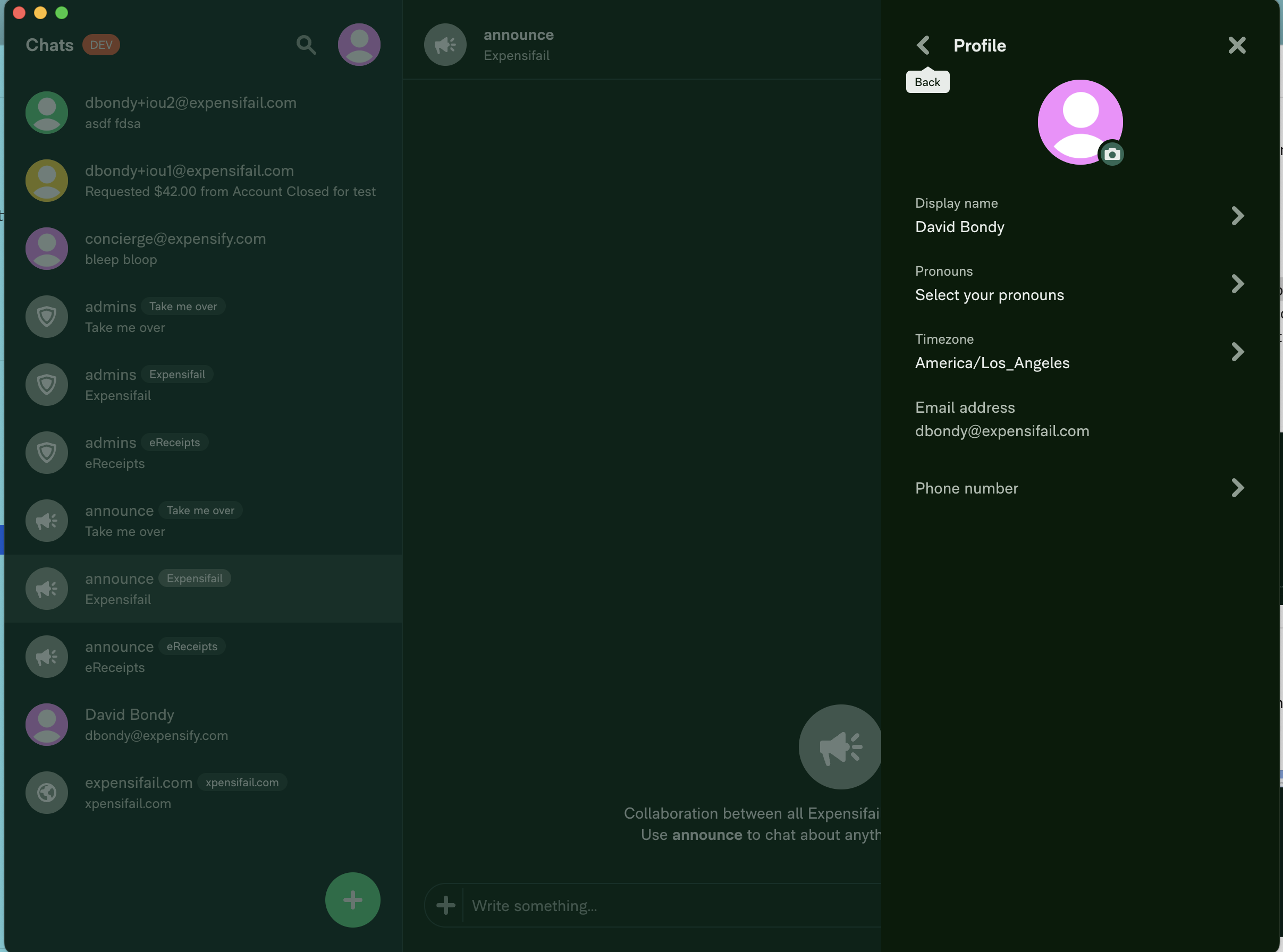
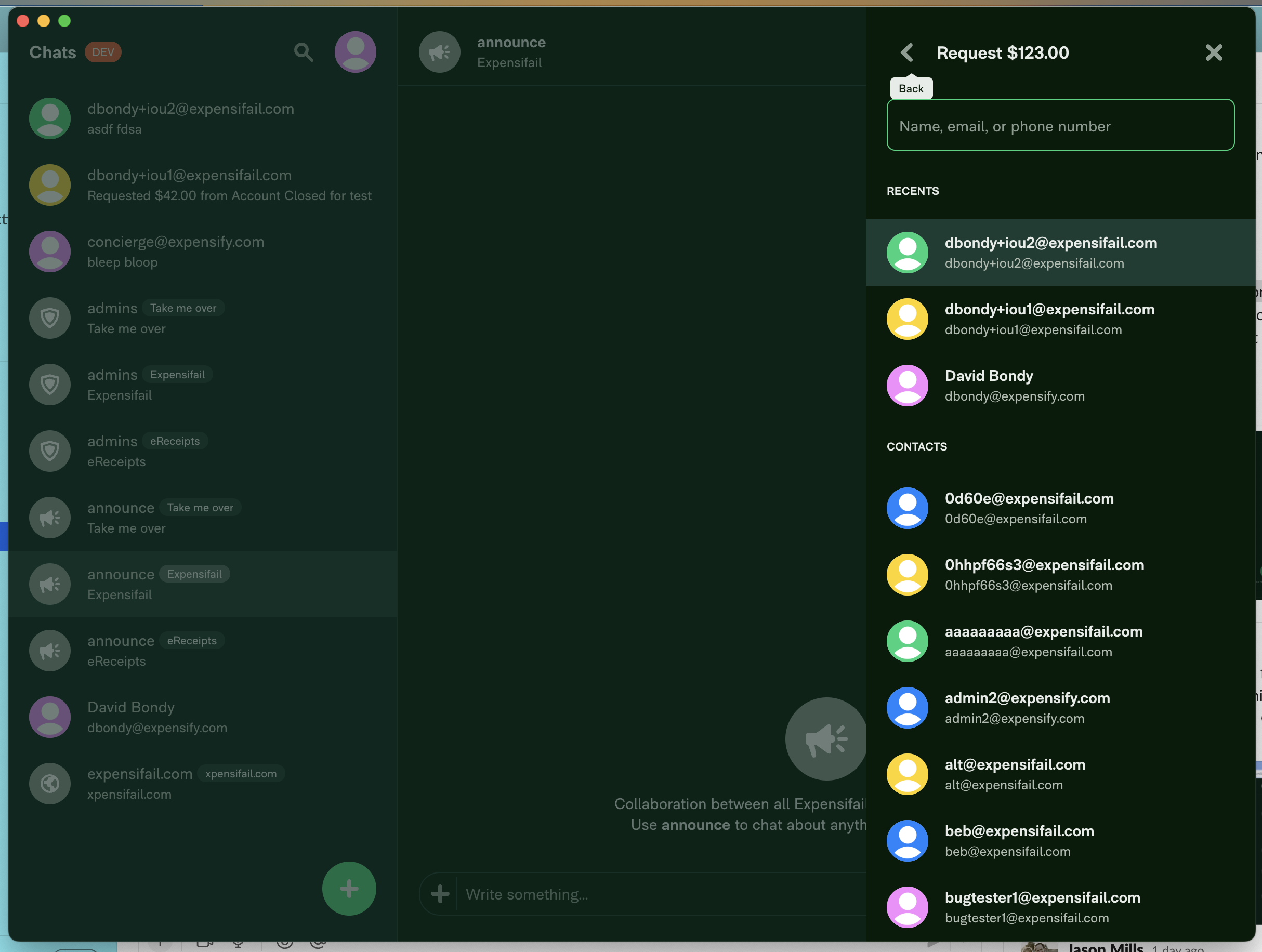
Issue reported by: @daraksha-dk
Slack conversation: https://expensify.slack.com/archives/C049HHMV9SM/p1672817918639959
View all open jobs on GitHub
Proposal for solution is here: #13940 (comment)
Upwork Automation - Do Not Edit
- Upwork Job URL: https://www.upwork.com/jobs/~0159b4566d0eb1cb3d
- Upwork Job ID: 1611154096654839808
- Last Price Increase: 2023-01-06


If you haven’t already, check out our contributing guidelines for onboarding and email contributors@expensify.com to request to join our Slack channel!
Action Performed:
Request Money<icon at the top of the drawer that slides out and notice the tooltipAlternatively:
1.Go to Profile
Expected Result:
The tooltip should be centered
Actual Result:
The tooltip is slightly askew
Workaround:
N/A
Platforms:
Which of our officially supported platforms is this issue occurring on?
Version Number: v1.2.48-2, v1.2.49-0


Reproducible in staging?: yes
Reproducible in production?: yes
Notes/Photos/Videos: Any additional supporting documentation
Issue reported by: @daraksha-dk
Slack conversation: https://expensify.slack.com/archives/C049HHMV9SM/p1672817918639959
View all open jobs on GitHub
Proposal for solution is here: #13940 (comment)
Upwork Automation - Do Not Edit