If you haven’t already, check out our contributing guidelines for onboarding and email contributors@expensify.com to request to join our Slack channel!
Upwork post: https://www.upwork.com/jobs/~01141d41100982c438
Action Performed:
- Go to Sidebar click on Preference
- Change the language to Spanish
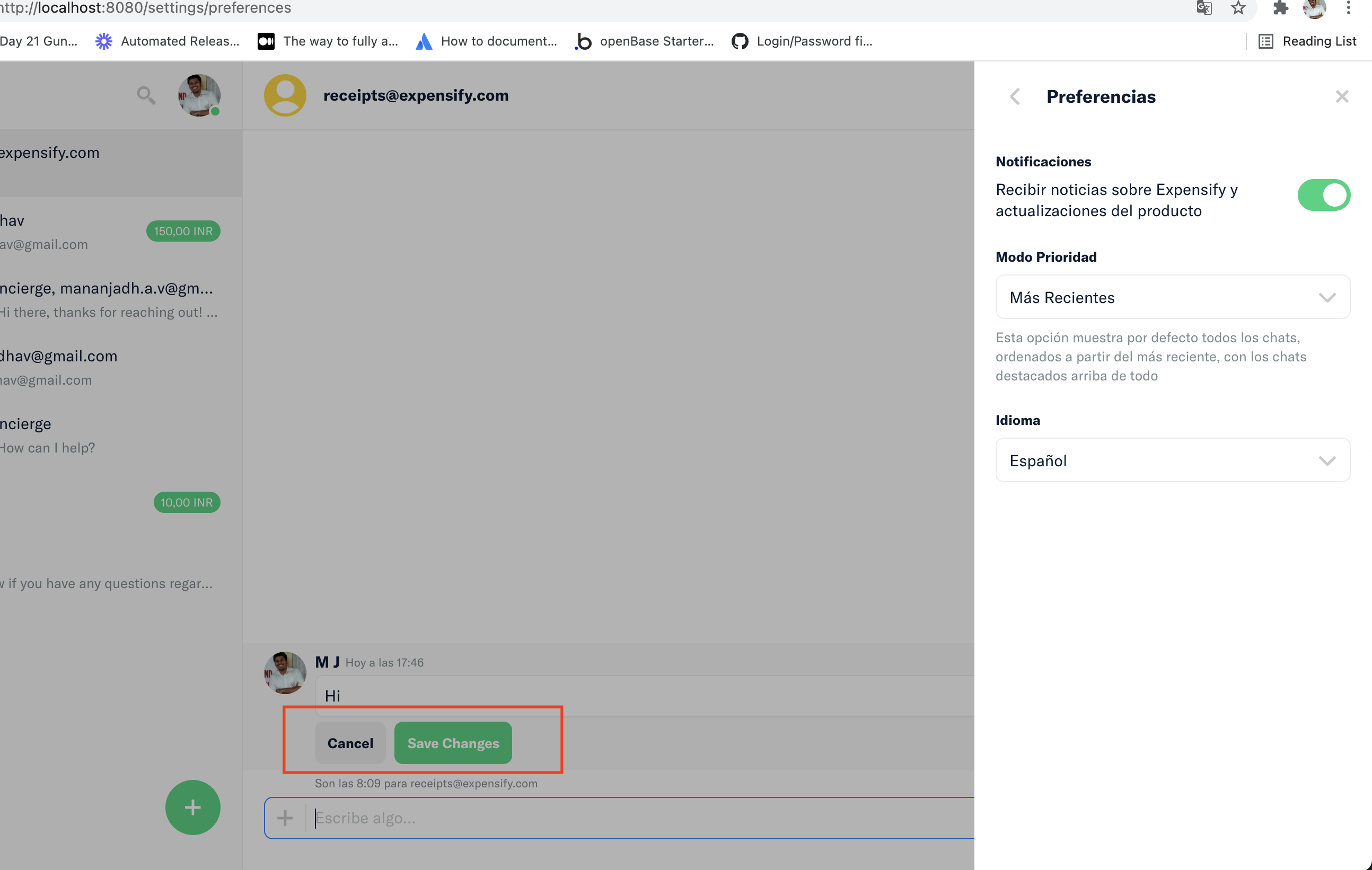
- Come back to Chat Messages and right-click to Edit Comment
- You'll see the button texts still shows "Cancel" and "Save Changes
Expected Result:
Should show the button texts in Spanish
Actual Result:
Shows the button texts in English only
Workaround:
Can the user still use Expensify without this being fixed? Have you informed them of the workaround?
Platform:
Where is this issue occurring?
- Web
- iOS
- Android
- Desktop App
- Mobile Web
Version Number:
Logs: https://stackoverflow.com/c/expensify/questions/4856
Notes/Photos/Videos: Any additional supporting documentation
Expensify/Expensify Issue URL:
View all open jobs on Upwork


If you haven’t already, check out our contributing guidelines for onboarding and email contributors@expensify.com to request to join our Slack channel!
Upwork post: https://www.upwork.com/jobs/~01141d41100982c438
Action Performed:
Expected Result:
Should show the button texts in Spanish
Actual Result:
Shows the button texts in English only

Workaround:
Can the user still use Expensify without this being fixed? Have you informed them of the workaround?
Platform:
Where is this issue occurring?
Version Number:
Logs: https://stackoverflow.com/c/expensify/questions/4856
Notes/Photos/Videos: Any additional supporting documentation
Expensify/Expensify Issue URL:
View all open jobs on Upwork