Action Performed:
Prerequisite: user has created personal account and is logged into same.
- Using Chrome, open https://staging.new.expensify.com/
- Click on the new chat floating action icon button (+) in the left side panel and select 'New Group'
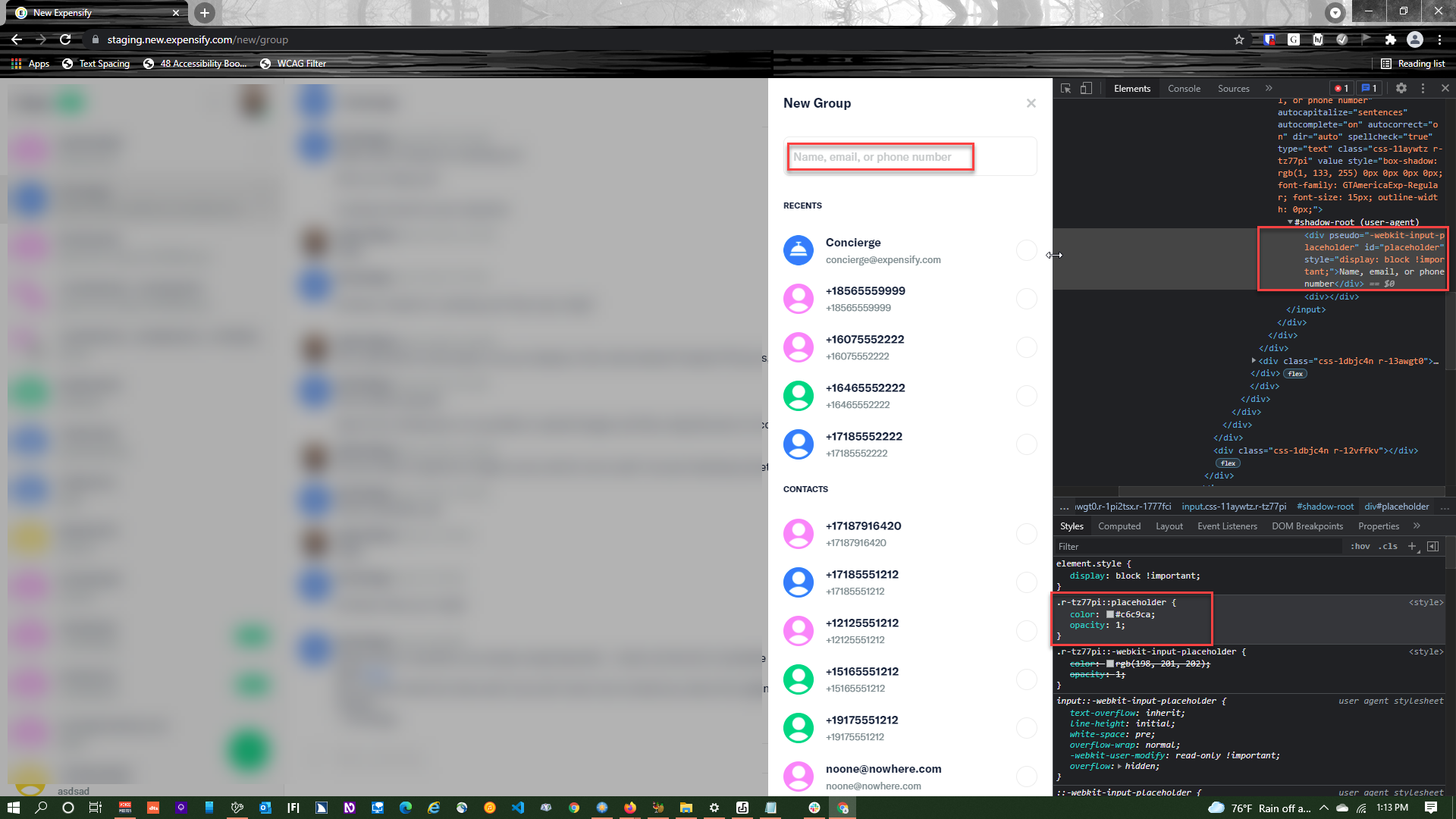
- In the 'New Group' side-panel overlay, inspect the contrast ratio of the light grey placeholder text 'Name, email or phone number' against the white background.
Expected Result:
Small text should have a contrast ratio of at least 4.50:1. Large text (14pt Bold or 18pt and larger) should have a contrast ratio of at least 3.00:1.
Actual Result:
The small 11.25pt light grey placeholder text (#C6C9CA) against the white background (#FFFFFF) has a contrast ratio of 1.66:1, making it almost invisible.
HTML:
<input placeholder="Name, email, or phone number" autocapitalize="sentences" autocomplete="on" autocorrect="on" dir="auto" spellcheck="true" type="text" class="css-11aywtz r-tz77pi" value="" style="background-color: rgb(255, 255, 255); border-color: rgb(236, 236, 236); border-radius: 8px; border-width: 1px; color: rgb(11, 27, 52); font-family: GTAmericaExp-Regular; font-size: 15px; height: 42px; padding: 10px 12px; vertical-align: middle;">
CSS:
.r-tz77pi::placeholder { color: rgb(198, 201, 202); opacity: 1; }
Other occurrences:
- Chat:
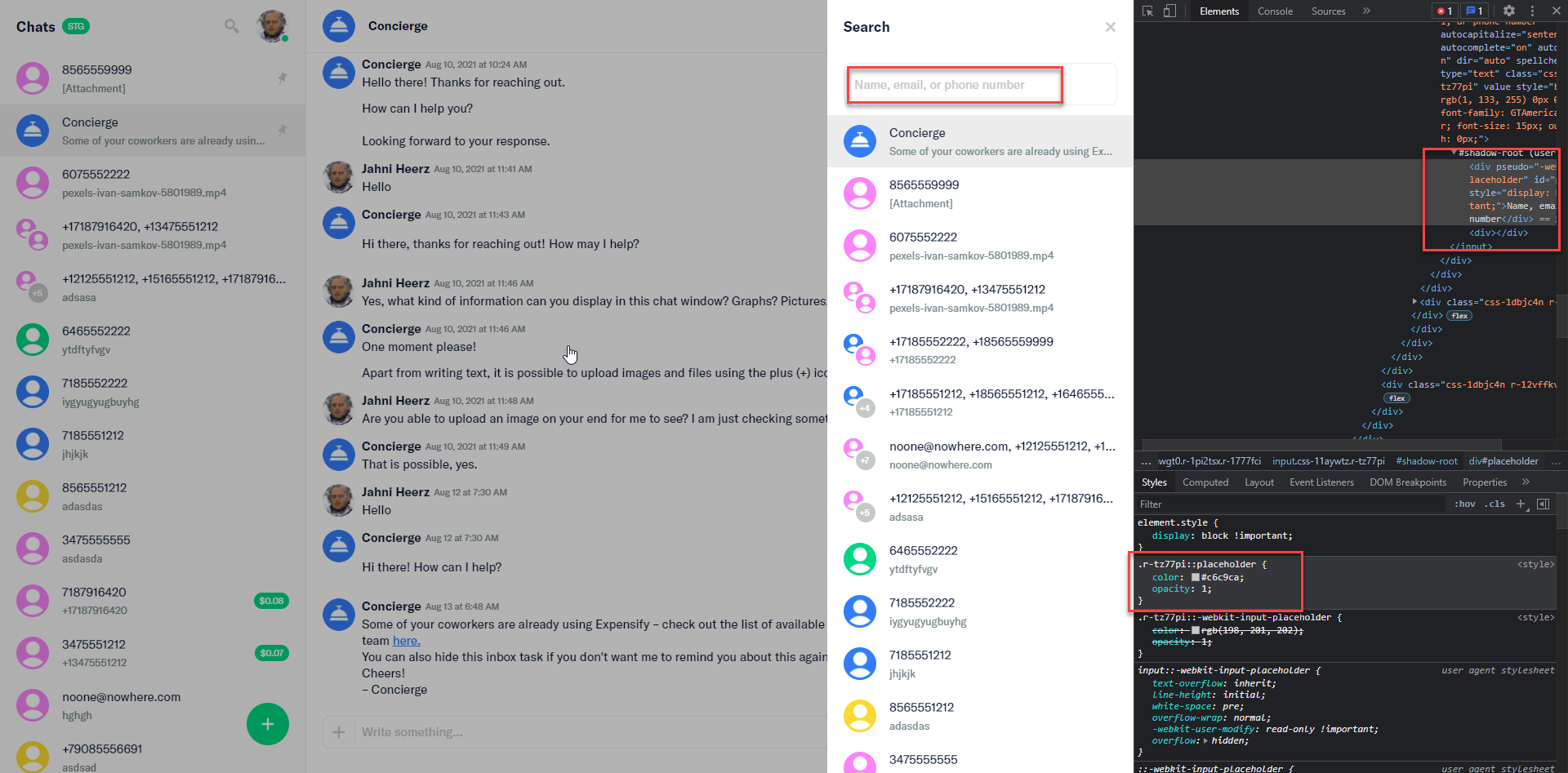
- Search panel search field
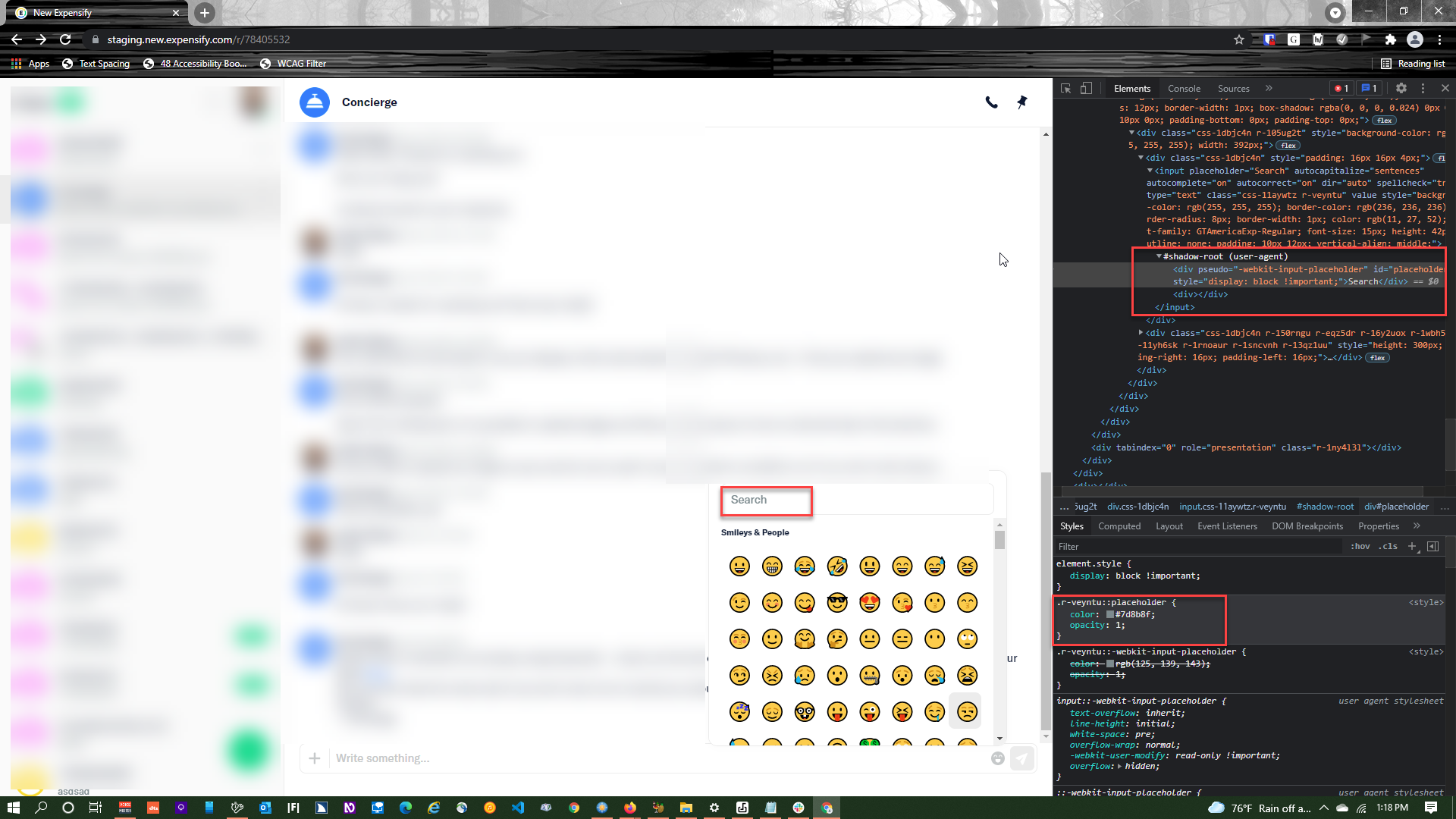
- Emoji panel search field (#7D8B8F)/(#FFFFFF)
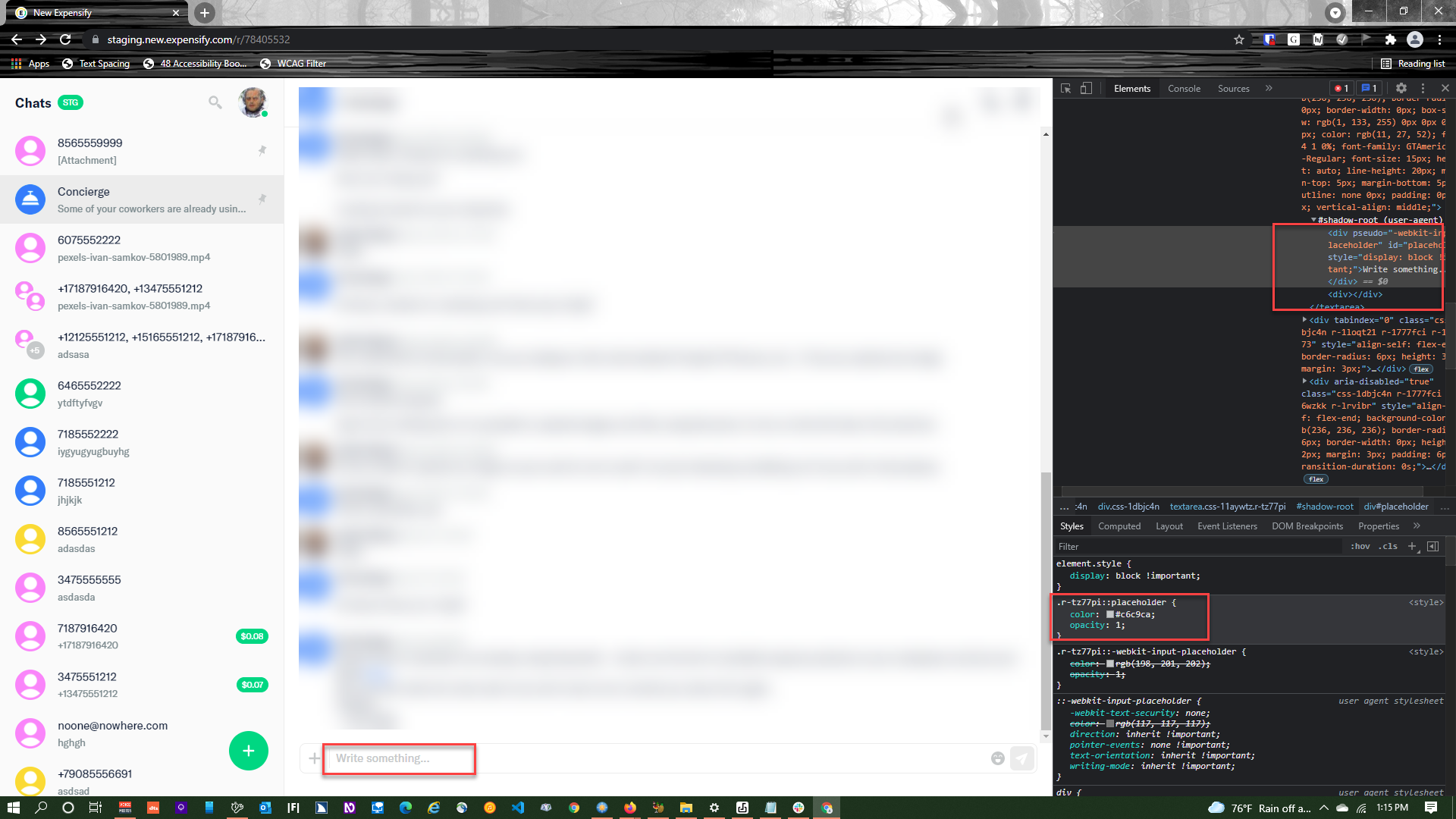
- Chat Message field
Workaround:
No workaround
Area issue was found in:
Create new group overlay, Chat page
Failed WCAG checkpoints
1.4.3
User impact:
Many colorblind and other sight impaired users will not be able to read the text at all. They will not know what type of input is accepted into the search field.
Suggested resolution:
Use browser-specific CSS rules to ensure that the placeholder text is a darker shade of grey (e.g. #767676) to bring the ratio to 4.54:1. See: https://www.w3.org/WAI/tutorials/forms/instructions/#placeholder-text
Platform:
Where is this issue occurring?
Version Number:
**Reproducible in staging?:**Yes
Reproducible in production?:
Notes/Photos/Videos: Any additional supporting documentation
Issue reported by:
View all open jobs on GitHub

Action Performed:
Prerequisite: user has created personal account and is logged into same.
Expected Result:
Small text should have a contrast ratio of at least 4.50:1. Large text (14pt Bold or 18pt and larger) should have a contrast ratio of at least 3.00:1.
Actual Result:
The small 11.25pt light grey placeholder text (#C6C9CA) against the white background (#FFFFFF) has a contrast ratio of 1.66:1, making it almost invisible.
HTML:
<input placeholder="Name, email, or phone number" autocapitalize="sentences" autocomplete="on" autocorrect="on" dir="auto" spellcheck="true" type="text" class="css-11aywtz r-tz77pi" value="" style="background-color: rgb(255, 255, 255); border-color: rgb(236, 236, 236); border-radius: 8px; border-width: 1px; color: rgb(11, 27, 52); font-family: GTAmericaExp-Regular; font-size: 15px; height: 42px; padding: 10px 12px; vertical-align: middle;">CSS:
.r-tz77pi::placeholder { color: rgb(198, 201, 202); opacity: 1; }Other occurrences:
Workaround:
No workaround
Area issue was found in:
Create new group overlay, Chat page
Failed WCAG checkpoints
1.4.3
User impact:
Many colorblind and other sight impaired users will not be able to read the text at all. They will not know what type of input is accepted into the search field.
Suggested resolution:
Use browser-specific CSS rules to ensure that the placeholder text is a darker shade of grey (e.g.
#767676) to bring the ratio to 4.54:1. See: https://www.w3.org/WAI/tutorials/forms/instructions/#placeholder-textPlatform:
Where is this issue occurring?
Version Number:




**Reproducible in staging?:**Yes
Reproducible in production?:
Notes/Photos/Videos: Any additional supporting documentation
Issue reported by:
View all open jobs on GitHub