You signed in with another tab or window. Reload to refresh your session.You signed out in another tab or window. Reload to refresh your session.You switched accounts on another tab or window. Reload to refresh your session.Dismiss alert
Tab to the Concierge chat in the history and press enter.
Tab to focus the phone icon at the top of the chat window and press Enter key.
Leave any of the 3 fields blank and activate the 'Call me' button. Note the results and what is announced.
Repeat step 4, but click on the message with the mouse before it disappears and note what is announced.
Expected Result:
The fields are required and display a very brief error toast message on the screen that must be announced.
Actual Result:
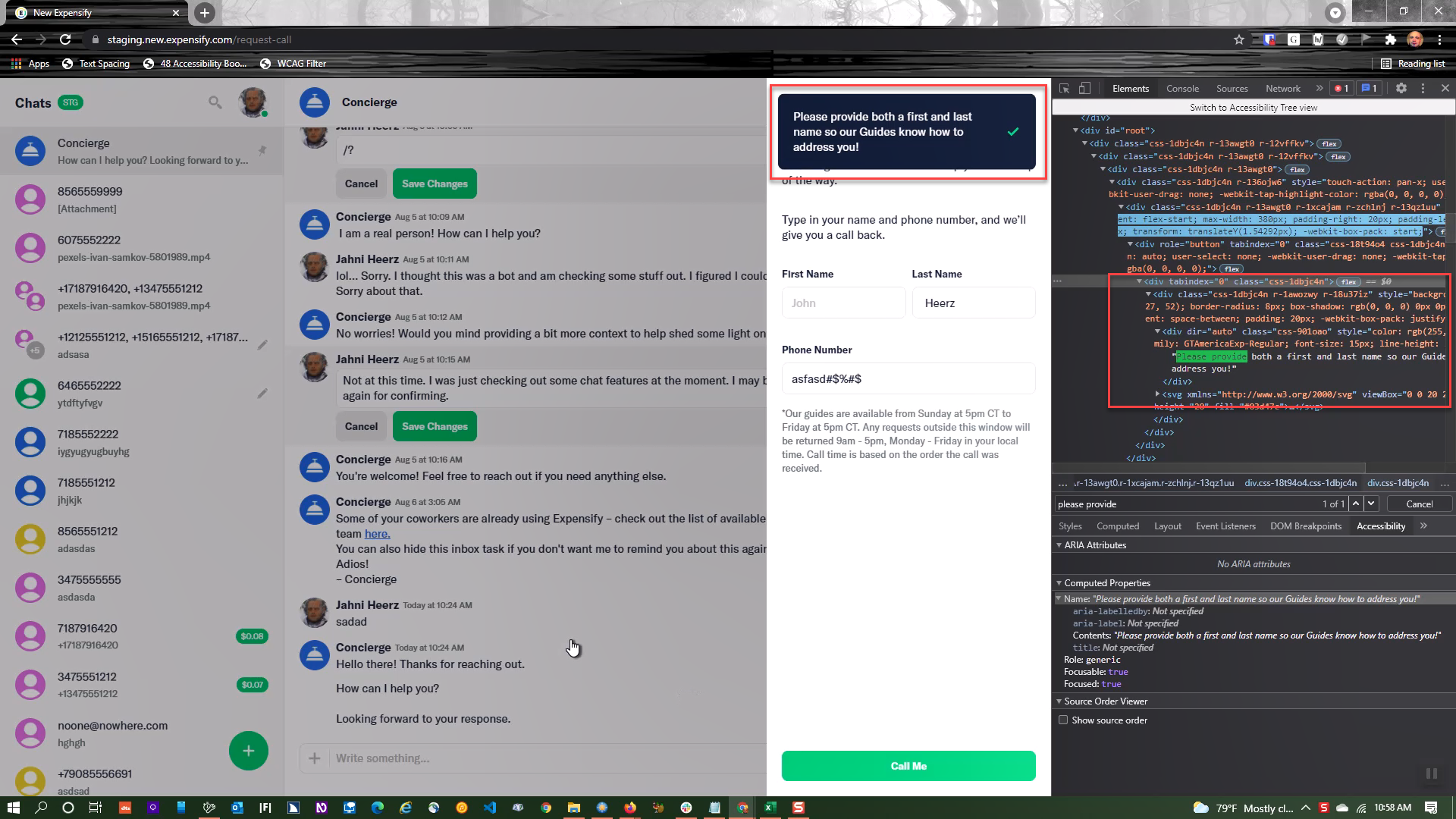
The error message toast is displayed but never announced. If the user clicks on the message with JAWS enabled it announced the text message with a button role. e.g. 'Please provide both a first and last name so our Guides know how to address you, button'.
HTML <div tabindex="0" class="css-1dbjc4n"><div class="css-1dbjc4n r-1awozwy r-18u37iz" style="background-color: rgb(11, 27, 52); border-radius: 8px; box-shadow: rgb(0, 0, 0) 0px 0px 0px; justify-content: space-between; padding: 20px; -webkit-box-pack: justify;"><div dir="auto" class="css-901oao" style="color: rgb(255, 255, 255); font-family: GTAmericaExp-Regular; font-size: 15px; line-height: 20px; width: 90%;">Please provide both a first and last name so our Guides know how to address you!</div><svg xmlns="http://www.w3.org/2000/svg" viewBox="0 0 20 20" width="20" height="20" fill="#03d47c"><path d="M17.1 5.5l-.9-.9c-.2-.2-.6-.2-.9 0l-7.6 7.6-3.1-3c-.2-.2-.6-.2-.8 0l-.9.9c-.2.2-.2.6 0 .9L6 14.1l1.4 1.4c.2.2.6.2.9 0l1.4-1.4 7.6-7.6c.1-.4.1-.7-.2-1z"></path></svg></div></div>
Other occurrences:
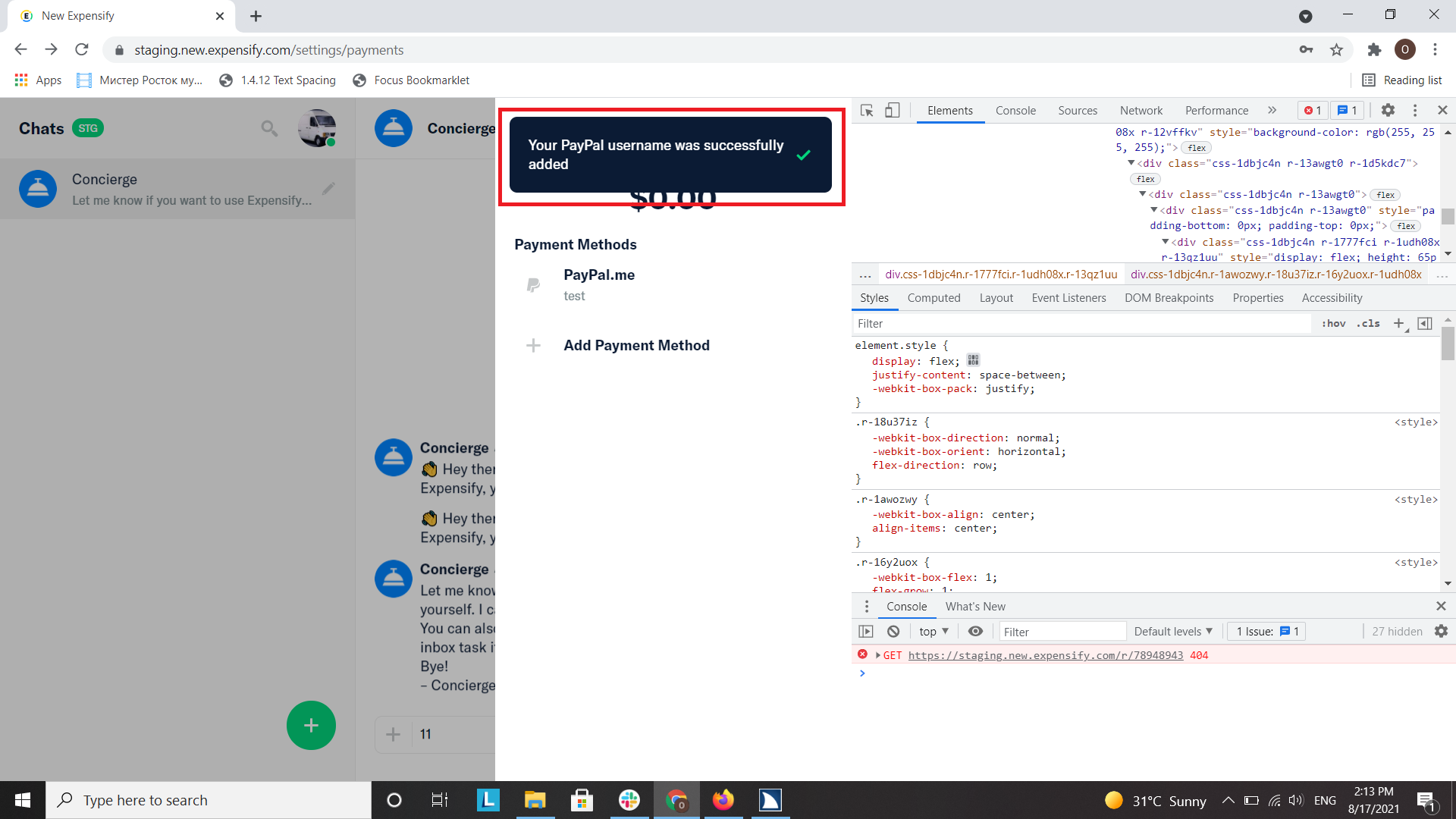
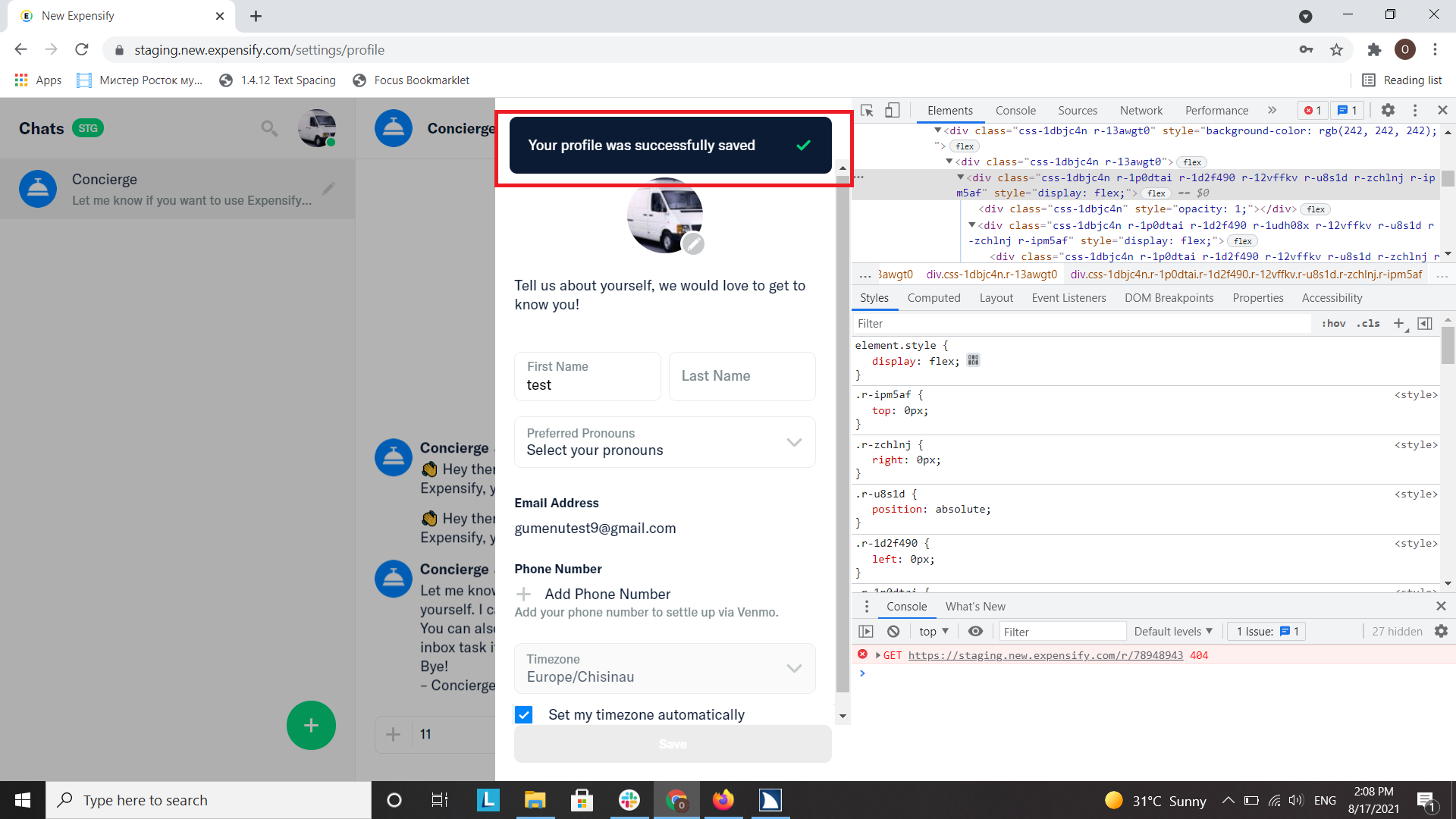
The same issue is reproducible when saving any changes in Settings > Profile or when adding a PayPal.me account. The confirmation toast messages are not announced automatically.
Workaround:
No workaround
Area issue was found in:
Request a call overlay, Profile overlay, Add payment method flow
Failed WCAG checkpoints
4.1.3
User impact:
The screen reader users will not know an error has been detected.
Suggested resolution:
Ensure that the error status message is announced by using an aria-live attribute for the container. That way the message will announce when displayed. Remove the button role from the element entirely. https://www.w3.org/WAI/WCAG21/Techniques/aria/ARIA19.html
Platform:
Where is this issue occurring?
Web
Version Number:
**Reproducible in staging?:**Yes Reproducible in production?: Notes/Photos/Videos: Any additional supporting documentation Issue reported by:

Action Performed:
Prerequisites:
Expected Result:
The fields are required and display a very brief error toast message on the screen that must be announced.
Actual Result:
The error message toast is displayed but never announced. If the user clicks on the message with JAWS enabled it announced the text message with a button role. e.g. 'Please provide both a first and last name so our Guides know how to address you, button'.
HTML
<div tabindex="0" class="css-1dbjc4n"><div class="css-1dbjc4n r-1awozwy r-18u37iz" style="background-color: rgb(11, 27, 52); border-radius: 8px; box-shadow: rgb(0, 0, 0) 0px 0px 0px; justify-content: space-between; padding: 20px; -webkit-box-pack: justify;"><div dir="auto" class="css-901oao" style="color: rgb(255, 255, 255); font-family: GTAmericaExp-Regular; font-size: 15px; line-height: 20px; width: 90%;">Please provide both a first and last name so our Guides know how to address you!</div><svg xmlns="http://www.w3.org/2000/svg" viewBox="0 0 20 20" width="20" height="20" fill="#03d47c"><path d="M17.1 5.5l-.9-.9c-.2-.2-.6-.2-.9 0l-7.6 7.6-3.1-3c-.2-.2-.6-.2-.8 0l-.9.9c-.2.2-.2.6 0 .9L6 14.1l1.4 1.4c.2.2.6.2.9 0l1.4-1.4 7.6-7.6c.1-.4.1-.7-.2-1z"></path></svg></div></div>Other occurrences:
Workaround:
No workaround
Area issue was found in:
Request a call overlay, Profile overlay, Add payment method flow
Failed WCAG checkpoints
4.1.3
User impact:
The screen reader users will not know an error has been detected.
Suggested resolution:
Ensure that the error status message is announced by using an aria-live attribute for the container. That way the message will announce when displayed. Remove the button role from the element entirely.
https://www.w3.org/WAI/WCAG21/Techniques/aria/ARIA19.html
Platform:
Where is this issue occurring?
Version Number:
**Reproducible in staging?:**Yes
Reproducible in production?:
Notes/Photos/Videos: Any additional supporting documentation
Issue reported by:
Bug5187629_Screen_Readers-Chat-Error_message_toasts_are_not_announced.mp4
View all open jobs on GitHub