If you haven’t already, check out our contributing guidelines for onboarding and email contributors@expensify.com to request to join our Slack channel!
Action Performed:
- Press + icon
- Select New group
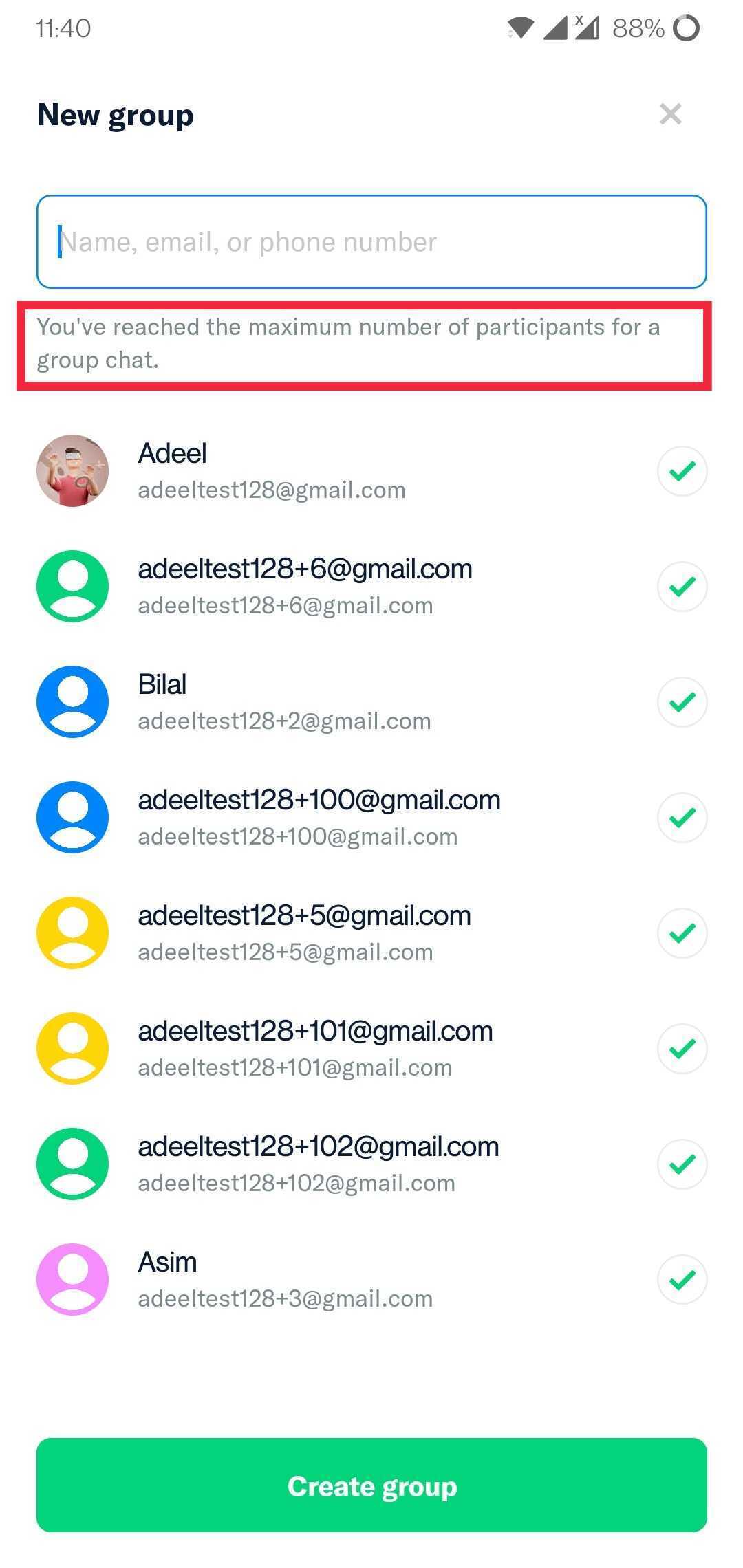
- Choose 8 participants
- Observe that the maximum number of participants reached message is on top
- Press + icon
- Select Split bill
- Enter any amount and press Next
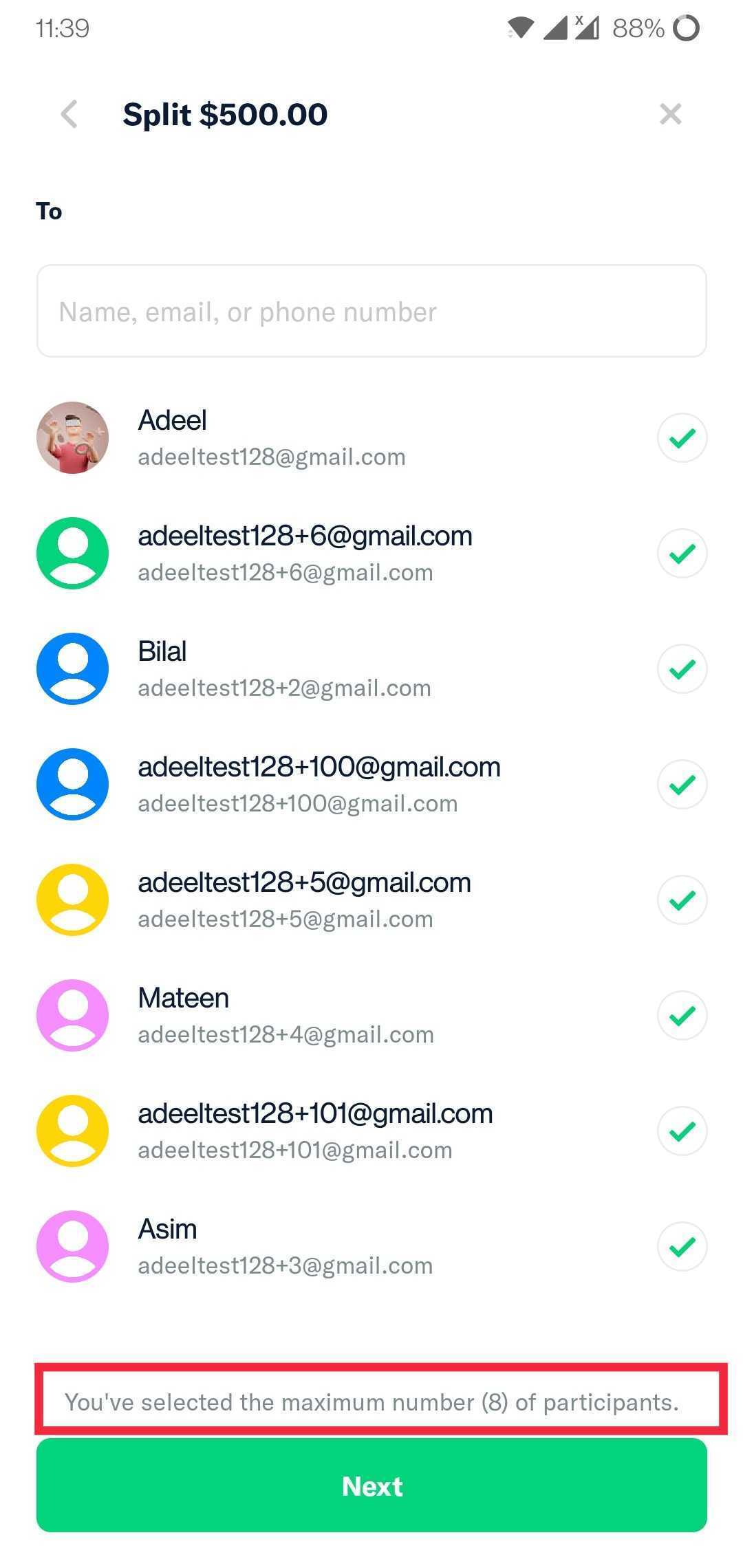
- Choose 8 participants
- Observe that the maximum number of participants reached message is on bottom
Expected Result:
The position of maximum number of participants reached message should be consistent
Actual Result:
The position of maximum number of participants reached message is not consistent
Workaround:
unknown
Platform:
Where is this issue occurring?
- Web
- iOS
- Android
- Desktop App
- Mobile Web
Version Number: 1.1.57-0
Reproducible in staging?: Y
Reproducible in production?: Y
Email or phone of affected tester (no customers):
Logs: https://stackoverflow.com/c/expensify/questions/4856
Notes/Photos/Videos: Any additional supporting documentation
Expensify/Expensify Issue URL:
Issue reported by: @adeel0202
Slack conversation: https://expensify.slack.com/archives/C01GTK53T8Q/p1649272255080289
View all open jobs on GitHub


If you haven’t already, check out our contributing guidelines for onboarding and email contributors@expensify.com to request to join our Slack channel!
Action Performed:
Expected Result:
The position of maximum number of participants reached message should be consistent
Actual Result:
The position of maximum number of participants reached message is not consistent
Workaround:
unknown
Platform:
Where is this issue occurring?
Version Number: 1.1.57-0


Reproducible in staging?: Y
Reproducible in production?: Y
Email or phone of affected tester (no customers):
Logs: https://stackoverflow.com/c/expensify/questions/4856
Notes/Photos/Videos: Any additional supporting documentation
Expensify/Expensify Issue URL:
Issue reported by: @adeel0202
Slack conversation: https://expensify.slack.com/archives/C01GTK53T8Q/p1649272255080289
View all open jobs on GitHub