Revision History UI#1188
Conversation


 subdavis
force-pushed
the
client/revision-history
branch
2 times, most recently
from
subdavis
force-pushed
the
client/revision-history
branch
2 times, most recently
from
1e1e680 to
f00f99a
Compare

 BryonLewis
left a comment
BryonLewis
left a comment
BryonLewis
left a comment
There was a problem hiding this comment.
This is really awesome and the ability to clone will be a nice stop-gap until true rollback is implemented.
 subdavis
force-pushed
the
client/revision-history
branch
from
subdavis
force-pushed
the
client/revision-history
branch
from
dc3d1ee to
2fdda66
Compare
BryonLewis
left a comment
BryonLewis
left a comment
There was a problem hiding this comment.
Everything checks out. Only additional thing I noticed is the author link not being visible for some people. It's a relatively minor thing but if it's included as a link it should be visible/clickable for all users. I don't know whether to remove the link or place it on a new line in each list item is better?
| <router-link | ||
| :to="`/user/${revision.author_id}`" | ||
| > |
There was a problem hiding this comment.
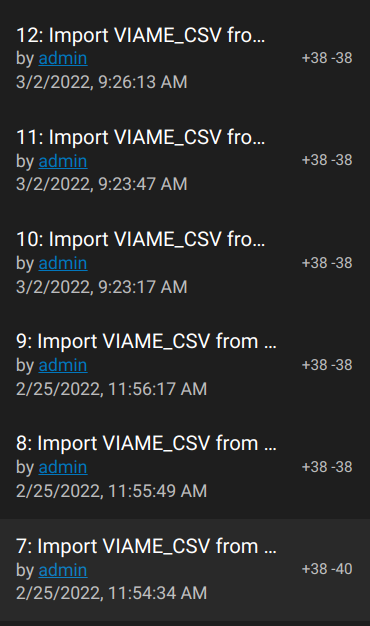
Minor, this could be off-screen and not accessible by the user because of truncation. Should the author be on a separate left justified line to always enable getting to the user?

|
Switch to three line layout
|
BryonLewis
left a comment
BryonLewis
left a comment
There was a problem hiding this comment.
Two super minor things that we may just want to create issues for in the future and don't need to be apart of this PR:
Don't know if this first one is really an issue?
Context View is saved in the state so if you were to back out to Data Browser with it open and load a new dataset it will start with the contextView open (either Confidence Pairs or Revision History). I don't think this needs to be fixed.
Selecting a revision which is higher than your load limit (20) will cause it to refresh and reset the scroll page. My fault about the loadNext() being activated on reload. I have a dataset with 40 revision, I click on revision 4 and it resets all of the data and scrolling so that it isn't highlighted in the list when the revision reloads.
* Revision History

* No global checkout

* Respond to comments

* Tooltip

* Three line layout

3 participants


Summary of changes
Please forgive the random book cover instead of real data.
Menu open, Latest selected
Menu open, previous rev selected
Download menu
fixes #1078