This Repository is for the course 'advanced / other databases' at DHBW Mannheim.
Group:
- Anna-Lena Richert (aalenaa)
- Anton Ochel (Tony1704)
- Benno Grimm (Grimmig18)
- Marcel Mertens (Nerdystuff)
With this Project we wanted to analyze dependencies between films and actors. Therefore we used the dataset from IMDb.
The dataset can be downloaded from here, the documentation of the dataset can be found here.
For this project we wanted to use a graph based database, to show advantages and disadvantages of data stored in graph based databases.
Here you can see what a graph based database is.
Here you can see some of our ideas of what you can analyze with these datasets.
To analyze the dataset and show advantages and disadvantages of graph based databases we downloaded the dataset from IMDb. The given datasets are stored as tab separated values (tsv). We created a relational database with MariaDB and put the data in it. We used this method, to fastly read data from the dataset. At first we wanted to use MariaDB to run own SQL queries to get relevant data from the given dataset. But there was an easier way to import the data to our graph database, so we used the MariaDB just as a converter from TSV files to CSV files, which can easily be imported. The way we imported and used the data is described in the section 'Documentation'.
-
First we created a docker container with neo4j running on a linux server, to have a better access to the graph database with multiple users.
-
Afterwards we created a new folder and downloaded the .tsv files into this download folder with the command line tool 'wget'. With these commands we created a new folder called 'downloads' and enter it:
mkdir downloads
cd downloads
With these commands we downloaded the files via 'wget':
wget https://datasets.imdbws.com/name.basics.tsv.gz
wget https://datasets.imdbws.com/title.akas.tsv.gz
wget https://datasets.imdbws.com/title.basics.tsv.gz
wget https://datasets.imdbws.com/title.crew.tsv.gz
wget https://datasets.imdbws.com/title.episode.tsv.gz
wget https://datasets.imdbws.com/title.principals.tsv.gz
wget https://datasets.imdbws.com/title.ratings.tsv.gz
- The downloaded files were compressed as .gz files, so we used 'gunzip' in our downloads directory to extract them.
gunzip *
- Then we installed MariaDB, created a database called 'IMDB' and inserted the values from the .tsv files with the SQL statements, which can be found in /SQL/Commands.sql. At the end of this file we extract the database data and exported them to a CSV file, which was saved in the '/tmp' directory.
A tutorial of how to install mariaDB can be found here.
With this command we created a database called 'IMDB':
CREATE DATABASE IMDB;
Then we ran the queries from the .sql file. With these queries, we created tables, filled them with data from the TSV files, removed some false data records and finally exported the datasets into a CSV file. As Fieldterminator we used a ';', because a ',' would have caused issues with our importing statements in cypher. The ',' was used, to split the arrays of people, which were provided as regular string in the downloaded TSV files.
- We used the cypher-shell to import the CSV files therefore we used the statements, which can be found in /Cypher/Commands.cypher.
With this command we opened a cypher-shell in a ssh session to import the data:
cypher-shell -a localhost -u <username> -p <password>
We also used the webinterface of neo4j to run queries.
The import of the datasets took quite a long time, which is caused by the massive amount of nodes which were created during the import process (almost 83 millions). Also the needed RAM increased drastically.
-
Speaking of the RAM it needs to be mentioned, that creating relationships between the graph nodes needs lots of resources as RAM. On our linux server we had some issues with too less RAM causing an error which said that we need to increase our max heapsize for neo4j. After we increased the value to almost the maximum RAM available, first it seemed to be the solution for our problems while creating relationships, but after a little while the cypher query also was terminated. Now we had two options: Increasing the RAM of our server or split our creation statements, so that just a smaller amount of relationships are created at once. We had no possibility to increase the builtin RAM of our server, because we had no physical access and also the amount of RAM which we should have bought would cost quiet a lot, so we decided to split our statements and use kind of batch processing instead of a single query to get our task done. This post was very helpfull to understand how to create a batch processing like query. The only problem with this kind of processing is that you need to run the query multiple times.
-
While processing the big amount of data, we found out, that it could be useful to use an index on the nodes, so we fired up a query that creates an index on the keys of our nodes. At this point it needs to be mentioned that the process of indexing is done in background see this post therefore. So creating an index while creating relationships at the same time is not a good idea, because the advantages of the index are not used by the firstly fired up relationship creationship query. The advantage of an index is a massive performance boost if you want to access a node via a specific key, the disadvantage is the needed diskspace for the indexing.
-
After we successfully created relationships between our nodes, we wanted to test a query, which is normally used on relational databases. This shows a disadvantage of graph based databases. For more information see section 'Results'.
Here you can see the results of what we wanted to do.
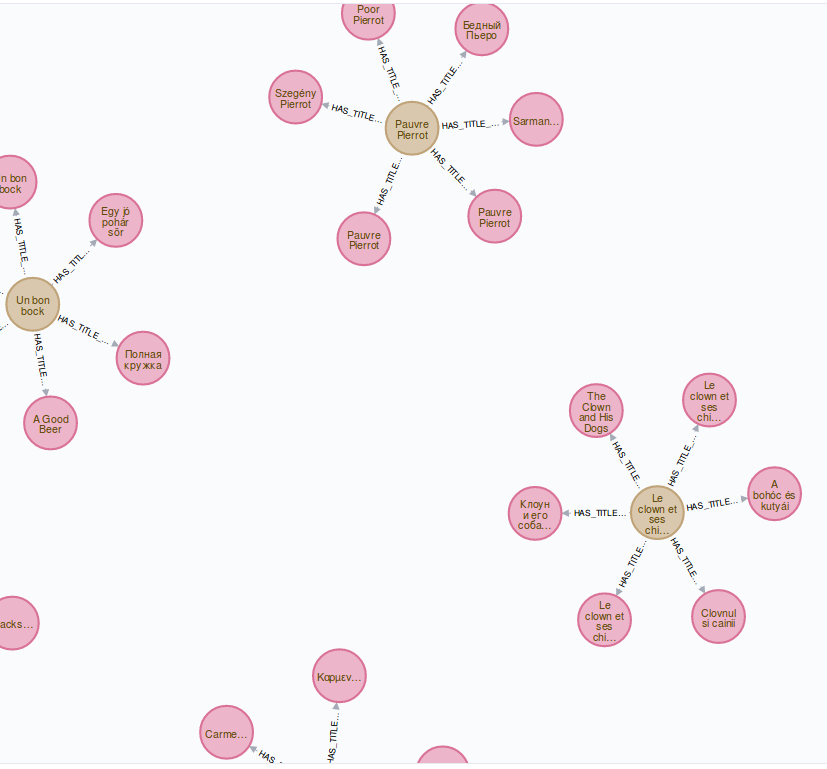
Figure 1: Shows the alternative titles of a film title.
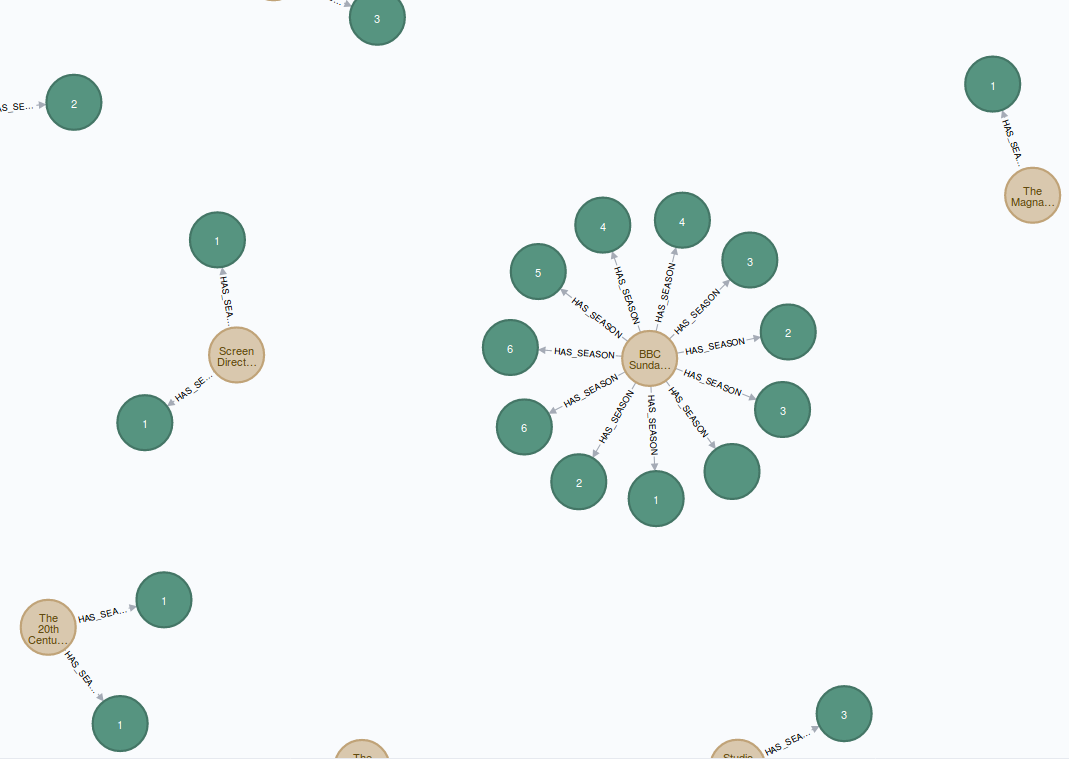 Figure 2: Shows seasons of a TV series.
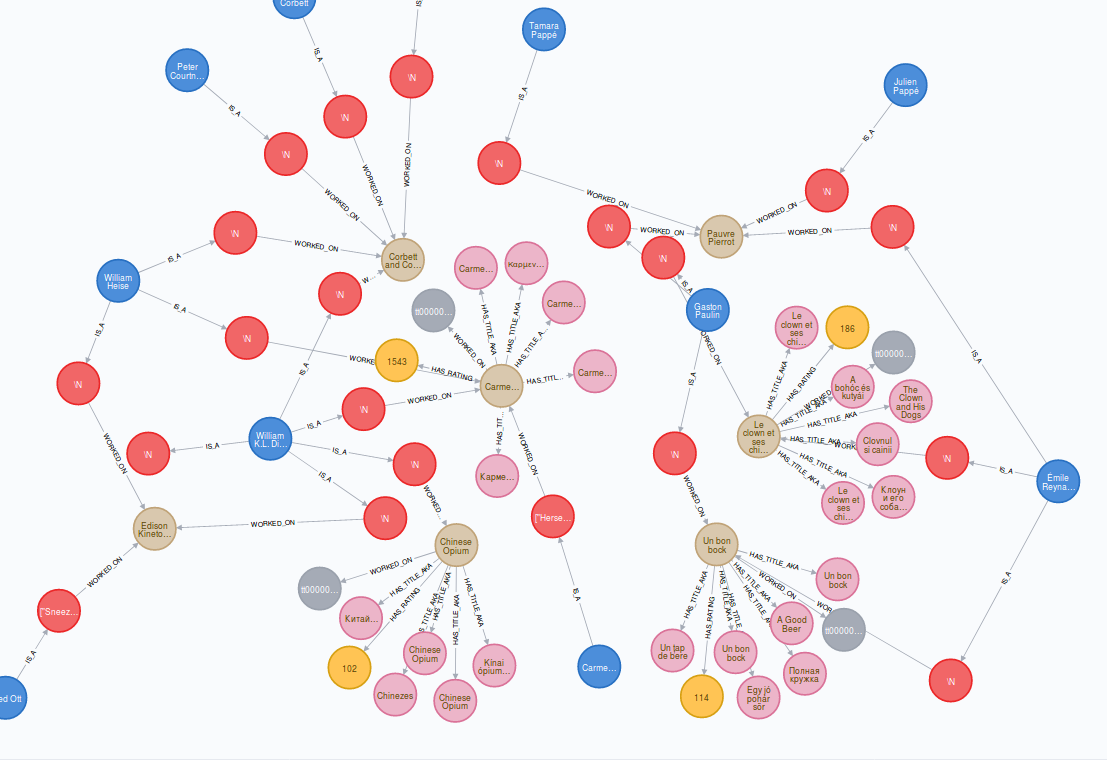 Figure 3: Shows some relationships between film titles, actors ratings and the title akas.
As you can see in figure 3 relationships have the same importance as the data in graph databases. The blue nodes represent the persons in our database. They are in a relationship with the red nodes, which represent an actor, director or other member of a movie crew such as a composer or writer. The beige-coloured nodes represent the film titles, together with the pink nodes, which are translations of this title. The yellow nodes show the rating of the spciific film title if it is available.
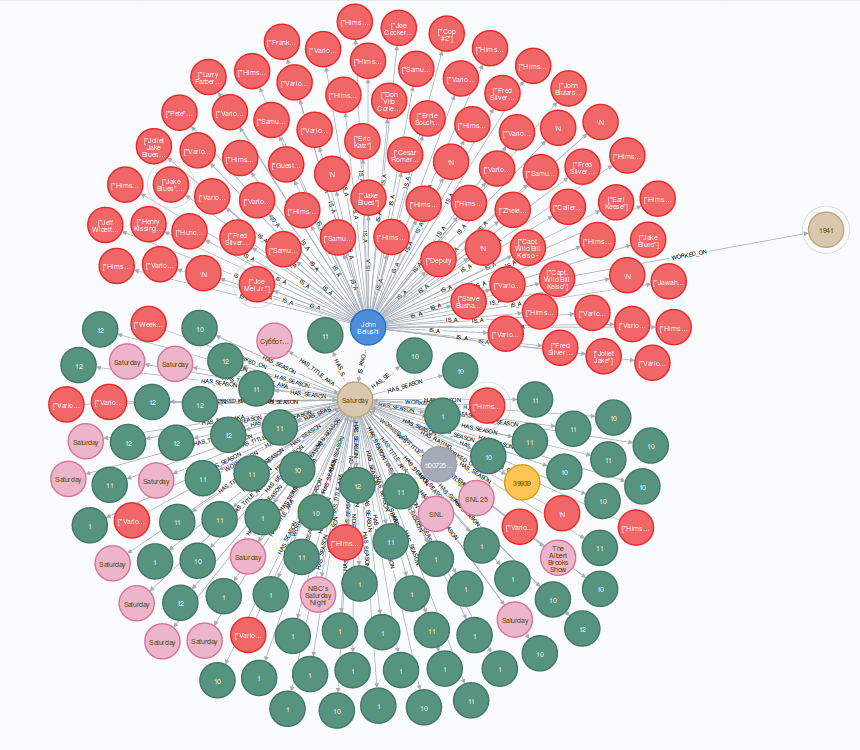 Figure 4: Shows a relationship between a tv series season, an actor, his roles in other films and series, the series rating and the title akas.
As you can see a graph database is very good to show relationships between datasets. We also wanted to show disadvantages of a graph database, so we used a query, which is normaly used in relational database. The following query searches for a node, where the attribute 'primaryName' has the value 'Susan Wen' and returns this node.
MATCH (n) WHERE n.primaryName = 'Susan Wen' RETURN n;
Therefore the database has to search through all nodes. The only way to improve the speed of this query is to use an index on the attribute 'primaryName', but it does not change the fact, that a graph based database is not the best usecase for this kind of queries.
- Umlet for ER-Modeling of IMDb dataset
- docker as container engine
- MariaDB to store the data from IMDb
- Neo4J as graph database
- wget as download tool
- gunzip to extract files
- NeoJ docker
- Installing MariaDB on Ubuntu
- Create CSV file with headers
- Getting started with neo4j
- Cypher-shell
- Import CSV data to neo4j
- How to extract .gz files
- IMDB DBMS from Github
- IMDb Dataset
- IMDb Dataset Interface
- Add relationships to existing nodes
- Understanding memory consumption
- Understanding neo4j’s data on disk
- Neo4j - Create an Index using Cypher
- Indexes on neo4j
- Monitor progress of indexing in neo4j
- The Good, the Bad and the Hype about Graph Databases
- Why Graph Databases?
A cheatsheet for Cypher can be found here.