Wordpress doesn't like external JS being injected in post content, so this plugin allows for Olapic code injection via shortcode.
Official Wordpress Plugin Page: http://wordpress.org/plugins/olapic-shortcode-widget
Using this plugin requires a simple two-step process:
-
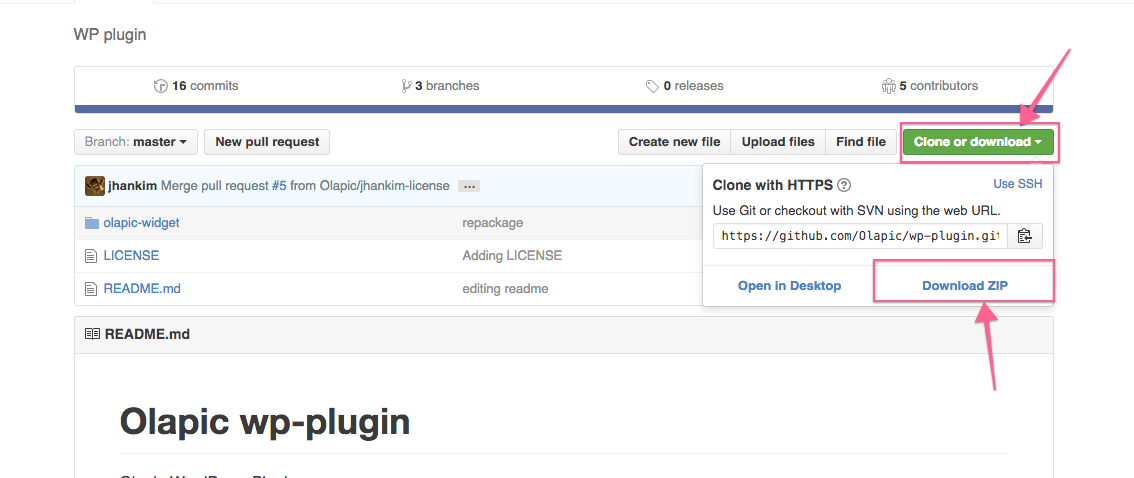
Download the plugin
-
Install the plugin
- Option A: Unzip the .zip file into the WordPress Plugin Directory
- Option B: Upload the .zip file via the plugin upload page (
http://yourdomain.com/wp-admin/plugin-install.php?tab=upload)
-
Activate the plugin
-
In the Wordpress post, use the shortcode:
[olapic instance-id ="WIDGET_INSTANCE_ID" apikey="OLAPIC_API_KEY" tags="PRODUCT_ID"].See below for shortcode parameter details.

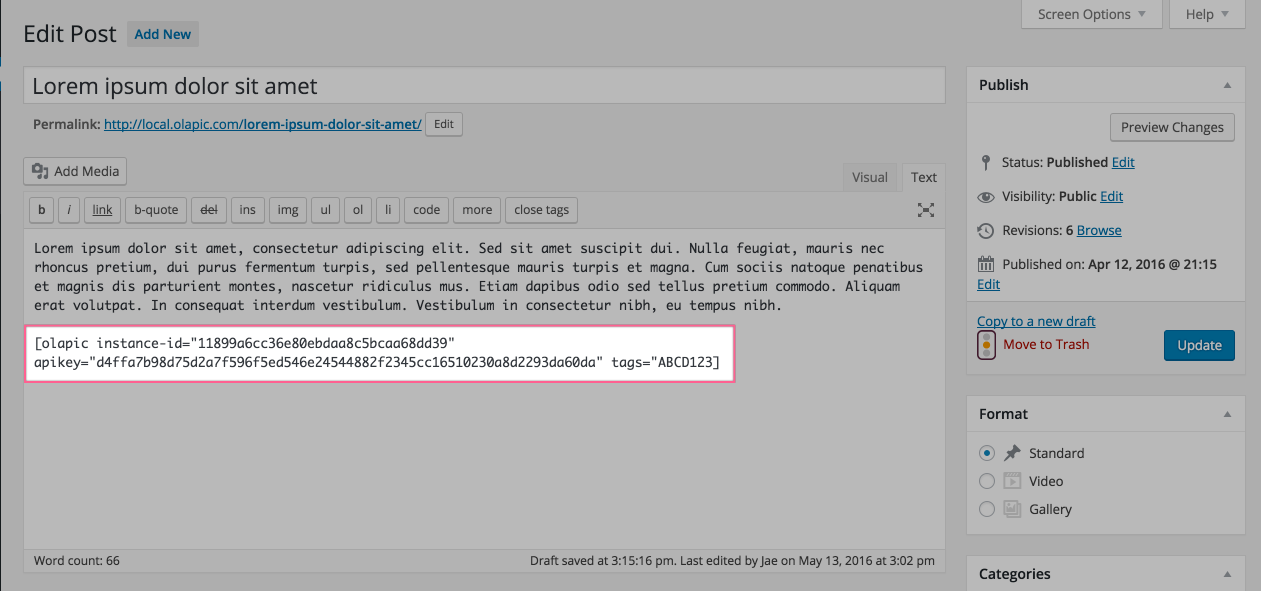
The shortcode takes in 4 parameters:
-
instance-id- required- You can find this value from the
data-instancepart of the original widget code.
- You can find this value from the
-
apikey- required- You can find this value from the
data-apikeypart of the original widget code. ()
- You can find this value from the
-
tags- optional- This serves as the dynamic identifier to pull content from a specific stream. Often, the value is the product identifier from your product feed.
-
mode- optional- Accepted parameter value:
development - You can use this flag to serve all content from the sandbox environment.
- Note that this parameter should not be utilized for production purposes.
- Accepted parameter value:
-
lang- optional- The language code that you want the widget to be translated to. The naming convention for the language's name is based on the ISO-639 language code (e.g. pt for Portuguese) followed by the ISO-3166 country code (e.g. _PT for Portugal or _BR for Brazil), and corresponds with the language codes set in the "appearance" section of the Olapic platform.