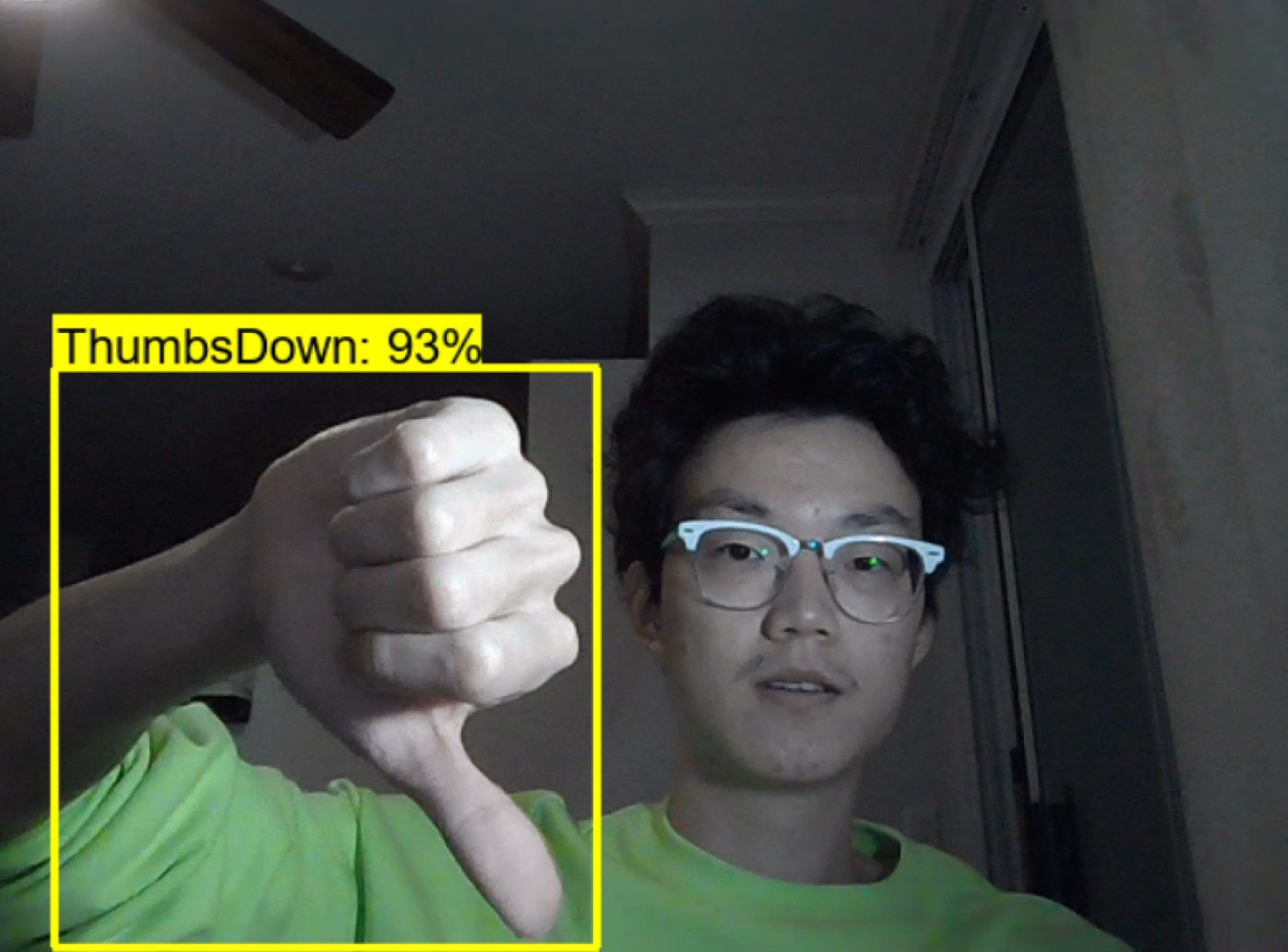
Here we firstly try to build a real time action detector, which can detect simple signs and 6 alphabets in American Sign Language. Our first task is to use openCV to help us capture images, and before that make sure openCV is successfully installed.
After we collect the images, we need to label our images. Since not all the elements in the image are effective in training, and we label the most 'characteristic part' of an image. Basically, we create annotations for each image, and the whole process will be done through a python script writtern by github user 'tzutalin' (https://github.com/tzutalin/labelImg). Each image will come with one annotation, and the annotations are saved as XML files.
We then need to choose the pretrainedmodel that we would use from tensorflow model zoo and download the model to local environment. The pretrained model that we choose to use is called 'SSD MobileNet V2 FPNLite 320x320', which has average detection speed 22 ms. We also need to install Tensorflow Object Detection protocal from tensorflow github.
We create TFRecords for our training and testing images. Basically we generate a huge RECORD file that combines all the information of our annotated training images and testing images, which will be used when start training our model. And the process of creating TF_Record will be done through a python script written by Nicholas Renotte (https://github.com/nicknochnack/GenerateTFRecord).
We can then start training our model.
After training the model, we can evaluate the model by: cd into Tensorflow/workspace/models/my_ssd_mobnet/train and type 'tensorboard --logdir=.' copy and paste the url on the last line and check result.
Then we call the model that we just trained, and we do that by calling the corresponding 'checkpoint' file. We build our 'detector' through the builder package in object_detection.
After we define the detect function, we can then connect to our webcam through openCV, and call the detect function while the webcam is open.
Finally, we complete a simple REAL-TIME detection model: