- Introduction
- Demo Videos
- CI and CD
- Cloud Diagram and Architecture
- Components of the Project
- How to Run the Application
- Future Work
I would like to thank Prof. Noah Gift for his constant support and help.
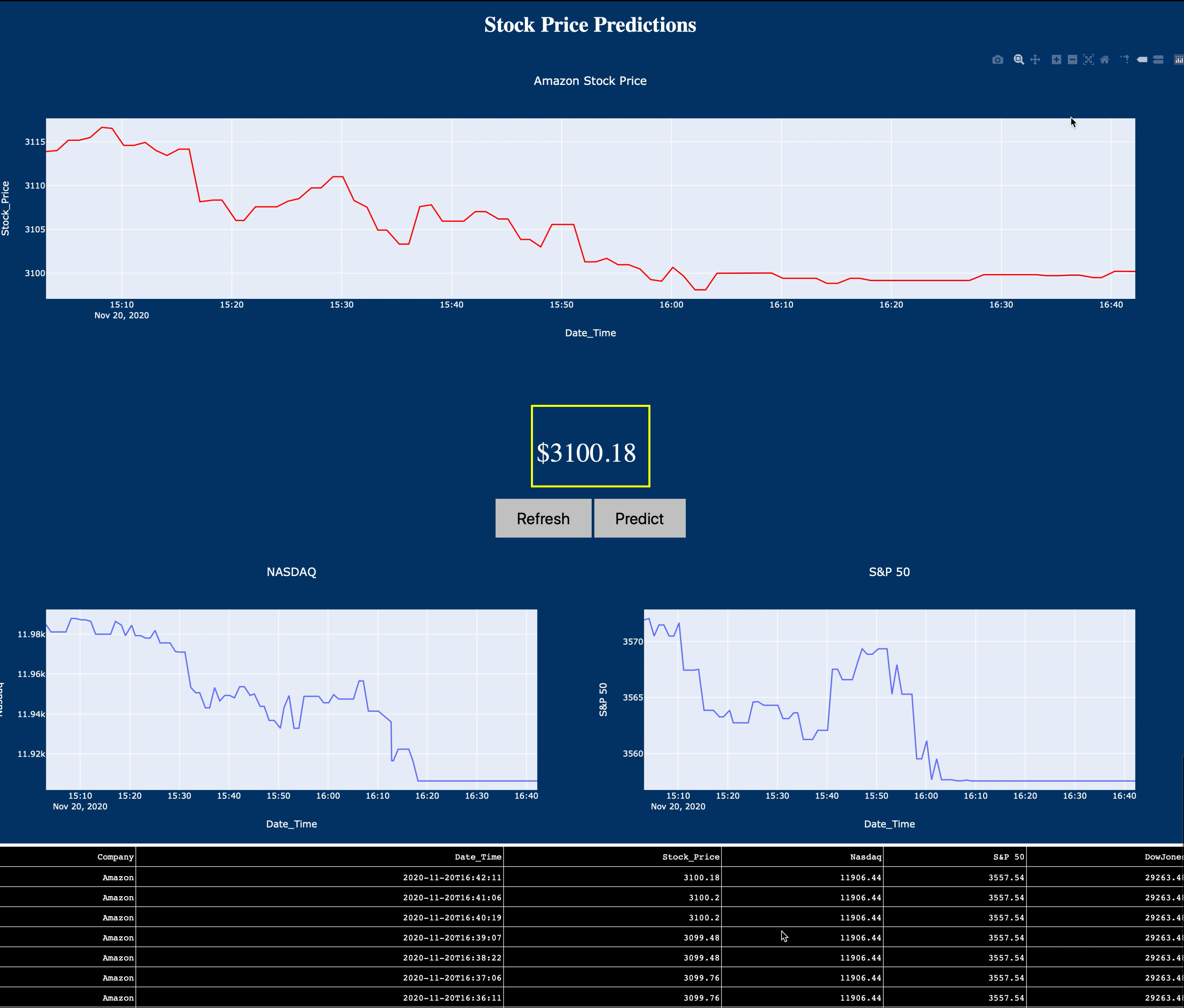
Welcome to the Real Time Stock Prediction Application. The main objective of this project is to predict the next minute of Amazon Stock Price based on the current stock price and the previous 150 observations. This project is useful for those actively selling and buying stocks in a day.
As shown in the Figure above, the application consists of 2 buttons. The "Refresh" button will automatically restart the application and extract the most current stock price from the S3 bucket. The "Predict" button will then run the prediction algorithm (SARIMAX Time Series Forecasting) and display the predictions on the Application.
- Brief Overview of the Project - Link to Demo
- Detailed Walkthrough of the Project, Code, and Live App Demo - Link to Demo
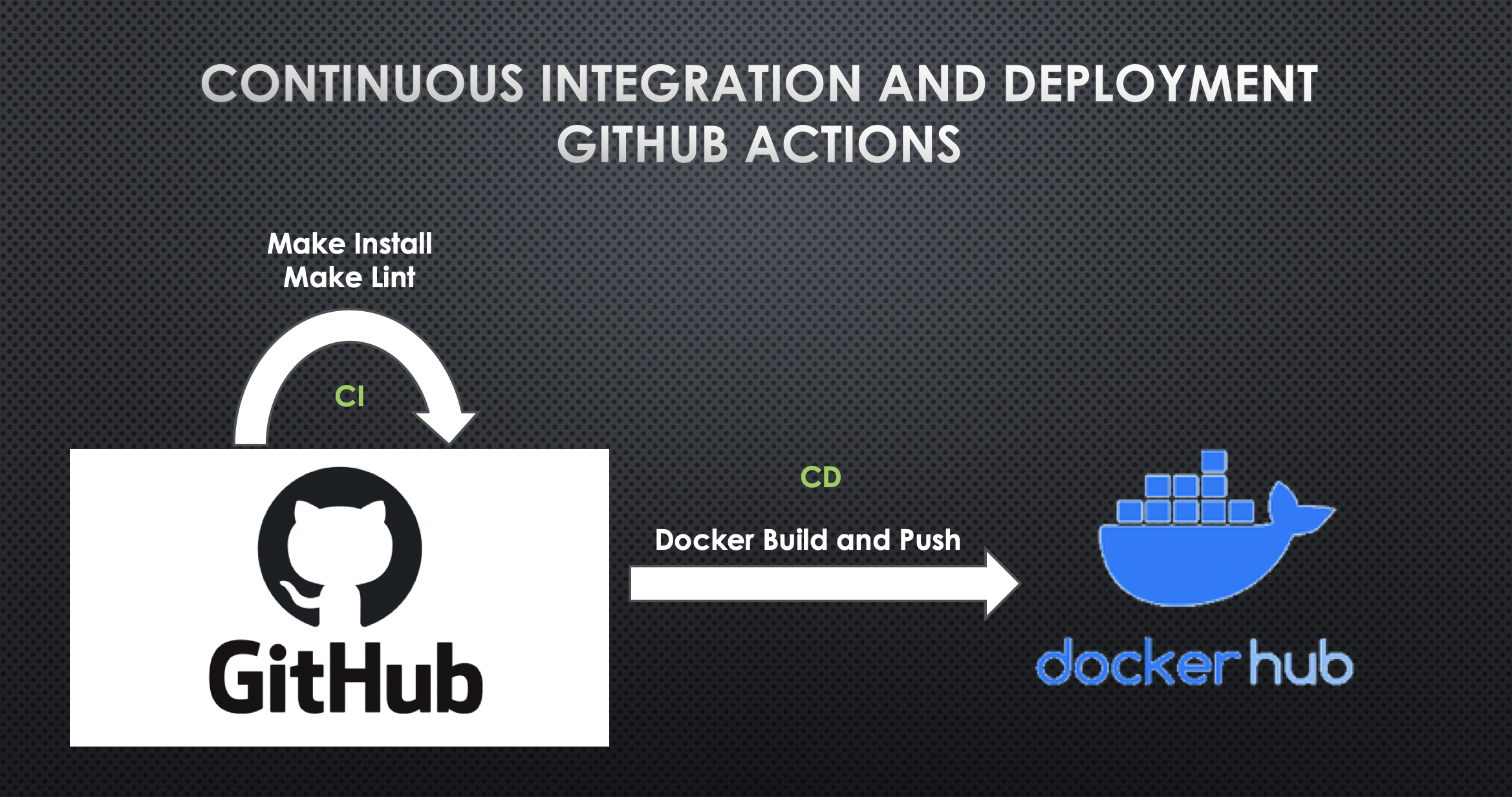
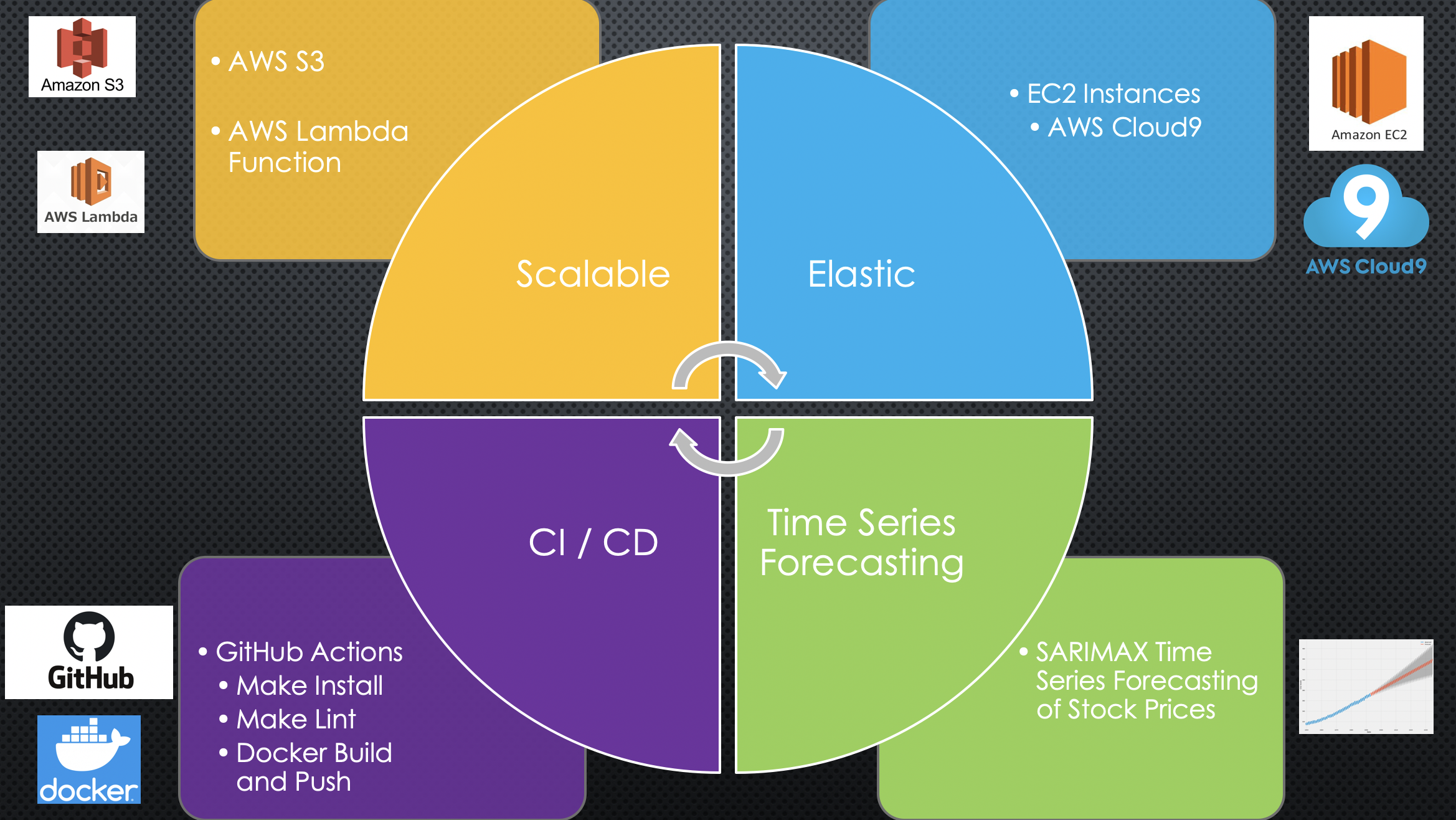
This project uses CI and CD through GitHub Actions. CI is done by Make Install and Make Lint which automatically ensures the updated code has no errors. Once it successfully passses the Make Install and Make Lint phase, CD takes place where it automatically builds the new Docker Container (Image) and pushes it to Dockerhub. I have provided my Dockerhub Credentials to the repo using Github Secrets.
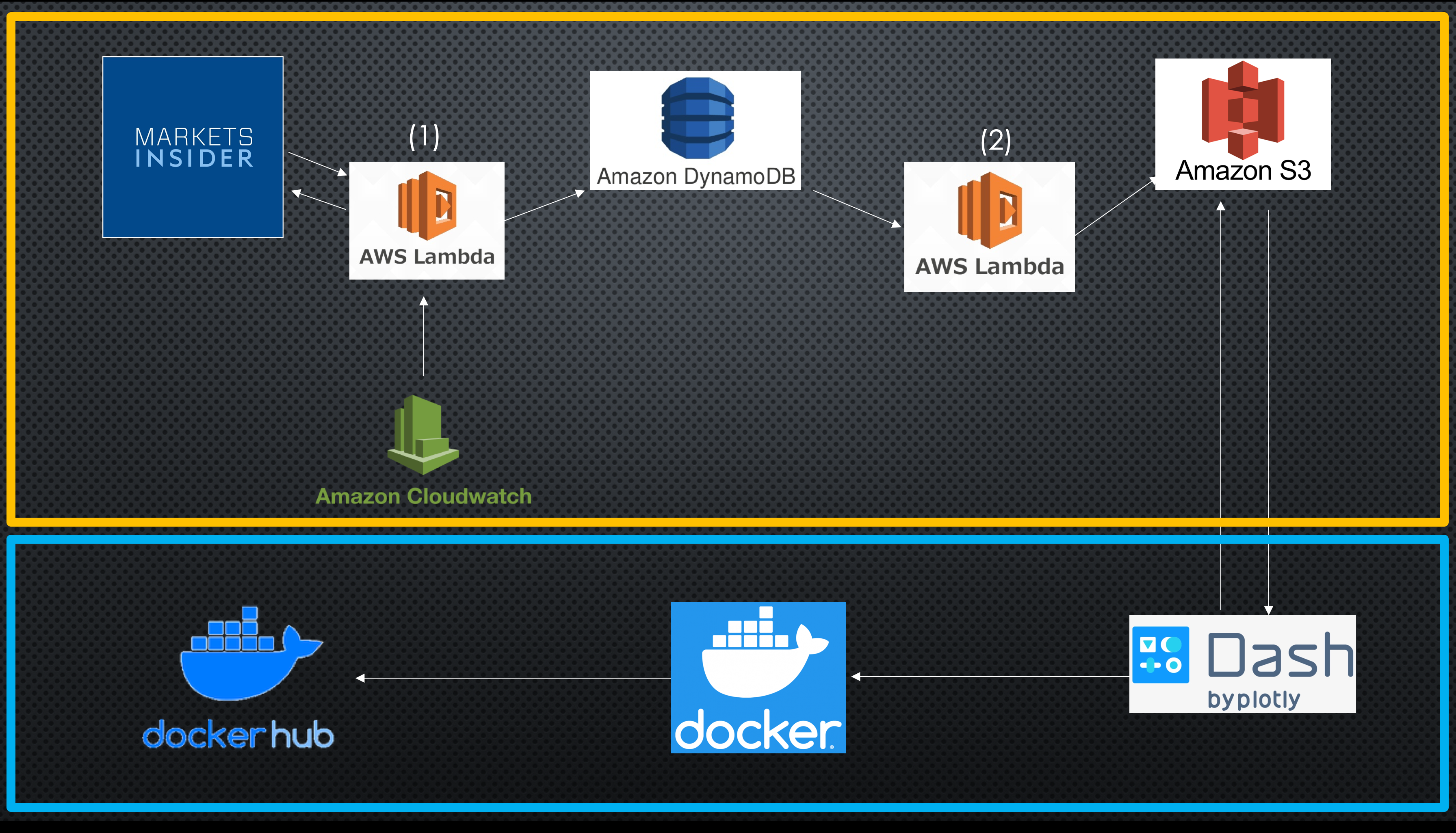
AWS Cloud Services Used:
- AWS S3
- AWS Lambda
- AWS DynamoDB
- AWS CloudWatch
Technologies Used:
- Dash Plotly Application - Python
- CSS Styling
- Github and Github Actions
- Docker and DockerHub
This project is broken down into 2 phases.
This phase consists of using Amazon DynamoDB, Amazon S3, Amazon CloudWatch and two Amazon Lambda functions. The first lambda function (AWS Lambda Function 1) is triggered by a CloudWatch event which executes the function every minute from 9:30 am to 4 pm Monday - Friday (When the stock market is open). The lambda function scapes marketinsider.com for the stock price of Amazon, NASDAQ, S&P 50, & DowJones, formats the data into a Pandas DataFrame, and stores this data in a DynamoDB table.
The second lambda function (AWS Lambda Function 2) is triggered by a DynamoDB event and is executed when there is an addition/reduction of data in/from the DynamoDB table. This lambda function fetches the data from DynamoDB and stores it in a S3 Bucket as a JSON format.
As both lambda functions are interconnected, new data will be updated every minute and stored into the DynamoDB as well as the S3 bucket.
import json
import cli
import pandas as pd
import numpy as np
from urllib.request import urlopen
from bs4 import BeautifulSoup
import boto3
import time
import csv
import test
import prediction
import scrape
import analysis

dynamodb=boto3.resource('dynamodb')
dynamoTable=dynamodb.Table('stocks_tables')


def lambda_handler(event, context):

    #cli.py contains a function named start1 which scrapes the web and returns a single row dataframe with the stock prices at that time.
    df=cli.start1()

    #Storing data into local variables
    time_str=str(df.iloc[-1,4])
    stock_price=str(df.iloc[-1,5])
    company=str(df.iloc[-1,3])
    sp=str(df.iloc[-1,0])
    nd=str(df.iloc[-1,1])
    dj=str(df.iloc[-1,2])


    #Appending the data into the DynamoDB table.
    dynamoTable.put_item(
        Item={
        'Date_Time': time_str,
        'Company':company,
        'Stock Price':stock_price,
        'S&P 50': sp,
        'Nasdaq': nd,
        'DowJones': dj
        }
        )

    #Used for logging. Not required
    return {
        'statusCode': 200,
        'Date_Time': time_str,
        'Company':company,
        'Stock Price':stock_price,
        'S&P 50': sp,
        'Nasdaq': nd,
        'DowJones': dj
    }
import json
import boto3
import os

# Initializing the Services used

s3=boto3.client('s3')
ddb=boto3.resource('dynamodb')
table=ddb.Table('stocks_tables')

def lambda_handler(event, context):


    #Scans the DynamoDB table
    response=table.scan()

    #Body contains the table values/data
    body=json.dumps(response['Items'])

    #s3.put_Object places the DynamoDB data into the s3 bucket
    response=s3.put_object(Bucket='stocks-dump', Key='stocks-dump.json', Body=body,
    ContentType='application/json')
This phase consists of creating a Dash Application, storing the application in a Docker Image, and uploading the image to DockerHub. Below is a screenshot of the application after pressing the "Predict" Button.
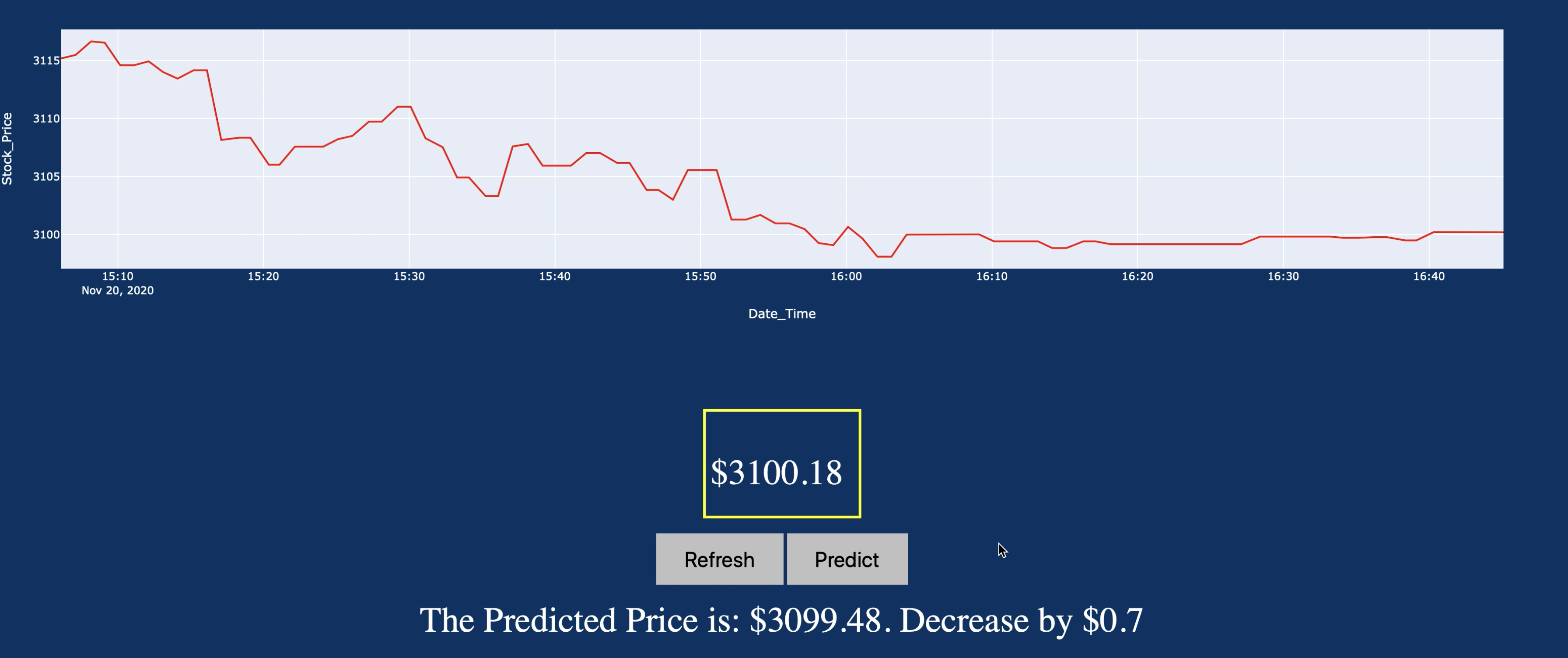
As shown in the image above, the current price is $3100.18 (Inside Yellow Box). The model predicted that the next minute's Amazon stock price is $3099.48 (A decrease of $0.7 when compared to the current price)
docker build --tag dashapp .
docker login --username=pranavm98
docker image ls
docker tag <Image ID> pranavm98/dashapp:<tag name>
docker push pranavm98/dashapp
Key Points to Note: 1) As the application accesses the s3 bucket on my AWS account, in order to run the program, the user must have my AWS login credentials. 2) The port used throughout this project is 8080. 3) If using AWS Cloud9, edit the inbound rules to include port 8080.
- Pull Docker Image from DockerHub
docker pull pranavm98/dashapp:final
- Run the DockerImage.
docker run -rm -e AWS_ACCESS_KEY_ID=************* -e AWS_SECRET_ACCESS_KEY=***************** -e DEFAULT_REGION_NAME=us-east-2 -p 8080:8080 pranavm98/dashapp:final
- Open the URL!
- Clone the repo
git clone https://github.com/PranavM98/Prediction-of-Stock-Prices---Dash-App.git
- Install the required packages
make install
- Enable AWS configurations
aws configure
- Run the application
python application.py
I next plan to deploy the Dash Application on Elastic Beanstalk and perform CD using AWS CodeBuild.