[Doc] Add Pulsar isolation #9692
There are no files selected for viewing
| Original file line number | Diff line number | Diff line change | ||||
|---|---|---|---|---|---|---|
| @@ -0,0 +1,84 @@ | ||||||
| --- | ||||||
| id: administration-isolation | ||||||
| title: Pulsar isolation | ||||||
| sidebar_label: Pulsar isolation | ||||||
| --- | ||||||
|
|
||||||
| In an organization, a Pulsar instance provides services to multiple teams. When organizing the resources across multiple teams, you want to make a suitable isolation plan to avoid the resource competition between different teams and applications and provide high-quality messaging service. In this case, you need to take resource isolation into consideration and weigh your intended actions against expected and unexpected consequences. | ||||||
|
|
||||||
| To enforce resource isolation, you can use the Pulsar isolation policy, which allows you to allocate resources (**broker** and **bookie**) for the namespace. | ||||||
|
|
||||||
| ## Broker isolation | ||||||
|
|
||||||
| In Pulsar, when namespaces (more specifically, namespace bundles) are assigned dynamically to brokers, the namespace isolation policy limits the set of brokers that can be used for assignment. Before topics are assigned to brokers, you can set the namespace isolation policy with a primary or a secondary regex to select desired brokers. | ||||||
|
|
||||||
| You can set a namespace isolation policy for a cluster using one of the following methods. | ||||||
|
|
||||||
| <!--DOCUSAURUS_CODE_TABS--> | ||||||
|
|
||||||
| <!--Admin CLI--> | ||||||
|
|
||||||
| ``` | ||||||
| pulsar-admin ns-isolation-policy set options | ||||||
| ``` | ||||||
|
|
||||||
| For more information about the command `pulsar-admin ns-isolation-policy set options`, see [here](http://pulsar.apache.org/tools/pulsar-admin/). | ||||||
|
|
||||||
| **Example** | ||||||
|
|
||||||
| ```shell | ||||||
| bin/pulsar-admin ns-isolation-policy set \ | ||||||
| --auto-failover-policy-type min_available \ | ||||||
| --auto-failover-policy-params min_limit=1,usage_threshold=80 \ | ||||||
| --namespaces my-tenant/my-namespace \ | ||||||
| --primary 10.193.216.* my-cluster policy-name | ||||||
| ``` | ||||||
|
|
||||||
| <!--REST API--> | ||||||
|
|
||||||
| [PUT /admin/v2/namespaces/{tenant}/{namespace}](https://pulsar.apache.org/admin-rest-api/?version=master&apiversion=v2#operation/createNamespace) | ||||||
|
|
||||||
| <!--Java admin API--> | ||||||
|
|
||||||
| For how to set namespace isolation policy using Java admin API, see [here](https://github.com/apache/pulsar/blob/master/pulsar-client-admin/src/main/java/org/apache/pulsar/client/admin/internal/NamespacesImpl.java#L251). | ||||||
|
|
||||||
| <!--END_DOCUSAURUS_CODE_TABS--> | ||||||
|
|
||||||
| ## Bookie isolation | ||||||
|
|
||||||
| A namespace can be isolated into user-defined groups of bookies, which guarantees all the data that belongs to the namespace is stored in desired bookies. The bookie affinity group uses the BookKeeper [rack-aware placement policy](https://bookkeeper.apache.org/docs/latest/api/javadoc/org/apache/bookkeeper/client/EnsemblePlacementPolicy.html) and it is a way to feed rack information which is stored as JSON format in znode. | ||||||
|
|
||||||
| You can set a bookie affinity group using one of the following methods. | ||||||
|
|
||||||
| <!--DOCUSAURUS_CODE_TABS--> | ||||||
|
|
||||||
| <!--Admin CLI--> | ||||||
|
|
||||||
| ``` | ||||||
| pulsar-admin namespaces set-bookie-affinity-group options | ||||||
| ``` | ||||||
|
|
||||||
| For more information about the command `pulsar-admin namespaces set-bookie-affinity-group options`, see [here](http://pulsar.apache.org/tools/pulsar-admin/). | ||||||
|
|
||||||
| **Example** | ||||||
|
|
||||||
| ```shell | ||||||
| bin/pulsar-admin bookies set-bookie-rack \ | ||||||
|
Contributor
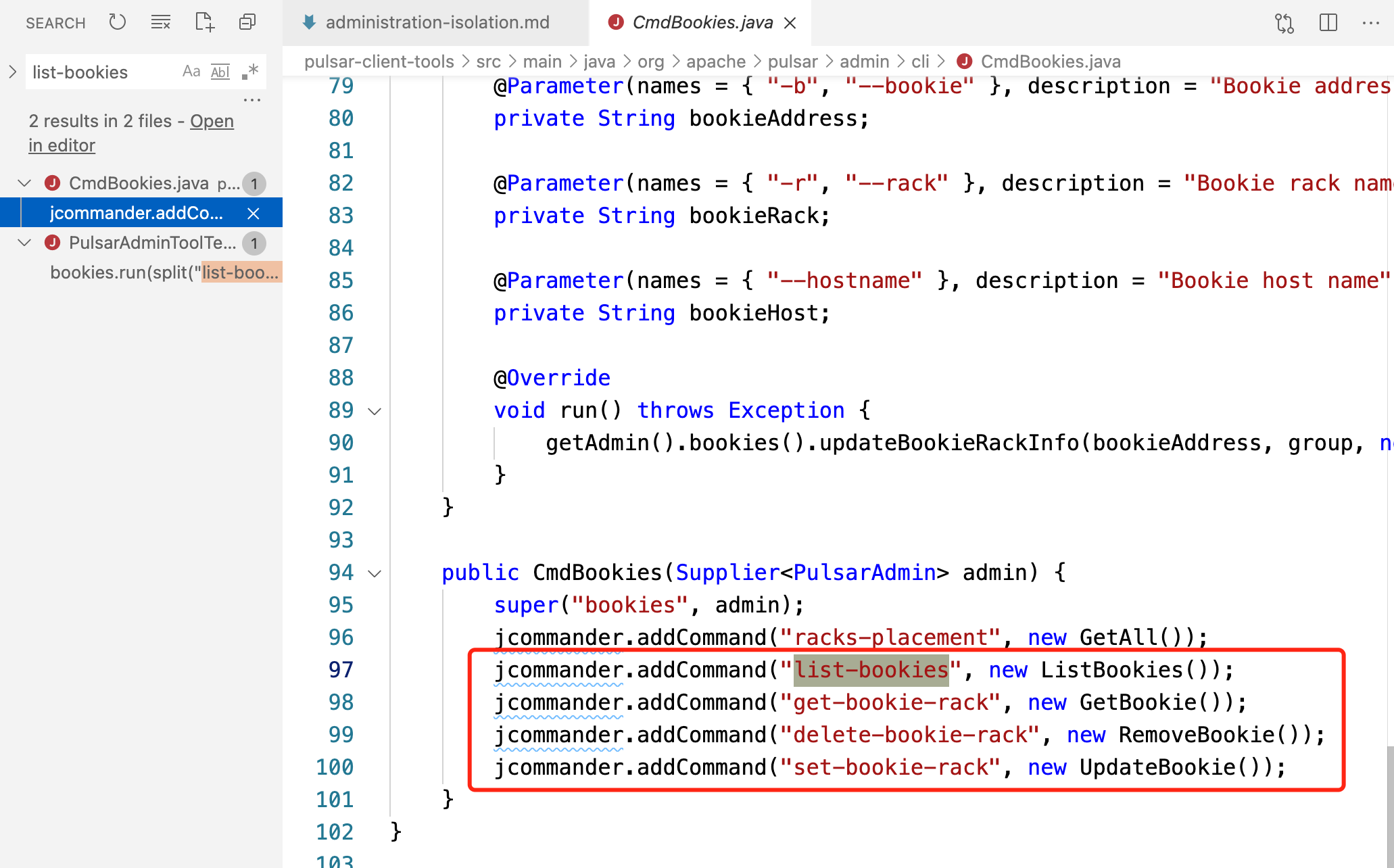
There was a problem hiding this comment. we could cite this command that allows you to have the list of available bookies. otherwise it is not clear to the user where to pick the bookie identifiers this new command is available only from 2.8.0 anwards
Member
There was a problem hiding this comment. Let's decouple the documentation change into two different pull requests. The documentation here can simply be copied to other releases to improve the documentation there. When people try to set bookie track, people already know which bookie to set the track information. The bookie can be found in many different ways. I don't think we should add One note that Yu can add is that the
Contributor
There was a problem hiding this comment.
the only alternative way I know is with As I know how BK works it is easy for me to find a way to get the list of bookies, but I am not sure that the regular user knows how the Bookie identifies itself. I am saying this because I had to help users in the past to search for the actual bookie id in their cluster btw I have no strong opinion on this, we cannot cite that command.
Member
There was a problem hiding this comment. @eolivelli -
Contributor
There was a problem hiding this comment. @sijie I am fine with not telling about this command here in this document For your interest
|
||||||
| --bookie 127.0.0.1:3181 \ | ||||||
|
Member
There was a problem hiding this comment.
Suggested change
Member
Author
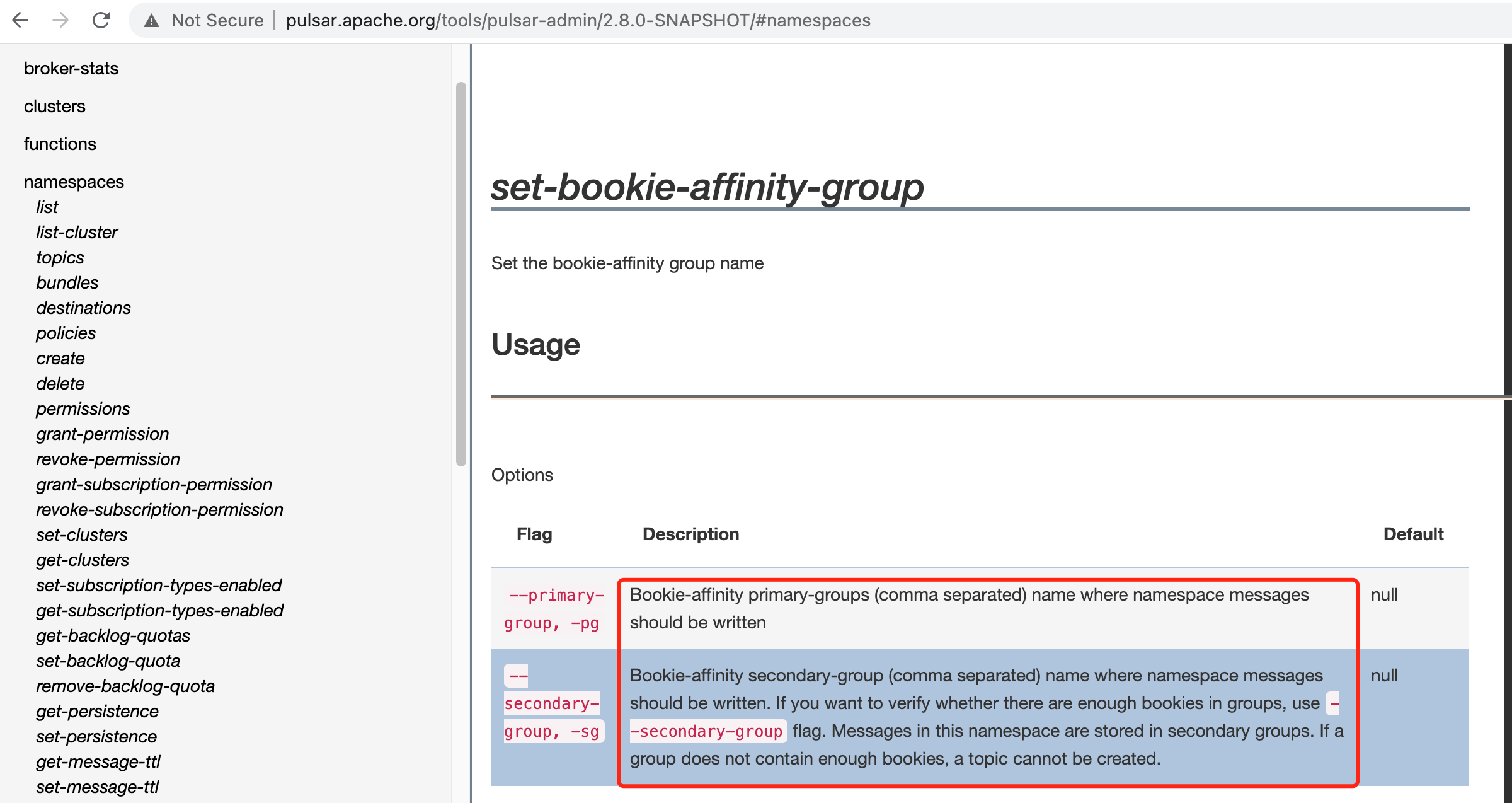
There was a problem hiding this comment. @sijie thanks for your suggestions. I think your Currently, both Will these commands be shown on the pulsar-admin website? If so, I think the explanations talked above should be added to the command For example, I added the descriptions for Thoughts?
Member
There was a problem hiding this comment. Those commands should show up. You might want to ping @tuteng to see why they don't show up.
Member
Author
There was a problem hiding this comment. Sure, then I'll add explanations (
Member
Author
There was a problem hiding this comment. Hi @tuteng, we have the following bookie related commands but none of them are shown on the pulsar-admin website, could you please take a look? thanks
Member
Author
|
||||||
| --hostname 127.0.0.1:3181 \ | ||||||
|
|
||||||
| --group group-bookie1 \ | ||||||
| --rack rack1 | ||||||
|
|
||||||
| bin/pulsar-admin namespaces set-bookie-affinity-group public/default \ | ||||||
| --primary-group group-bookie1 | ||||||
| ``` | ||||||
|
|
||||||
| <!--REST API--> | ||||||
|
|
||||||
| [POST /admin/v2/namespaces/{tenant}/{namespace}/persistence/bookieAffinity](https://pulsar.apache.org/admin-rest-api/?version=master&apiversion=v2#operation/setBookieAffinityGroup) | ||||||
|
|
||||||
| <!--Java admin API--> | ||||||
|
|
||||||
| For how to set bookie affinity group for a namespace using Java admin API, see [here](https://github.com/apache/pulsar/blob/master/pulsar-client-admin/src/main/java/org/apache/pulsar/client/admin/internal/NamespacesImpl.java#L1164). | ||||||
|
|
||||||
| <!--END_DOCUSAURUS_CODE_TABS--> | ||||||


| Original file line number | Diff line number | Diff line change |
|---|---|---|
| @@ -0,0 +1,79 @@ | ||
| --- | ||
| id: version-2.7.1-administration-isolation | ||
| title: Pulsar isolation | ||
| sidebar_label: Pulsar isolation | ||
| original_id: administration-isolation | ||
| --- | ||
|
|
||
| In an organization, a Pulsar instance provides services to multiple teams. When organizing the resources across multiple teams, you want to make a suitable isolation plan to avoid the resource competition between different teams and applications and provide high-quality messaging service. In this case, you need to take resource isolation into consideration and weigh your intended actions against expected and unexpected consequences. | ||
|
|
||
| To enforce resource isolation, you can use the Pulsar isolation policy, which allows you to allocate resources (**broker** and **bookie**) for the namespace. | ||
|
|
||
| ## Broker isolation | ||
|
|
||
| In Pulsar, when namespaces (more specifically, namespace bundles) are assigned dynamically to brokers, the namespace isolation policy limits the set of brokers that can be used for assignment. Before topics are assigned to brokers, you can set the namespace isolation policy with a primary or a secondary regex to select desired brokers. | ||
|
|
||
| You can set a namespace isolation policy for a cluster using one of the following methods. | ||
|
|
||
| <!--DOCUSAURUS_CODE_TABS--> | ||
|
|
||
| <!--Admin CLI--> | ||
|
|
||
| ``` | ||
| pulsar-admin ns-isolation-policy set options | ||
| ``` | ||
|
|
||
| For more information about the command `pulsar-admin ns-isolation-policy set options`, see [here](http://pulsar.apache.org/tools/pulsar-admin/). | ||
|
|
||
| **Example** | ||
|
|
||
| ```shell | ||
| bin/pulsar-admin ns-isolation-policy set \ | ||
| --auto-failover-policy-type min_available \ | ||
| --auto-failover-policy-params min_limit=1,usage_threshold=80 \ | ||
| --namespaces my-tenant/my-namespace \ | ||
| --primary 10.193.216.* my-cluster policy-name | ||
| ``` | ||
|
|
||
| <!--REST API--> | ||
|
|
||
| [PUT /admin/v2/namespaces/{tenant}/{namespace}](https://pulsar.apache.org/admin-rest-api/?version=2.7.0&apiversion=v2#operation/createNamespace) | ||
|
|
||
| <!--Java admin API--> | ||
|
|
||
| For how to set namespace isolation policy using Java admin API, see [here](https://github.com/apache/pulsar/blob/master/pulsar-client-admin/src/main/java/org/apache/pulsar/client/admin/internal/NamespacesImpl.java#L251). | ||
|
|
||
| <!--END_DOCUSAURUS_CODE_TABS--> | ||
|
|
||
| ## Bookie isolation | ||
|
|
||
| A namespace can be isolated into user-defined groups of bookies, which guarantees all the data that belongs to the namespace is stored in desired bookies. The bookie affinity group uses the BookKeeper [rack-aware placement policy](https://bookkeeper.apache.org/docs/latest/api/javadoc/org/apache/bookkeeper/client/EnsemblePlacementPolicy.html) and it is a way to feed rack information which is stored as JSON format in znode. | ||
|
|
||
| You can set a bookie affinity group using one of the following methods. | ||
|
|
||
| <!--DOCUSAURUS_CODE_TABS--> | ||
|
|
||
| <!--Admin CLI--> | ||
|
|
||
| ``` | ||
| pulsar-admin namespaces set-bookie-affinity-group options | ||
| ``` | ||
|
|
||
| For more information about the command `pulsar-admin namespaces set-bookie-affinity-group options`, see [here](http://pulsar.apache.org/tools/pulsar-admin/). | ||
|
|
||
| **Example** | ||
|
|
||
| ```shell | ||
| bin/pulsar-admin namespaces set-bookie-affinity-group public/default \ | ||
| --primary-group group-bookie1 | ||
| ``` | ||
|
|
||
| <!--REST API--> | ||
|
|
||
| [POST /admin/v2/namespaces/{tenant}/{namespace}/persistence/bookieAffinity](https://pulsar.apache.org/admin-rest-api/?version=2.7.0&apiversion=v2#operation/setBookieAffinityGroup) | ||
|
|
||
| <!--Java admin API--> | ||
|
|
||
| For how to set bookie affinity group for a namespace using Java admin API, see [here](https://github.com/apache/pulsar/blob/master/pulsar-client-admin/src/main/java/org/apache/pulsar/client/admin/internal/NamespacesImpl.java#L1164). | ||
|
|
||
| <!--END_DOCUSAURUS_CODE_TABS--> |
There was a problem hiding this comment.
Choose a reason for hiding this comment
The reason will be displayed to describe this comment to others. Learn more.
Explain what people should put in
--primary.