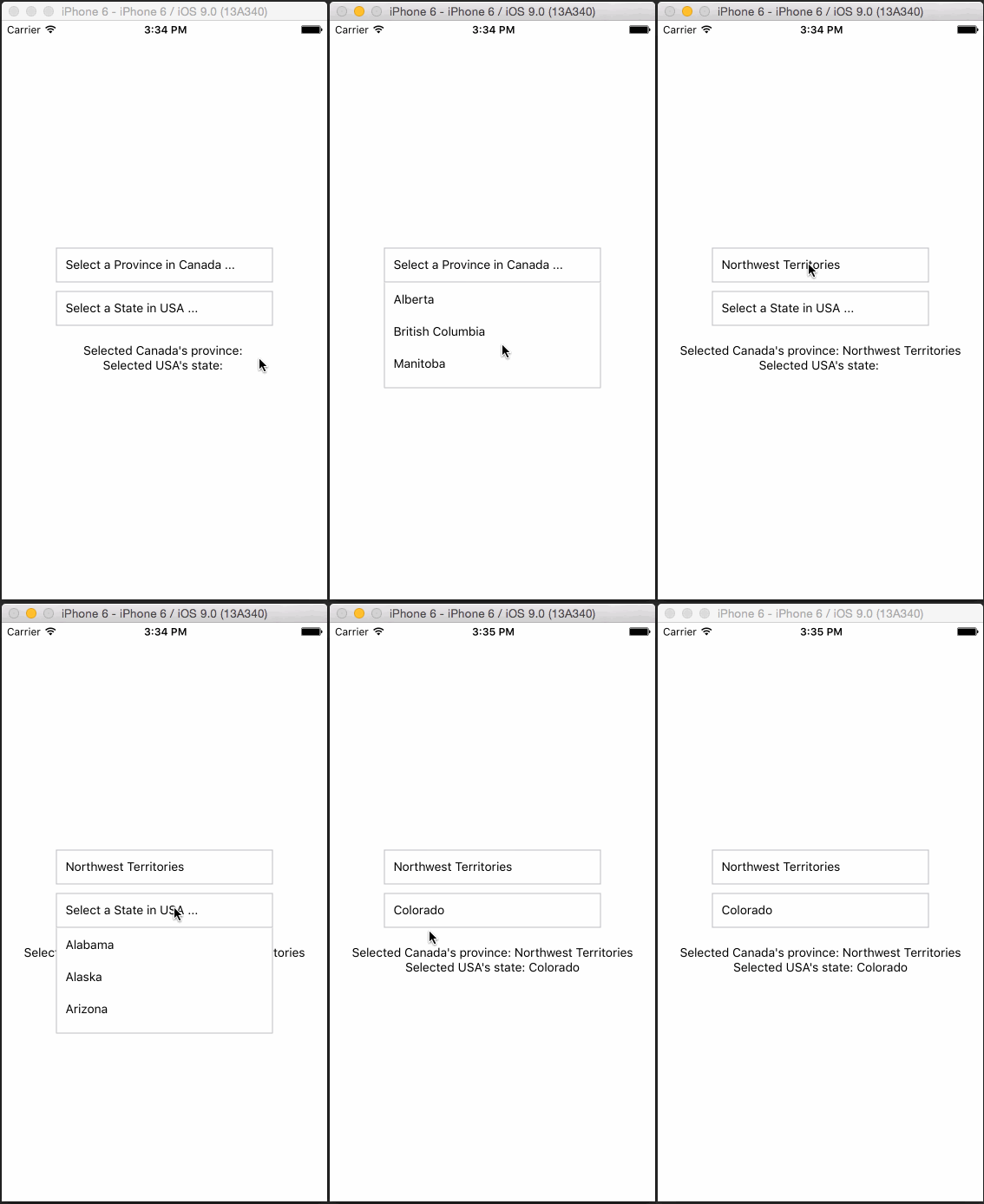
Simple DropDown menu for React Native App!
the original one is alinz/react-native-dropdown I made some edits with it
React Native Dropdown is simple, customizable and easy to use dropdown in React Native. Works with both Android and IOS.
npm install AhmedMAtia/react-native-selectoptions --save
Require it inside your Javascript files. Also supporting components using object-deconstructing.
Select Option OptionList, Also a positioning utility method updatePosition.
updatePosition should be called in componentDidMount with refs to the <Select /> component and <OptionList />.
This calculates component's PositionX and PositionY and sets it back into the component. The component uses it to position the <OptionList> using this co-ordinates.
var React = require('react-native');
var {
  Component,
  AppRegistry,
  Text,
  View,
} = React;

const DropDown = require('react-native-selectoptions');
const {
  Select,
  Option,
  OptionList,
  updatePosition
} = DropDown;

class App extends Component {
  constructor(props) {
    super(props);

    this.state = {
      canada: ''
    };
  }

  componentDidMount() {
    updatePosition(this.refs['SELECT1']);
    updatePosition(this.refs['OPTIONLIST']);
  }

  _getOptionList() {
    return this.refs['OPTIONLIST'];
  }


  _canada(province) {

	this.setState({
      ...this.state,
      canada: province
    });
  }

  render() {
    return (
      <View style={{ flex: 1, justifyContent: 'center', alignItems: 'center' }}>
          <Select
            width={250}
            ref="SELECT1"
            styleText={{fontSize: 12,writingDirection: 'rtl',color: '#FFF'}}
            style={{margin:8,textAlign: 'right',borderColor: '#000000'}}
            optionListRef={this._getOptionList.bind(this)}
            defaultValue="Select a Province in Canada ..."
            onSelect={this._canada.bind(this)}>
            <Option value='1323' >Alberta</Option>
            <Option value='1324' >British Columbia</Option>
            <Option value='1325' >Manitoba</Option>
            <Option value='1326' >New Brunswick</Option>
            <Option value='1327' >Newfoundland and Labrador</Option>
            <Option value='1328' >Northwest Territories</Option>
            <Option value='1329' >Nova Scotia</Option>
            <Option value='1330' >Nunavut</Option>
            <Option value='1331' >Ontario</Option>
            <Option value='1332' >Prince Edward Island</Option>
            <Option value='1333' >Quebec</Option>
            <Option value='1334' >Saskatchewan</Option>
            <Option value='1335' >Yukon</Option>
          </Select>

          <Text>Selected Canada's province: {this.state.canada}</Text>

          <OptionList ref="OPTIONLIST"/>
      </View>
    );
  }
}

AppRegistry.registerComponent('App', () => App);
For complete implementation checkout example folder.
| Property | Type | Default | Description |
|---|---|---|---|
| width | number | 400 | Width of the selection |
| height | number | 50 | Height of the selection |
| optionListRef | function | required | Reference to <OptionList /> to display the selection menu |
| style | object | null | Custom styles to be applied if supplied |
| defaultValue | string | first option | The value to be displayed if none of the options are selected. |
| Property | Type | Default | Description |
|---|---|---|---|
| value | string | null | Value of selected option |
| style | object | null | Styles to be applied on 'Option' component |
| styleText | object | null | Styles to be applied on text inside of 'Option' |