
This tool allows you to import transactions from your FinTS enabled bank into Firefly III.
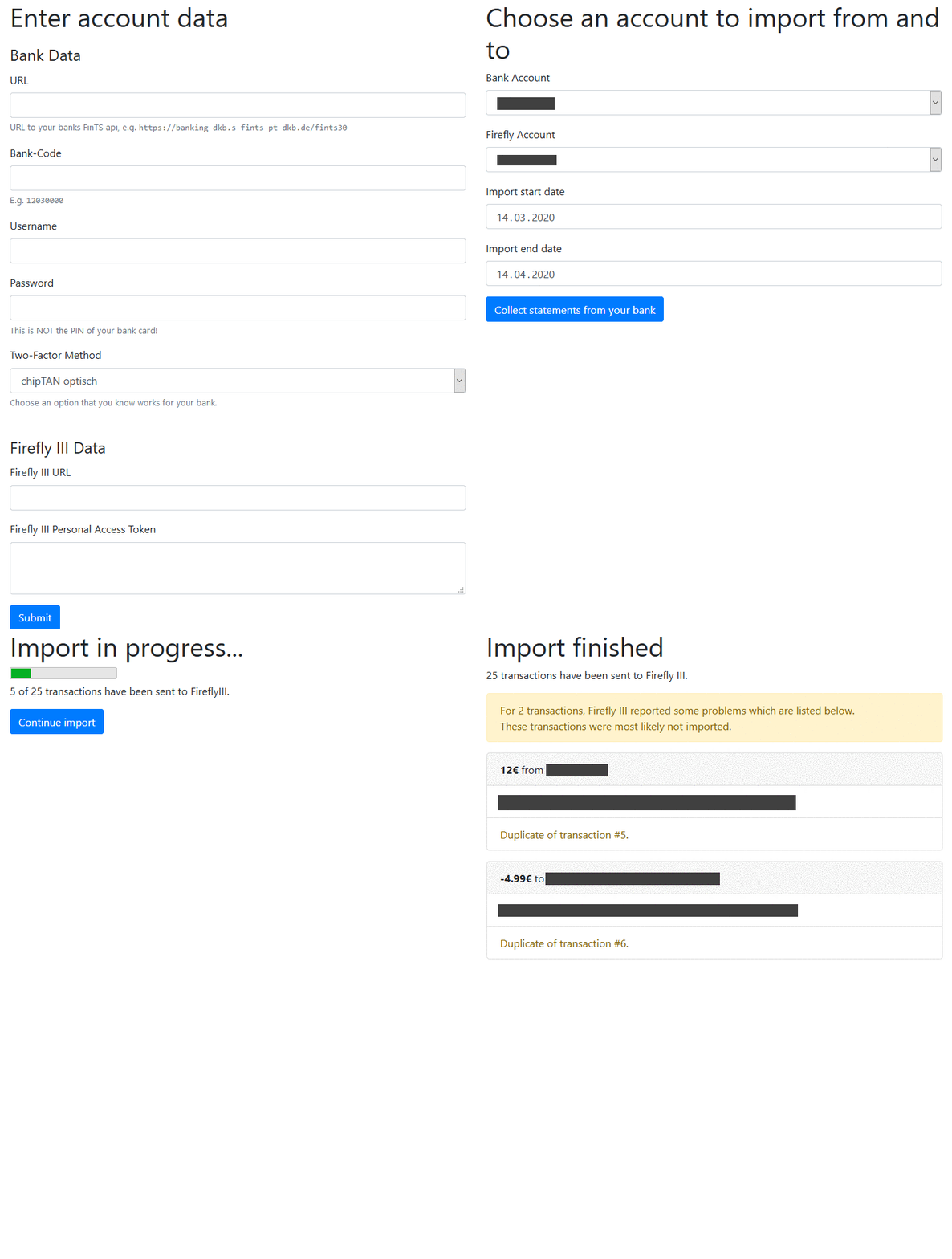
It comes with a web GUI that guides you through the process.
To start the app, choose one of the three methods below:
-
Start the app by executing the following commands.
git clone https://github.com/bnw/firefly-iii-fints-importer.git cd firefly-iii-fints-importer composer install php -S 0.0.0.0:8080 app/index.php -
Alternatively, you can use docker-compose. The following commands will download and start the pre-built image from docker-hub.
git clone https://github.com/bnw/firefly-iii-fints-importer.git
cd firefly-iii-fints-importer
docker-compose up
To update the docker image stored on your machine to the latest version, run
docker-compose pull && docker-compose up. -
You can also build the docker image locally. To do so, simply follow the above steps for docker-compose, but replace the line
image: benkl/firefly-iii-fints-importerbybuild: .in thedocker-compose.yml. The build usually takes a few minutes.
After completing one of the above steps, browse to http://localhost:8080 and follow the instructions 🙂
- Docker or (PHP 8.1 or newer and Composer)
- An already running instance of Firefly III
- It must be reachable over the network by PHP from the computer you run this import app
- A Personal Access Token which you can generate on the Profile page in Firefly III
- Banks typically only allow you to access the last two years worth of transactions. In order to ensure that your bank account shows the correct balance in Firefly III, even if not all of it's history can be imported, adjust the account's starting balance accordingly in Firefly III.
- There is the option to reformat the description of a transaction, before it is sent to Firefly III. This can be done by configuring a RegEx search and replace pair. See data/configurations/example.json or the corresponding unit test for an example. Thanks to dfunke for this feature!
Instead of entering all necessary account information every time, you can load it from a JSON-file.
Simply create such a JSON-file in the data/configurations folder by adapting the provieded data/configurations/example.json. When starting the app in your browser, you can then choose the JSON-file as a configuration source.
Please note that the bank_2fa-value in the JSON file corresponds to the number of the 2-factor authentication as listed in app/public/html/collecting-data.twig.
Thanks to joBr99 for this feature!
If you need to enter a TAN on every import run, you can paste the persistence string you get presented after the import into the configuration file.
Treat this string as a secret, as it provides access to your bank account without a TAN!
This importer can be used without a browser (e.g. by using curl or wget). For this you have to specify two GET parameters:
automate=trueconfig=example.jsonwhere example.json is a config located in the "data/configurations" folder.- Use
curl -X GET 'http://localhost:8080/?automate=true&config=example.json' - or
wget -O - -q 'http://localhost:8080/?automate=true&config=example.json'to run the importer.
Additionally make sure that you filled out the choose_account_automation part in the config.
Thanks to Bur0k for this feature!
So far, I could only test this with my personal bank. If you find that it does not work with your bank, please open an issue.
- Note that most banks handle failed FinTS logins similar to failed website logins. Thus, if you fail to enter your password correctly 3 times in a row, your access will most likely be blocked. Then you need to take some bank specific actions to reenable your FinTS & web access.
- For ING DiBa: According to this wiki, a login into the website is required every 90 days.
- Please be aware: In January 2026 the importer was updated. Depending on your bank, transactions might now be imported in a slightly different format. This may interfere with Firefly's duplicate detection and can lead to duplicate transactions in Firefly, if you have already imported transactions before the update.
- For ING DiBa you need a password that is between 5 and 10 characters, not less not more as you will otherwise run into this error:
Anmeldung nur mit 10-stelliger Kontonummer und 5 bis 10-stelliger PIN möglich.- Note: this will not lead to your account being blocked due to to many attempts as you do not attempt a login funnily enough
- For Targobank, if your transactions are having unhelpful descriptions, try setting
force_mt940=true(only available in the configuration file, not the GUI). This will use a different API to retrieve your transactions that does not have this problem. - For Comdirect, if your import is not showing any transactions, this might be related to an API issue on their side. For now you can set
force_mt940=true(only available in the configuration file, not the GUI). This will use a different API to retrieve your transactions that does not have this problem.