A beautiful, Spotify Wrapped-style year-in-review experience for your Emby media server. See your viewing stats, top shows, favorite genres, and more in an interactive, animated presentation.



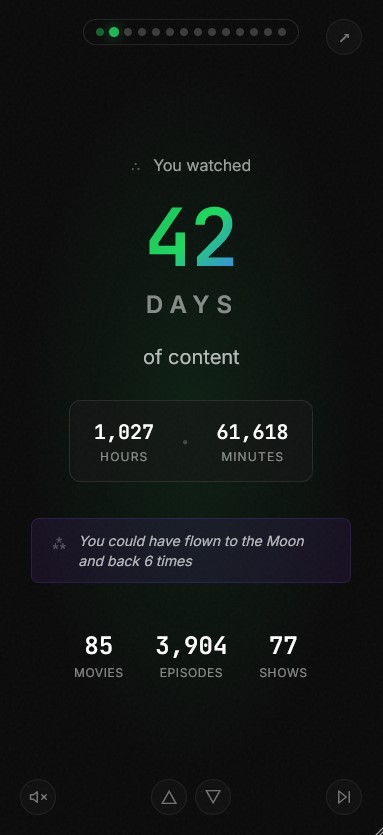
- Total Watch Time - See how many days/hours you've spent watching
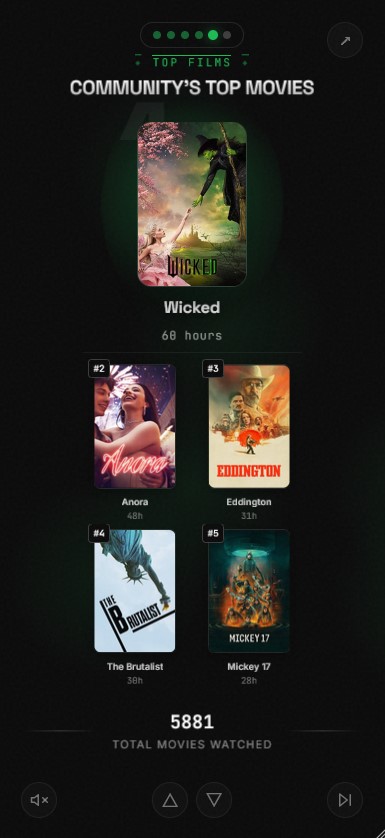
- Top Shows and Movies - Your most-watched content with beautiful poster displays
- Genre Breakdown - Discover your viewing preferences
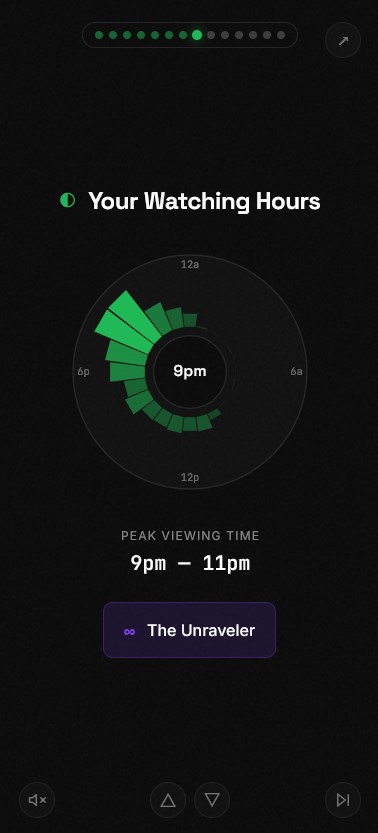
- Viewing Patterns - Peak hours and favorite days of the week
- Viewing Personality - Fun personality type based on your habits
- Binge Sessions - See your longest viewing marathons
- Monthly Journey - Track your viewing across the year
- Share Cards - Download individual stat cards to share
-
Emby Server - Version 4.7+ recommended
-
Playback Reporting Plugin (Required)
- Go to Emby Dashboard → Plugins → Catalog
- Search for "Playback Reporting"
- Install and restart Emby server
- This plugin tracks detailed playback history needed for stats
-
API Key
- Go to Emby Dashboard → API Keys
- Create a new API key for "Emby Wrapped"
- Copy the key for configuration
- Create a directory for your setup:
mkdir emby-wrapped && cd emby-wrapped- Create a
docker-compose.ymlfile:
version: '3.8'
services:
  emby-wrapped:
    image: ghcr.io/davidtorcivia/emby-wrapped-ftp:latest
    container_name: emby-wrapped
    ports:
      - "3000:3000"
    environment:
      - EMBY_URL=http://your-emby-server:8096
      - EMBY_API_KEY=your-api-key-here
      - TMDB_API_KEY=  # Optional: for enhanced poster images
      - PUBLIC_URL=    # Optional: for share links
    volumes:
      - ./music:/app/static/music:ro  # Optional: custom background music
restart: unless-stopped- Run:
docker-compose up -d- Access at
http://localhost:3000
- Clone the repository:
git clone https://github.com/davidtorcivia/emby-wrapped-ftp.git
cd emby-wrapped-ftp- Create your environment file:
cp .env.example .env- Edit
.envwith your Emby server details:
EMBY_URL=http://your-emby-server:8096
EMBY_API_KEY=your-api-key-here
# Optional
TMDB_API_KEY=
PUBLIC_URL=- Build and run:
docker-compose up -d --build- Access at
http://localhost:3000
Pre-built image:
docker-compose pull && docker-compose up -dFrom source:
git pull && docker-compose up -d --build- Node.js 18+
- npm or pnpm
- Clone the repository:
git clone https://github.com/davidtorcivia/emby-wrapped-ftp.git
cd emby-wrapped-ftp- Install dependencies:
npm install- Create environment file:
cp .env.example .env- Edit
.envwith your Emby server details:
EMBY_URL=http://your-emby-server:8096
EMBY_API_KEY=your-api-key-here- Start development server:
npm run dev- Open
http://localhost:5173in your browser
npm run build
npm run preview| Variable | Description | Required |
|---|---|---|
EMBY_URL |
Full URL to your Emby server (e.g., http://192.168.1.100:8096) |
Yes |
EMBY_API_KEY |
API key from Emby Dashboard | Yes |
TMDB_API_KEY |
TMDB API key for enhanced poster images (get one free at themoviedb.org) | No |
PUBLIC_URL |
Public URL for share links (defaults to request origin) | No |
ANALYTICS_SCRIPT |
Analytics script tag (e.g., Umami, Plausible) to inject into page head | No |
Emby Wrapped supports custom background music during the presentation. To add your own tracks:
- Create a
static/music/directory in the project - Add MP3 files to the directory
- Music will automatically play during the wrapped experience
For Docker deployments, mount a volume to /app/static/music/ (see docker-compose example).
- Navigate to the app in your browser
- Select your user from the list
- Enjoy your personalized Emby Wrapped experience!
- Use the Share button on any card to download it as an image
- Framework: SvelteKit
- Styling: Tailwind CSS
- Animations: CSS animations + Svelte transitions
- Image Capture: html2canvas
- Fonts: Space Grotesk, JetBrains Mono
- API keys are stored server-side only and never exposed to the client
- All Emby API requests are proxied through the server
- No user data is stored - stats are fetched fresh each time
- CORS is handled server-side
- Verify your
EMBY_URLis correct and accessible - Check that your
EMBY_API_KEYhas sufficient permissions
- Make sure the Playback Reporting plugin is installed
- The plugin needs time to collect data - it only tracks plays after installation
- Check the date range - Emby Wrapped shows current year stats
- Ensure your Emby server is accessible from the Emby Wrapped container/server
- Check for any firewall rules blocking the connection
Contributions are welcome! Please feel free to submit a Pull Request.
This project is licensed under the MIT License - see the LICENSE file for details.
- Inspired by Spotify Wrapped
- Built for the Emby community
- Uses the Emby API for data retrieval
