System Information (please complete the following information):
Windows OS: Windows-11-Enterprise-21H2
ML.Net Model Builder 2019&2022: 16.13.5.2221801 (Main Build)
Microsoft Visual Studio Enterprise: 2019(16.11.11); 2022(17.1.3)
.Net: 5.0 & 6.0
Describe the bug
- On which step of the process did you run into an issue: Training Recommendation with Data source from SQLPassword and SQL Server Database File.
TestMatrix
https://testpass.blob.core.windows.net/test-pass-data/recommendation-ratings.csv
https://testpass.blob.core.windows.net/test-pass-data/iris.mdf
To Reproduce
Steps to reproduce the behavior:
- Pre-requisite: Do Pre-requisites/SQLPassword before repro this issue.
- Select Create a new project from the Visual Studio start window;
- Choose the C# Console App (.NET Core) project template;
- Add model builder by right click on the project;
- Select Recommendation scenario>Local (CPU);
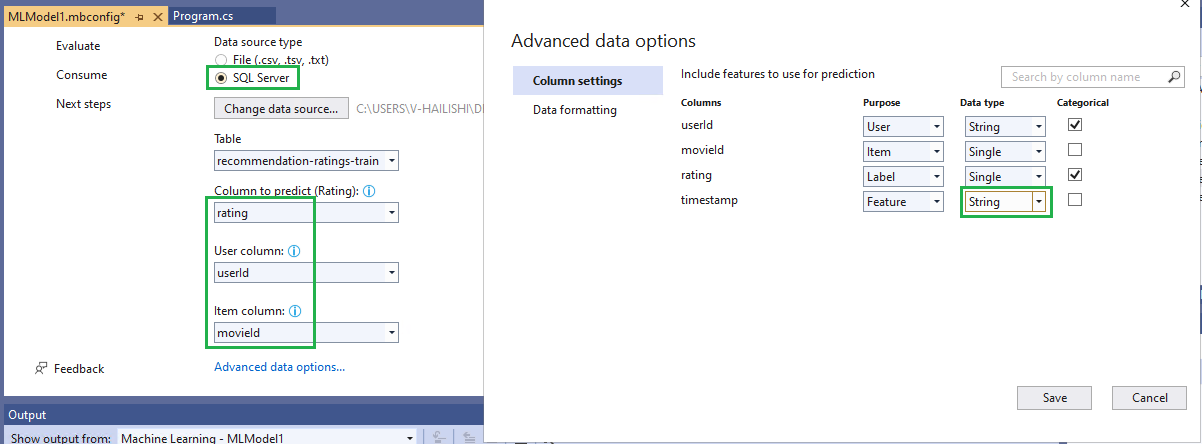
- On Data page, select>SQL Server>Microsoft SQL Server>SQL Server Authentication to input the data source;
Or select>SQL Server>Microsoft SQL Server Database File to input the data source;
- Choose "rating" as Label, "userId" as User, "movieId" as Item and then click "Avanced data option".
- Change "rating" column's Data type to "Single".
- Change "timestamp" column 's Data type from "Single" to "String" and save it.
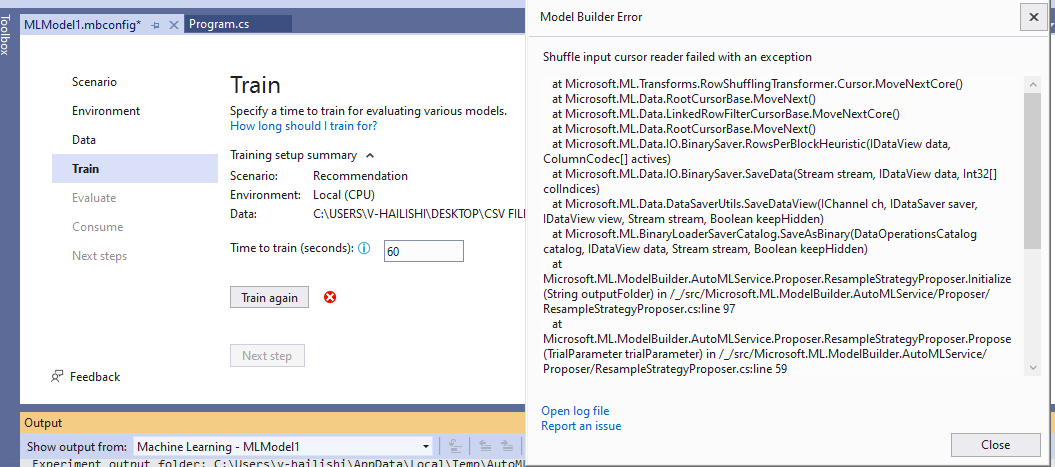
- Click Start training button, prompt model builder error as below screenshot.
Expected behavior
The training should be completed successfully after changing the feature column 's Data type from "Single" to "String".
Screenshots
Data settings:
Error screenshot:
Additional context
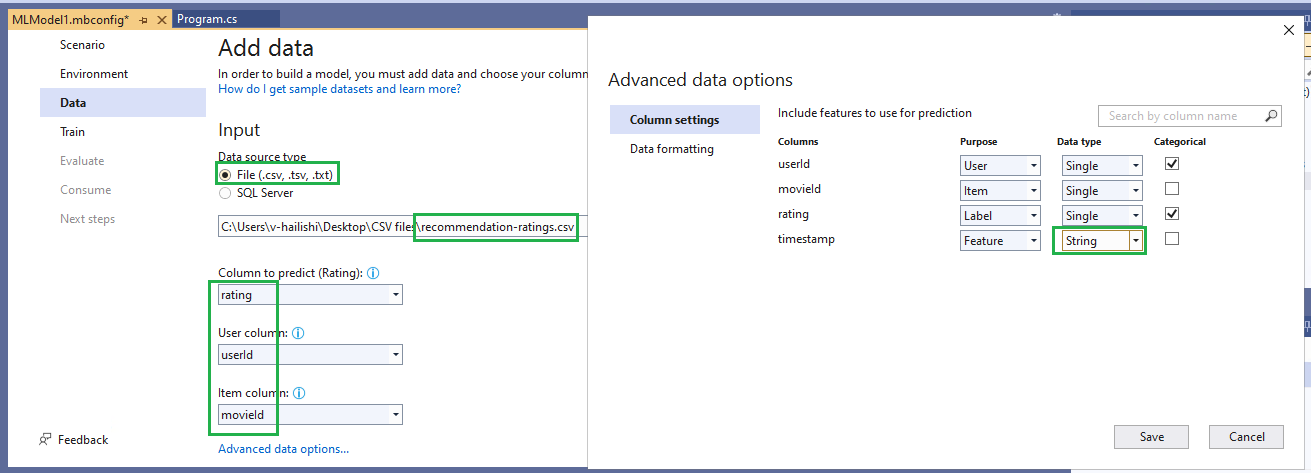
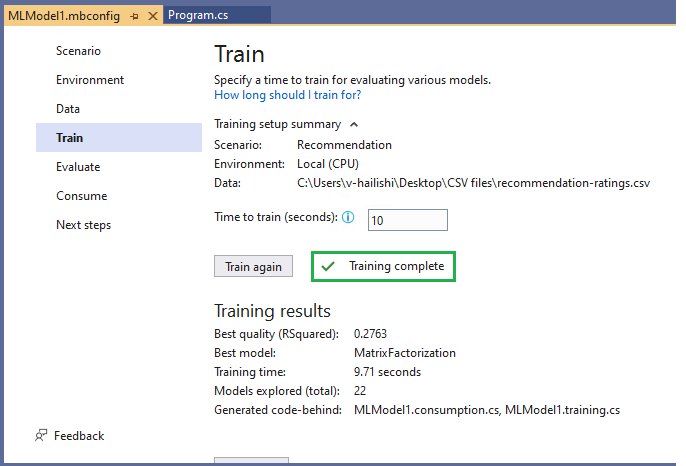
When do the same thing for the .csv file data source, the training can be completed successfully.
System Information (please complete the following information):
Windows OS: Windows-11-Enterprise-21H2
ML.Net Model Builder 2019&2022: 16.13.5.2221801 (Main Build)
Microsoft Visual Studio Enterprise: 2019(16.11.11); 2022(17.1.3)
.Net: 5.0 & 6.0
Describe the bug
TestMatrix
https://testpass.blob.core.windows.net/test-pass-data/recommendation-ratings.csv
https://testpass.blob.core.windows.net/test-pass-data/iris.mdf
To Reproduce
Steps to reproduce the behavior:
Or select>SQL Server>Microsoft SQL Server Database File to input the data source;
Expected behavior
The training should be completed successfully after changing the feature column 's Data type from "Single" to "String".
Screenshots

Data settings:
Error screenshot:

Additional context


When do the same thing for the .csv file data source, the training can be completed successfully.