Scripts for the Digitial Methods module: Introduction to coding
To get started on this module, you will need to install python and a few modules. Follow these steps to set up the necessary python environment.
(a) Navigate to https://conda.io/miniconda.html and download the appropriate Miniconda installer for your operating system. Most modern laptops require the 64-bit version. Double click on the downloader install and install following the default settings.
(b) Your Start menu (or similar in Mac or Linux), should now have a program called conda prompt. Double click on this and a console screen will appear.
(c) We can now install the final few things needed by typing this command in the conda prompt window:
conda install numpy, matplotlib, spyder, pandas
Type “y” when asked to proceed with installation.
(d) Close the conda prompt window. You should now have a program called Spyder available in your start menu. Spyder provides a good graphical interface to Python and will allow you to open the river catchment model and make modifications to the variables.
You will need to first install homebrew, a Mac utility to allow installation of important command line utilities. Proceed as follows:
- Open the 'Terminal' app on your Mac.
The easiest way is hitting (spotlight finder):
cmd + Enter
and typing:
terminal
and it should be the first application that appears.
- Install wget by copy and pasting the following into the command line:
ruby -e "$(curl -fsSL https://raw.githubusercontent.com/Homebrew/install/master/install)"
And press ENTER. If asked yes/no, type y and press ENTER. Once that is complete do the same with this command:
brew install wget
You are now set up to install Python following the instructions found here and included below.
https://stackoverflow.com/questions/38080407/how-can-i-install-the-latest-anaconda-with-wget
- Copy and paste the following commands one line at a time.
Paste them into your terminal prompt. Hit Enter after EACH LINE.
cd ~
wget https://repo.continuum.io/miniconda/Miniconda3-latest-MacOSX-x86_64.sh
bash Miniconda3-latest-MacOSX-x86_64.sh
-- wait while it installs & follow on screen prompts --
conda install numpy matplotlib pandas spyderA long and terrifying list of things will appear.
Just type y to accept the installation of these packages.
Let these install.
There is a problem with the Spyder Installation. conda-forge/pyqt-feedstock#19
conda install -c defaults pyqt=5 qtREMEMBER TO type y to accept these installations!
Now to test that it has worked type:
spyderhit enter and a few dialogue boxes will open. Accept them all.
Then you should get a window that looks like this:
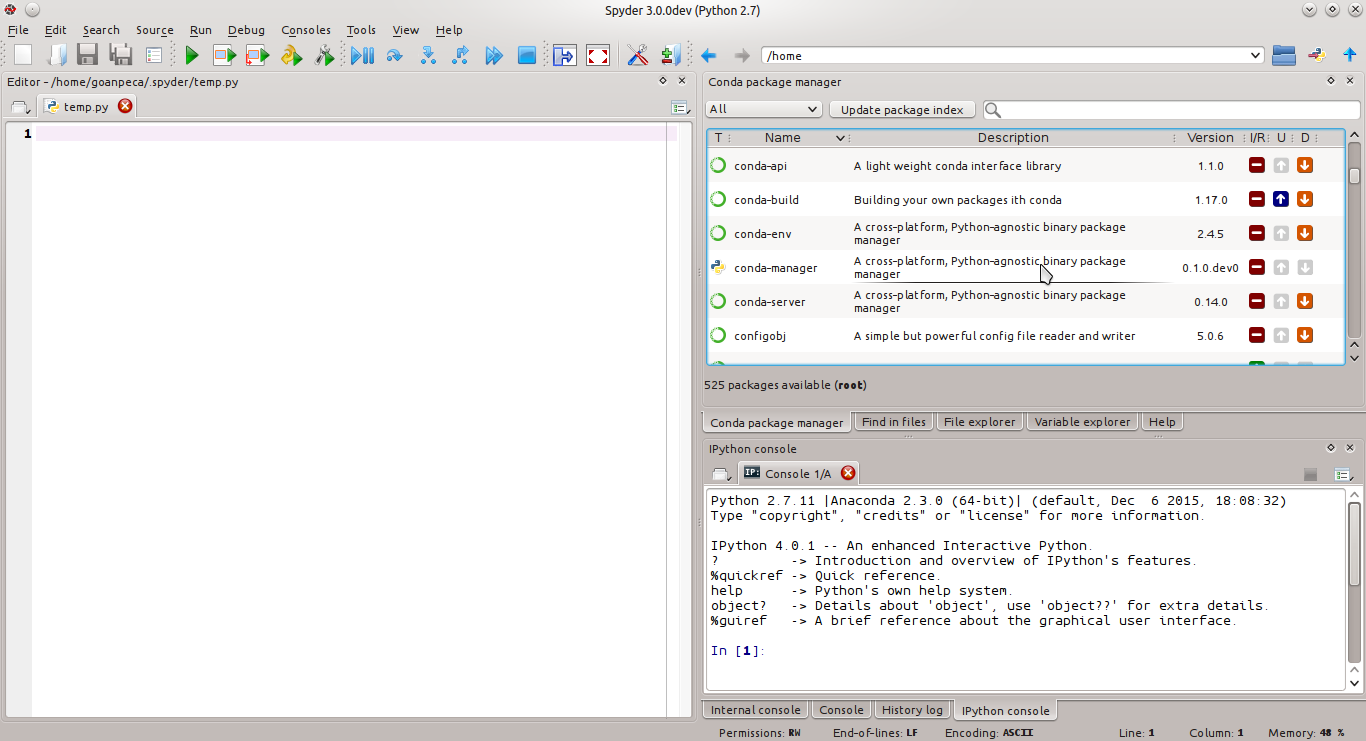
If that the spyder command is not found. Close the terminal, reopen and try this final step again.