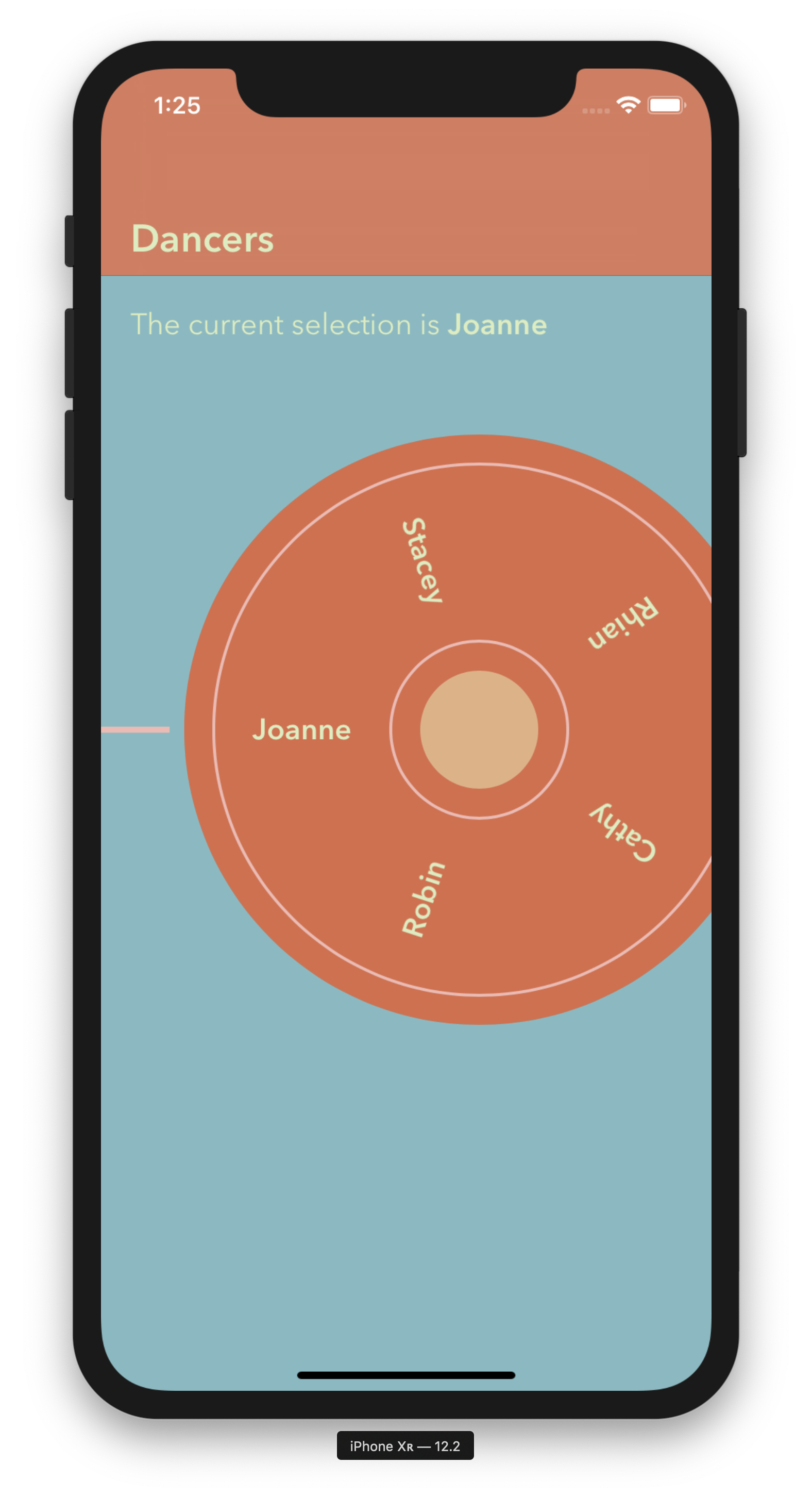
import Rotary

struct Dancer: WheelOption {
    let name: String
    var wheelOptionTitle: String {
        return name
    }
}

let wheelControl = RotaryWheelControl<Dancer>()
wheelControl.rotationEnded = { [unowned self] dancer in
    self.label.text = "The current selection is \(dancer.name)"
}
wheelControl.layout([
    Dancer(name: "Joanne"),
    Dancer(name: "Stacey"),
    Dancer(name: "Rhian"),
    Dancer(name: "Cathy"),
    Dancer(name: "Robin")
    ])
wheelControl.styling = RotaryWheelStyling(
                                    font: <placeholder>,
                                    textColour: <placeholder>,
                                    spindleColour: <placeholder>,
                                    backgroundColour: <placeholder>,
                                    innerGrooveColour: <placeholder>,
                                    outerGrooveColour: <placeholder>
                                )
view.addSubview(wheelControl)
The closure 'rotationEnded' is called immediately after layout. If you do not want this behaviour, call layout before you assign the closure.
Tap the following image to launch Appetize.