Nowy.film.mp4
This is a mobile currency app, which track the current value of currencies and gold. It provides many functions such as currency calculator and plotting charts of for currencies and gold. It allows you to simulate trading with currencies.
- Visual Studio Code
- Expo Go
- React Native
- JavaScript
- Node.js
To install and run the app on your mobile device, follow these steps:
- Clone the repository to your local machine
- Run Expo Go
- Enter the project folder
- Start the app using
npx expo startScan the QR code and app will istall automaticlly.
In project was used many external libraries such as:
- react-native-wagmi-charts (https://www.npmjs.com/package/react-native-wagmi-charts#interactive-cursors)
- react-native-country-flag (https://www.npmjs.com/package/react-native-country-flag)
- react-native-picker (https://github.com/react-native-picker/picker)
- Source of data for my aplication - NBP API (http://api.nbp.pl)
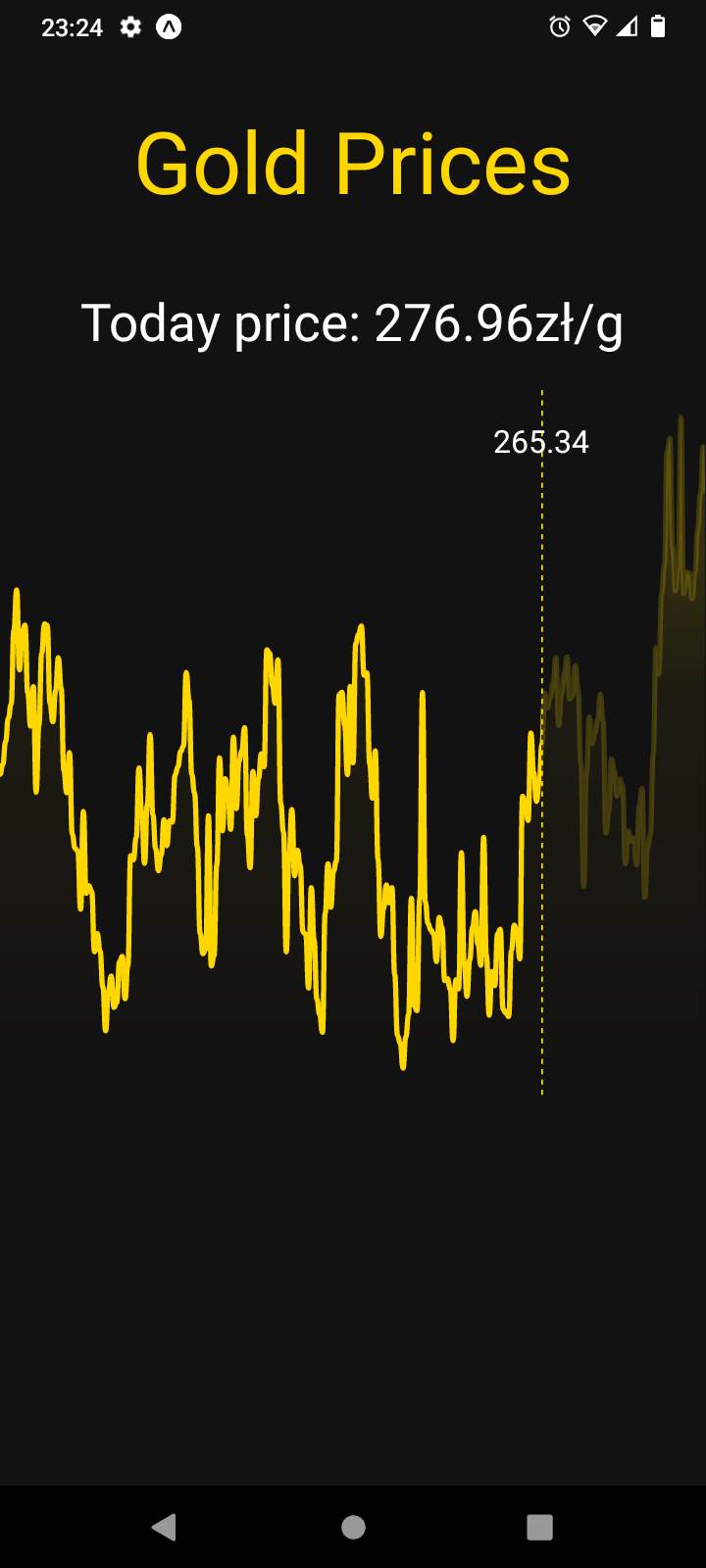
Screenshot of the gold price chart in my app, displaying historical gold values over the past 255 days and today's current price. The current gold price is shown in bold text at the top of the chart. Information about gold prices is fetch from NBP API.
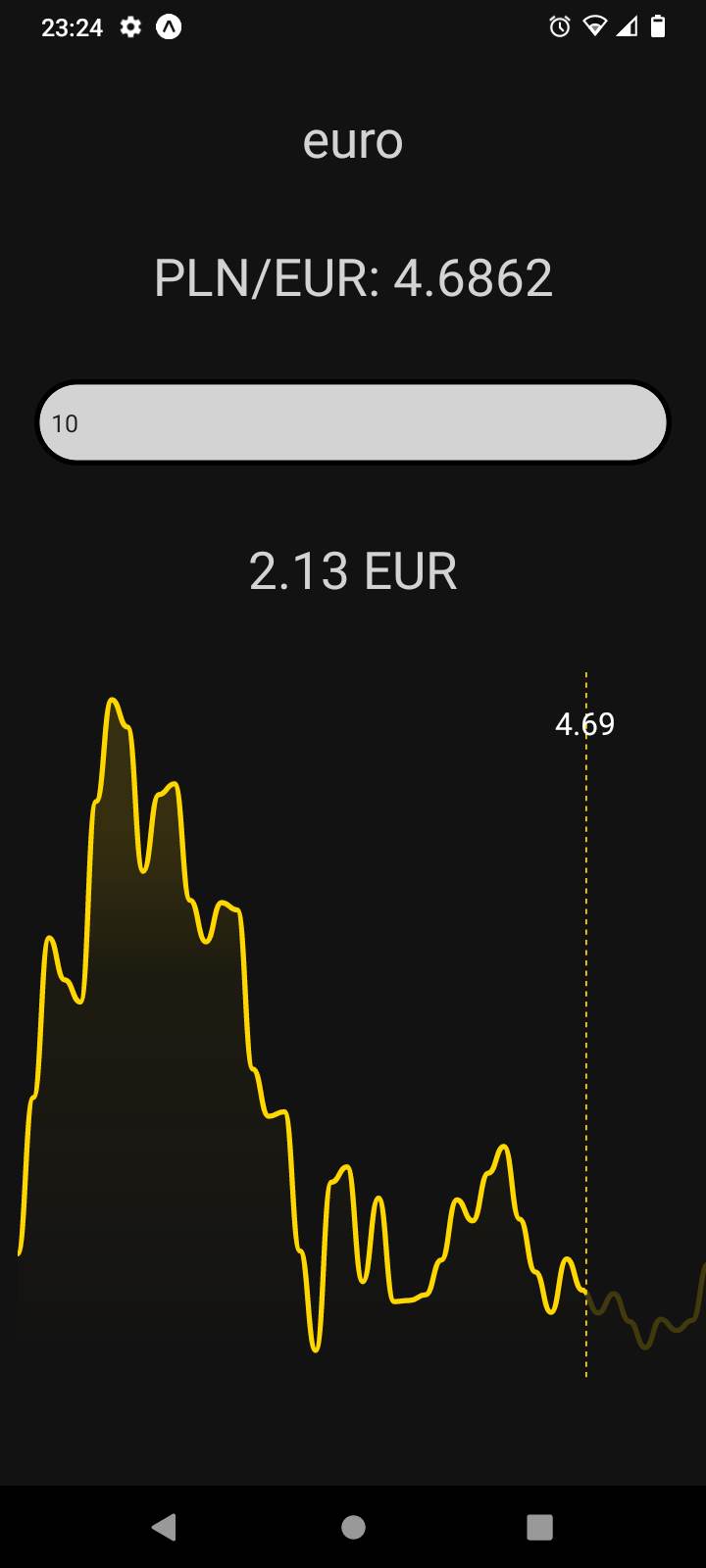
The screenshot shows a view in my currency app where users can convert an amount of cash from złoty to a selected currency. The user enters the amount of cash they want to convert into a text input field. Once the user has selected a currency, the app will convert the amount of cash they entered into the selected currency and display the result on the screen.
In addition to the currency conversion, the app also displays a chart of the currency prices over the past 30 days. This chart provides users with a visual representation of the currency's recent performance, which can help them make informed decisions about their transactions.
Overall, this view provides users with a convenient and informative way to convert currencies and track their performance over time.
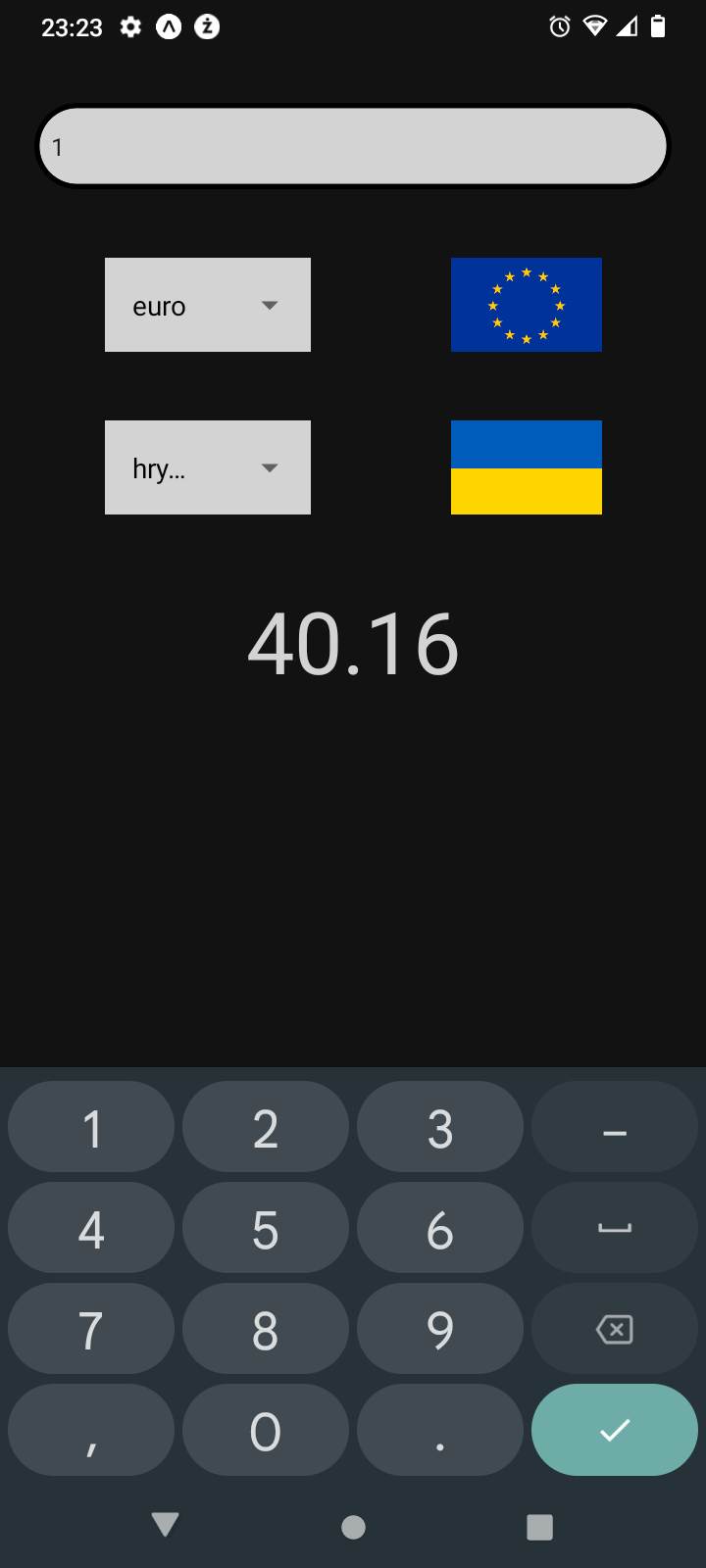
Screenshot of the currency calculator feature in my app, allowing users to quickly convert cash between different currencies. The calculator has two picker fields, one for selecting the initial currency and another for selecting the target currency. The user can then enter the desired amount of cash to convert in the input field below. The app instantly calculates the converted amount and displays it on the screen. This feature is ideal for users who frequently travel abroad or engage in international transactions.
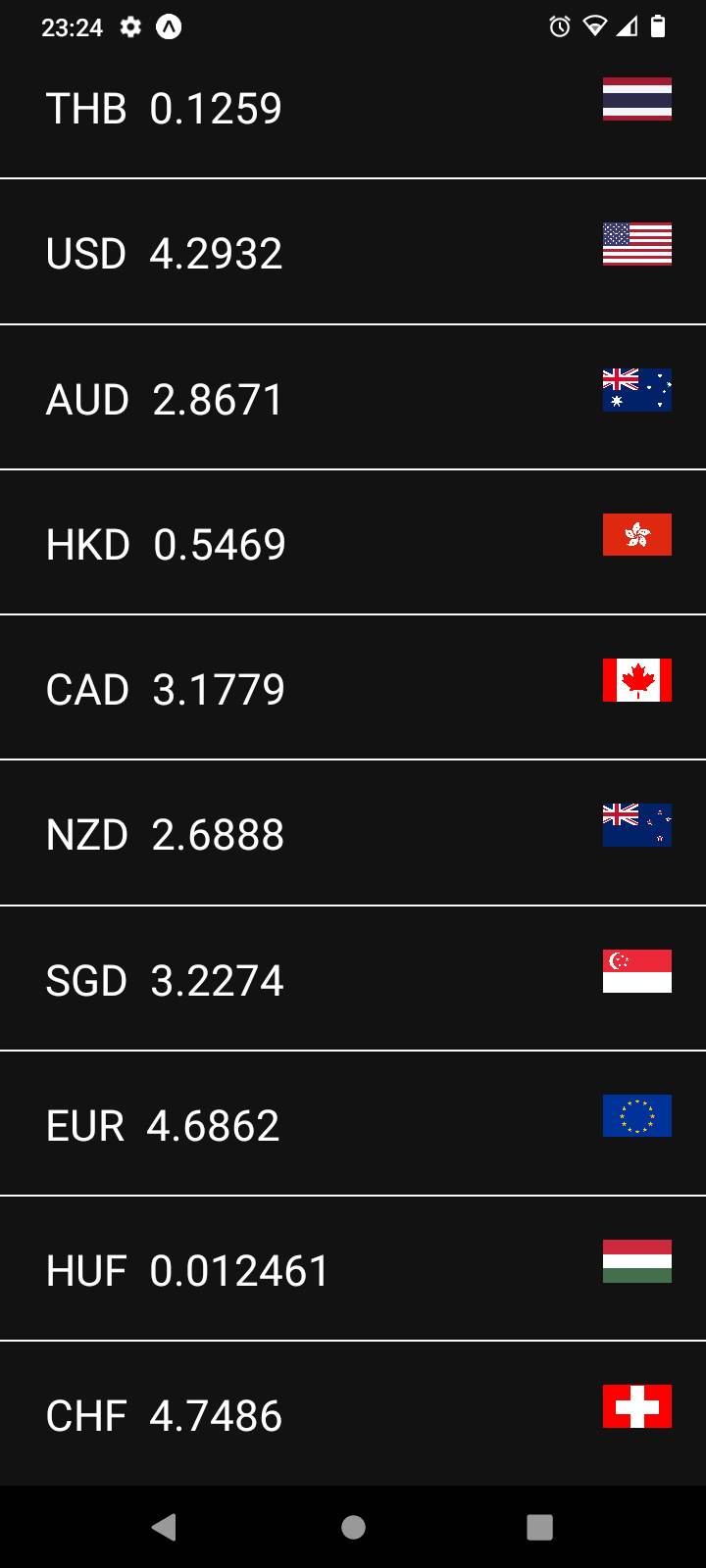
Screenshot of the currency list feature in my app, displaying a flatlist of currencies with their respective codes, prices, and flags of the countries they represent. The data for the prices is fetched in real-time from the NBP API, ensuring that users always have access to the most up-to-date information. Users can tap on any of the currencies in the list to view a detailed description of that currency. This feature is useful for anyone looking to stay up-to-date on the latest currency exchange rates or make international transactions.
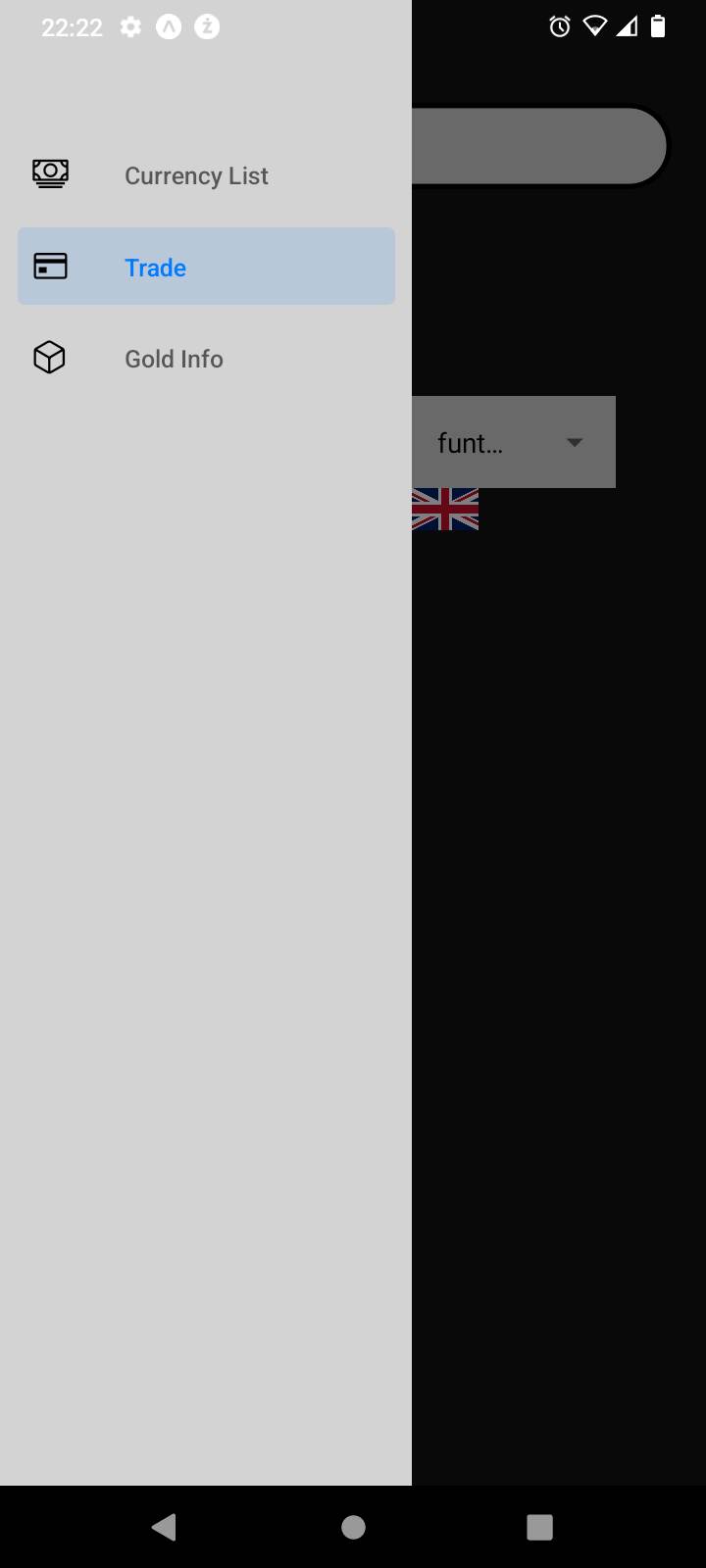
The screenshot shows the drawer navigation feature in my app, which provides easy access to three different pages: the currency list, the currency calculator, and the gold view. The drawer navigation menu is accessible by swiping right from the left edge of the screen. Each page can be selected by tapping its corresponding icon in the drawer navigation menu, making it easy for users to switch between different features and functionalities in the app.