- Generate SSH keypair and put public key to your Github account (instructions)
Note: don't hassle with xclip, just open file in text editor and copy contents to clipboard!
- Add your private key to agent:
user:~$ ssh-add .ssh/github.rsa
Identity added: .ssh/github.rsa (.ssh/github.rsa)
- Use SSH URLs instead of HTTPS:
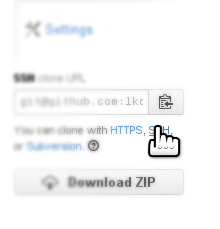
To fix existing local Git repository to use SSH proto:
git remote set-url origin git@github.com:<orgname>/<repo>.git
Note: don't mistake <orgname> for your account name!
To look for current remote setting:
user:git$ git remote show origin
* remote origin
  Fetch URL: git@github.com:learn-it/git.git
  Push  URL: git@github.com:learn-it/git.git
  HEAD branch: master
  Remote branch:
    master tracked
  Local branch configured for 'git pull':
    master merges with remote master
  Local ref configured for 'git push':
    master pushes to master (up to date)
More info...

Note: don't hassle with
xclip, just open file in text editor and copy contents to clipboard!To fix existing local Git repository to use SSH proto:
git remote set-url origin git@github.com:<orgname>/<repo>.gitNote: don't mistake
<orgname>for your account name!To look for current remote setting:
More info...