(表情迁移、动作迁移) 一种新的图片驱动方法,ICLR2022. 本fork版本提供包括但不限于:
- 更小的骨干网络探索与训练,原版本VGG模型过于巨大;
- 更简单的demo,可以实现任意图片的驱动;
- CPU下也可以推理;
- 添加gradio web支持,可直接生成web demo
未来会继承诸如头像检测与融合,对大尺寸图像进行驱动等。
预训练模型下载:
- vox-vgg;
- teg-vgg;
- tichi-vgg;
- baiduyun链接:https://pan.baidu.com/s/1wZdZ8omEpbzW9022Is3UYA?pwd=kmqy 提取码:kmqy
直接运行 demo.py:
python demo.py --model vox --source_path ./data/vox/macron.png --driving_path ./data/vox/driving1.mp4
请注意,如果提示你没有安装 av, 直接 pip install av 即可,torchvision将需要用到该库加载视频。
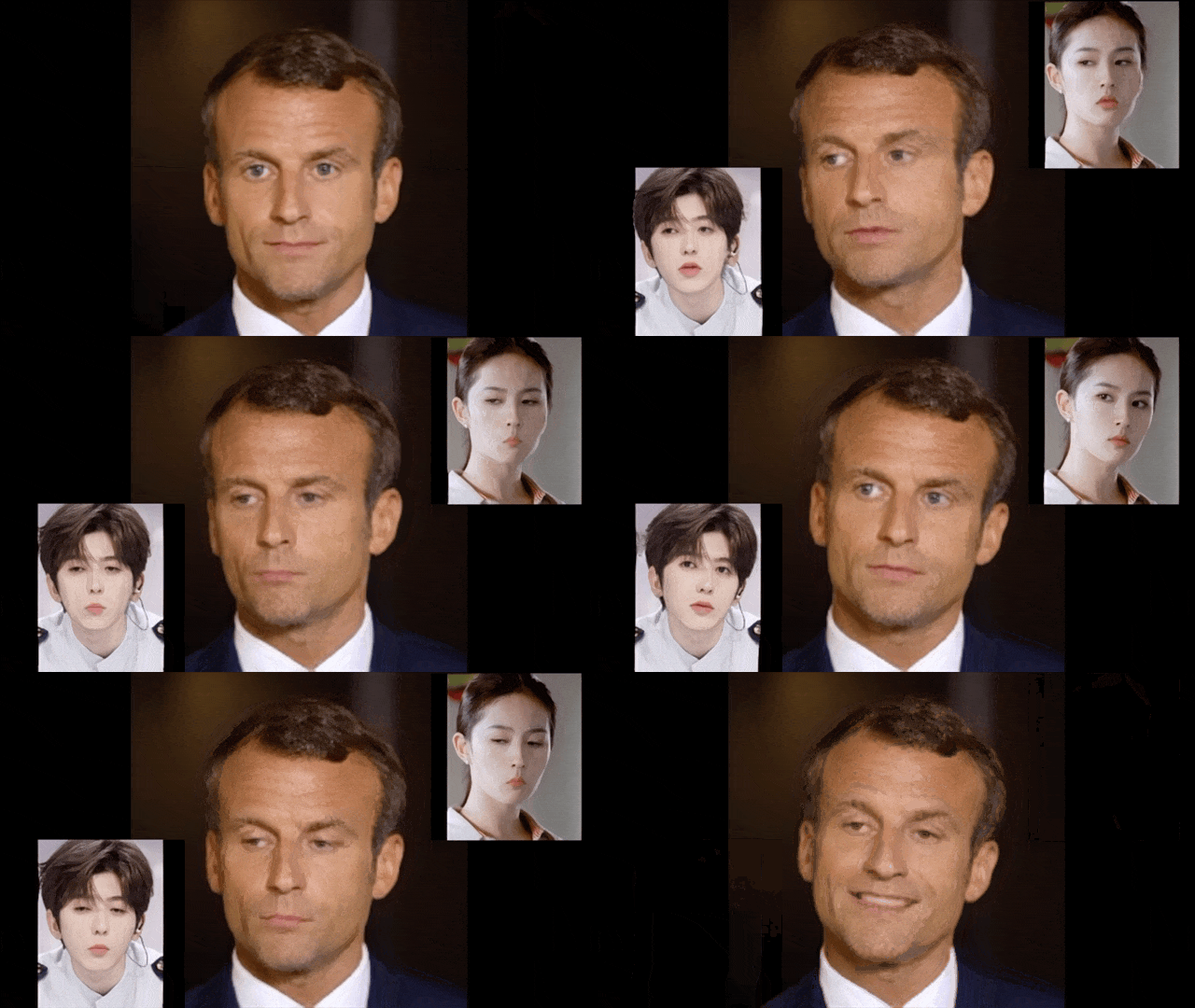
pip install gradio
python webapp.py

id:lhnows
This is the official PyTorch implementation of the ICLR 2022 paper "Latent Image Animator: Learning to Animate Images via Latent Space Navigation"
- Python 3.7
- PyTorch 1.5+
- tensorboard
- moviepy
- tqdm
- lpips
Download pre-trained checkpoints from here and put models under ./checkpoints. We have provided several demo source images and driving videos in ./data.
To obtain demos, you could run following commands, generated results will be saved under ./res.
python run_demo.py --model vox --source_path ./data/vox/macron.png --driving_path ./data/vox/driving1.mp4 # using vox model
python run_demo.py --model taichi --source_path ./data/taichi/subject1.png --driving_path ./data/taichi/driving1.mp4 # using taichi model
python run_demo.py --model ted --source_path ./data/ted/subject1.png --driving_path ./data/ted/driving1.mp4 # using ted model
If you would like to use your own image and video, indicate <SOURCE_PATH> (source image), <DRIVING_PATH> (driving video), <DATASET> and run
python run_demo.py --model <DATASET> --source_path <SOURCE_PATH> --driving_path <DRIVING_PATH>Please follow the instructions in FOMM and MRAA to download and preprocess VoxCeleb, Taichi and Ted datasets. Put datasets under ./datasets and organize them as follows:
Video Dataset (vox, taichi, ted)
|-- train
    |-- video1
        |-- frame1.png
        |-- frame2.png
        |-- ...
    |-- video2
        |-- frame1.png
        |-- frame2.png
        |-- ...
    |-- ...
|-- test
    |-- video1
        |-- frame1.png
        |-- frame2.png
        |-- ...
    |-- video2
        |-- frame1.png
        |-- frame2.png
        |-- ...
    |-- ...
By default, we use DistributedDataParallel on 8 V100 for all datasets. To train the netowrk, run
python train.py --dataset <DATSET> --exp_path <EXP_PATH> --exp_name <EXP_NAME>The dataset list is as follows, <DATASET>: {vox,taichi,ted}. Tensorboard log and checkpoints will be saved in <EXP_PATH>/<EXP_NAME>/log and <EXP_PATH>/<EXP_NAME>/chekcpoints respectively.
To train from a checkpoint, run
python train.py --dataset <DATASET> --exp_path <EXP_PATH> --exp_name <EXP_NAME> --resume_ckpt <CHECKPOINT_PATH>To obtain reconstruction and LPIPS results, put checkpoints under ./checkpoints and run
python evaluation.py --dataset <DATASET> --save_path <SAVE_PATH>Generated videos will be save under <SAVE_PATH>. For other evaluation metrics, we use the code from here.
To obtain linear manipulation results of a single image, run
python linear_manipulation.py --model <DATAET> --img_path <IMAGE_PATH> --save_folder <RESULTS_PATH>By default, results will be saved under ./res_manipulation.
If you find this code useful for your research, please consider citing our paper:
@inproceedings{
wang2022latent,
title={Latent Image Animator: Learning to Animate Images via Latent Space Navigation},
author={Yaohui Wang and Di Yang and Francois Bremond and Antitza Dantcheva},
booktitle={International Conference on Learning Representations},
year={2022}
}Part of the code is adapted from FOMM and MRAA. We thank authors for their contribution to the community.