Hello! 👋
There's a slight problem with python.autoComplete.addBrackets. I couldn't find a ticket for this, so I decided to write my own. I'm not sure whether this issue belongs here, or whether this problem has something to do with VSCode.
Environment data
- VS Code version: 1.23.1
- Extension version: 2018.4.0
- OS and version: macOS Sierra 10.12.6
- Python version: Python 3.6.5
- Type of virtual environment used: N/A
Actual behavior
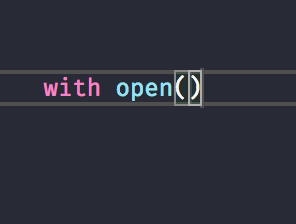
When the configuration option python.autoComplete.addBrackets is set to true, you do not get automatic VSCode hinting when your cursor enters the brackets.
Expected behavior
Auto-hinting should kick off just the same when utilizing automatic bracket insertion. There is no real reason for it behaving the way that it does right now. Below is a picture of how the auto-hinting engine kicks off when you enter brackets manually.

Steps to reproduce:
- Set
python.autoComplete.addBrackets to true.
- Open up a Python file, and make sure that your Python environment is working correctly.
- Type a function name and hit
TAB or Enter to auto-complete it.
- Brackets are inserted, but no auto-hinting.
Hello! 👋
There's a slight problem with
python.autoComplete.addBrackets. I couldn't find a ticket for this, so I decided to write my own. I'm not sure whether this issue belongs here, or whether this problem has something to do with VSCode.Environment data
Actual behavior
When the configuration option
python.autoComplete.addBracketsis set totrue, you do not get automatic VSCode hinting when your cursor enters the brackets.Expected behavior
Auto-hinting should kick off just the same when utilizing automatic bracket insertion. There is no real reason for it behaving the way that it does right now. Below is a picture of how the auto-hinting engine kicks off when you enter brackets manually.
Steps to reproduce:
python.autoComplete.addBracketstotrue.TABorEnterto auto-complete it.