Preview is not watermarked on hide download links #2561

Description

Describe the bug
The secure watermarked view announced for Nextcloud 25 / Hub 3 can be hacked. See reproduction steps below.
To Reproduce
- Go to Nextcloud Office Admin Settings and set the watermark options to have a custom watermark in read-only shares, without a download button.
- For example, create a read-only public share link without a download button.
- Go to the created public URL and see that there is as expected a watermark on the read-only document and no download button. For now, everything is OK.
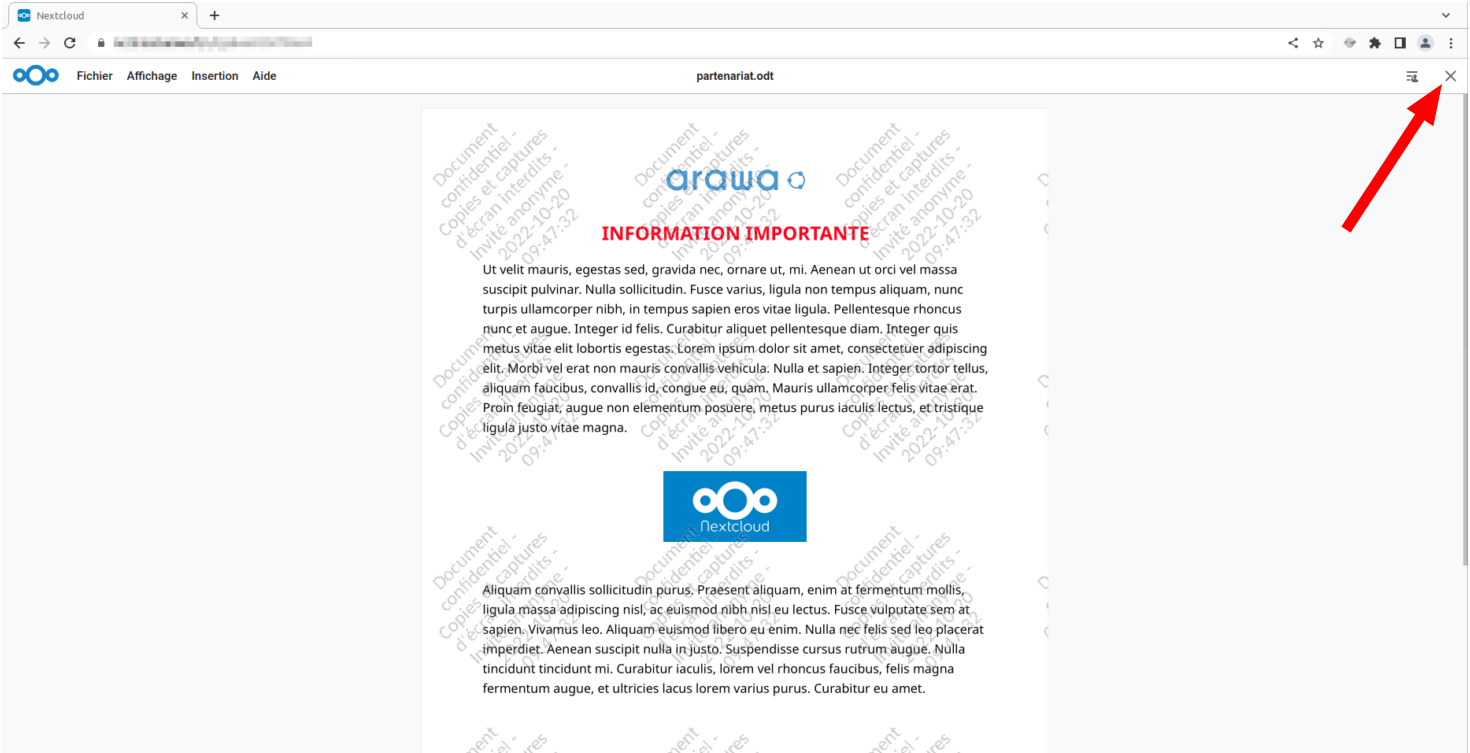
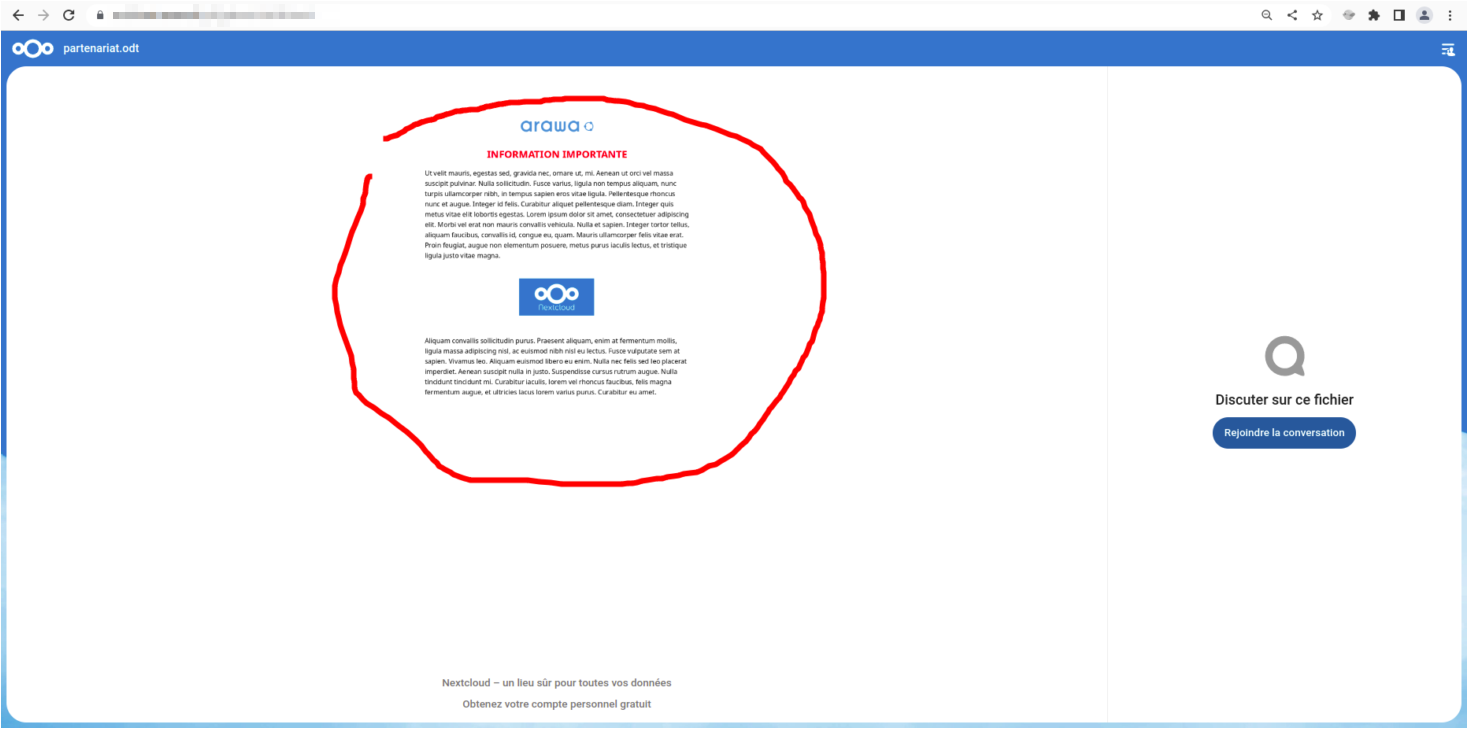
- Then notice that there is the close document cross at the top right. IMO, this cross should not exist because when you click on it, the document reappears behind, without the watermark. Even though the document appears smaller, I think this is risky and goes against the privacy purpose of this feature shown in Berlin.
Expected behavior
The close button should not appear at the top right in order to keep the recipient of the share captive in this view of the document. I go further in my explanation by saying that if the share is a single file share and not a folder share, the close button should never appear, because the share recipient is not supposed to access an upstream folder, but just be able to view the file (and edit it if he has write permission), nothing else.
Screenshots
Here is the closing button :
Here is what we get after clicking on it :
Client details:
- OS: Ubuntu 20.04 LTS
- Browser : Tester and Firefox 106 and Chromium 106
- Device: Laptop
Server details
Operating system: Linux 3.10.0-1127.19.1.el7.x86_64 #1 SMP Tue Aug 25 17:23:54 UTC 2020 x86_64
Web server: nginx/1.23.2 (fpm-fcgi)
Database: mysql 10.4.22
PHP version: 8.0.19
Nextcloud version: 25.0.0 - 25.0.0.18
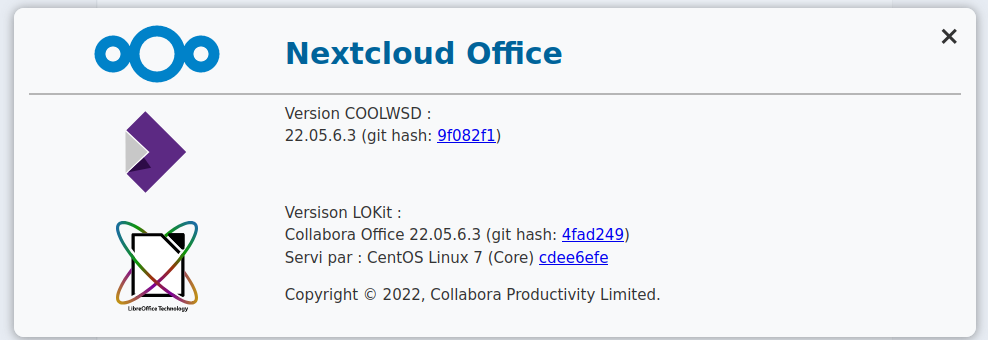
Nextcloud Office app 7.0.0
Logs
Nextcloud log (data/nextcloud.log)
Insert your Nextcloud log here
Browser log
Can be provided if necessary