Community Tree is a full-stack application with basic authentication that allows users to create accounts, unique communities, community initiatives for those communities. Users can then vote on those initiatives and see the results rendered in real-time.
Link to project: https://community-tree.fly.dev/
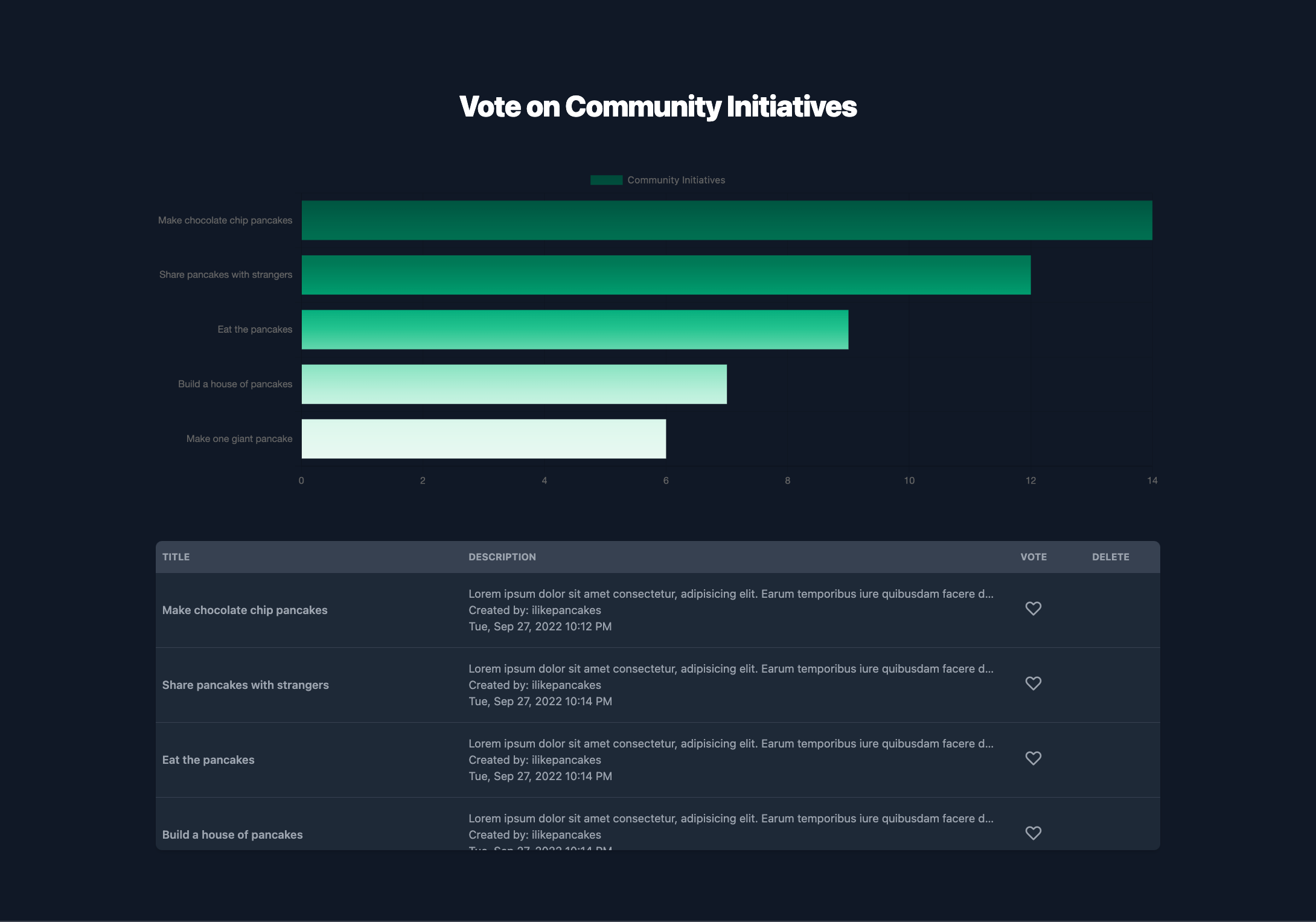
Tech used: TailwindCSS, VanillaJS, NodeJS, Mongoose
This application was built with fundamentals in mind. The MVC architecture was utilized, and I realize that today it's fairly antiquated, but there's a reason. More on this later. NodeJS was used to build the backend -- because of it's asynchronous, non-blocking, and native JSON functionality, it was perfectly suited for the task. MongoDB coupled with Mongoose handled the database needs. The learning curve for MongoDB isn't very steep, and in terms of schema design, the "rulebook" is pretty light. This allowed for a quite a bit of healthy tinkering. A simple templating engine (EJS) was used for the views -- no frontend framework was used. The TailwindCSS framework handled styling needs, as it's "utility-first" based approach abstracts quite a bit of the tedious nature of traditional CSS styling.
Several plugins were used: dayjs, chartjs, and pusher to name a few. I found pusher to be the most interesting, as applications that can benefit from its use of websockets to create a real-time flow are substantial.
Accessibility. The concept of accessibility is one of the building blocks of the internet today. For an application that primarily focuses on visualization of data, some real thought needs to be given on how to make that data more accessible. The first thought that comes to mind to begin to tackle this issue is the implementation of accessibility plugins (like Patternomaly, which will render data with unique patterns attached to a legend for the color blind).
Speed optimization. This deserves a special mention. This application wasn't built to be blazing fast. Implementation of progressive rendering concepts, image spriting, etc., would take this small application up a notch in terms of performance.
Responsiveness. Today, a significant portion of the internet is consumed on different sized viewports. Not enough attention was given to this. For example, the use of horizontally-scrolled cards instead of a table for to display data for mobile users would improve the UX.
Functionality. Let's assume there are n users on at any given time. User x is using the application. As it stands, the way the application is designed is that it will only repopulate the data visualization component when user x submits a request (via action). It will not automatically re-render our chart for user x if user y makes an update. It will only re-render new data (inclusive of n user(s') inputs) if user x completes an action that requests the re-render. This is fine for an application of this scope, but for production, you'd need to utilize a set-interval action so that any changes in data are fetched and rendered.
Use what you need. A key lesson learned here is that there's always the right tool for the task at hand. You don't need the newest framework or dev tool that's stirring up a buzz in the industry. Build your project. When you encounter a problem that you can't solve on your own, there's a high probability someone else has already encountered that same problem and there's a tool for it. Implement and use it then. Building this way reduces bloat, works in the best interests of optimizing resources.
Organization. I do see the inherent value in utilizing a front-end framework like React. In retrospect, for the UI of this project I would have most likely used React. Primarily to reduce the time-cost of building out the views.
Plan better. Perhaps my greatest takeaway from this project was that the need for better planning, pre-build. It's easy to jump the gun and dive head-first into a project. But then, unfortunately, a whole lot of time is wasted.