A High-Performance, WGPU-Based Rendering Engine for Rust.




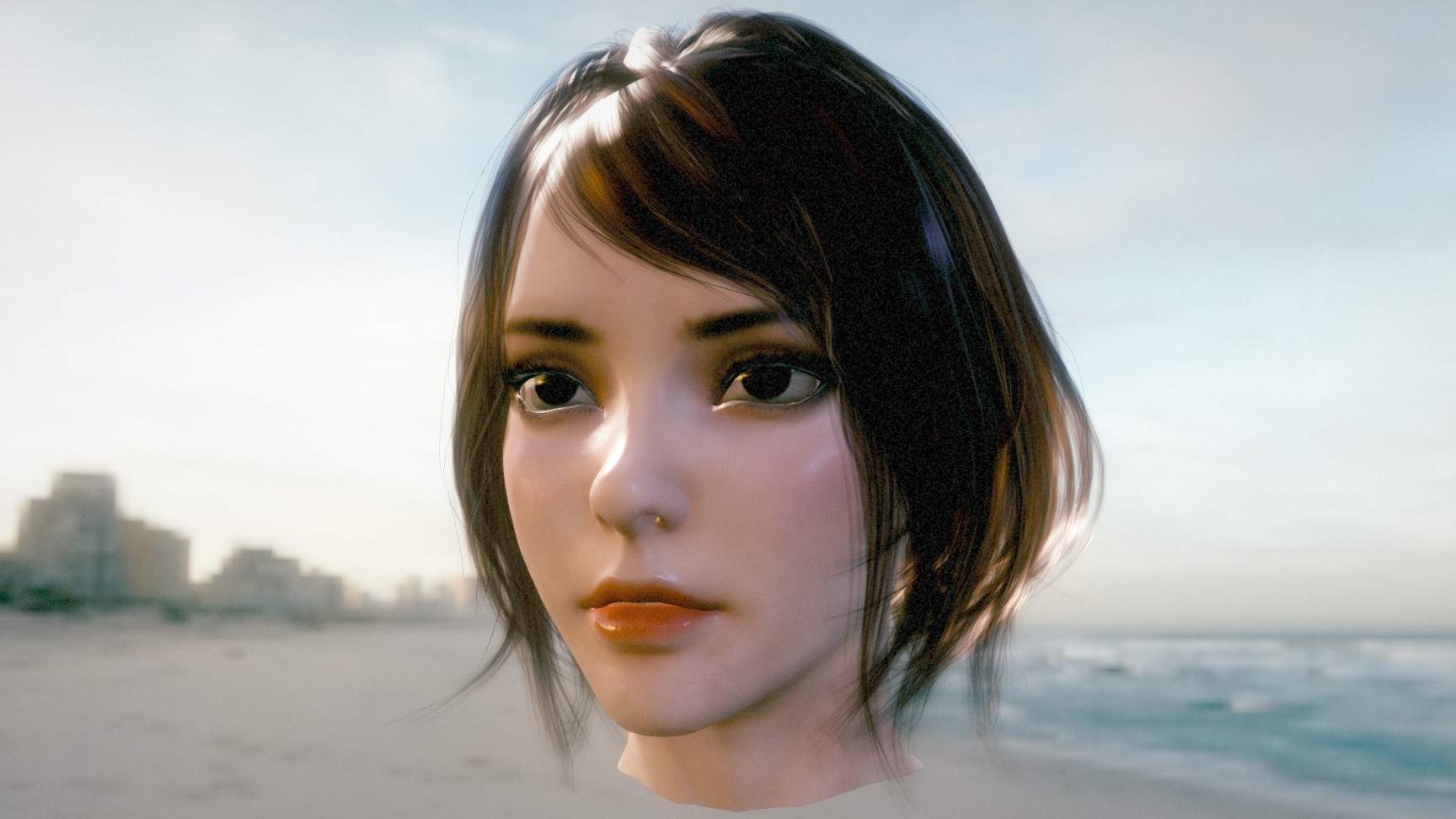
Showcase | glTF Samples | glTF Viewer & Inspector | Examples
📢 Status: Beta
Myth is now in Beta. The core architecture is stable and ready for real-world use. APIs are still evolving, and occasional breaking changes may occur.
Myth is a developer-friendly, high-performance 3D rendering engine written in Rust.
Inspired by the ergonomic simplicity of Three.js and built on the modern power of wgpu, Myth aims to bridge the gap between low-level graphics APIs and high-level game engines.
wgpu is incredibly powerful — but even a simple scene requires hundreds of lines of boilerplate.
Bevy and Godot feel too heavy when you just want a lean rendering library.
Myth solves this with a strict SSA-based RenderGraph that treats rendering as a compiler problem:
- Automatic topological sort + dead-pass elimination
- Aggressive transient memory aliasing (zero manual barriers)
- O(n) per-frame rebuild with zero allocations
One codebase runs everywhere:
Native (Windows, macOS, Linux, iOS, Android) + WebGPU/WASM + Python bindings.
-
Core Architecture & Platform
- True Cross-platform, One Codebase: Native (Windows, macOS, Linux, iOS, Android) + WebGPU/WASM + Python bindings.
- Modern Backend: Built on wgpu, fully supporting Vulkan, Metal, DX12, and WebGPU.
- SSA-based Render Graph: A declarative, compiler-driven rendering architecture. You declare the topological needs, and the engine handles the rest:
- Automatic Synchronization: Zero manual memory barriers or layout transitions.
- Aggressive Memory Aliasing: Reuses transient high-resolution physical textures perfectly across distinct logical passes.
- Dead Pass Elimination: Automatically culls rendering workloads.
- Zero-Allocation Per-Frame Rebuild: Evaluates and compiles the entire DAG every frame.
- Headless & Offscreen Rendering
- Server-Side Ready: Fully functional without a window surface. Perfect for CI/CD, cloud rendering, and offline video generation.
- High-Throughput Readback Stream: Built-in non-blocking, asynchronous GPU-to-CPU pipeline with a ring-buffer architecture and automatic back-pressure.
-
Advanced Rendering & Lighting
- Physically Based Materials: Robust PBR pipeline with Clearcoat, Iridescence, Transmission, Sheen, Anisotropy.
- Image-Based Lighting (IBL) + Dynamic Shadows (CSM).
- SSAO / SSSS / Skybox.
-
Post-Processing & FX
- HDR Pipeline + Bloom + Color Grading + TAA / FXAA / MSAA.
-
Assets & Tooling
- Full glTF 2.0 Support (PBR, animations, morph targets).
- Asynchronous Asset System + Embedded egui Inspector.
Myth uses a strict SSA-based RenderGraph, so the engine can:
- automatically schedule passes (topological order)
- eliminate unused work (dead-pass elimination)
- reuse memory aggressively (transient aliasing)
All without manual barriers.
Deep dive: docs/RenderGraph.md
Here is an actual, auto-generated dump of Myth Engine's RenderGraph during a complex frame:
Click to expand the RenderGraph topology
flowchart TD
    classDef alive fill:#2b3c5a,stroke:#4a6f9f,stroke-width:2px,color:#fff,rx:5,ry:5;
    classDef dead fill:#222,stroke:#555,stroke-width:2px,stroke-dasharray: 5 5,color:#777,rx:5,ry:5;
    classDef external_out fill:#5a2b3c,stroke:#9f4a6f,stroke-width:2px,color:#fff;
    classDef external_in fill:#3c5a2b,stroke:#6f9f4a,stroke-width:2px,color:#fff;
    P29(["UI_Pass"]):::alive
    subgraph Shadow ["Shadow"]
        direction TB
        P0(["Shadow_Pass"]):::alive
    end
    style Shadow fill:#ec489914,stroke:#ec4899,stroke-width:2px,stroke-dasharray: 5 5,color:#fff,rx:10,ry:10
    subgraph Scene ["Scene"]
        direction TB
        P1(["Pre_Pass"]):::alive
        P4(["Opaque_Pass"]):::alive
        P7(["Skybox_Pass"]):::alive
        P14(["Transparent_Pass"]):::alive
        subgraph SSAO_System ["SSAO_System"]
            direction TB
            P2(["SSAO_Raw"]):::alive
            P3(["SSAO_Blur"]):::alive
        end
        style SSAO_System fill:#3b82f614,stroke:#3b82f6,stroke-width:2px,stroke-dasharray: 5 5,color:#fff,rx:10,ry:10
        subgraph SSSS_System ["SSSS_System"]
            direction TB
            P5(["SSSS_Blur_H"]):::alive
            P6(["SSSS_Blur_V"]):::alive
        end
        style SSSS_System fill:#10b98114,stroke:#10b981,stroke-width:2px,stroke-dasharray: 5 5,color:#fff,rx:10,ry:10
        subgraph TAA_System ["TAA_System"]
            direction TB
            P8(["TAA_Resolve"]):::alive
            P9(["TAA_Save_History_Color"]):::alive
            P10(["TAA_Save_History_Depth"]):::alive
            P11(["CAS_Pass"]):::alive
        end
        style TAA_System fill:#8b5cf614,stroke:#8b5cf6,stroke-width:2px,stroke-dasharray: 5 5,color:#fff,rx:10,ry:10
        subgraph Transmission_Map ["Transmission_Map"]
            direction TB
            P12(["Copy_Texture_Pass"]):::alive
            P13(["Generate_Mipmap_Pass"]):::alive
        end
        style Transmission_Map fill:#ec489914,stroke:#ec4899,stroke-width:2px,stroke-dasharray: 5 5,color:#fff,rx:10,ry:10
    end
    style Scene fill:#ef444414,stroke:#ef4444,stroke-width:2px,stroke-dasharray: 5 5,color:#fff,rx:10,ry:10
    subgraph PostProcess ["PostProcess"]
        direction TB
        P27(["ToneMap_Pass"]):::alive
        P28(["FXAA_Pass"]):::alive
        subgraph Bloom_System ["Bloom_System"]
            direction TB
            P15(["Bloom_Extract"]):::alive
            P16(["Bloom_Downsample_1"]):::alive
            P17(["Bloom_Downsample_2"]):::alive
            P18(["Bloom_Downsample_3"]):::alive
            P19(["Bloom_Downsample_4"]):::alive
            P20(["Bloom_Downsample_5"]):::alive
            P21(["Bloom_Upsample_4"]):::alive
            P22(["Bloom_Upsample_3"]):::alive
            P23(["Bloom_Upsample_2"]):::alive
            P24(["Bloom_Upsample_1"]):::alive
            P25(["Bloom_Upsample_0"]):::alive
            P26(["Bloom_Composite"]):::alive
        end
        style Bloom_System fill:#06b6d414,stroke:#06b6d4,stroke-width:2px,stroke-dasharray: 5 5,color:#fff,rx:10,ry:10
    end
    style PostProcess fill:#8b5cf614,stroke:#8b5cf6,stroke-width:2px,stroke-dasharray: 5 5,color:#fff,rx:10,ry:10

    %% --- Data Flow (Edges) ---
    IN_13[\"TAA_History_Color_Read"\]:::external_in
    IN_14[\"TAA_History_Depth_Read"\]:::external_in
    OUT_16[/"TAA_History_Color_Write"/]:::external_out
    OUT_17[/"TAA_History_Depth_Write"/]:::external_out
    OUT_35[/"Surface_With_UI"/]:::external_out
    P0 -->|"Shadow_Array_Map"| P4;
    P0 -->|"Shadow_Array_Map"| P14;
    P1 -->|"Scene_Depth"| P2;
    P1 -->|"Scene_Depth"| P3;
    P1 -->|"Scene_Depth"| P4;
    P1 -->|"Scene_Depth"| P5;
    P1 -->|"Scene_Depth"| P6;
    P1 -->|"Scene_Depth"| P7;
    P1 -->|"Scene_Depth"| P8;
    P1 -->|"Scene_Depth"| P10;
    P1 -->|"Scene_Depth"| P14;
    P1 -->|"Scene_Normals"| P2;
    P1 -->|"Scene_Normals"| P3;
    P1 -->|"Scene_Normals"| P5;
    P1 -->|"Scene_Normals"| P6;
    P1 -->|"Feature_ID"| P5;
    P1 -->|"Feature_ID"| P6;
    P1 -->|"Velocity_Buffer"| P8;
    P2 -->|"SSAO_Raw_Tex"| P3;
    P3 -->|"SSAO_Output"| P4;
    P3 -->|"SSAO_Output"| P14;
    P4 -->|"Scene_Color_HDR"| P5;
    P4 -->|"Scene_Color_HDR"| P6;
    P4 -->|"Specular_MRT"| P6;
    P5 -->|"SSSS_Temp"| P6;
    P6 ==>|"Scene_Color_SSSS"| P7;
    P7 ==>|"Scene_Color_Skybox"| P8;
    IN_13 -.-> P8;
    IN_14 -.-> P8;
    P8 -->|"TAA_Resolved"| P9;
    P8 -->|"TAA_Resolved"| P11;
    P9 --> OUT_16;
    P10 --> OUT_17;
    P11 -->|"CAS_Output"| P12;
    P11 -->|"CAS_Output"| P14;
    P12 -->|"Transmission_Tex"| P13;
    P13 ==>|"Transmission_Tex_Mipmapped"| P14;
    P14 ==>|"Scene_Color_Transparent"| P15;
    P14 ==>|"Scene_Color_Transparent"| P26;
    P15 -->|"Bloom_Mip_0"| P16;
    P15 -->|"Bloom_Mip_0"| P25;
    P16 -->|"Bloom_Mip_1"| P17;
    P16 -->|"Bloom_Mip_1"| P24;
    P17 -->|"Bloom_Mip_2"| P18;
    P17 -->|"Bloom_Mip_2"| P23;
    P18 -->|"Bloom_Mip_3"| P19;
    P18 -->|"Bloom_Mip_3"| P22;
    P19 -->|"Bloom_Mip_4"| P20;
    P19 -->|"Bloom_Mip_4"| P21;
    P20 -->|"Bloom_Mip_5"| P21;
    P21 ==>|"Bloom_Up_4"| P22;
    P22 ==>|"Bloom_Up_3"| P23;
    P23 ==>|"Bloom_Up_2"| P24;
    P24 ==>|"Bloom_Up_1"| P25;
    P25 ==>|"Bloom_Up_0"| P26;
    P26 -->|"Scene_Color_Bloom"| P27;
    P27 -->|"LDR_Intermediate"| P28;
    P28 -->|"Surface_View"| P29;
    P29 --> OUT_35;
( Legend: Single arrow --> represents logical data dependency; Double arrow ==> represents physical memory aliasing / in-place reuse)
Experience the engine directly in your browser (Chrome/Edge 113+ required for WebGPU):
- Showcase (Home): High-performance rendering showcase.
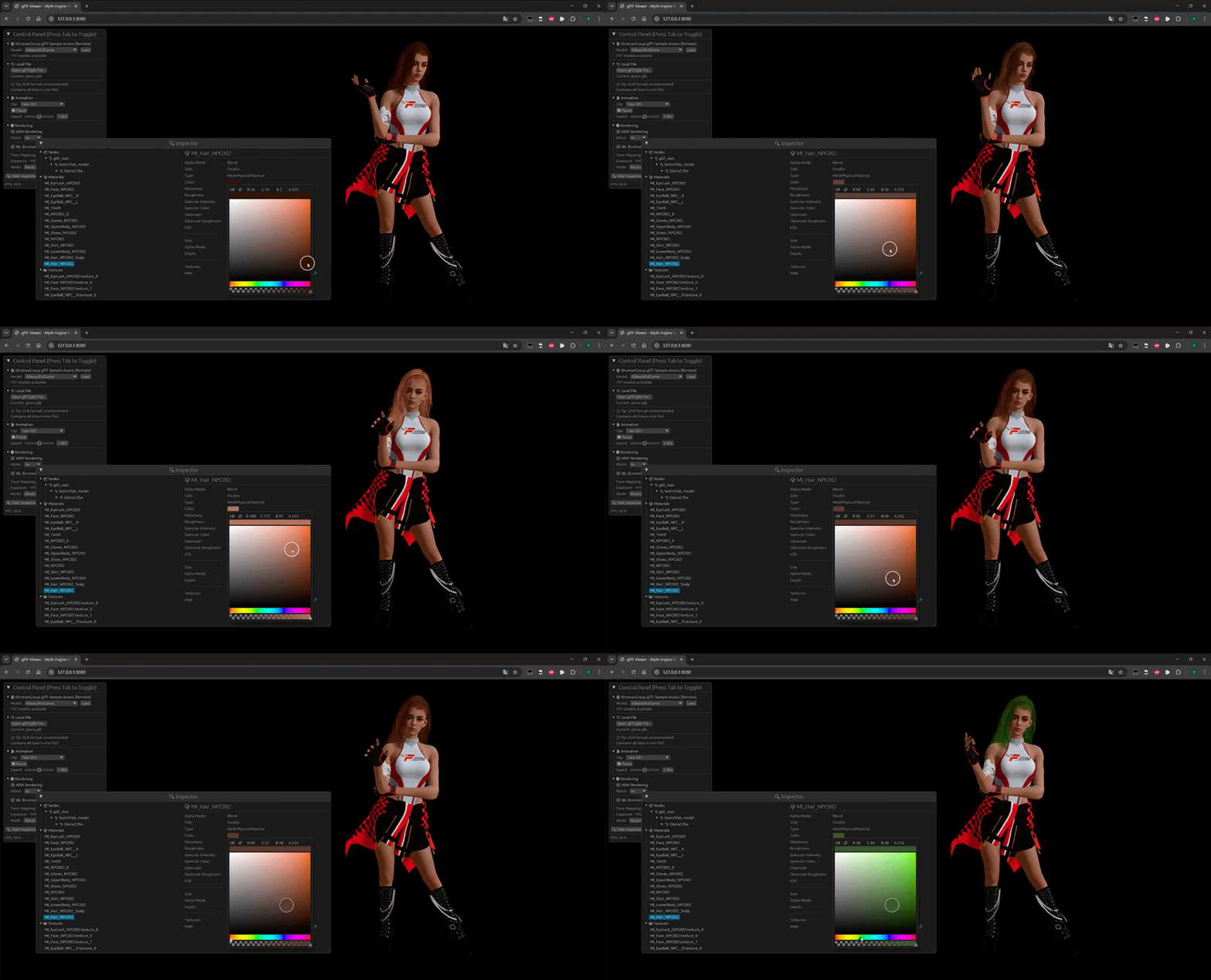
- glTF Viewer & Inspector: Drag & drop your own .glb files.
- glTF Sample Models: Explore multiple official glTF assets from Khronos rendered with Myth.
Add myth-engine to your Cargo.toml:
[dependencies]
myth-engine = "0.2.0"

# Or get the latest from GitHub
# myth-engine = { git = "https://github.com/panxinmiao/myth", branch = "main" }
A spinning cube with a checkerboard texture in < 50 lines:
use myth::prelude::*;

struct MyApp;

impl AppHandler for MyApp {
    fn init(engine: &mut Engine, _: &dyn Window) -> Self {
        // 0. Create a Scene
        let scene = engine.scene_manager.create_active();

        // 1. Create a cube mesh with a checkerboard texture
        let tex_handle = engine.assets.checkerboard(512, 64);
        let mesh_handle = scene.spawn_box(
            1.0, 1.0, 1.0,
            PhongMaterial::new(Vec4::new(1.0, 0.76, 0.33, 1.0)).with_map(tex_handle),
            &engine.assets,
        );
        // 2. Setup Camera
        let cam_node_id = scene.add_camera(Camera::new_perspective(45.0, 1280.0 / 720.0, 0.1));
        scene.node(&cam_node_id).set_position(0.0, 0.0, 5.0).look_at(Vec3::ZERO);
        scene.active_camera = Some(cam_node_id);
        // 3. Add Light
        scene.add_light(Light::new_directional(Vec3::ONE, 5.0));

        // 4. Setup update callback to rotate the cube
        scene.on_update(move |scene, _input, _dt| {
            if let Some(node) = scene.get_node_mut(mesh_handle) {
                let rot_y = Quat::from_rotation_y(0.02);
                let rot_x = Quat::from_rotation_x(0.01);
                node.transform.rotation = node.transform.rotation * rot_y * rot_x;
            }
        });
        Self {}
    }
}

fn main() -> myth::Result<()> {
    App::new().with_title("Myth-Engine Demo").run::<MyApp>()
}Clone the repository and run the examples directly:
# Run the earth example
cargo run --example earth --release

# Run the glTF Viewer (Desktop)
cargo run --example gltf_viewer --release

# Run the Cinematic Showcase (Web/WASM)
# Add `gltf-meshopt` feature to enable glTF mesh optimization with MeshOptimizer.
./scripts/build_wasm.sh showcase --features="gltf-meshopt"
python3 -m http.server 8080 --directory examples/showcase/web

# Run the glTF Viewer (Web/WASM)
# Add `rdg_inspector` feature to enable beautiful RenderGraph visualization.
./scripts/build_wasm.sh gltf_viewer --features="rdg_inspector"
python3 -m http.server 8080 --directory examples/gltf_viewer/web
Myth Engine also provides Python bindings for rapid prototyping and scientific visualization. See Python Bindings for installation and examples.
This project is licensed under the MIT License or Apache-2.0 License.
