WIP: Write properties to NUnit file per testcase#1089
Conversation


|
@nohwnd Can you explain why this publish status task is failing...as far as I understand the ci build is working and I have no control over the other |

|
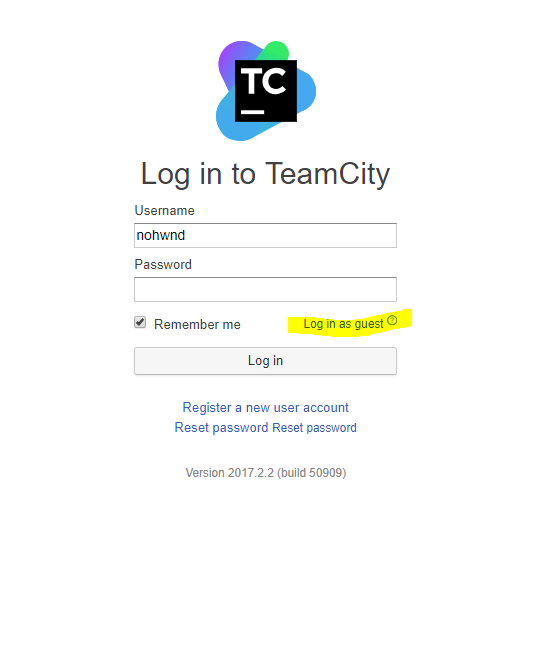
@rdbartram there are multiple errors, on PowerShell 2 & 3 the .ForEach is not present, so the compilation fails. On PowerShell v4+ the code runs but you are trying to access property on object that is not there (we are running in strict mode so that results in an error). Click on the details of the build in this PR (and select login as gues to see the build). Locally I recommend running ./bin/pester.bat which runs the tests in clean powershell session, before pushing. Expect 5 or 6 tests failing in some of the last blocks, those are release related. |
|
Didn't change anything but now the build it working. I saw you mentioned there were issues with the build agent so i just pushed a dummy commit. Hope this can be merged now :) |
|
@rdbartram I don't see any successful build on Windows, only on linux/macos. There is this problem on the latest build: I will try to fix and merge as much as I can during the weekend, I got a bigger ssd so I can finally build a local build farm. |
|
Okay I can simulate the failing build locally. All the tests pass, but when the output is actually written into xml it fails. So some tests are missing for that, but I can fix that. Other thing is that you are putting the test case parameters as <test-suite type="ParameterizedMethod" id="0-1007" name="MyTest" fullname="UnitTestProject1.Test.MyTest" classname="UnitTestProject1.Test" runstate="Runnable" testcasecount="6" result="Passed" start-time="2018-12-12 16:47:30Z" end-time="2018-12-12 16:47:30Z" duration="0.040908" total="6" passed="6" failed="0" warnings="0" inconclusive="0" skipped="0" asserts="0">
<properties>
<property name="abc" value="1" />
<property name="abc" value="1" />
</properties>
<test-case id="0-1001" name="MyTest(956,0.2d)" fullname="UnitTestProject1.Test.MyTest(956,0.2d)" methodname="MyTest" classname="UnitTestProject1.Test" runstate="Runnable" seed="678040013" result="Passed" start-time="2018-12-12 16:47:30Z" end-time="2018-12-12 16:47:30Z" duration="0.016577" asserts="0" />
<test-case id="0-1002" name="MyTest(956,0.4d)" fullname="UnitTestProject1.Test.MyTest(956,0.4d)" methodname="MyTest" classname="UnitTestProject1.Test" runstate="Runnable" seed="2121100858" result="Passed" start-time="2018-12-12 16:47:30Z" end-time="2018-12-12 16:47:30Z" duration="0.000848" asserts="0" /> The properties are written as properties and have no special meaning for nUnit and the test case parameters are written into the name of the test. We should probably do it the same way. The thing is that nUnit provides the values as attributes which have to be compile time constants so they are pretty much limited to primitive types. In TestCases we can provide a scriptblock evaluating to 20 objects, and printintg that in the name is not very helpful. On the other hand if we go with your suggestion, then we have possible conflicts between parameter names and actual test properties (like Tags). So one solution follows the format corectly, the other seems more fitting for PowerShell. Thoughts? |
|
One more thing is that if we are going to put values in the xml there should be escaping for |
|
If nUnit uses attributes, then we can do it that way. In the case of non-prime types, we could to convert to json and write out a string. I would need to see how it surfaces itself in AzDevOps |
 nohwnd
changed the title
nohwnd
changed the title

|
Closing this up, might refer back to it when implementing new version of NUnit output. Thanks for spending your time on this :) |
2 participants


In order to make it easier to review the NUnit test output after the fact. The properties that are passed to the testcase are also written to the output xml