Issue
Description
The maxWidth prop from the styled-system LAYOUT props does not translate the received maxWidths theme key into the its value.
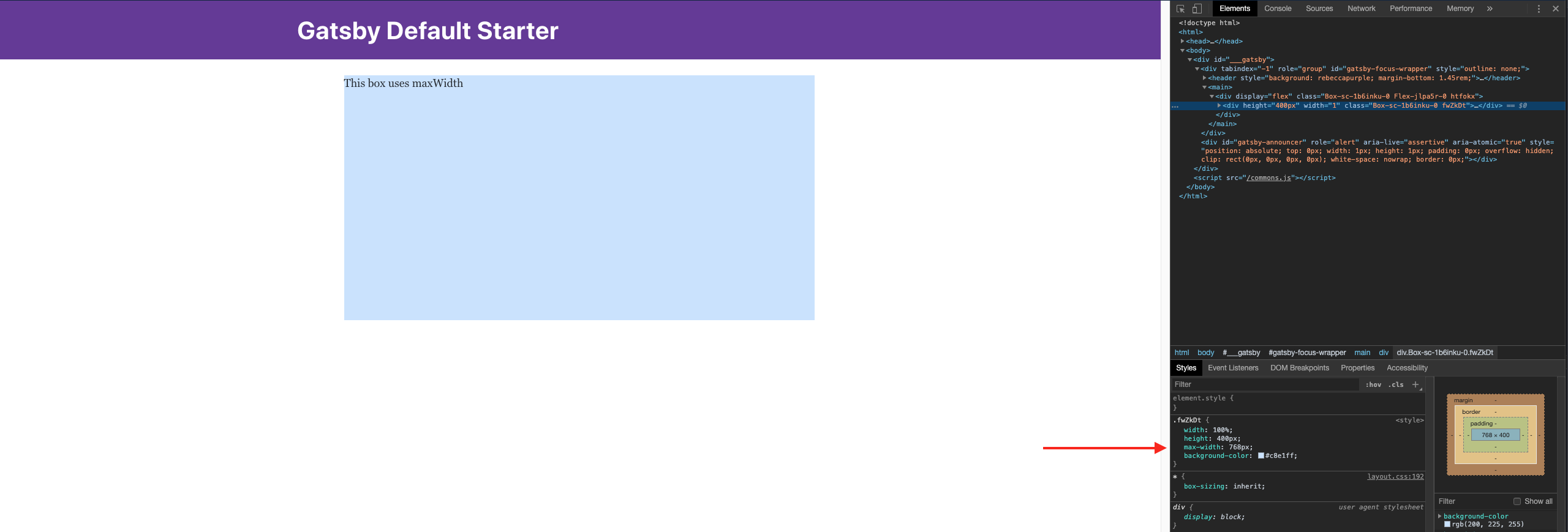
With version 13.0.0, using maxWidth with a theme size like medium will correctly translate into its pixel value, 768px.
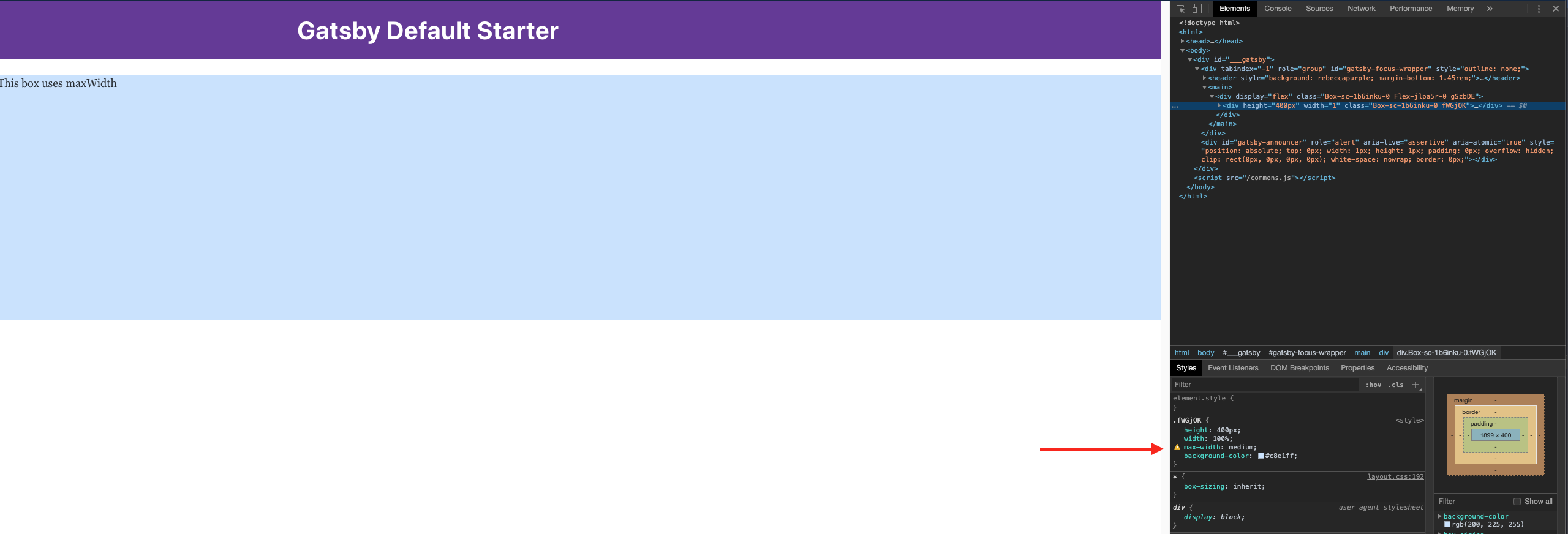
In versions 13.1.0 and up, maxWidth no longer translates the theme's maxWidths keys into its pixel value. In Chrome DevTools, you can see the maxWidths key string 'medium' is used in the CSS instead of the key's value.
You can see the maxWidths values which are apart of primer's theme here: https://github.com/primer/components/blob/master/src/theme.js#L163
Using a string for a literal CSS value still works. E.g., maxWidth="200px".
Version
The issue starts happening in @primer/components version 13.1.0, the issue is not present in version 13.0.0. The issue is still present in the latest version, 16.0.0.
Version 13.1.0 included an upgrade to Styled System v5. Maybe this has something to do with this changelog item:
The new theme.sizes scale replaces heights, minHeights, maxHeights, minWidths, and maxWidths; and is used for the width prop
Preview
1. maxWidth issue.
@primer/components version: 13.1.0 and up
maxWidth prop can't use theme values such as medium.
2. maxWidth working as expected.
@primer/components version: 13.0.0
maxWidth prop can use theme values such as medium.
I've updated my Primer test repo to demonstrate this issue for easy replication. Install instructions are in the README.
https://github.com/acknosyn/Testing-Primer-Components
The demo is in the index page.
Cheers

Issue
Description
The
maxWidthprop from thestyled-systemLAYOUT props does not translate the receivedmaxWidthstheme key into the its value.With version
13.0.0, usingmaxWidthwith a theme size likemediumwill correctly translate into its pixel value,768px.In versions
13.1.0and up,maxWidthno longer translates the theme'smaxWidthskeys into its pixel value. In Chrome DevTools, you can see themaxWidthskey string'medium'is used in the CSS instead of the key's value.You can see the
maxWidthsvalues which are apart of primer's theme here: https://github.com/primer/components/blob/master/src/theme.js#L163Using a string for a literal CSS value still works. E.g.,
maxWidth="200px".Version
The issue starts happening in
@primer/componentsversion13.1.0, the issue is not present in version13.0.0. The issue is still present in the latest version,16.0.0.Version
13.1.0included an upgrade to Styled System v5. Maybe this has something to do with this changelog item:Preview
1. maxWidth issue.
@primer/components version:
13.1.0and upmaxWidth prop can't use theme values such as
medium.2. maxWidth working as expected.
@primer/components version:
13.0.0maxWidth prop can use theme values such as
medium.I've updated my Primer test repo to demonstrate this issue for easy replication. Install instructions are in the README.
https://github.com/acknosyn/Testing-Primer-Components
The demo is in the index page.
Cheers