Measurements: "Copy to clipboard" data truncated due to NUL byte in field #573

Description

Bug report
Describe the bug
"Copy to Clipboard" for detection results fails due to NUL-Byte in text
To Reproduce
Steps to reproduce the behavior:
- Create some annotation
- Run cell detection
- Open "Show detection measurements"
- Select one or multiple measurements
- Click on "Copy to Clipboard"
- Paste into text editor
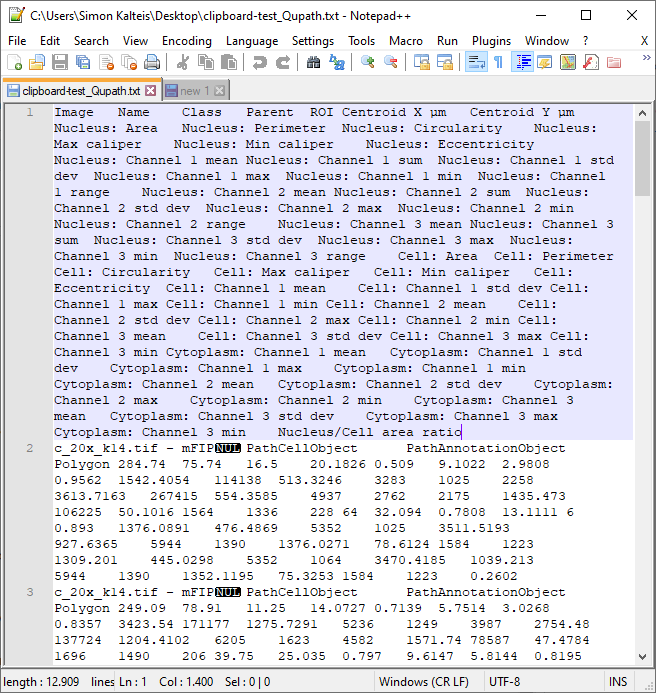
- Result: Headers are copied, data terminates after the content of the "Image" field for the first entry
In contrast: Export to file via "Save" works and shows that a NUL-byte is present in the "Image" fields - which probably interferes with the clipboard functionality
Expected behavior
Content in the clipboard should be identical to the one that can be obtained by saving to text via "Save"
Screenshots
Copy-paste result:

Save to file result, showing NUL bytes in the Image field:
Desktop (please complete the following information):
- OS: Windows 10
- QuPath Version 0.2.1
Thank you & best regards,
Simon