





RazTodo is a lightweight, cross-platform CLI task manager powered by SQLite, offering fast, privacy-first todo management with minimal external dependencies.
| Preview |
|---|
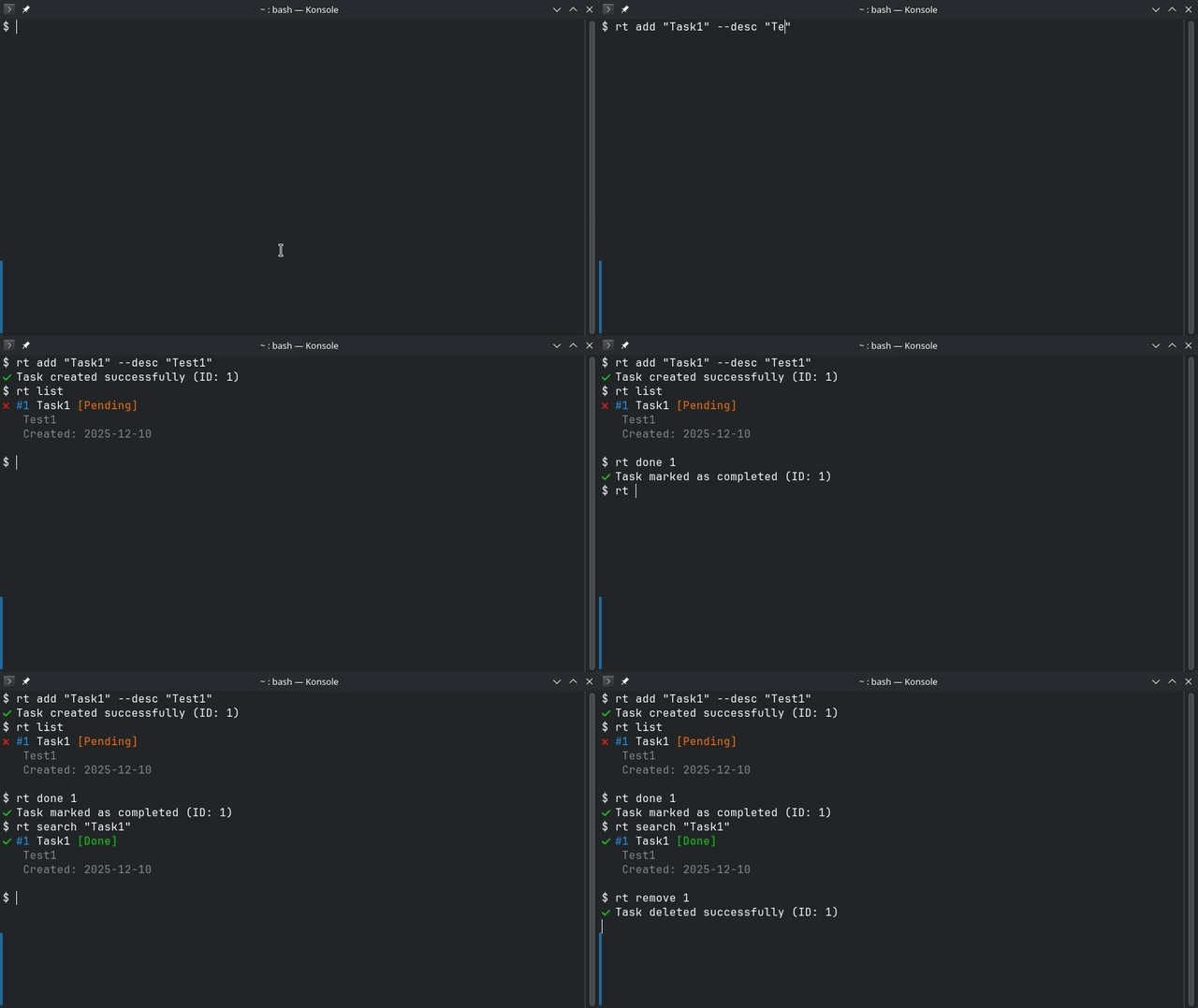 |
Lightweight & Fast — Minimal dependencies, SQLite-powered, optimized for speed
Privacy-First — Your data stays local, no cloud services, no tracking
Developer-Friendly — Clean Architecture, well-tested, type-safe, modern Python
Simple & Powerful — Intuitive CLI, works out of the box, rich features
Cross-Platform — Works seamlessly on Linux, macOS, and Windows
Perfect for developers, power users, and anyone who wants a fast, reliable, local-first task manager.
# Recommended: Install via pipx (isolated environment)
pipx install raztodo

# Alternative: Install via pip
pip install raztodo
📖 For more installation options (virtual environments, from source), see the Installation Guide
# Create a task with priority and due date
rt add "Buy groceries" --priority H --due 2024-12-31

# List all tasks
rt list

# Mark task as done
rt done 1

# Search for tasks
rt search "groceries"

# Update a task
rt update 1 --title "Buy groceries and milk"

# Delete a task
rt remove 1
📖 For complete command reference, see the Usage Guide
- ✅ Task Management — Create, update, delete, and organize tasks
- 🏷️ Tags & Projects — Organize tasks with tags and project names
- 🔍 Full-Text Search — Search across all task fields
- 📅 Due Dates & Priority — Set deadlines and priority levels (L/M/H)
- 💾 Import/Export — Backup and restore tasks via JSON
- 🎨 Colored Output — Beautiful ANSI colors and icons
- 🗄️ SQLite Storage — No external services required
- 🚀 Cross-Platform — Works on Linux, macOS, and Windows
- ⚡ Fast Performance — Lazy loading and optimized architecture
- 🏗️ Clean Architecture — Maintainable and testable codebase
| Command | Description | Example |
|---|---|---|
add |
Create a new task | rt add "Task title" --priority H |
list |
List tasks with filters | rt list --pending --priority H |
update |
Update a task | rt update 1 --title "New title" |
done |
Mark task as done/undone | rt done 1 |
remove |
Delete a task | rt remove 1 |
search |
Search tasks | rt search "keyword" |
export |
Export to JSON | rt export backup.json |
import |
Import from JSON | rt import backup.json |
migrate |
Run database migration | rt migrate |
clear |
Delete all tasks | rt clear --confirm |
# Get help for any command
rt --help
rt add --help
📖 See the Usage Guide for detailed command documentation
RazTodo can be configured using environment variables:
| Variable | Description | Default |
|---|---|---|
RAZTODO_DB |
Database filename or path | tasks.db |
LOG_LEVEL |
Logging level | ERROR |
Example:
# Use a custom database location
export RAZTODO_DB="/path/to/custom.db"

# Enable debug logging
export LOG_LEVEL="DEBUG"
📖 For detailed configuration options, see the Configuration Guide
Complete documentation is available in the docs/ directory:
- 📦 Installation Guide — Install via pip, pipx, or from source
- 📖 Usage Guide — Complete command reference with examples
- ⚙️ Configuration Guide — Environment variables and options
- 🏗️ Architecture — Project structure and design patterns
- 🧪 Testing — Running tests and development setup
- 📝 Changelog — Release notes and version history
Contributions are welcome! Here's how you can help:
- Fork the repository
- Create a feature branch:
git checkout -b feature/your-feature-name - Make your changes and ensure quality:
# Run tests
pytest

# Check code quality
ruff check src/ tests/
black --check src/ tests/
mypy src/
- Submit a pull request
For detailed guidelines, see the Contributing Guide.
MIT License
- 🐛 Found a bug? Open an issue
- 💡 Have a suggestion? Open an issue
- 📧 Questions? Check the Documentation