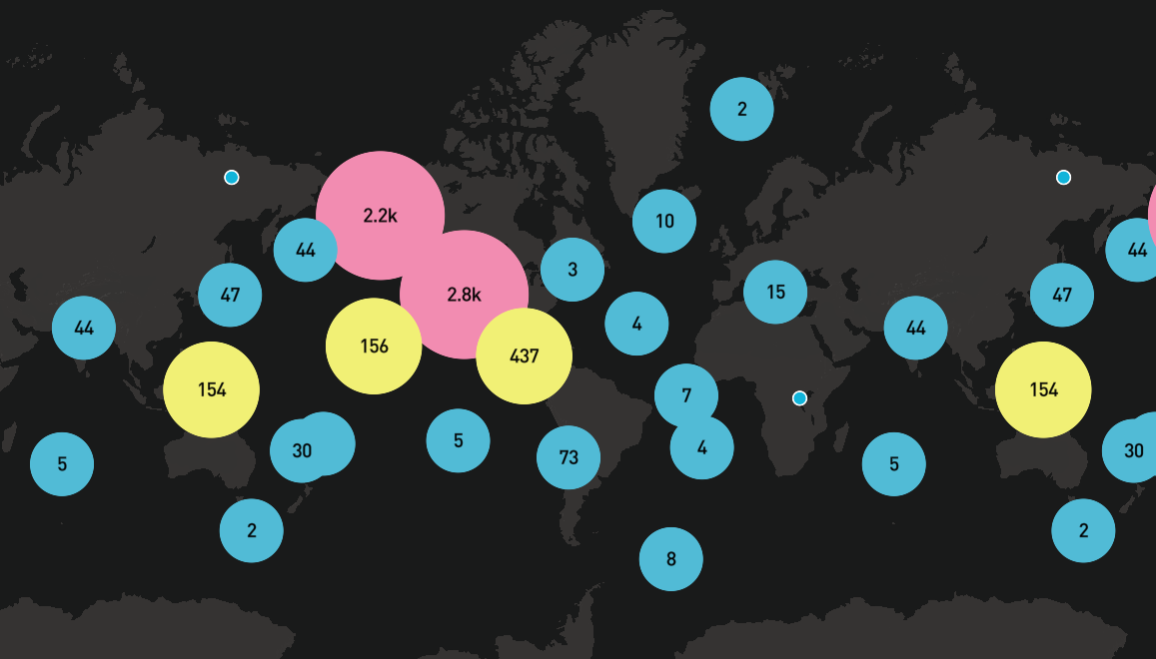
- 🎯 Vue 3 Native - Built entirely with Vue 3 Composition API
- 🧩 Component-Based - Maps, layers, and data sources as Vue components
- 🔧 TypeScript Support - Full type definitions for better DX
- ⚡ Reactive Updates - Props changes automatically update map state
- 🎨 Rich Layer Types - Support for all MapboxGL layer types
- 📦 Tree Shaking - Import only what you need
- 🛠 Extensible - Access to underlying Map instance for custom extensions
# npm
npm install mapbox-gl mapvue

# yarn
yarn add mapbox-gl mapvue

# pnpm
pnpm add mapbox-gl mapvueimport { createApp } from "vue";
import MapVue from "mapvue";
import "mapbox-gl/dist/mapbox-gl.css";
import App from "./App.vue";
const app = createApp(App);
app.use(MapVue);
app.mount("#app");<script setup lang="ts">
import { VMap, VGeoSource, VCircleLayer } from "mapvue";
import "mapbox-gl/dist/mapbox-gl.css";
</script><script setup lang="ts">
import { ref } from "vue";
// Replace with your Mapbox Access Token
const accessToken = "your-mapbox-access-token";
const mapOptions = ref({
style: "mapbox://styles/mapbox/streets-v12",
center: [-74.006, 40.7128], // New York
zoom: 10,
});
// Reactive data
const center = ref([-74.006, 40.7128]);
const zoom = ref(10);
function flyToLA() {
center.value = [-118.2437, 34.0522]; // Los Angeles
zoom.value = 12;
}
</script>
<template>
<div class="map-container">
<v-map
:access-token="accessToken"
:options="{ ...mapOptions, center, zoom }"
@loaded="onMapLoaded"
>
<!-- Data Source -->
<v-geo-source
id="earthquakes"
data="https://docs.mapbox.com/mapbox-gl-js/assets/earthquakes.geojson"
:cluster="true"
:cluster-max-zoom="14"
:cluster-radius="50"
/>
<!-- Layer -->
<v-circle-layer
id="clusters"
source="earthquakes"
:filter="['has', 'point_count']"
:paint="{
'circle-color': '#51bbd6',
'circle-radius': 20,
}"
/>
<!-- Marker -->
<v-marker :center="[-74.006, 40.7128]" :options="{ color: '#ff0000' }">
<div class="custom-marker">📍 New York</div>
</v-marker>
</v-map>
<button @click="flyToLA">Fly to LA</button>
</div>
</template>
<style scoped>
.map-container {
position: relative;
height: 400px;
}
.custom-marker {
background: white;
padding: 4px 8px;
border-radius: 4px;
box-shadow: 0 2px 4px rgba(0, 0, 0, 0.2);
}
</style>MapVue transforms MapboxGL core concepts into Vue components:
- 🗺 Map Container -
<v-map> - 📊 Data Sources -
<v-geo-source>,<v-vector-source>,<v-raster-source>, etc. - 🎨 Layers -
<v-circle-layer>,<v-fill-layer>,<v-line-layer>, etc. - 📍 Interactive Elements -
<v-marker>,<v-popup>,<v-navigation-control>, etc.
All components support reactive updates - modify props to automatically sync with the map:
<script setup>
const circleColor = ref("#ff0000");
const circleRadius = ref(5);

// Dynamic style changes
setTimeout(() => {
  circleColor.value = "#00ff00";
  circleRadius.value = 10;
}, 2000);
</script>

<template>
  <v-circle-layer
    :paint="{
      'circle-color': circleColor,
      'circle-radius': circleRadius,
    }"
  />
</template>The map container component where all other components must be used inside.
<v-map
  :access-token="token"
  :options="mapOptions"
  @loaded="onMapLoaded"
  @click="onMapClick"
>
  <!-- Child components -->
</v-map>
Props:
access-token(String, required) - Mapbox access tokenoptions(Object) - Map configuration options, supports all MapboxGL Map options
Events:
loaded- Emitted when map is loadedclick,dblclick,mouseenter,mouseleave, etc. - Map interaction events
GeoJSON data source component.
<v-geo-source
  id="my-source"
  :data="geoJsonData"
  :cluster="true"
  :cluster-max-zoom="14"
/>Vector tile data source.
<v-vector-source id="my-vector" url="mapbox://user.tileset-id" />Circle layer component.
<v-circle-layer
  id="points"
  source="my-source"
  :paint="{
    'circle-radius': 6,
    'circle-color': '#B42222',
  }"
  :filter="['==', '$type', 'Point']"
/>Fill layer component.
<v-fill-layer
  id="polygons"
  source="my-source"
  :paint="{
    'fill-color': '#088',
    'fill-opacity': 0.8,
  }"
/>Line layer component.
<v-line-layer
  id="lines"
  source="my-source"
  :paint="{
    'line-color': '#088',
    'line-width': 2,
  }"
/>Map marker component with custom HTML content support.
<v-marker
  :center="[lng, lat]"
  :options="{ draggable: true }"
  @click="onMarkerClick"
  @dragend="onMarkerDrag"
>
  <div class="custom-marker">
    <img src="./icon.png" alt="marker" />
  </div>
</v-marker>Popup component.
<v-popup :center="[lng, lat]" :options="{ closeButton: false }">
  <div>
    <h3>Popup Title</h3>
    <p>Popup content</p>
  </div>
</v-popup>Navigation control component.
<v-navigation-control :options="{ showCompass: true }" /><script setup>
import { ref } from "vue";
const mapRef = ref();
function getMapInstance() {
const map = mapRef.value?.map;
if (map) {
// Use native MapboxGL API
map.flyTo({ center: [lng, lat], zoom: 12 });
}
}
</script>
<template>
<v-map ref="mapRef" :access-token="token">
<!-- Component content -->
</v-map>
</template><script setup>
import { ref, computed } from "vue";
const earthquakes = ref([]);
const minMagnitude = ref(0);
// Computed property automatically filters data
const filteredData = computed(() => ({
type: "FeatureCollection",
features: earthquakes.value.filter(
(item) => item.properties.magnitude >= minMagnitude.value
),
}));
// Simulate data updates
setInterval(() => {
// Update earthquake data
fetchEarthquakes().then((data) => {
earthquakes.value = data;
});
}, 5000);
</script>
<template>
<v-map :access-token="token">
<v-geo-source id="earthquakes" :data="filteredData" />
<v-circle-layer
source="earthquakes"
:paint="{
'circle-radius': ['*', ['get', 'magnitude'], 2],
'circle-color': [
'interpolate',
['linear'],
['get', 'magnitude'],
0,
'#FCA107',
5,
'#FB8C00',
8,
'#E53E3E',
],
}"
/>
</v-map>
<input
v-model.number="minMagnitude"
type="range"
min="0"
max="8"
step="0.1"
/>
</template><script setup>
import { ref, watch } from "vue";
const center = ref([-74.006, 40.7128]);
const zoom = ref(10);
// Sync multiple map views
watch([center, zoom], ([newCenter, newZoom]) => {
// All maps will automatically sync
});
</script>
<template>
<div class="map-sync">
<v-map :access-token="token" :options="{ center, zoom }" class="map-left">
<!-- Map A content -->
</v-map>
<v-map :access-token="token" :options="{ center, zoom }" class="map-right">
<!-- Map B content -->
</v-map>
</div>
</template>interface MapOptions {
style?: string | object;
center?: [number, number];
zoom?: number;
bearing?: number;
pitch?: number;
bounds?: [[number, number], [number, number]];
maxZoom?: number;
minZoom?: number;
maxBounds?: [[number, number], [number, number]];
projection?: string;
// ... more MapboxGL options
}Supports all Mapbox official styles and custom styles:
<v-map
  :options="{
    style: 'mapbox://styles/mapbox/streets-v12', // Streets
    // style: 'mapbox://styles/mapbox/satellite-v9'     // Satellite
    // style: 'mapbox://styles/mapbox/dark-v11'         // Dark
    // style: 'mapbox://styles/mapbox/light-v11'        // Light
    // style: customStyle                               // Custom style
  }"
/>We welcome contributions of any kind!
- Fork this repository
- Create your feature branch (
git checkout -b feature/amazing-feature) - Commit your changes (
git commit -m 'Add amazing feature') - Push to the branch (
git push origin feature/amazing-feature) - Open a Pull Request
MIT © MapVue Team
- MapboxGL JS - Powerful mapping engine
- Vue.js - The Progressive JavaScript Framework