BankBuddy is a privacy-focused personal finance analyzer that processes your bank statements locally, helping you track spending without connecting to any external services.
- Local SQL database storage only - your data never leaves your system
- No bank account linking or third-party integrations
- Automatic masking of sensitive information
- Daily automatic database backups for data safety
- Upload and analyze statements from multiple bank accounts
- Automatic transaction categorization
- Track account balances in one place
- Generate detailed financial summaries
- View spending patterns and transactions by category
- Upload your bank statements
- BankBuddy extracts and masks sensitive data
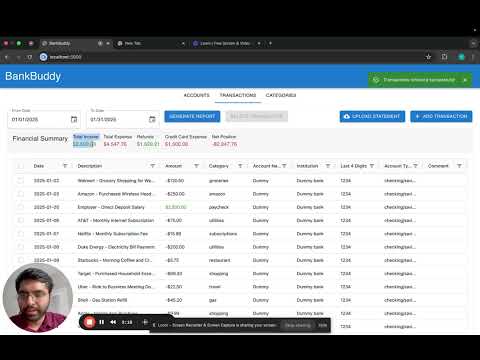
- View all your transactions and balances in one dashboard
- Analyze spending across categories
- Anaconda or Miniconda
- Node.js 14.0 or higher
- npm (usually comes with Node.js)
- Git (for cloning the repository)
- Clone this repository:
git clone https://github.com/vatsal-sodha/BankBuddy
cd BankBuddy- Create a
.envfile in the root directory and add your Anthropic API key:
ANTHROPIC_API_KEY=your-api-key-here- Run the setup script:
# On Unix-based systems (Linux/MacOS):
chmod +x setup.sh
./setup.sh

# On Windows:
setup.bat
The setup script will automatically:
- Create a conda environment
- Install Python dependencies
- Install Node.js dependencies
- Start both the Flask server and React application
- Create and activate a conda environment:
conda create --name bankbuddy python=3.8
conda activate bankbuddy- Install Python dependencies:
pip install -r requirements.txt- Start the Flask server:
# Unix (Linux/MacOS)
export FLASK_APP=app.py
export FLASK_ENV=development
flask run

# Windows
set FLASK_APP=app.py
set FLASK_ENV=development
flask run- Navigate to the React application directory:
cd bankbuddyui- Install Node.js dependencies:
npm install- Start the React development server:
npm startFor issues or questions, please create an issue in the repository.