
Put Codex, Claude, Antigravity, and Grok to work inside a real image editor.
Website | Download | Latest release | Release docs
PaintNode is still early software. Some tools and modules are not complete yet, and the editor will keep improving step by step across future releases.
PaintNode is a free, open-source, backend-free raster image editor with AI agents built in. Start from a blank canvas, an image, a mask, or a layered project, mark the exact areas that need attention, then optionally let an AI Director plan the job while OpenAI Codex, Antigravity, or Grok generates the pixels — directly into an editable document.
The point is simple: AI image output should land as layers, masks, selections,
and reusable project assets, not as a pile of loose PNGs in a downloads folder.
PaintNode keeps the work in portable OpenRaster (.ora) files you own, with PNG
and PSD export paths when you need to hand work off.
It is also where the name comes from: a node-based workflow board lets you wire extracted assets into compositions, sketch storyboards the model must follow, and render outputs you can keep editing.
Annotations are part of that workflow. Use arrows, memos, callouts, badges, and dividers to tell the agent exactly what should change and where. They can stand alone as an editable annotation layer for review, or travel with an AI retouch brush mask so the agent sees both the target pixels and your written instructions.
No hosted PaintNode model. No extra API-key billing layer. PaintNode installs and manages the Codex and Claude runtimes without Terminal setup, using your provider sign-ins, subscriptions, limits, and local files. Antigravity and Grok use your existing installations and sign-ins.
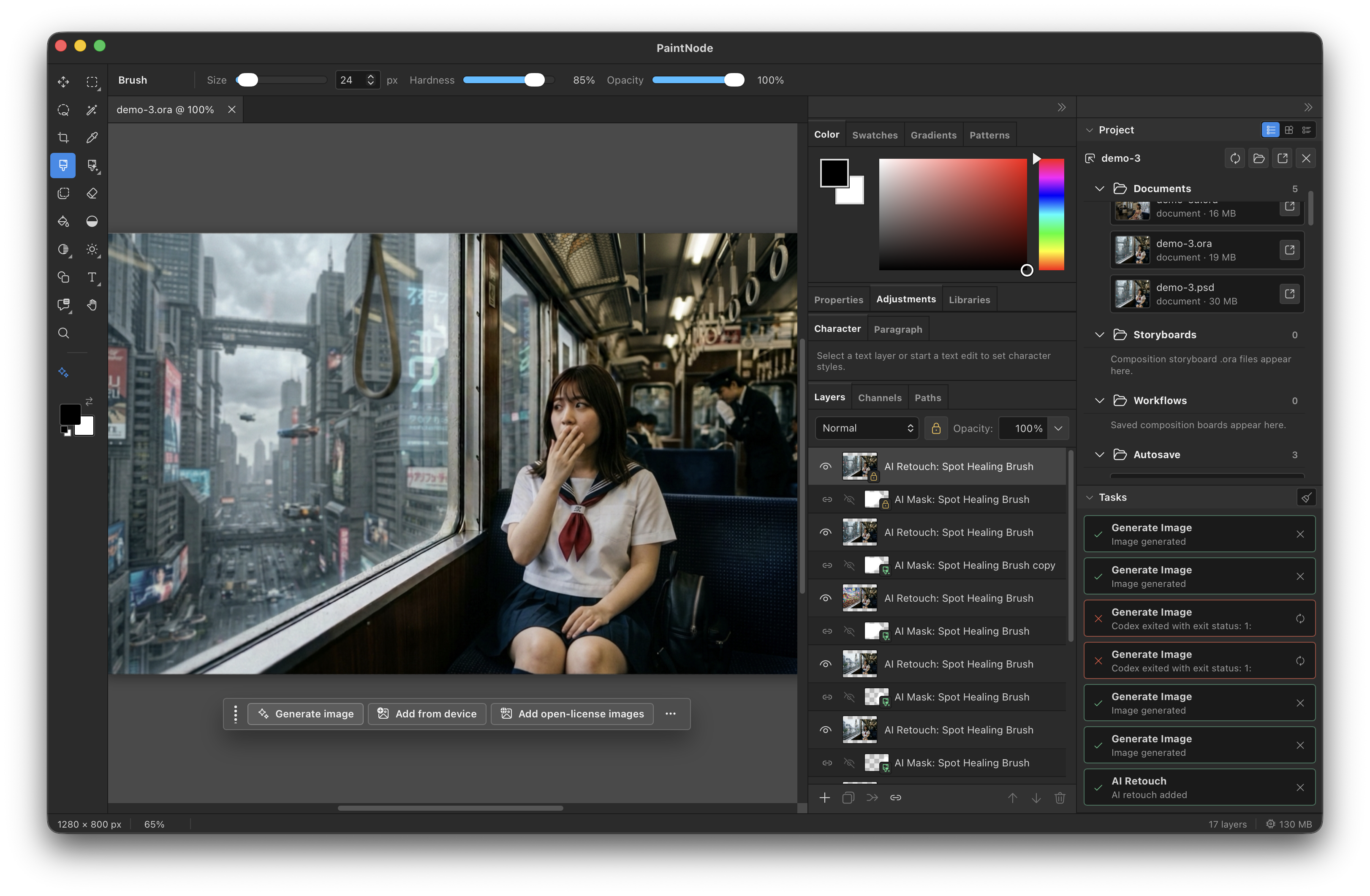
The 0.2 line rebuilds the AI workflow from the ground up:
- Provider SDKs instead of CLI calls. Codex and Claude now run through their official SDKs with PaintNode-owned image-generation tools, replacing the direct local CLI integration.
- Managed runtimes. PaintNode downloads, updates, launches, and signs in the supported Codex and Claude runtimes without requiring any Terminal setup. Existing local installations remain available as an advanced option.
- The AI Director, decoupled. Planning is now separate from image generation: choose Codex, Claude, Antigravity, or Grok as the Director independently of the image provider, with reusable profiles and structured Director actions.
- Smarter, more transparent runs. Persistent Director sessions, review previews for candidate results, dynamic capability discovery, and clearer provider progress throughout AI workflows.
- Editing improvements. Better workflow artifacts, layer/asset decoupling, generative fill orchestration, retouching, upscaling, and AI settings navigation.
Full release notes: 0.2.0 · 0.2.1 · 0.2.2 · 0.2.3 · 0.2.4 · 0.2.5.
| Provider | Image generation | AI Director | Setup |
|---|---|---|---|
| OpenAI Codex | Yes — GPT image models | Yes | Managed runtime, installed and signed in from inside the app |
| Claude | — | Yes | Managed runtime, installed and signed in from inside the app |
| Antigravity | Yes — Gemini image models | Yes | Your existing Antigravity installation |
| Grok | Yes — Grok Imagine models | Yes | Your existing Grok CLI installation and sign-in |
When enabled, the AI Director is the planning brain of a run. It breaks your request into structured actions and drives PaintNode's image-generation tools. Depending on the involvement level, it can also review candidate results and request bounded retries. PaintNode keeps deterministic ownership of files, masks, resizing, protected-pixel restoration, placement, and import — the model paints, PaintNode handles the pixels around it.
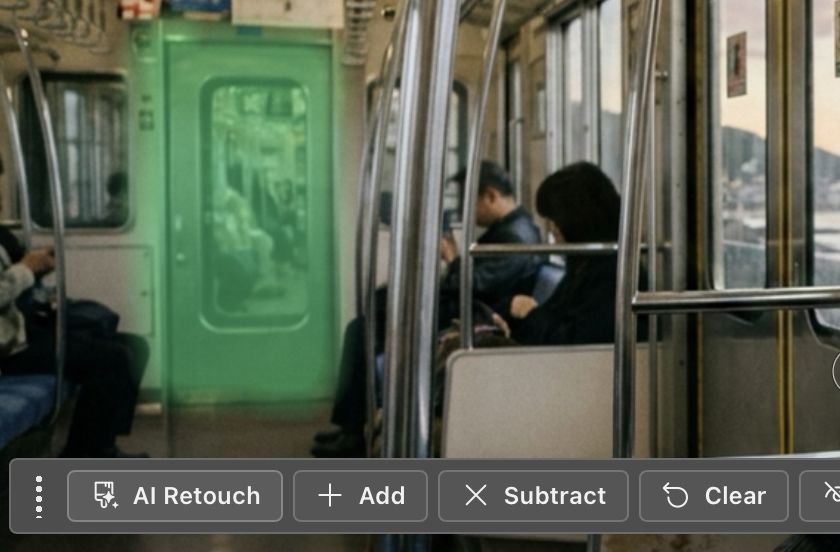
Prompt inside the editor Start from the canvas, a selection, a mask, or a project asset and send the job to your AI provider. |
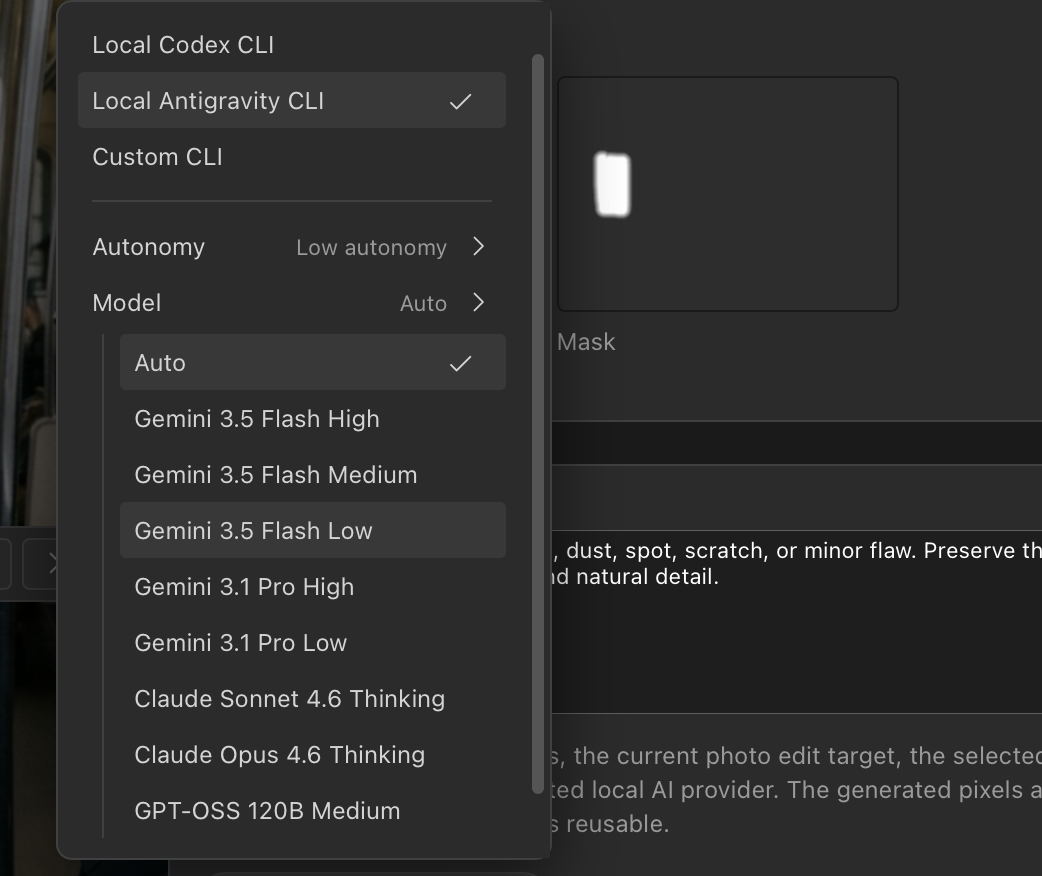
Choose the provider per run Use app defaults, then override the Director, image provider, model, reasoning effort, or service tier when a specific task needs it. |
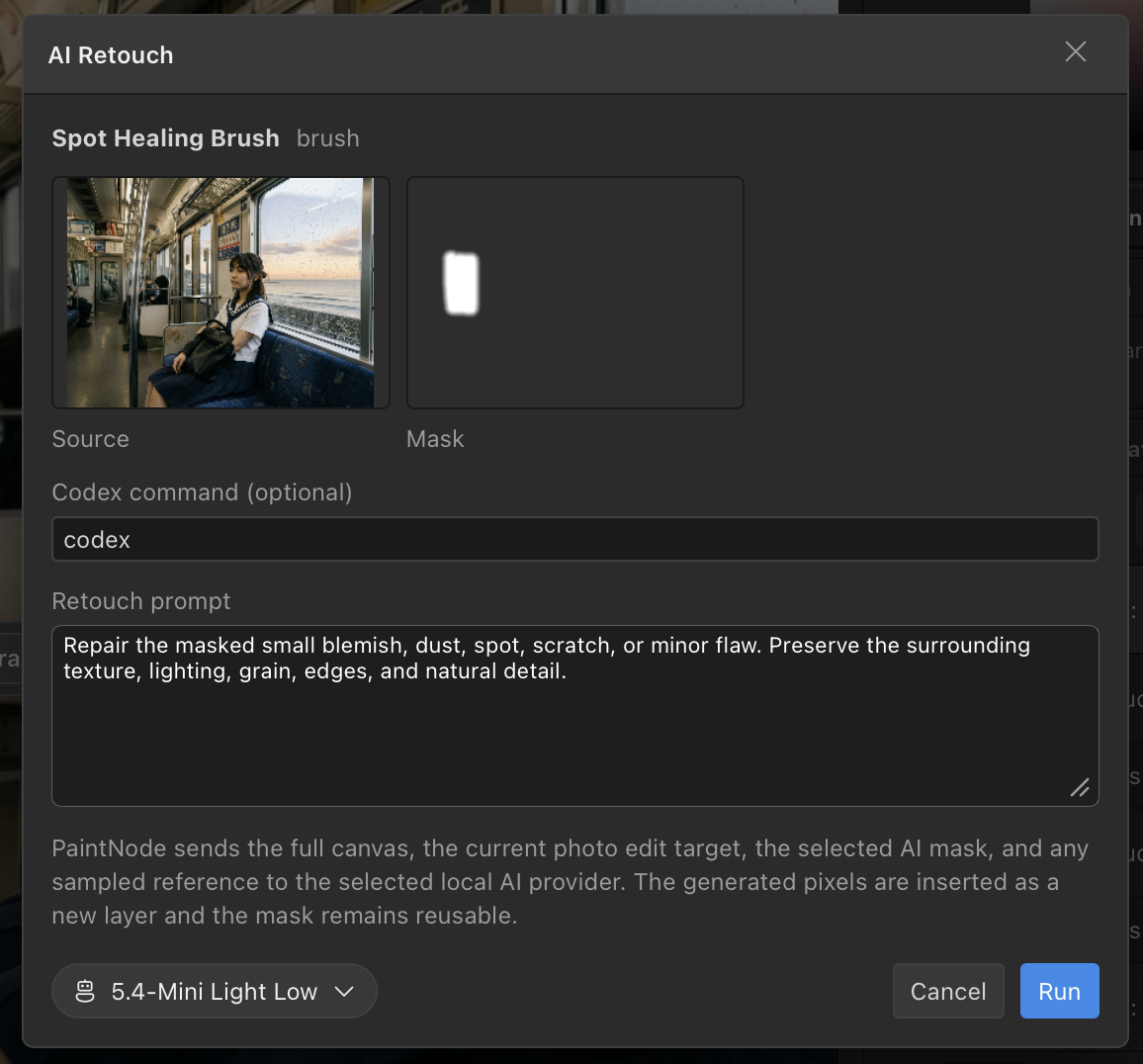
Review results before they land Compare the source, mask, and candidate results with review previews before committing an AI retouch back into the document. |

Keep project assets together Documents, storyboards, workflows, autosaves, and AI tasks stay organized around the current project. |
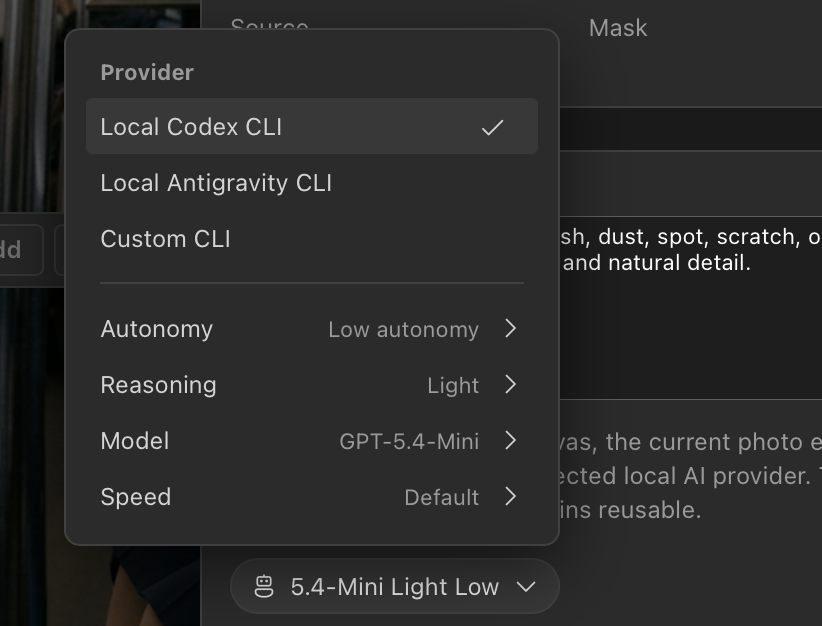
Codex, Claude, Antigravity, and Grok Managed Codex and Claude runtimes are set up inside the app; Antigravity and Grok connect through your existing installs. |
A real editing workspace Layers, masks, selections, color controls, project files, and exports sit around the AI workflow. |
Annotations are not just visual comments. Visible annotation text is passed into AI retouch requests as direct user instructions for the regions the annotations point to.

Mark exactly what should change Use arrows, memos, and callouts to point the agent at the precise regions that need work. |

Reduce missed or over-broad edits Pair annotation notes with an AI retouch brush mask so the agent sees both the target pixels and the requested outcome. |
The "Node" in PaintNode: a node-based workflow board where you direct a composition instead of rerolling prompts.
- Assets become nodes. Extract subjects, props, and backgrounds from any image, then wire them into the composition — each node carries its own role in the scene.
- Sketch the layout, the model follows. Draw a rough storyboard on the composition node. Placement, ordering, and scale in the final image follow your sketch.
- Outputs stay editable. Results land as project assets at the size you chose, ready to place into your document as layers. The workflow saves with the project, so you can tweak a node and run it again.
| Workflow | What happens |
|---|---|
| Generate onto the canvas | Write a prompt and place the generated result directly into the current document as a new layer. |
| Mask fill and replace | Paint a mask over a region and let the model fill or replace just that part of the image — PaintNode restores every protected pixel outside the mask. |
| Retouch in place | Clean up or adjust a selected area while keeping the original document open and intact. |
| Guide with annotations | Add arrows, memos, callouts, badges, or dividers so the AI knows what to change without guessing or over-editing. |
| Direct the run | Choose the AI Director provider and involvement per job, review candidate results, and save setups as reusable profiles. |
| Extract assets | Pull foreground objects or reusable visual elements into standalone project files. |
| Compose on the node board | Wire extracted assets into a composition, sketch a storyboard for placement, and render an output that follows your layout. |
| Mix provider runs | Use Codex, Antigravity, and Grok on the same project through separate tasks, assets, and layers. |
| Keep layered files | Save portable OpenRaster (.ora) documents, then export to PNG or PSD when needed. |
-
Select and prompt Start from a blank canvas, existing image, mask, selection, or layered OpenRaster project, then describe the edit in the editor.
-
Annotate the intent Drop editable arrows, memos, callouts, badges, or dividers onto the canvas to show exactly which regions need attention and what should happen there.
-
Run with or without the AI Director When enabled, your chosen Director — Codex, Claude, Antigravity, or Grok — plans structured actions and drives PaintNode's image-generation tools under your existing sign-in. You can also skip the Director. Visible annotations are included as direct user instructions for the regions they point to.
-
Results land in your document Generated images, fills, retouches, and extracted assets come back as editable layers and project files so you can review, revise, compose, and export without leaving the editor.
- Codex, Claude, Antigravity, and Grok subscribers who want AI image work to land in an editable project instead of a folder of one-off images — with no extra API-key billing. Managed Codex and Claude setup stays inside PaintNode; Antigravity and Grok use your existing installations.
- Developers and designers making app mockups, product visuals, game assets, storyboards, thumbnails, marketing images, or UI concepts.
- Local-first creators who want open project files, readable source, and AI that runs on their machine under their own sign-ins instead of another hosted image account.
PaintNode is early software, not a replacement for every mature raster editor. It is focused on making AI image output useful in a practical image-editing workflow: layers, masks, selections, assets, project files, review, edit, export.
- AI image flows for generation, mask fill, replacement, retouching, upscaling, asset extraction, and workflow composition.
- An AI Director that plans, drives, and reviews jobs, with persistent sessions, review previews, structured actions, and reusable profiles.
- A node-based workflow board: assets as nodes with roles, storyboard-guided placement, and outputs that land as reusable project assets.
- Managed Codex and Claude runtimes — downloaded, updated, and signed in from inside the app, with existing local installations as an advanced option.
- Antigravity support through your existing installation, for both image generation and Director work.
- Grok support through your existing CLI installation and sign-in, for Grok Imagine generation, editing, workflow composition, and Director work.
- PaintNode-owned image tools: deterministic resizing, masking, protected-pixel restoration, validation, and import around every model call.
- Editable annotation overlays for arrows, memos, callouts, badges, and dividers that can stand alone or guide AI retouch brush work.
- Side-by-side provider work on the same project through separate assets, tasks, and layers.
- Layered OpenRaster (
.ora) documents for portable, user-owned creative files. - PNG and PSD export paths for sharing and downstream editing.
- Local-first file I/O and project asset management.
- macOS Quick Look extensions for ORA thumbnail and preview support.
- Tauri desktop app built with Svelte 5, TypeScript, Rust, and Canvas2D.
- Signed macOS builds and signed Tauri updater metadata from GitHub Releases.
- GPL-3.0-or-later source code.
PaintNode is designed to be transparent about where work happens:
- No hosted PaintNode model - AI work runs through provider runtimes on your machine, under your own sign-ins.
- No PaintNode prompt proxy - PaintNode does not run a hosted service that sits between you and your provider.
- Your files stay as files - projects are local OpenRaster documents and project assets.
- Open source editor code - the application source is public and licensed under GPL-3.0-or-later.
Some integrations still contact external services you configure: provider SDKs talk to your AI provider, managed runtimes are downloaded and updated from GitHub Releases, and browser-side asset search can query the web. PaintNode's promise is that there is no PaintNode-hosted image model or billing layer.
PaintNode is still early software. The 0.2 line rebuilds the AI workflow around provider SDKs, PaintNode-managed runtimes, PaintNode-owned image-generation tools, and the decoupled AI Director. The editor surface, provider contracts, and file compatibility are still evolving.
The current release channel is hosted on GitHub Releases:
https://github.com/white-cornerstone/paintnode/releases
Download the latest public build from:
github.com/white-cornerstone/paintnode/releases/latest
macOS builds are signed and notarized by White Cornerstone Pty Ltd. PaintNode also checks GitHub Releases for signed Tauri updater metadata.
Requirements:
- Node.js 22 or newer
- Rust stable
- macOS for signed/notarized macOS release builds
- AI features: Codex and Claude run as PaintNode-managed runtimes (no separate install needed); the Antigravity provider uses your existing installation.
Install dependencies:
npm ciRun the web development server:
npm run devRun the Tauri desktop app in development:
npm run tauri:devBuild the static web app:
npm run buildBuild the desktop app:
npm run tauri:buildFor a local signed/notarized macOS release build, create
.env.macos-signing.local with the required Apple and Tauri updater signing
values, then run:
npm run tauri:build:mac:signedRun both before publishing changes:
npm run check
npm test
npm run check must pass with 0 errors and 0 warnings.
src/lib/engine/       framework-agnostic rendering and image logic
src/lib/state/        editor state, commands, settings, keyboard handling
src/lib/components/   Svelte UI components
src/lib/ai/           background AI task executors and shared task support
src/lib/ora/          OpenRaster load/save
src/lib/icons/        Fluent System Icons registry
src-tauri/            Tauri shell, native commands, AI provider executors, bundle configuration
docs/                 release and maintenance notes
PaintNode releases are driven by tags named like:
paintnode-v0.2.1
The GitHub Actions release workflow builds signed macOS app bundles, uploads
installer assets, uploads updater artifacts, and publishes latest.json for
the in-app updater.
See docs/release.md for the signing secrets and release checklist.
Please report security issues privately. See SECURITY.md.
PaintNode source code is licensed under the GNU General Public License v3.0 or later. See LICENSE.
The PaintNode name, logo, icon, signing identity, release channels, website, and other brand assets are not licensed under the GPL. See TRADEMARKS.md for the brand policy.