[Stats Refresh] Add Period > Authors card - #10953
Conversation


…dth being incorrectly calculated.

|
@jklausa - the constraint warnings mentioned in #10944 (comment) still exist, and are actually exacerbated when a row is expanded. (Try expanding a row and then rotate. G'head, try it. 😄 ) It's still my plan to fix that ASAP in a separate PR (since it pre-dated the expanding rows). |
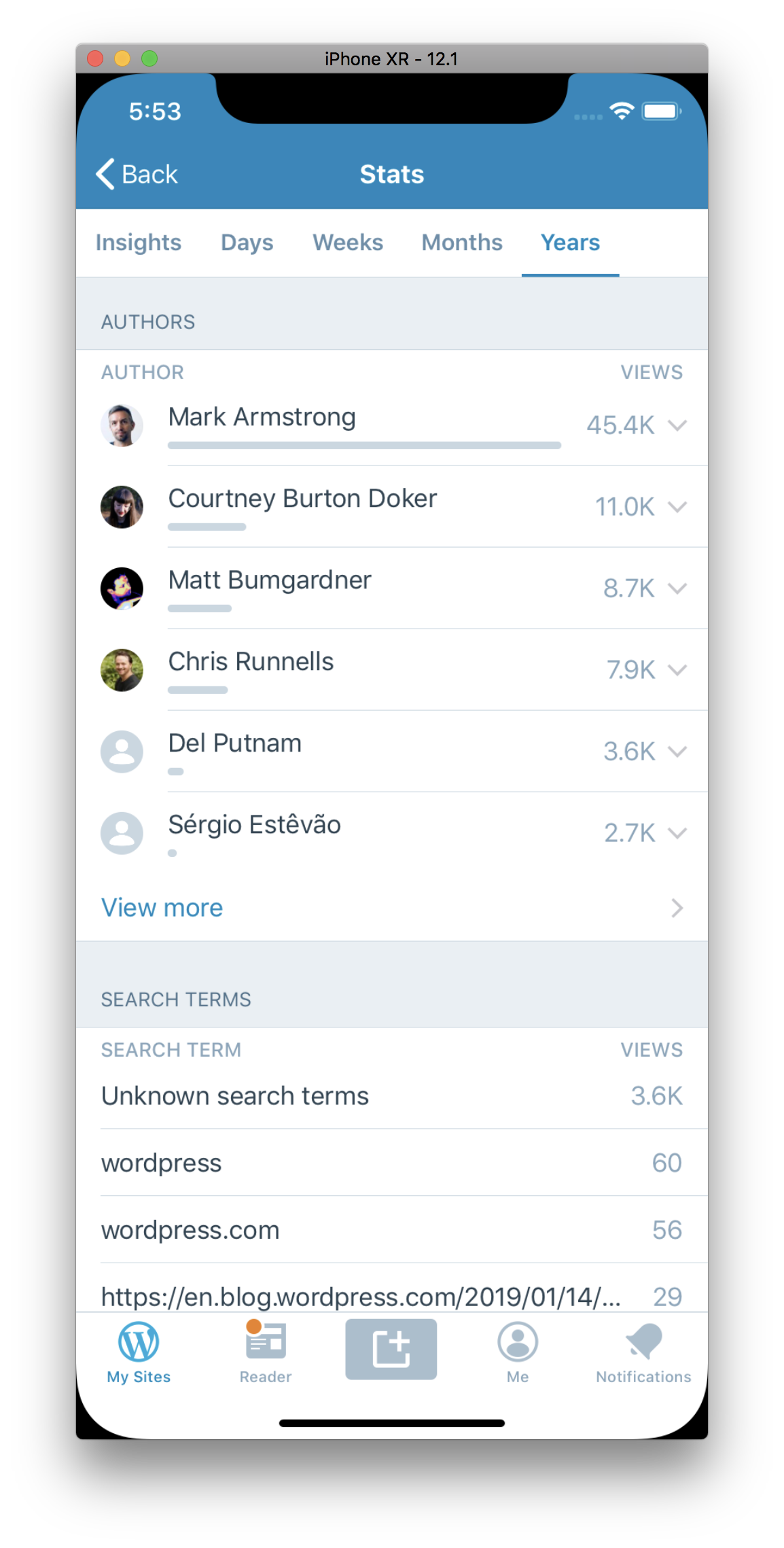
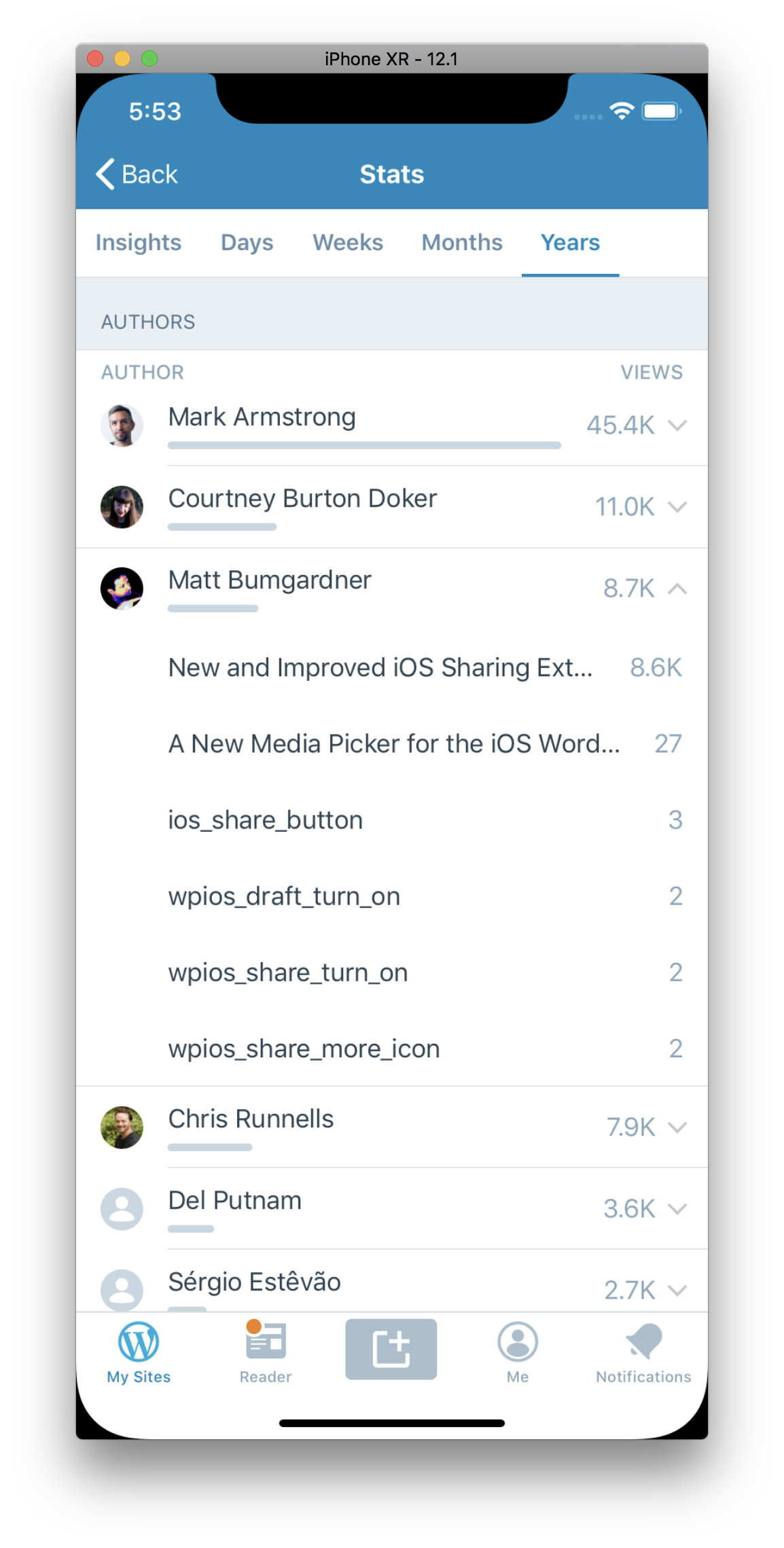
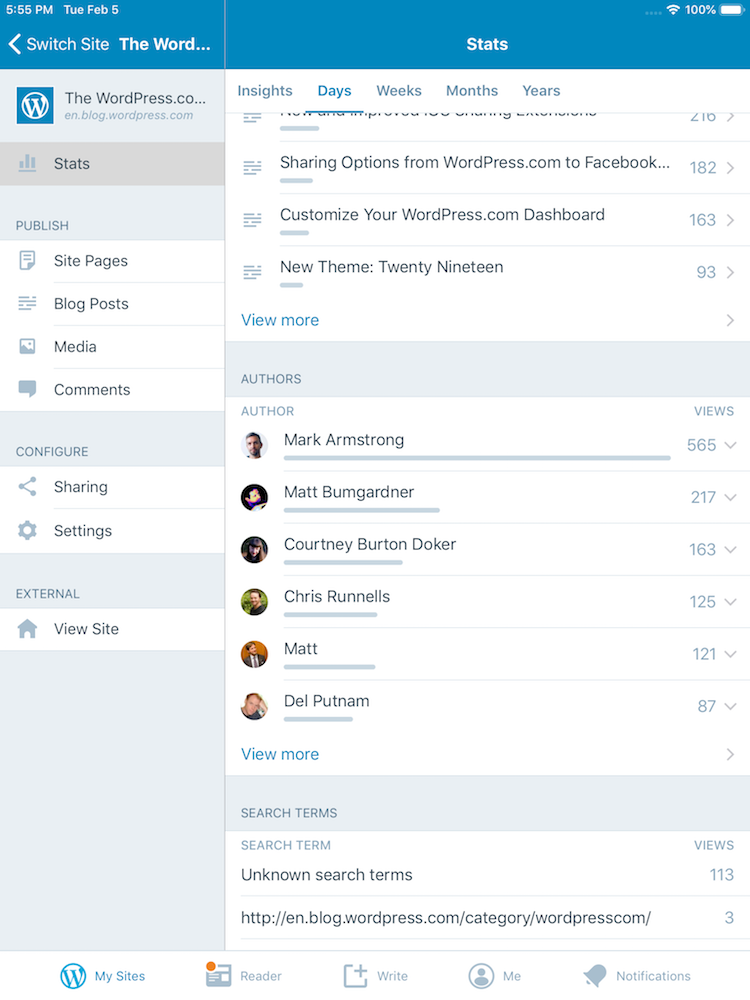
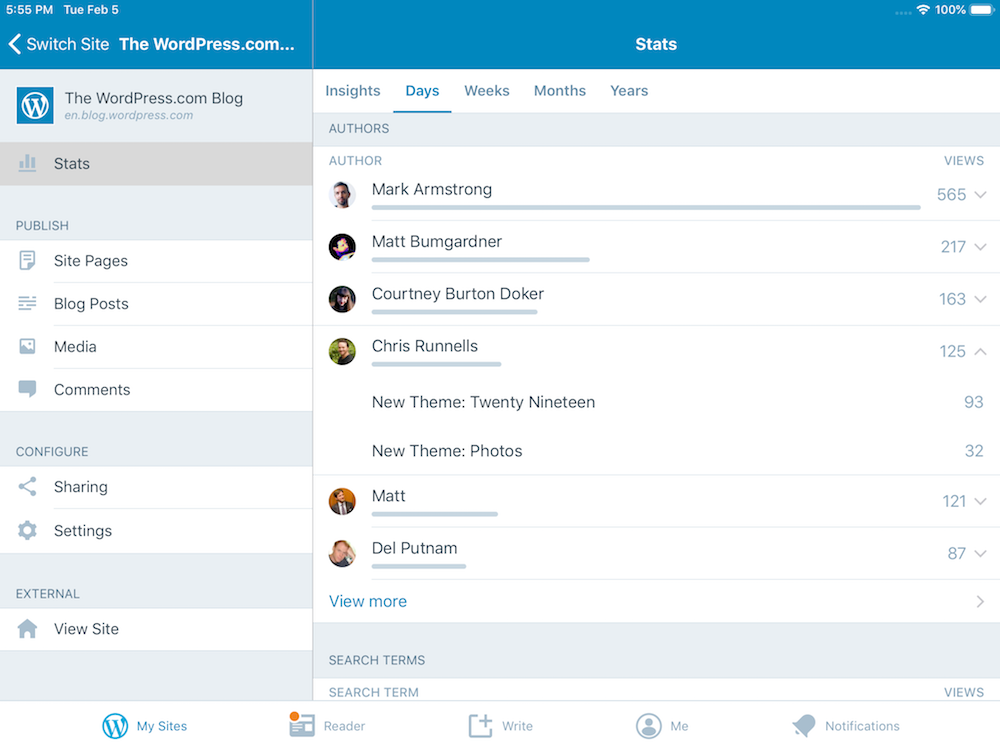
…previous had no data rows.
|
Hey @jklausa . Sorry for the spam. The constraint issues were so bad with the expanded rows, sometimes they wouldn't even render. So I fixed the constraint issues on this PR. When switching period filters or scrolling, you should not see a slew of warnings like this: |
…e/10946-period_authors

|
This is unrelated to the PR itself, but: Should we maybe indent the blog post names in this view, or add an icon? I can sorta guess that’s what the expanded items are, but without any labels or icons it all just blends together with the author name — it feels like this might be a source of confusion for our users. |

Thanks for the feedback @jklausa . I'll look into this |

 jklausa
left a comment
jklausa
left a comment
jklausa
left a comment
There was a problem hiding this comment.
I still see a bunch of warnings on rotation:
	Probably at least one of the constraints in the following list is one you don't want.
	Try this:
		(1) look at each constraint and try to figure out which you don't expect;
		(2) find the code that added the unwanted constraint or constraints and fix it.
(
    "<NSLayoutConstraint:0x600002e911d0 H:[UIStackView:0x7ffd5246c960]-(0)-|   (active, names: '|':UIView:0x7ffd5246c780 )>",
    "<NSLayoutConstraint:0x600002e91270 H:|-(0)-[UIStackView:0x7ffd5246c960]   (active, names: '|':UIView:0x7ffd5246c780 )>",
    "<NSLayoutConstraint:0x600002e90b90 UIImageView:0x7ffd5246a4f0.width == 130   (active)>",
    "<NSLayoutConstraint:0x600002e90730 UIButton:0x7ffd5246bb60.width == 44   (active)>",
    "<NSLayoutConstraint:0x600002f8c460 'fittingSizeHTarget' UIStackView:0x7ffd5246f160.width == 184   (active)>",
    "<NSLayoutConstraint:0x600002e919f0 'UISV-canvas-connection' UIStackView:0x7ffd5246f160.leading == UIView:0x7ffd5246c780.leading   (active)>",
    "<NSLayoutConstraint:0x600002e93f20 'UISV-canvas-connection' H:[UIView:0x7ffd5246c780]-(0)-|   (active, names: '|':UIStackView:0x7ffd5246f160 )>",
    "<NSLayoutConstraint:0x600002e92b70 'UISV-canvas-connection' UILayoutGuide:0x6000037bfc60'UIViewLayoutMarginsGuide'.leading == UIStackView:0x7ffd5246cb60.leading   (active)>",
    "<NSLayoutConstraint:0x600002e92bc0 'UISV-canvas-connection' UILayoutGuide:0x6000037bfc60'UIViewLayoutMarginsGuide'.trailing == UIButton:0x7ffd5246bb60.trailing   (active)>",
    "<NSLayoutConstraint:0x600002e92c60 'UISV-spacing' H:[UIStackView:0x7ffd5246cb60]-(10)-[UIImageView:0x7ffd5246a4f0]   (active)>",
    "<NSLayoutConstraint:0x600002e92cb0 'UISV-spacing' H:[UIImageView:0x7ffd5246a4f0]-(10)-[UIButton:0x7ffd5246bb60]   (active)>",
    "<NSLayoutConstraint:0x600002e92a80 'UIView-leftMargin-guide-constraint' H:|-(8)-[UILayoutGuide:0x6000037bfc60'UIViewLayoutMarginsGuide'](LTR)   (active, names: '|':UIStackView:0x7ffd5246c960 )>",
    "<NSLayoutConstraint:0x600002e92b20 'UIView-rightMargin-guide-constraint' H:[UILayoutGuide:0x6000037bfc60'UIViewLayoutMarginsGuide']-(8)-|(LTR)   (active, names: '|':UIStackView:0x7ffd5246c960 )>"
)

Will attempt to recover by breaking constraint
<NSLayoutConstraint:0x600002e90b90 UIImageView:0x7ffd5246a4f0.width == 130   (active)>

Make a symbolic breakpoint at UIViewAlertForUnsatisfiableConstraints to catch this in the debugger.
The methods in the UIConstraintBasedLayoutDebugging category on UIView listed in <UIKitCore/UIView.h> may also be helpful.
2019-02-07 13:12:09.089038+0100 WordPress[26227:10101645] [LayoutConstraints] Unable to simultaneously satisfy constraints.
	Probably at least one of the constraints in the following list is one you don't want.
	Try this:
		(1) look at each constraint and try to figure out which you don't expect;
		(2) find the code that added the unwanted constraint or constraints and fix it.
(
    "<NSLayoutConstraint:0x600002e911d0 H:[UIStackView:0x7ffd5246c960]-(0)-|   (active, names: '|':UIView:0x7ffd5246c780 )>",
    "<NSLayoutConstraint:0x600002e91270 H:|-(0)-[UIStackView:0x7ffd5246c960]   (active, names: '|':UIView:0x7ffd5246c780 )>",
    "<NSLayoutConstraint:0x600002e90b90 UIImageView:0x7ffd5246a4f0.width == 130   (active)>",
    "<NSLayoutConstraint:0x600002e90730 UIButton:0x7ffd5246bb60.width == 44   (active)>",
    "<NSLayoutConstraint:0x600002ff1950 'fittingSizeHTarget' UIStackView:0x7ffd5246f160.width == 94   (active)>",
    "<NSLayoutConstraint:0x600002e919f0 'UISV-canvas-connection' UIStackView:0x7ffd5246f160.leading == UIView:0x7ffd5246c780.leading   (active)>",
    "<NSLayoutConstraint:0x600002e93f20 'UISV-canvas-connection' H:[UIView:0x7ffd5246c780]-(0)-|   (active, names: '|':UIStackView:0x7ffd5246f160 )>",
    "<NSLayoutConstraint:0x600002e92b70 'UISV-canvas-connection' UILayoutGuide:0x6000037bfc60'UIViewLayoutMarginsGuide'.leading == UIStackView:0x7ffd5246cb60.leading   (active)>",
    "<NSLayoutConstraint:0x600002e92bc0 'UISV-canvas-connection' UILayoutGuide:0x6000037bfc60'UIViewLayoutMarginsGuide'.trailing == UIButton:0x7ffd5246bb60.trailing   (active)>",
    "<NSLayoutConstraint:0x600002e92c60 'UISV-spacing' H:[UIStackView:0x7ffd5246cb60]-(10)-[UIImageView:0x7ffd5246a4f0]   (active)>",
    "<NSLayoutConstraint:0x600002e92cb0 'UISV-spacing' H:[UIImageView:0x7ffd5246a4f0]-(10)-[UIButton:0x7ffd5246bb60]   (active)>",
    "<NSLayoutConstraint:0x600002e92a80 'UIView-leftMargin-guide-constraint' H:|-(8)-[UILayoutGuide:0x6000037bfc60'UIViewLayoutMarginsGuide'](LTR)   (active, names: '|':UIStackView:0x7ffd5246c960 )>",
    "<NSLayoutConstraint:0x600002e92b20 'UIView-rightMargin-guide-constraint' H:[UILayoutGuide:0x6000037bfc60'UIViewLayoutMarginsGuide']-(8)-|(LTR)   (active, names: '|':UIStackView:0x7ffd5246c960 )>"
)

Will attempt to recover by breaking constraint
<NSLayoutConstraint:0x600002e90b90 UIImageView:0x7ffd5246a4f0.width == 130   (active)>

Make a symbolic breakpoint at UIViewAlertForUnsatisfiableConstraints to catch this in the debugger.
The methods in the UIConstraintBasedLayoutDebugging category on UIView listed in <UIKitCore/UIView.h> may also be helpful.
2019-02-07 13:12:09.117373+0100 WordPress[26227:10101645] [LayoutConstraints] Unable to simultaneously satisfy constraints.
	Probably at least one of the constraints in the following list is one you don't want.
	Try this:
		(1) look at each constraint and try to figure out which you don't expect;
		(2) find the code that added the unwanted constraint or constraints and fix it.
(
    "<NSLayoutConstraint:0x600002d54b40 WordPress.CircularImageView:0x7ffd4fb09510.width == 64   (active)>",
    "<NSLayoutConstraint:0x600002d02530 H:|-(20)-[UIStackView:0x7ffd4fb09310]   (active, names: '|':UITableViewCellContentView:0x7ffd4fb09120 )>",
    "<NSLayoutConstraint:0x600002d03ac0 H:[UIStackView:0x7ffd4fb09310]-(20)-|   (active, names: '|':UITableViewCellContentView:0x7ffd4fb09120 )>",
    "<NSLayoutConstraint:0x600002e15a40 'UISV-canvas-connection' UIStackView:0x7ffd4fb09310.leading == _UILayoutSpacer:0x60000312a0d0'UISV-alignment-spanner'.leading   (active)>",
    "<NSLayoutConstraint:0x600002e155e0 'UISV-canvas-connection' UIStackView:0x7ffd4fb09310.centerX == WordPress.CircularImageView:0x7ffd4fb09510.centerX   (active)>",
    "<NSLayoutConstraint:0x600002e35d10 'UISV-spanning-boundary' _UILayoutSpacer:0x60000312a0d0'UISV-alignment-spanner'.leading <= WordPress.CircularImageView:0x7ffd4fb09510.leading   (active)>",
    "<NSLayoutConstraint:0x600002e0fde0 'UIView-Encapsulated-Layout-Width' UITableViewCellContentView:0x7ffd4fb09120.width == 94   (active)>"
)

Will attempt to recover by breaking constraint
<NSLayoutConstraint:0x600002d54b40 WordPress.CircularImageView:0x7ffd4fb09510.width == 64   (active)>

Make a symbolic breakpoint at UIViewAlertForUnsatisfiableConstraints to catch this in the debugger.
The methods in the UIConstraintBasedLayoutDebugging category on UIView listed in <UIKitCore/UIView.h> may also be helpful.```
|
Hey @jklausa . Unless I'm missing something, those warnings are caused by the split view, and have been around a while. I've already branched off of this, so I’ll look again in my current branch to make sure I didn’t miss any that I caused. |
jklausa
left a comment
jklausa
left a comment
There was a problem hiding this comment.
dang, you're right, I forgot about those! sorry :) 
3 participants


Fixes #10946
To test: