Order by most recent along with report icons#759
Conversation


|
Can you share screenshots of what you are working on? |

|
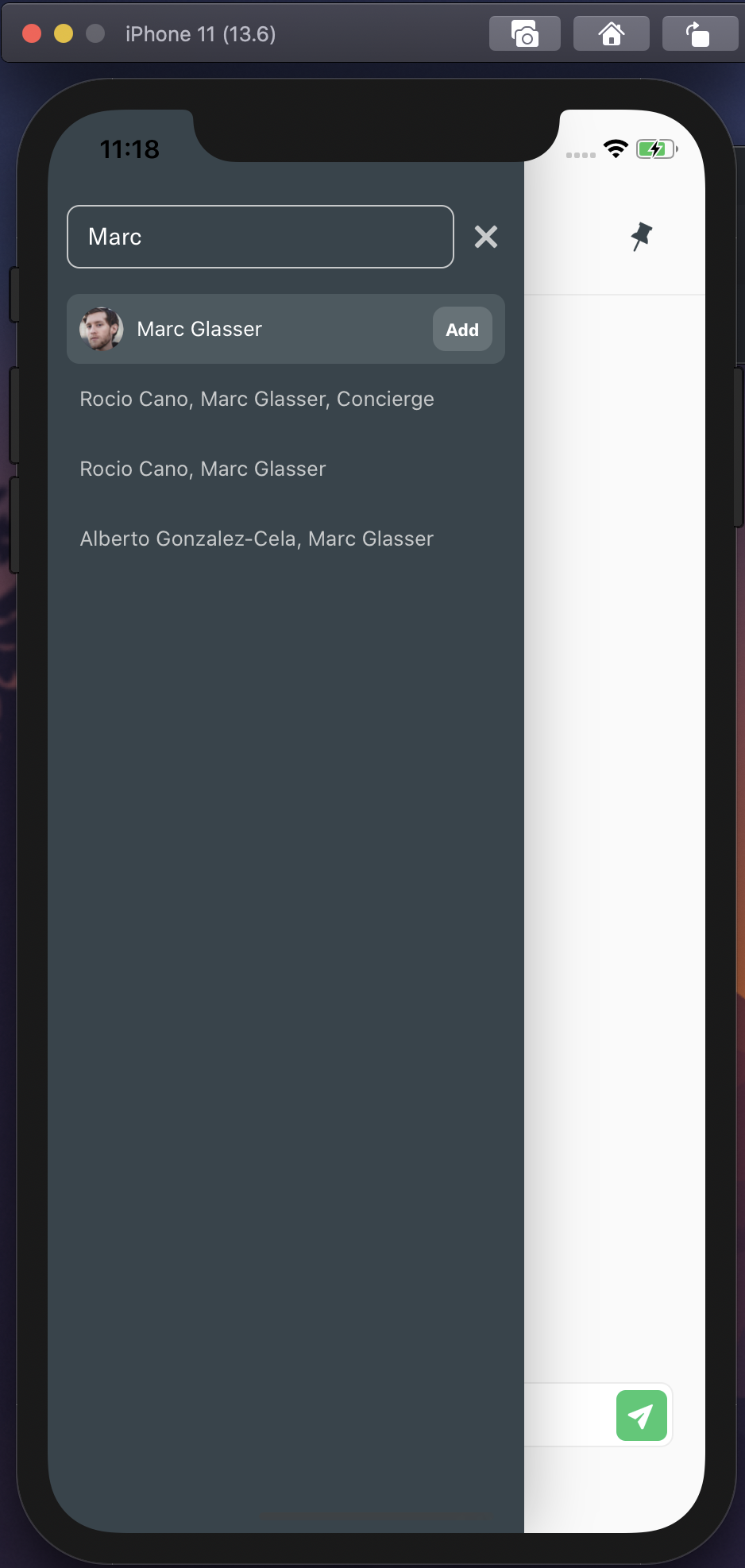
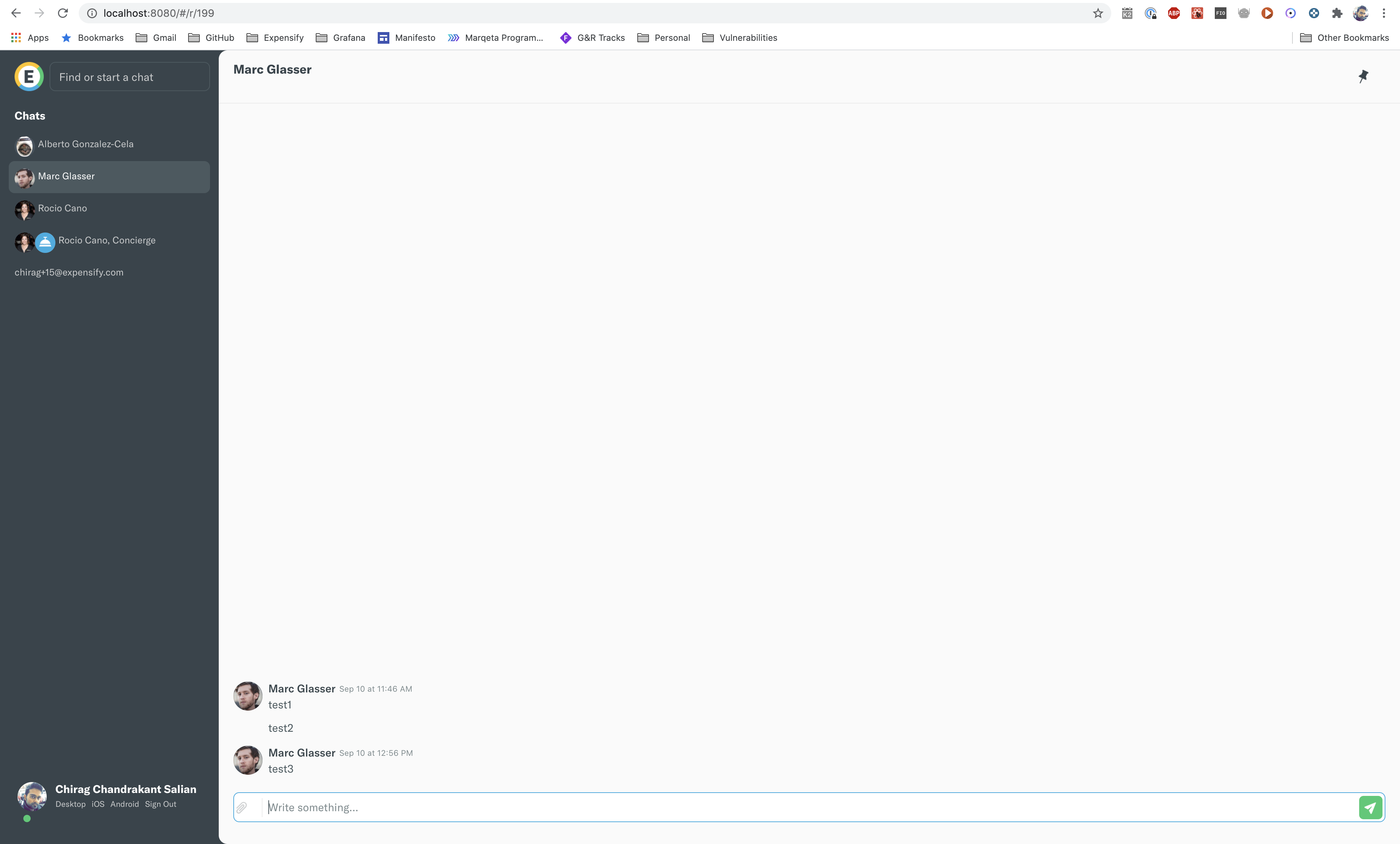
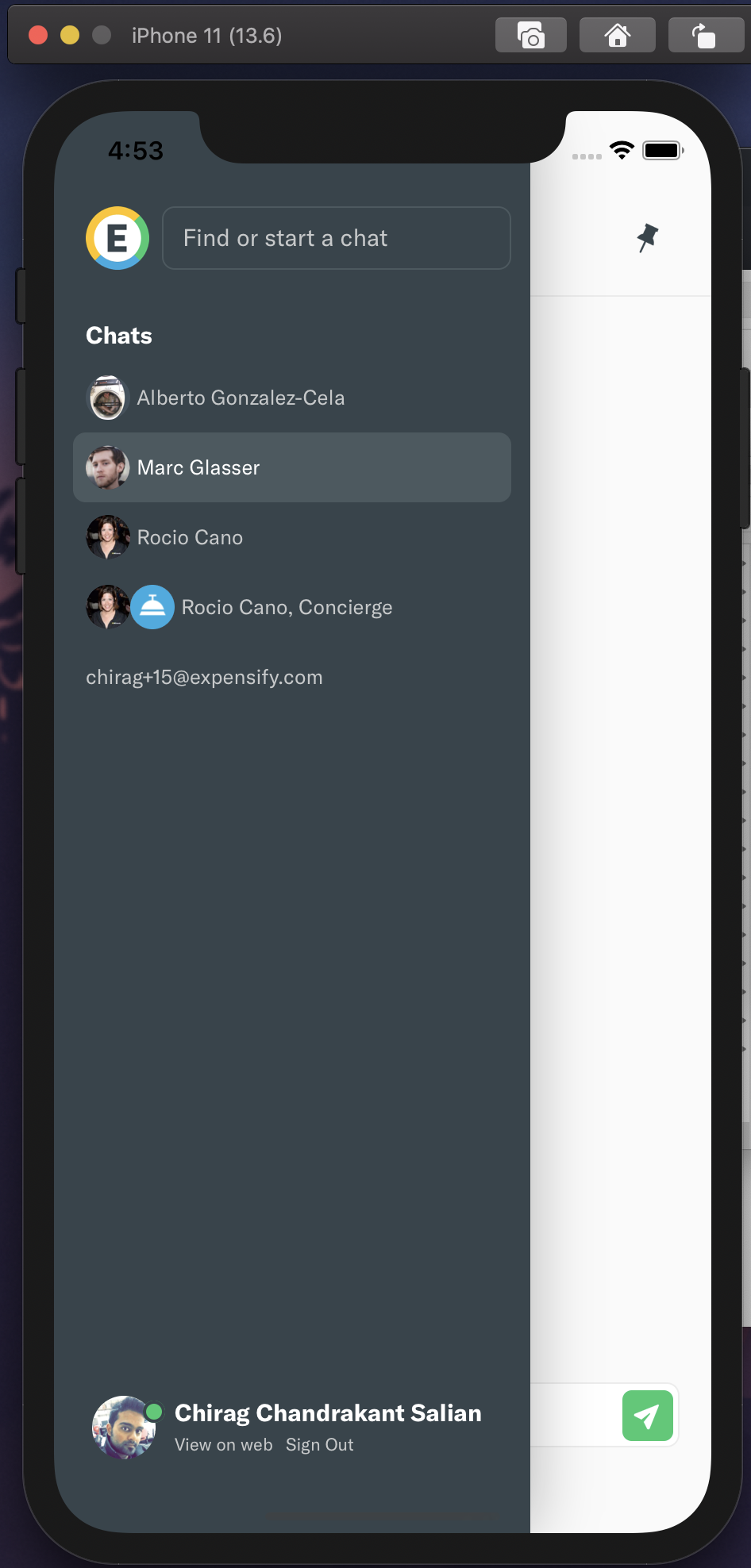
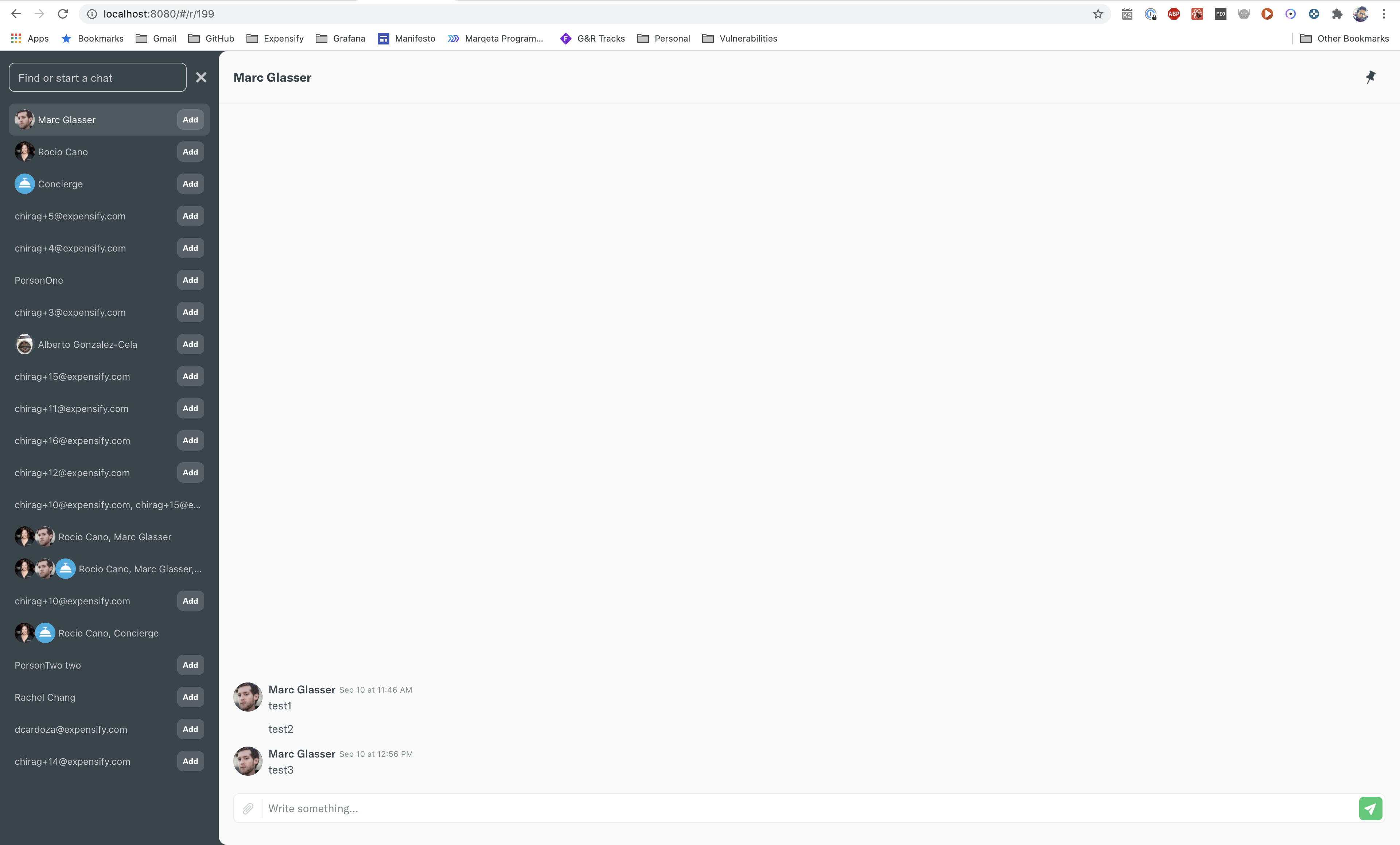
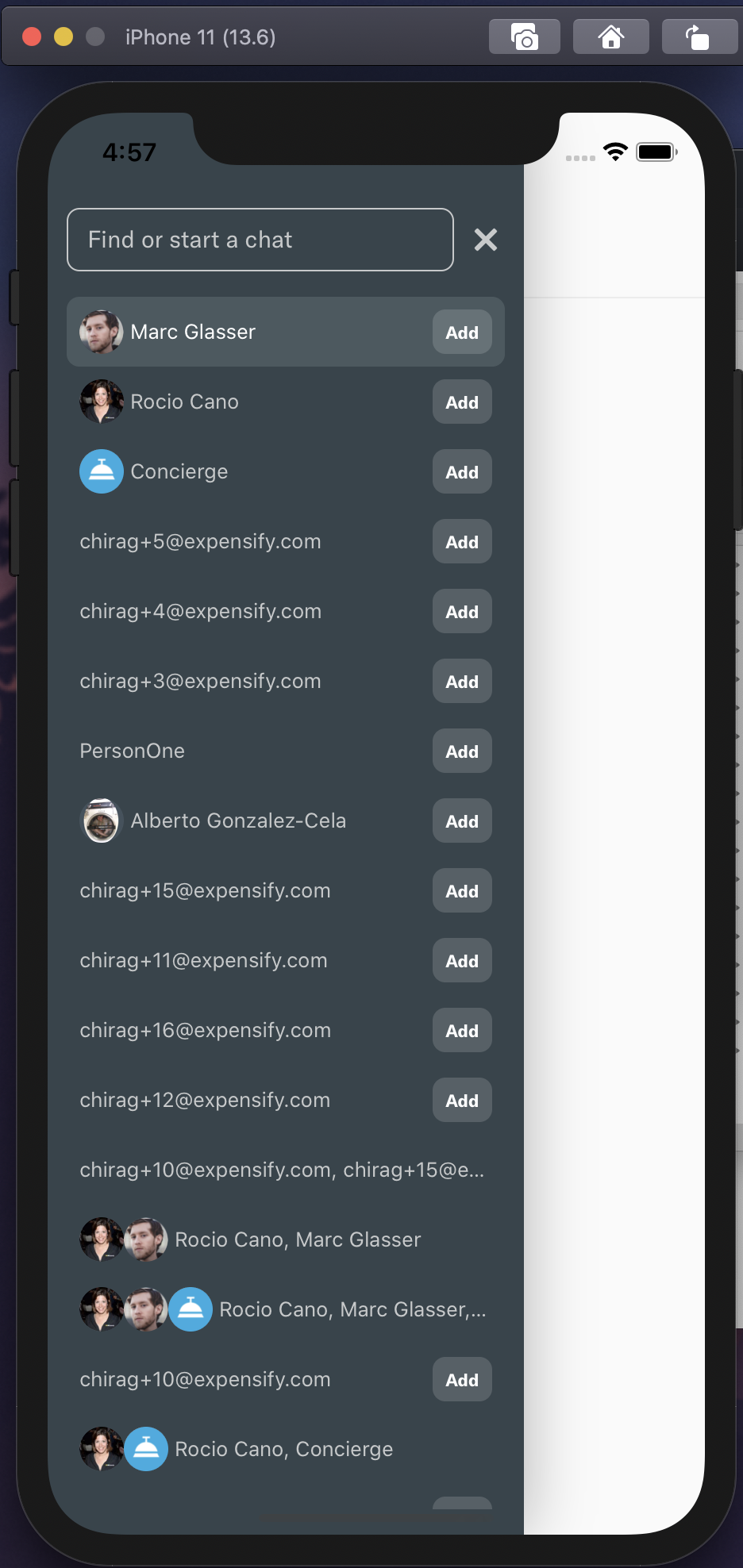
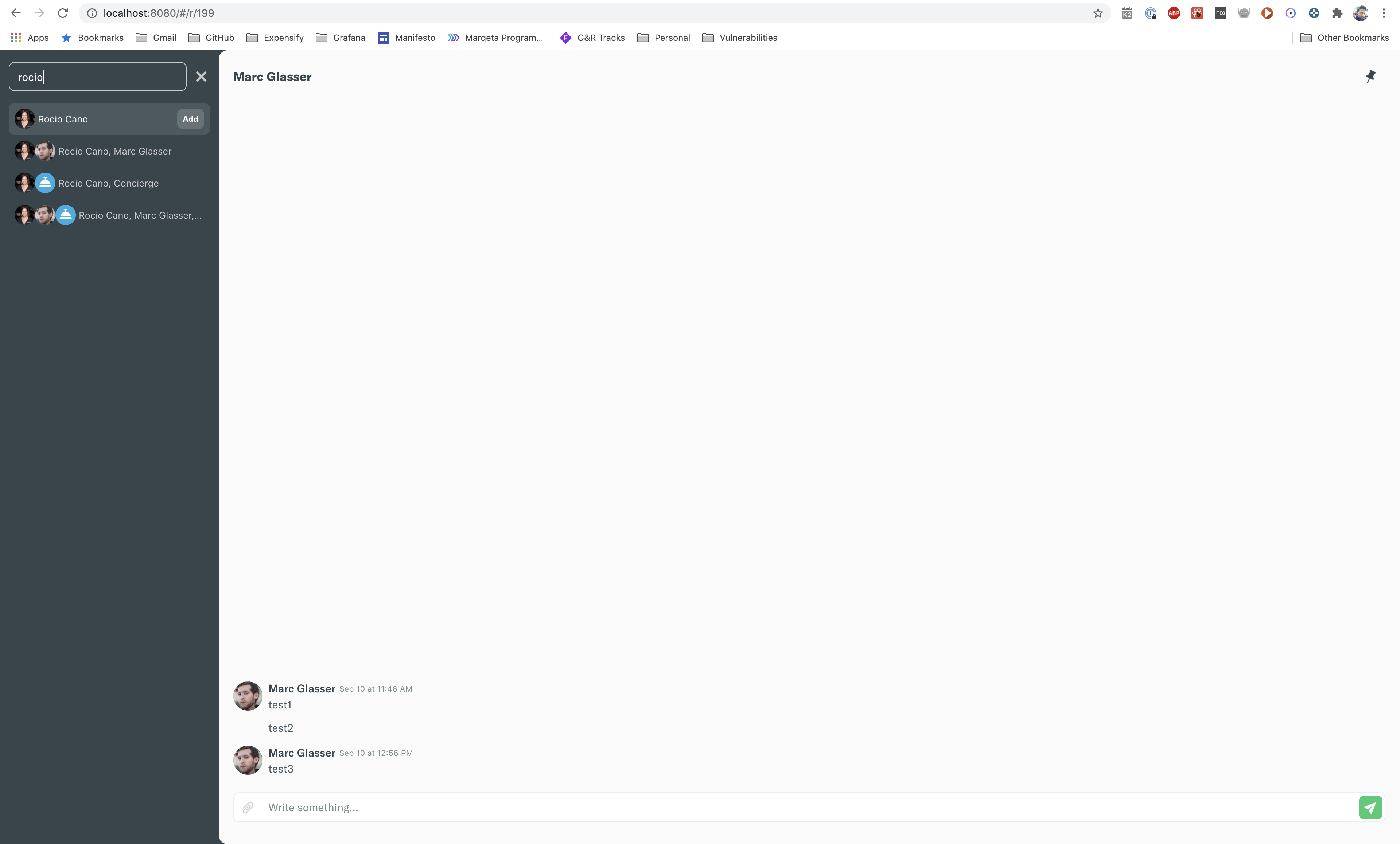
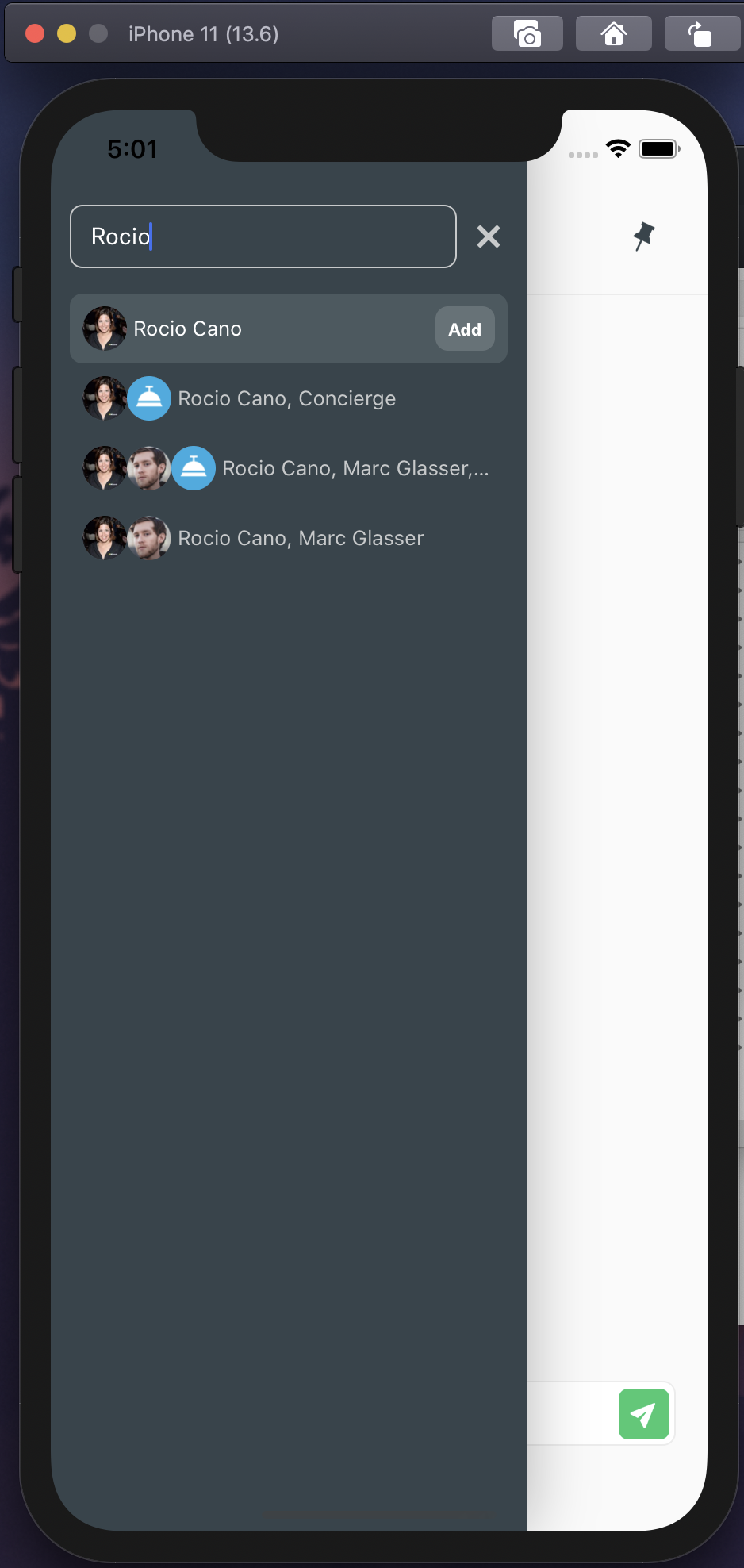
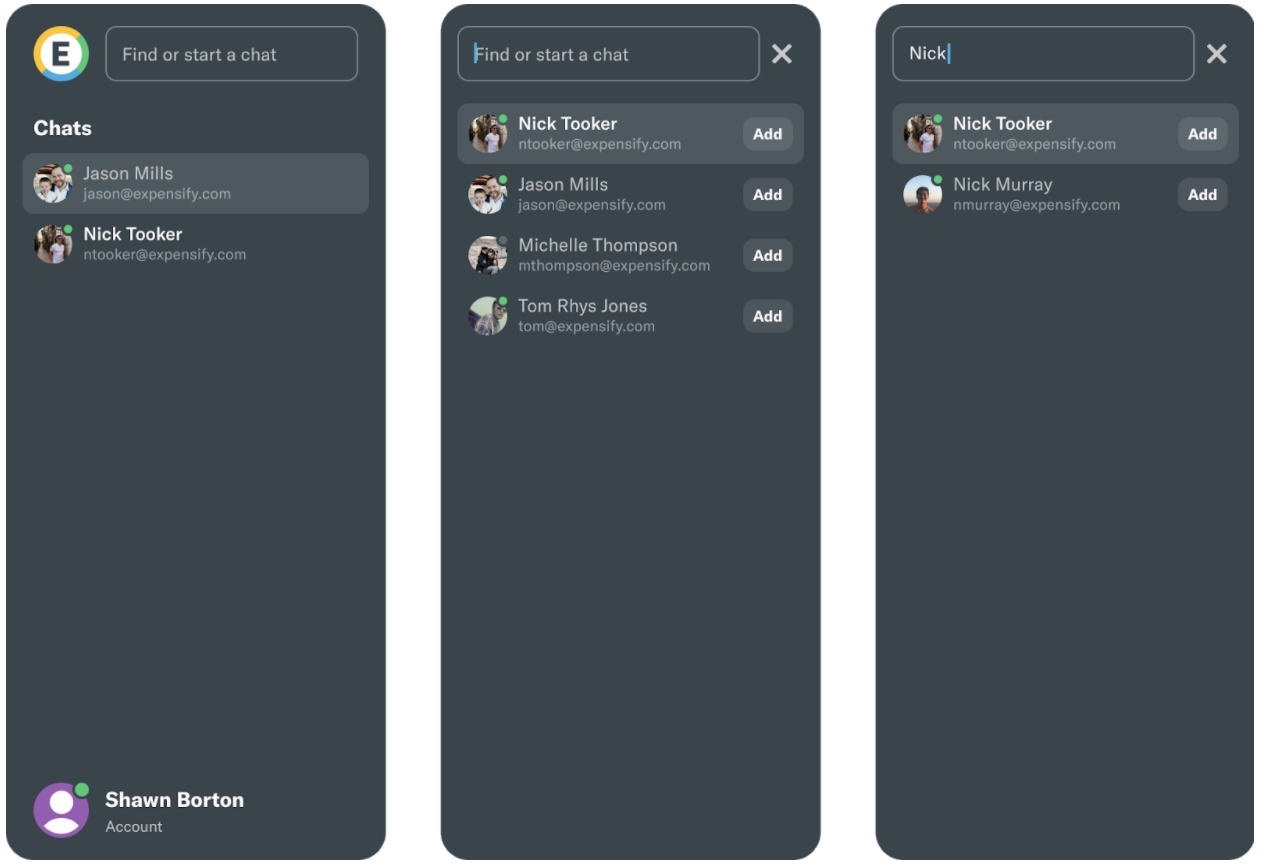
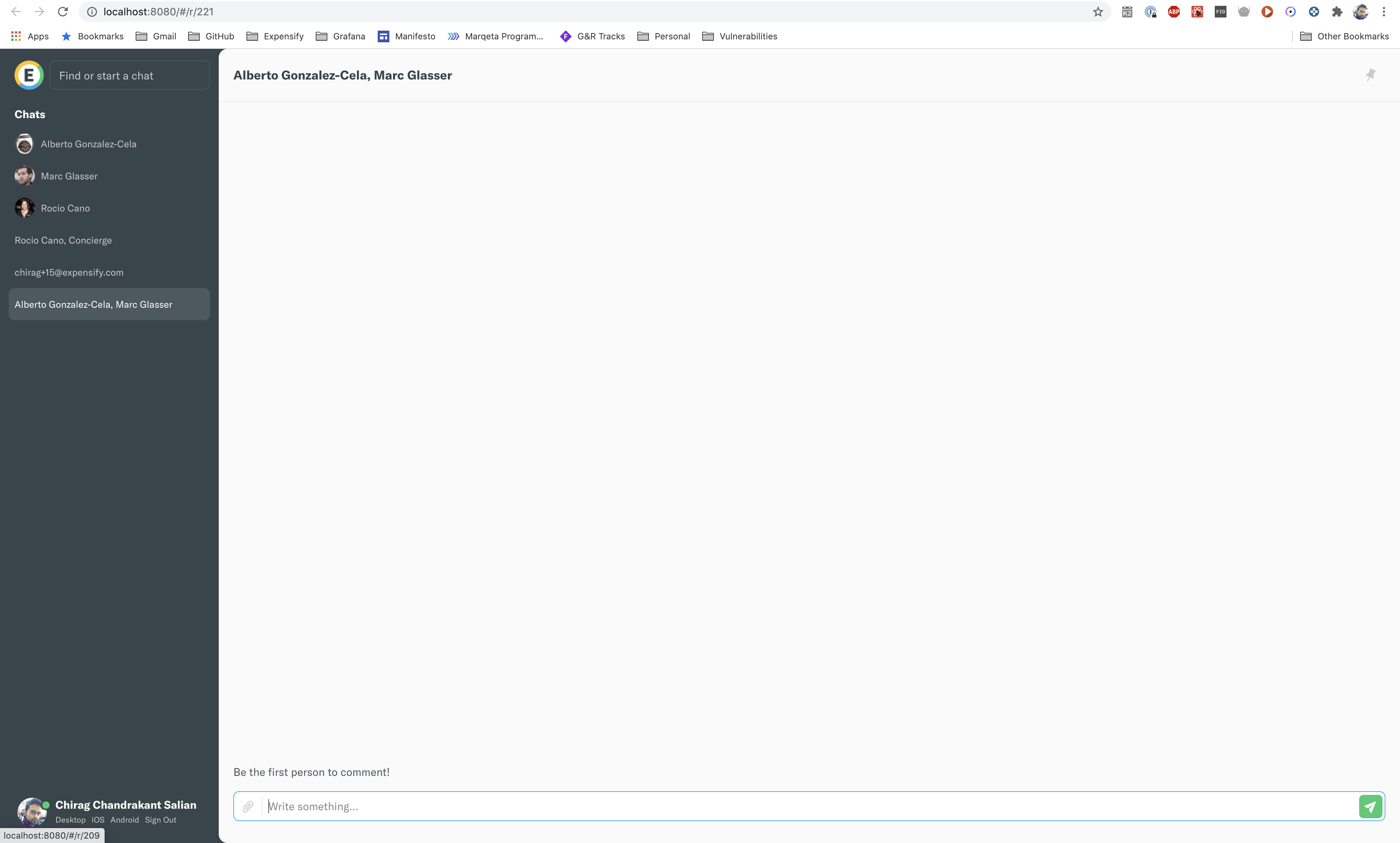
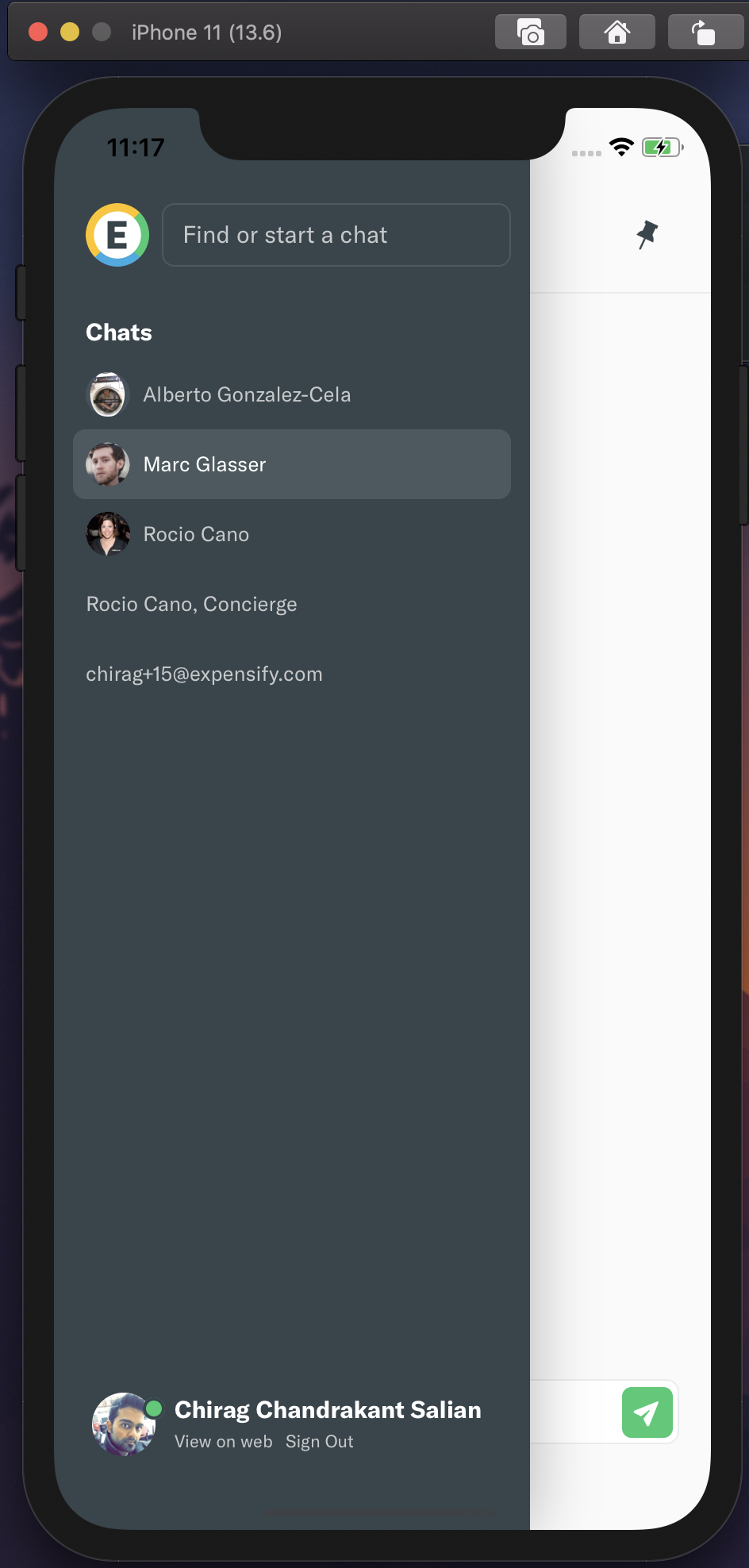
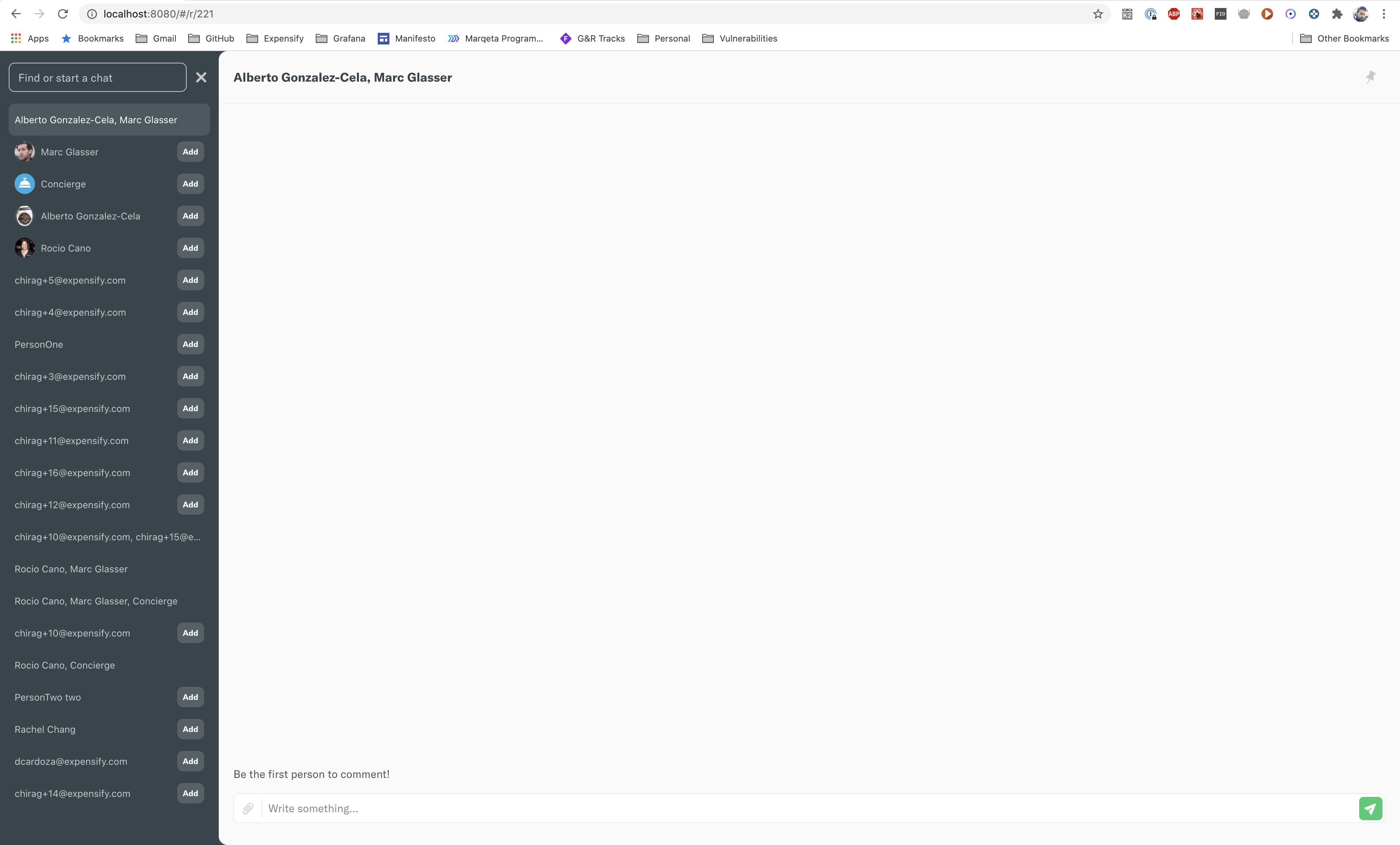
Yup for sure. Just about finishing up the code. For context - This is to show the most recent visited chats when the search bar is empty as mentioned in this design doc here I've gone a little ahead of myself and was able to link icons for each report based on the user avatars. To which i can even apply for group DMs a max of 3 icons though. This is a first version of the UI and i thought i'd get your opinions if we'd want to improve on it now or later. Anyway UI for web, Pinned chats mobile Empty chat search showing recently visited chats - web Empty chat search showing recently visited chats - mobile Searching for a person - web Searching for a person - mobile |
|
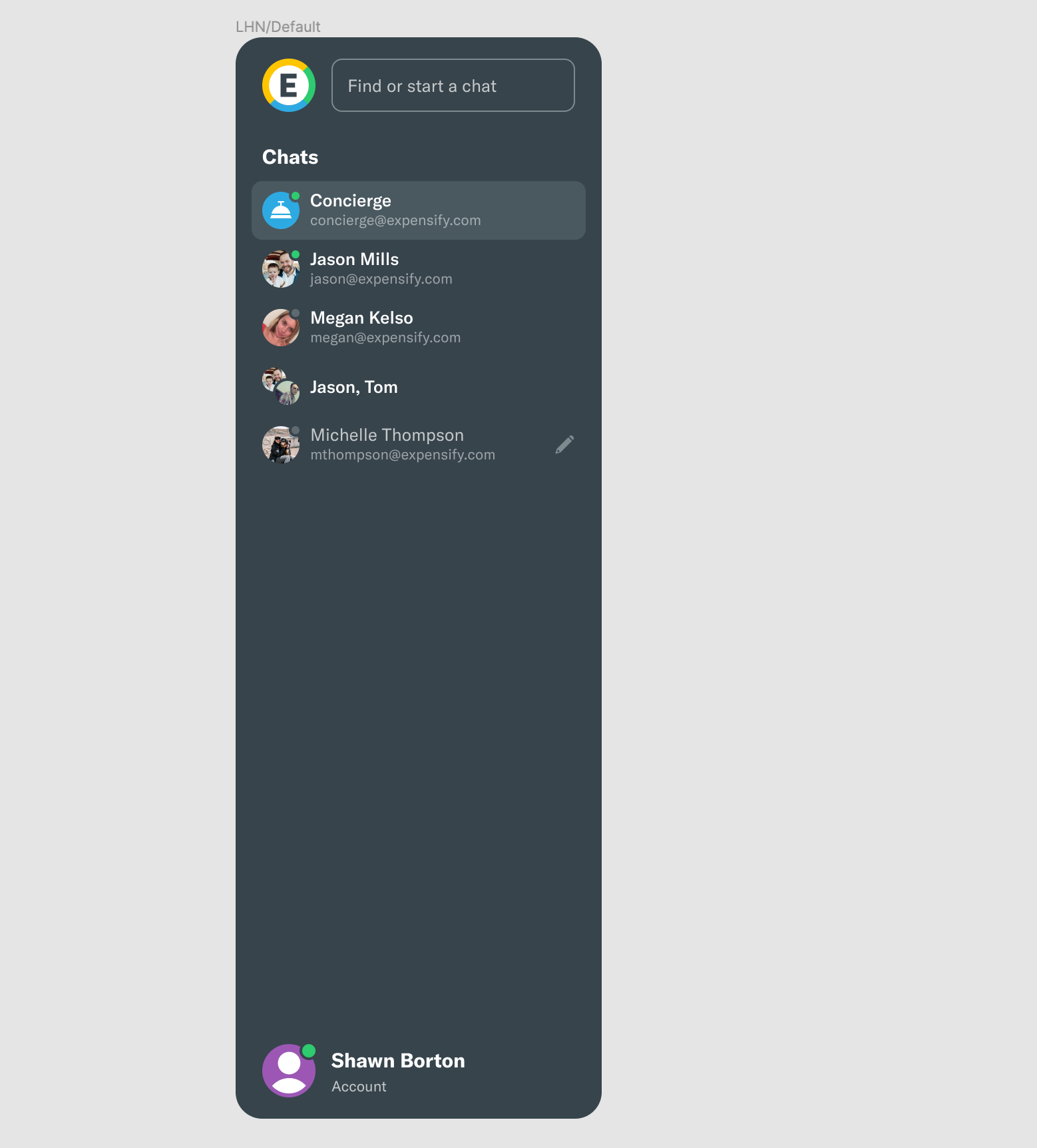
Got it - were there any designs by the design team that you had been working off of, or was this covered in a design doc somewhere? Just curious as this all seems super new to me, and I don't recall discussing it anywhere. The three avatars in a row feels odd to me. I think if anything, we were toying around with mimicking Slack and showing just two avatars in the row, which would occupy the same amount of space as an avatar in a chat row: |
|
The only design i used once the one posted in this design doc. i.e., which is mostly about sorting chats and not the icons. Basically in my pursuit to sort by recent i was able to link icons to reports and hence wanted to display them. The hard part for me was mostly getting those icons such that they can always be display quickly. Now that we have the information i'm completely open to any icon improvements you have. Would you like to work off my PR and update the styles for the icons? If you are you'll need to pull in this Web-E PR as well. |

|
Well I would suggest that you just stick to the designs found in design docs for now, and if we want to make the improvement of showing multiple avatars in the chat rows, we should put forward a quick little P/S statement in #expensify-cash and see what the wider audience thinks before just deciding here in this PR what we think it should look like. We can share some screenshots of what it might look like and get some wider buy-in first. I think what I am really trying to say is, I do appreciate you wanting to improve the appearance of these rows, but we're not following standard practices in terms of working with the design team on exploring the UI or discussing this with a wider audience in a Design Doc/Slack/GH issue first. |
|
Yup i wasn't planning on pushing this out without getting inputs. My main challenge was just storing this information in this report. I was planning on showing icons for 1:1 DMs and hiding the icons for others. This way when a decision is made for group DMs the data is ready to be presented as we see fit 🙂 Was mostly just playing around with some things and testing a lot which is why the PR is still in draft. I should be doing my final testing tomorrow, demo it and then i'll push up the final screenshots which will not have icons for group DMs. |
|
Okay that makes sense, sorry for jumping the gun here! |
|
It's all cool. No harm in getting the input earlier than later 🙂 I've updated the code and the screenshots in the issue such that only 1:1 DM have report icons. I've a little more to test before i can put this out for review. |
 chiragsalian
changed the title
chiragsalian
changed the title

 marcaaron
left a comment
marcaaron
left a comment
marcaaron
left a comment
There was a problem hiding this comment.
LGTM. Left some NABs and thoughts.
While testing I found a few issues:
-
Deleting last text character in search box closes the switcher and causes the input to lose focus
-
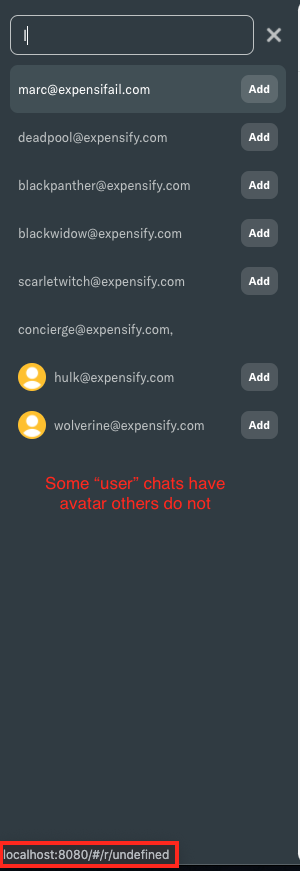
Default avatars are not being used for search results despite existing.
-
Some chat links are linking to
r/undefined(does not affect ability to create chat) and weirdly these ones DO have the default avatars
| 'reportNameValuePairs', | ||
| `lastRead_${currentUserAccountID}`, | ||
| 'timestamp' | ||
| ], 0) |
There was a problem hiding this comment.
NAB not sure if it's very valuable but a utility that let us do
const lastRead = getLastRead(report, accountID);
console.log(lastRead.sequenceNumber);
console.log(lastRead.timestamp);
might help us DRY things up a little instead of having to use lodashGet
There was a problem hiding this comment.
Yeah i don't see much value in a utility function like so when it can be directly accessed in lodashGet. Like atm i don't see a point of returning an object than the required value directly.
| // Store only the absolute bare minimum of data in Onyx because space is limited | ||
| const newReport = getSimplifiedReportObject(report); | ||
| newReport.reportName = getChatReportName(report.sharedReportList); | ||
| newReport.lastVisitedTimestamp = Date.now(); |
There was a problem hiding this comment.
NAB/possible follow up... one thought I'm having is that we could also update the lastRead_ NVP timestamp for the user who created this report when calling CreateChatReport. Then we would not need to do Date.now() but perhaps it doesn't matter. I find it slightly confusing that we would need to do this here in the client instead of refer to the NVP that we fetch immediately after creating the report.
There was a problem hiding this comment.
Technically we don't even need this code because Report_UpdateLastRead is called shortly after which will set the NVP but this code is just faster so that if the user switches out of a new report quickly they'll see the change immediately. I don't think CreateChatReport needs to be updated because Report_UpdateLastRead is called shortly after though.
There was a problem hiding this comment.
That makes sense to me I think. Except this part...
if the user switches out of a new report quickly they'll see the change immediately
Not sure it will be obvious to anyone scanning this code that this is the reason we are setting this on the report. How much faster does it make things? If we really want to keep it maybe we can add some context here for why it's being updated immediately.
| showsVerticalScrollIndicator={false} | ||
| data={options} | ||
| keyExtractor={option => (option.type === 'user' ? option.alternateText : String(option.reportID))} | ||
| keyExtractor={option => option.keyForList} |
There was a problem hiding this comment.
NAB key is probably fine as we will know what it's for based on how it gets used
| return true; | ||
| }) | ||
| .map((report) => { | ||
| const participants = lodashGet(report, 'participants', []); |
There was a problem hiding this comment.
NAB, not sure about defaulting to an empty array here. If participants is empty I'd think something has went wrong upstream and we would not want to show this chat.
There was a problem hiding this comment.
Well i haven't come across an empty participant chat but the default param is just so that things down blow up if we did. Sorta like null coalesce in php. I could add a filter exception above to remove reports with no participants but i don't think i should because i can totally imagine reports without participants down the line. Because participants don't include the current user i can see a 1:1 with the current user (sorta like how i can talk to myself on slack) or a channel with just the one user to be permitted. Thoughts?
|
Thanks for the testing 🙂 Updated code to address review comments. Additionally,
Fixed this.
I didn't realize about the default avatars. Updated the code so that default avatars show up while searching as well.
Thats the same in production if you're looking up a person that you haven't chatted with before. I'm not really changing anything here since those flows will create a chat from personalDetailOptions. |

|
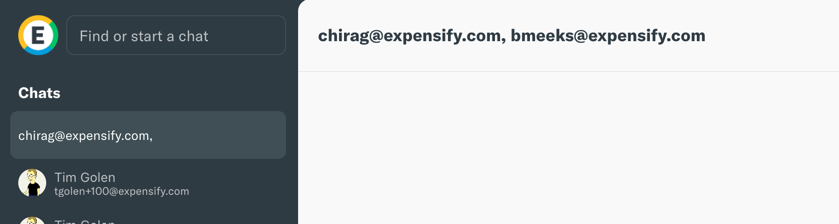
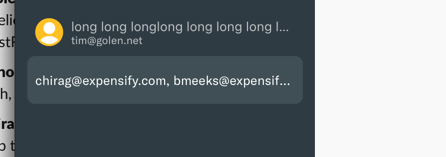
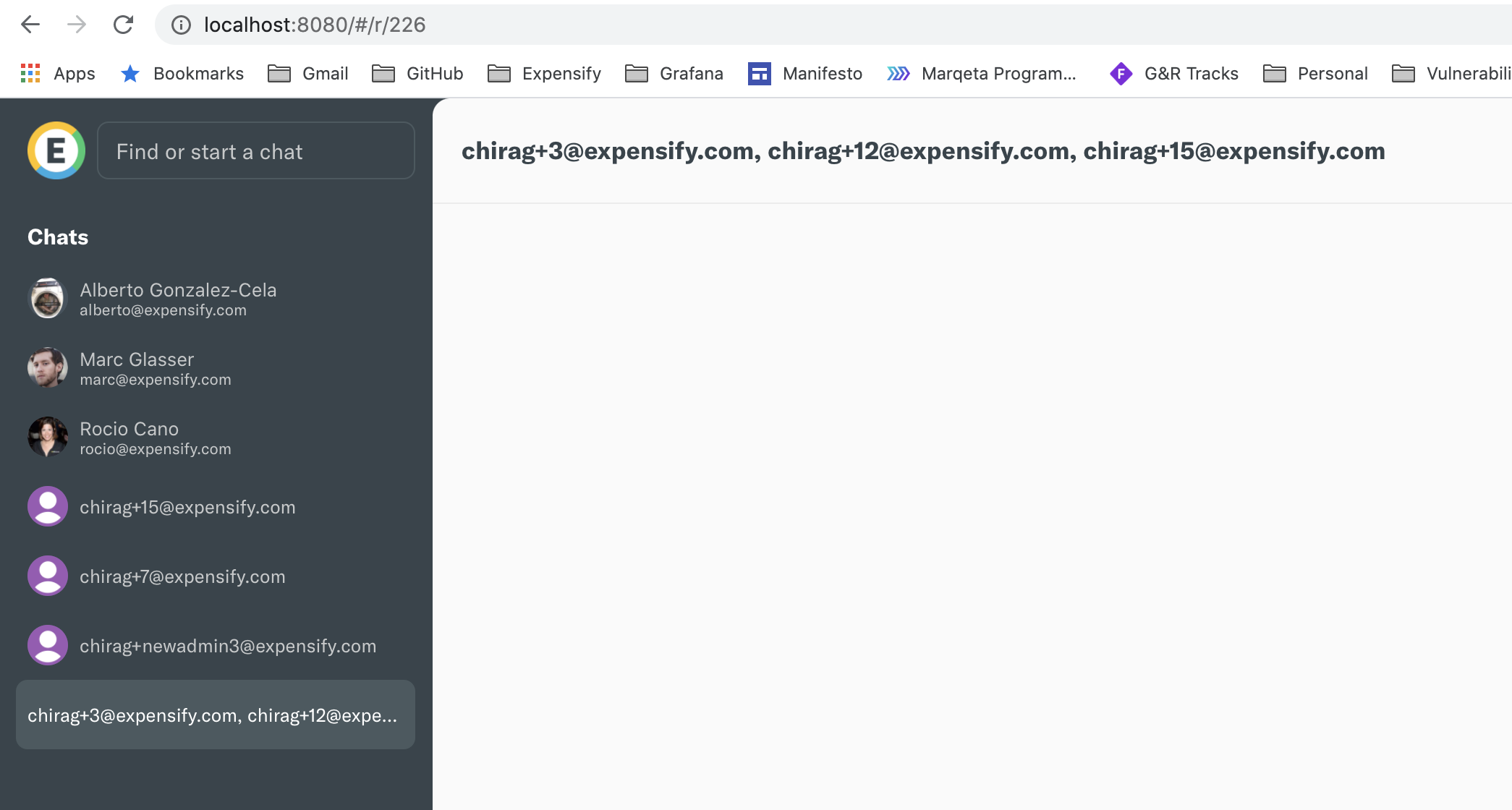
While testing this, I ran across an issue with the name of the report shown in the LHN not listing everyone properly.
It appears this is a regression because here is how it looks on
|
|
Weird, i see it like this, Any chance its a caching issue for you? Maybe try clearing local data, signout and signin and see if its resolved? I'll re-check after my 1:1 |

 tgolen
left a comment
tgolen
left a comment
tgolen
left a comment
There was a problem hiding this comment.
OK, I know these are some pretty verbose comments, but I wanted to be sure I was providing the full context around my suggestions.
| participants, | ||
| icon: report.icon, | ||
| login, | ||
| type: isSingleUserChat ? CONST.REPORT.SINGLE_USER_CHAT : CONST.REPORT.GROUP_CHAT, |
There was a problem hiding this comment.
NAB I think at some point (maybe not this PR, but pretty soon) the way that options are being rendered needs to be refactored. I'm thinking that each option should have its own render method (so it can render the option however it needs to) and its own onSelect callback. These options were meant to be something generic that can just be passed to a list, but it's already outgrown it's original purpose, and this is only going to continue to get more complex. I think the LHN needs to be much more extensible to support virtually any type of option, displayed in any way, and does any kind of logic when it's selected.
There was a problem hiding this comment.
So i did create a follow up issue thats on hold for this - https://github.com/Expensify/Expensify/issues/145987
That issue will focus on refactoring these options such that they are created just once than on each keytype which should speed up the app. We can discuss more improvements there as needed and i'll apply them.
There was a problem hiding this comment.
I'm thinking that each option should have its own render method (so it can render the option however it needs to)
I would like to request we pause on ChatSwitcher refactors for now as we are going to soon have a New Chat and New Group as separates pages and flows as per the Consumer UI Refresh project and the "ChatSwitcher" will just become the a chat search tool that returns chats.
I think after we do that we'll have some separation between the flows and it will make things a bit easier to understand. And that doc is the perfect place to dig into the details for how it should be done. Does that sound OK?
I think the LHN needs to be much more extensible to support virtually any type of option, displayed in any way, and does any kind of logic when it's selected.
What kinds of things are you imagining we will have here?
There was a problem hiding this comment.
Does that sound OK?
Yeah, that sounds great!
What kinds of things are you imagining we will have here?
I think this is going to contain lists of public reports and also policy reports, and maybe even something not related to reports at all (like a link to another page or something). It's difficult to see what more will be needed here, just like when this code was first written, it didn't consider that there would be three different types of options.
|
Updated code to resolve comments. I've also updated the language of my code to not say "chat" and instead just keep it as "report". Re-tested the same. Ready for review. |
marcaaron
left a comment
marcaaron
left a comment
There was a problem hiding this comment.
LGTM and tests well. Just left one minor comment, but I don't think it's a blocker
| // Store only the absolute bare minimum of data in Onyx because space is limited | ||
| const newReport = getSimplifiedReportObject(report); | ||
| newReport.reportName = getChatReportName(report.sharedReportList); | ||
| newReport.lastVisitedTimestamp = Date.now(); |
There was a problem hiding this comment.
That makes sense to me I think. Except this part...
if the user switches out of a new report quickly they'll see the change immediately
Not sure it will be obvious to anyone scanning this code that this is the reason we are setting this on the report. How much faster does it make things? If we really want to keep it maybe we can add some context here for why it's being updated immediately.
tgolen
left a comment
tgolen
left a comment
There was a problem hiding this comment.
Cool, this looks good. We worked through a bug with some default avatars not showing. I tested this on web and iOS and it works well. @marcaaron all yours.


5 participants


HOLD for Web-E PR to go live.HOLD for Web-E PR to go liveHOLD for Web-E PR to go live.
Fixed Issues
Fixes https://github.com/Expensify/Expensify/issues/145238
Tests
Screenshots
Pinned chats (the only difference is that icons now show up here as well)
Pinned chats mobile
Empty chat search showing recently visited chats - web
Empty chat search showing recently visited chats - mobile
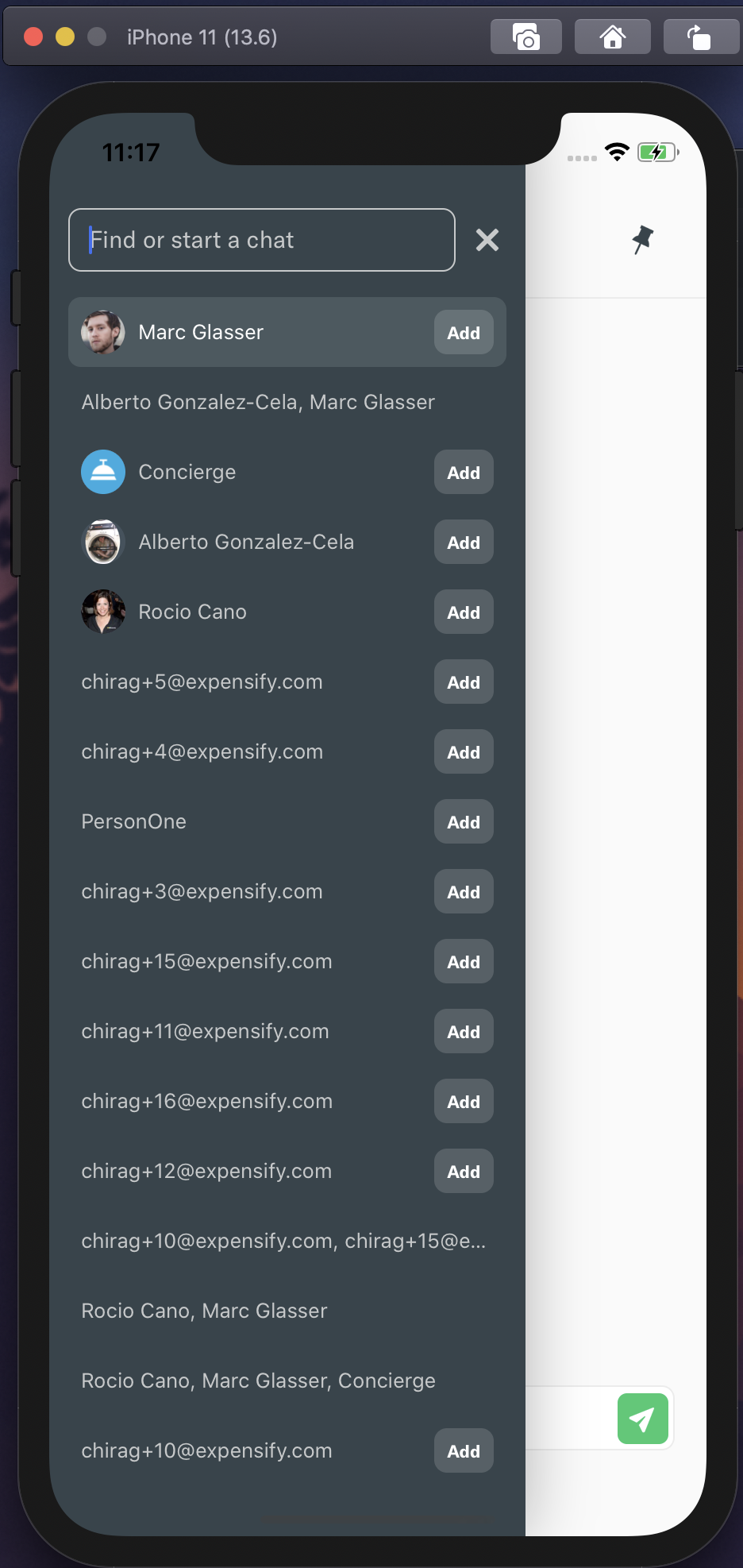
Searching for a person - web
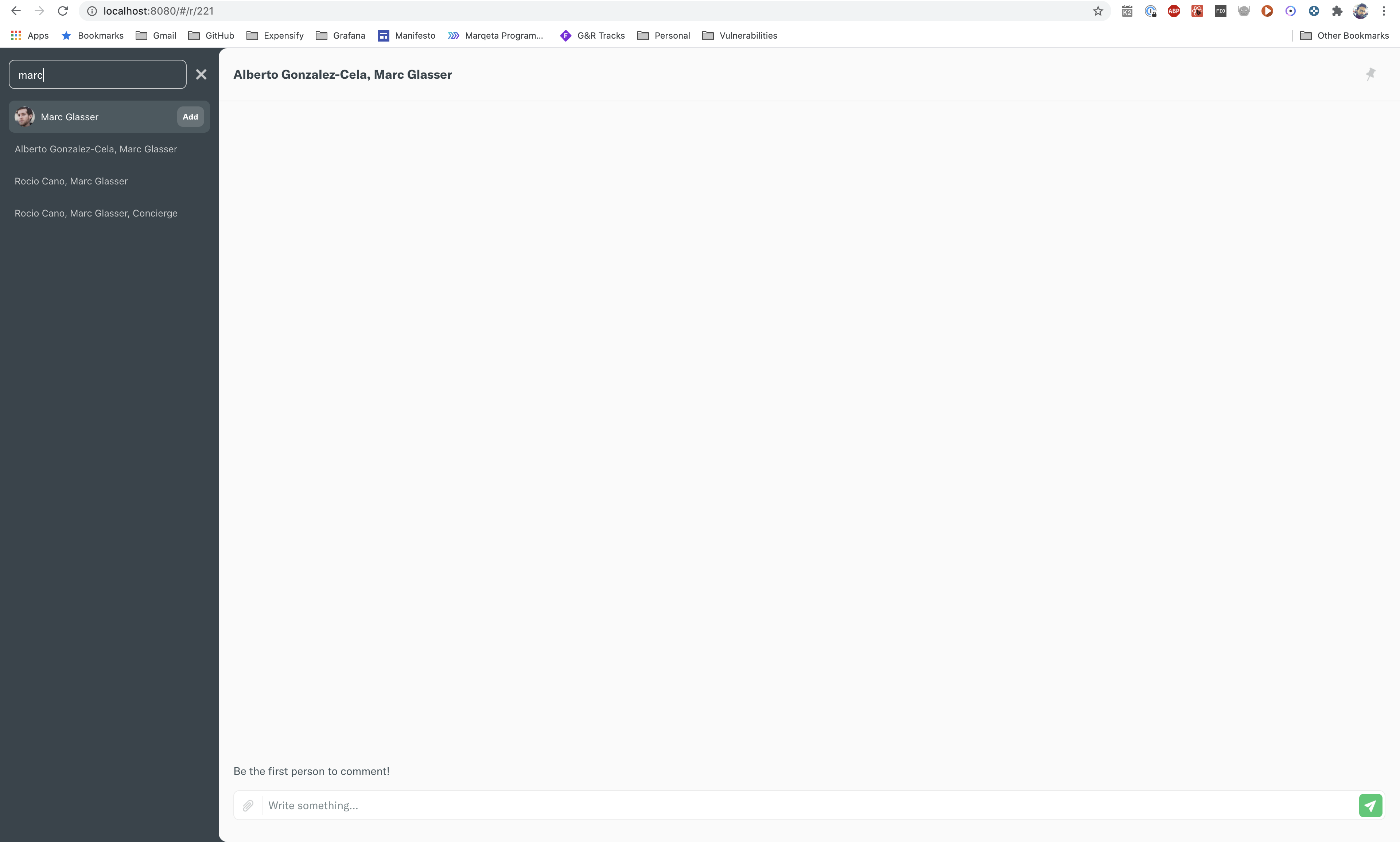
Searching for a person - mobile