Display a glucose chart on the Watch#772
Conversation


This incorporates a ton of fine work by Eric Jensen, but I've squashed
it down into a single commit for ease of management.

The watch now has two discrete pages, one which is the standard actions
based interface, the second is an information interface which shows the
IOB, COB, basal rate and a glucose chart.

Glucose data is read from HealthKit on the watch. Sometimes this lags
behind so we also make requests to backfill glucose data as
necessary. We're also minimizing the amount of data sent over BLE as
much as possible since BLE is slow and less reliable.

This reverts commit deeddb2.

This reverts commit 0b25d2e.
Fix override range display, mmol/L limits
Don't send expired overrides in watch context

|
One other small open question - the code that implements the actions from the force-touch menu is quite redundant, but I can't see a way to make it simpler. The menu items don't appear to be able to pass any information to the corresponding action function, e.g. there's no equivalent of the Another question - Loop returns |

|
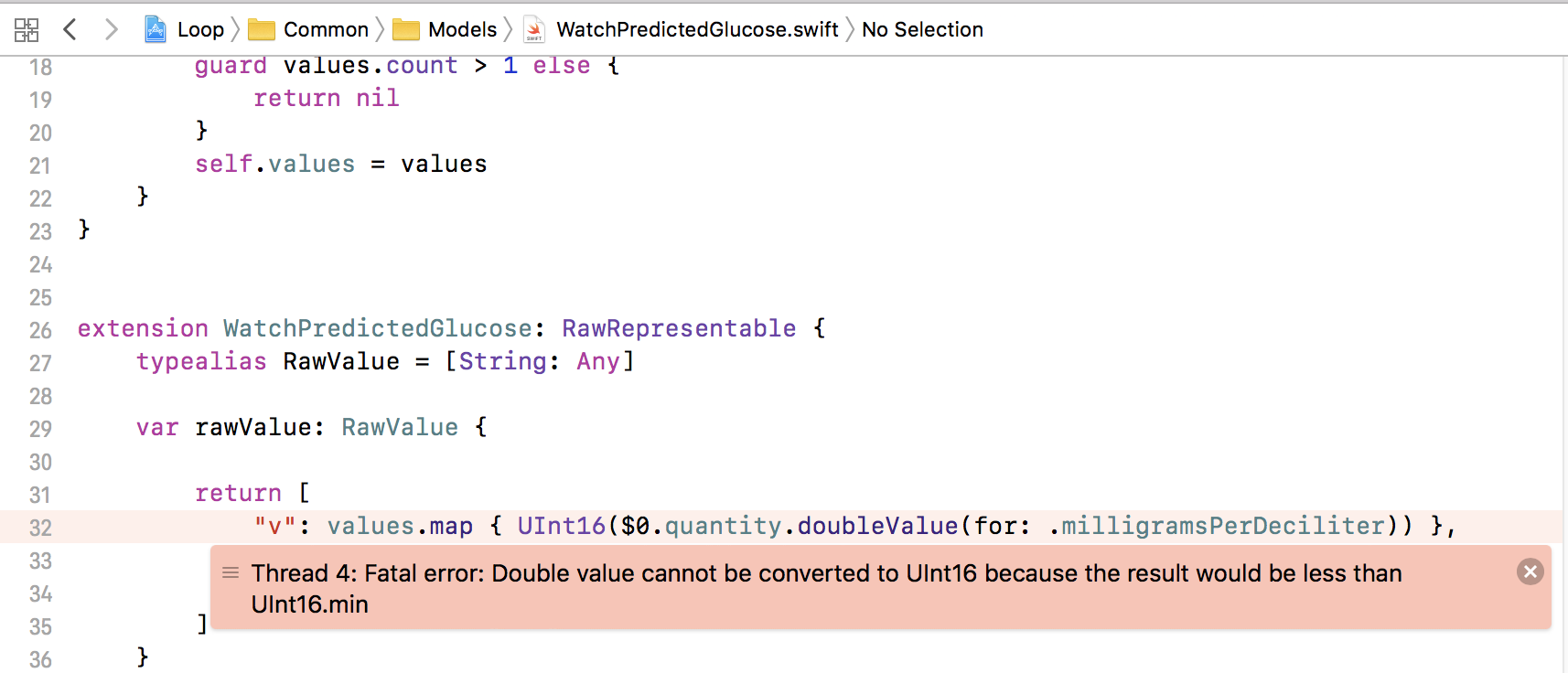
Not sure of the details just yet but I am getting this error when running the updated watch code and it kills the loop app when it's hit. I am going to uninstall the watch app and reinstall to see if there is some bad previous data. -Just Uninstalled Watch app and Reinstalled same issue is present. when watch tries to update predicted glucose the values throw fatal exception and poof. Loop quits. :) |
|
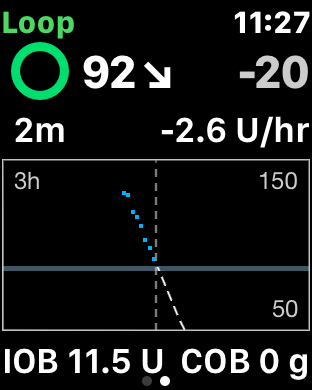
@jlucasvt You might be hitting that error when it's trying to convert a negative value to an unsigned integer. Unlike real glucose values, predicted glucose can be negative... Try changing both instances of |
|
Makes sense Loop thinks Im on a crash course to -bg.. (Just had a Cannula Change and Needed to enter some fake carbs and a bolus to get the site wet..) BG is dropping and loop predicts a fast and hard landing.. (i got glucose tabs if it gets rough)
|

|
ha! that never occurred to me. thank you for beta testing!! I just pushed Eric's suggested fix which should resolve this. |

|
Is this in a good place where I could merge it into my own build? Is this getting merged anytime soon? |
|
@shanselman You can merge from my branch dev-watch-sk-ej, which is based on Loop 1.9.1 but not yet updated for 1.9.2 changes. No idea about timescale on this PR. |


|
Accepting this, and adding some tweaks as #824 |


5 participants


This is a collaboration with Eric Jensen (@elnjensen).
This change introduces a glucose chart in the Loop watch app. It preserves the existing interface but allows the user to swipe between two different experiences - the original one that is action-oriented and allows the user to add carbs and trigger a bolus, and a new one that shows the glucose chart.
The user can adjust the y-axis (blood glucose) using the crown, and the x-axis (hours of visible data) by using 3D touch on the chart. Here are a couple of videos to demo the experience:
Y-axis: https://www.youtube.com/watch?v=pD0UrJlqB5o
X-axis: https://www.youtube.com/watch?v=mRudZmTTQyM&feature=youtu.be
Implementation notes:
Open questions:
@elnjensen did I miss anything?