Prerequisites
Ionic Framework Version
Current Behavior
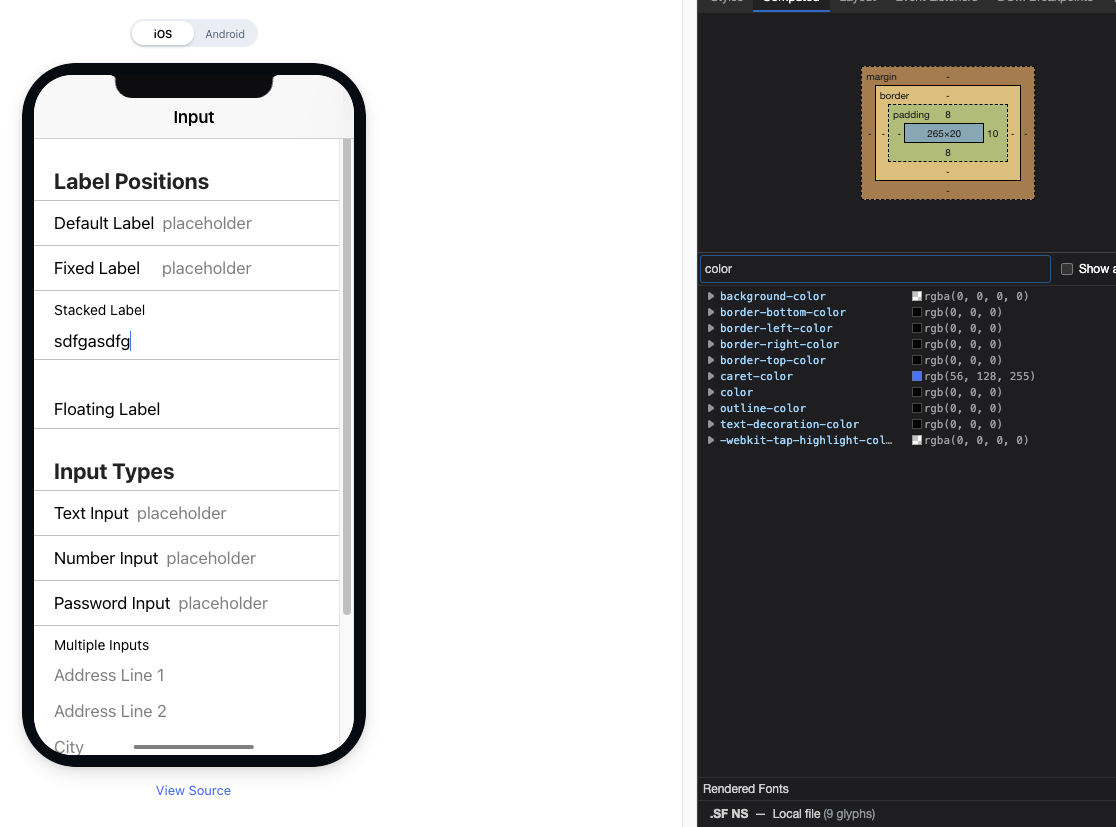
After upgrading to ionic 6, we noticed that our inputs (which are usually inside of an ion-item) end up with a colored caret like so:

Expected Behavior
The caret should match the color of the text. Honestly, I can't think of any time I would ever want the cursor a different color from the text.
Using caret-color: auto; accomplishes this. If you change the color of the text, the color of the caret changes with it.
Steps to Reproduce
Go to https://ionicframework.com/docs/api/input
Open up the inspector
Start typing in one of the input fields
Notice that the caret color does not match the text color
This is made much worse if you have your input in a form and it is using the valid color (green by default)
Code Reproduction URL
https://ionicframework.com/docs/api/input
Ionic Info
Ionic:
Ionic CLI : 6.20.1
Ionic Framework : @ionic/angular 6.2.1
@angular-devkit/build-angular : 12.2.17
@angular-devkit/schematics : 12.2.17
@angular/cli : 12.2.17
@ionic/angular-toolkit : 6.1.0
Capacitor:
Capacitor CLI : 3.4.1
@capacitor/android : 3.4.1
@capacitor/core : 3.4.1
@capacitor/ios : 3.4.1
Utility:
cordova-res : not installed globally
native-run : 1.6.0
System:
NodeJS : v16.10.0 (/Users/krapfl/.nvm/versions/node/v16.10.0/bin/node)
npm : 7.24.0
OS : macOS Monterey
Additional Information
Upon further inspection, it looks like the thought was to make the caret match the validity state:

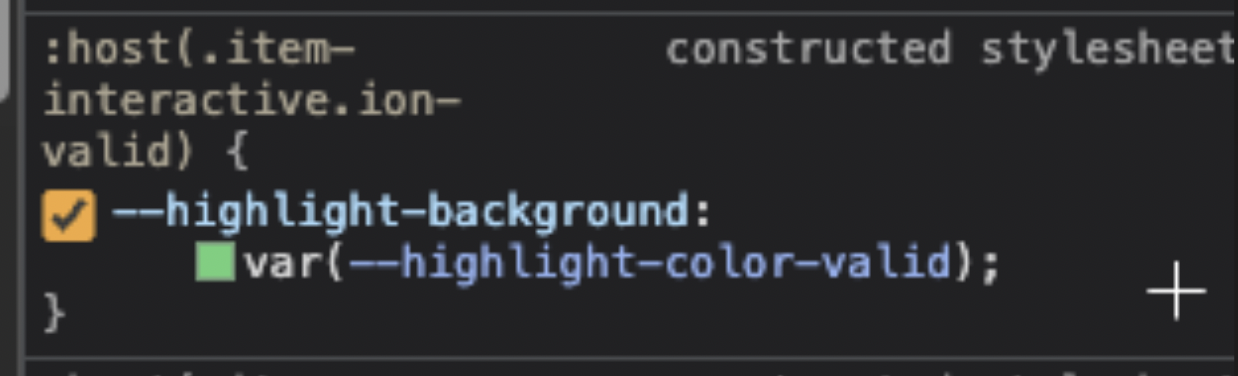
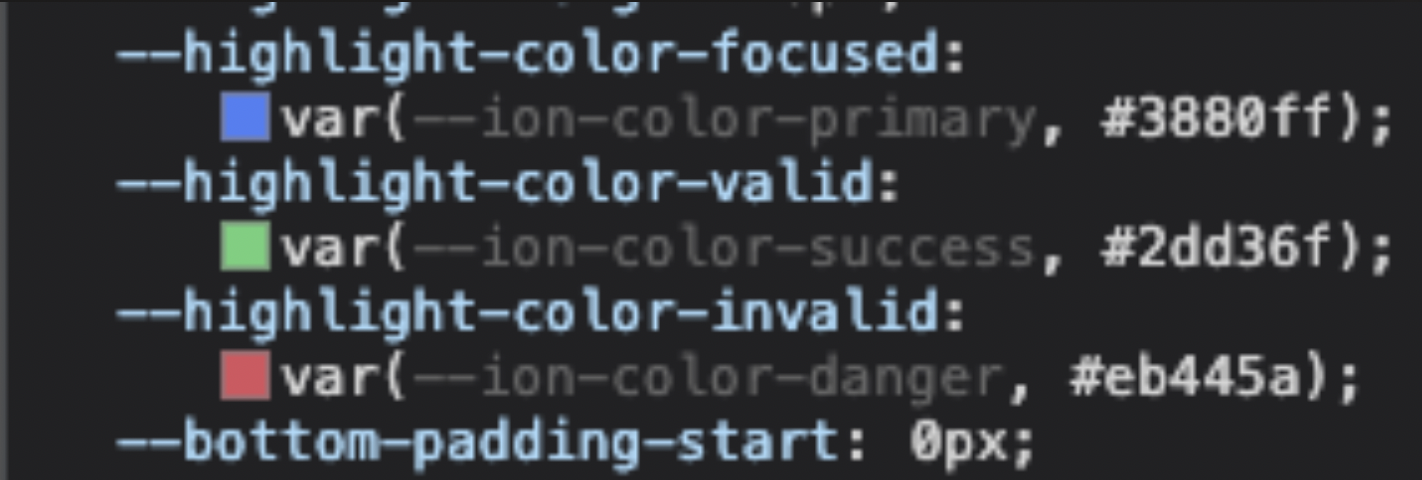
Looks like the change was introduced in this commit: 5ca2ce9
But again, why not let the cursor match whatever the text color is? Isn't that the best way to ensure that users don't get a funky color when they don't expect it?
Fwiw, I was able to work around the issue with a global css rule like so:
ion-item::part(native) {
  caret-color: auto;
}
Prerequisites
Ionic Framework Version
Current Behavior
After upgrading to ionic 6, we noticed that our inputs (which are usually inside of an ion-item) end up with a colored caret like so:

Expected Behavior
The caret should match the color of the text. Honestly, I can't think of any time I would ever want the cursor a different color from the text.
Using
caret-color: auto;accomplishes this. If you change the color of the text, the color of the caret changes with it.Steps to Reproduce
Go to https://ionicframework.com/docs/api/input

Open up the inspector
Start typing in one of the input fields
Notice that the caret color does not match the text color
This is made much worse if you have your input in a form and it is using the valid color (green by default)
Code Reproduction URL
https://ionicframework.com/docs/api/input
Ionic Info
Ionic:
Ionic CLI : 6.20.1
Ionic Framework : @ionic/angular 6.2.1
@angular-devkit/build-angular : 12.2.17
@angular-devkit/schematics : 12.2.17
@angular/cli : 12.2.17
@ionic/angular-toolkit : 6.1.0
Capacitor:
Capacitor CLI : 3.4.1
@capacitor/android : 3.4.1
@capacitor/core : 3.4.1
@capacitor/ios : 3.4.1
Utility:
cordova-res : not installed globally
native-run : 1.6.0
System:
NodeJS : v16.10.0 (/Users/krapfl/.nvm/versions/node/v16.10.0/bin/node)
npm : 7.24.0
OS : macOS Monterey
Additional Information
Upon further inspection, it looks like the thought was to make the caret match the validity state:

Looks like the change was introduced in this commit: 5ca2ce9
But again, why not let the cursor match whatever the text color is? Isn't that the best way to ensure that users don't get a funky color when they don't expect it?
Fwiw, I was able to work around the issue with a global css rule like so: