Background
When channels are cheffed using ricecooker, the content node tree is uploaded to a staging tree (Channel.staging_tree_id), distinct from a typical channel's main tree. While in this staged state, the channel can be browsed and reviewed but needs 'deployed' (or 'activated' in the codebase) before it can be published. Deploying a channel moves the staging tree to the main tree (Channel.main_tree_id) and is called through an API endpoint from the Studio frontend.
According to our Sentry error reports, requests to the channel activation endpoint have been timing out. The consequence of that means bits of code that should update the frontend routing do not get invoked. This means the channel could appear blank. Recent changes were made to address repeat attempts to deploy a channel that cause server errors, which should feign success and invoke those followup code bits previously mentioned if the user retries the deploy.
Desired behavior
- Code occurrences of 'activating' a channel should be renamed to the 'deploy' terminology that is used in user-facing copy
- A new change event type should be defined for deploying a channel:
DEPLOYED (backend, frontend)
- Similar to the custom
PUBLISHED and SYNCED change types, the DEPLOYED change event should invoke the existing activate_channel function (renamed)
- The frontend should create a change event with the
DEPLOYED type when the user deploys the channel
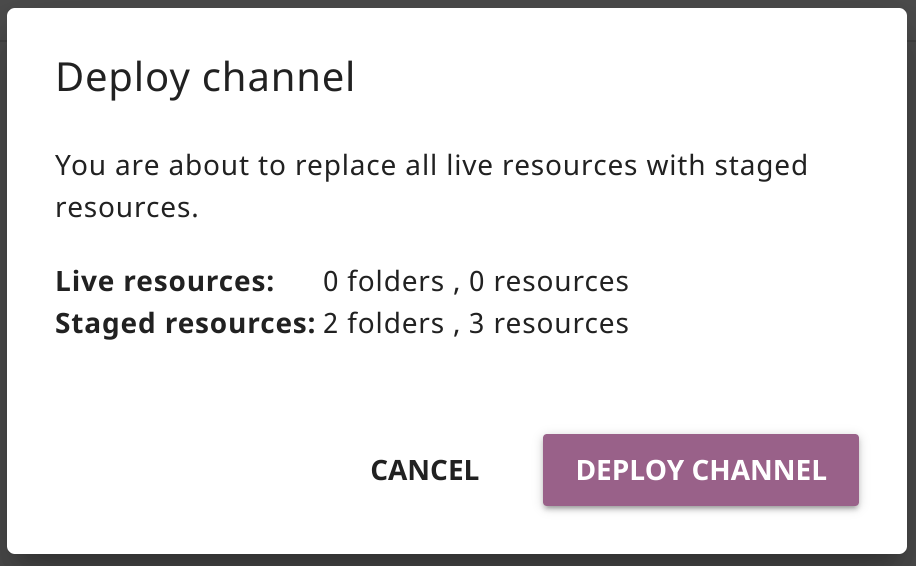
- While channel is deploying, the frontend should render a loading spinner in the 'Deploy channel' modal to indicate it's processing
- Upon completion of the channel deploy, the frontend should open the new tree using it's root ID
Current behavior
- A synchronous request is made to deploy the channel, which could timeout and cause a mismatch between the frontend and the backend
Additional notes
- Note this code should produce a change event that is received by the frontend and updates the
root_id as well as the staging_root_id
- Code similar to this could be used to asynchronously wait for the
root_id to be updated when the channel deploy is started
- Theoretically you can use the ricecooker chef integration tests to create a staged channel on your local devserver, although @bjester had issues with it stalling:
CONTENTWORKSHOP_URL=http://localhost:8080 python tests/test_chef_integration.py


Background
When channels are cheffed using ricecooker, the content node tree is uploaded to a staging tree (
Channel.staging_tree_id), distinct from a typical channel's main tree. While in this staged state, the channel can be browsed and reviewed but needs 'deployed' (or 'activated' in the codebase) before it can be published. Deploying a channel moves the staging tree to the main tree (Channel.main_tree_id) and is called through an API endpoint from the Studio frontend.According to our Sentry error reports, requests to the channel activation endpoint have been timing out. The consequence of that means bits of code that should update the frontend routing do not get invoked. This means the channel could appear blank. Recent changes were made to address repeat attempts to deploy a channel that cause server errors, which should feign success and invoke those followup code bits previously mentioned if the user retries the deploy.
Desired behavior
DEPLOYED(backend, frontend)PUBLISHEDandSYNCEDchange types, theDEPLOYEDchange event should invoke the existingactivate_channelfunction (renamed)DEPLOYEDtype when the user deploys the channelCurrent behavior
Additional notes
root_idas well as thestaging_root_idroot_idto be updated when the channel deploy is startedCONTENTWORKSHOP_URL=http://localhost:8080 python tests/test_chef_integration.py