Enabling multi-drone control#706
Enabling multi-drone control#706saihv wants to merge 3 commits intomicrosoft:masterfrom saihv:master
Conversation


|
This looks good. I'll have to test it and then merge. |

 zergler
left a comment
zergler
left a comment
zergler
left a comment
There was a problem hiding this comment.
You have an bug in SimModeWorldMultiRotor.cpp line 52/55.
fpv_vehicle_connector_ = nullptr;
TArray does not overload operator=.

|
Also, the createConfig() function in MultiRotorParamsFactory.hpp needs to account for the new vehicle name in the if chain, otherwise you'll get a crash. |

|
@zergler Thanks for the review! I will fix the fpv_vehicle_connector_ bug and push my changes. But in |
|
I'll have to look at it more in depth. I am trying to get multi-vehicle mode working and was using this pull request as a starting point. So thanks for contributing this! I think it is only unaffected if that setting is present. I should have made that more clear in my comment. Basically inside of I think this is the wrong way of approaching this. A previous version of AirSim had the VehicleConfigName property which could be set inside the UE4Editor. You should make things consistent with the doc otherwise the doc needs to be changed to account for your change. I personally like the approach taken by the doc to set up multiple vehicles because it gives you the ability to assign meaningful names to each actor in the environment. However, that would involve adding it to the blueprint if it's not already there (I couldn't find it). Sorry I can't be more help on that end, still learning UE4 programming myself. |
|
I see, I just fully read your original post and now understand. So that property no longer exists? Would anyone know how to bring it back? As a workaround you can use the actor's name directly by replacing line 133 with the following. std::string vehicle_name(TCHAR_TO_UTF8(*vehicle_pawn->GetName()));
vehicle_name = vehicle_name.substr(0, vehicle_name.find("_"));
wrapper->getConfig().vehicle_config_name = vehicle_name; |
|
@zergler What does I am not an expert in UE programming either :) which is why I created this workaround instead of fiddling around with the blueprints. I am not sure why the previous setting was removed, perhaps because it was clashing with the car-related code.. |
|
Another possible alternative we can consider to avoid problems in |
|
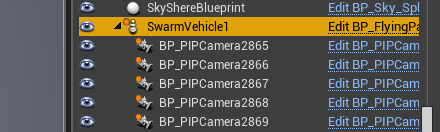
It returns 'BP_FlyingPawn_12' or some other number if you haven't changed the name. I'm not sure why the numbers are appended to the end of each vehicle name string, but they are unique for each actor. For my setup I've renamed all 'BP_FlyingPawn' actors to have real names, and then am able to reference them in the
I would agree with that solution for if the setting doesn't exist. It should prevent frustrating crashes. It wouldn't work though if you are using the Actor's name as the |
|
Hi @saihv, I've merged these changes with bit of more enhancements. Specifically, there is no need to append "_id" to vehicle names (actually that produces error). Instead, if you want to instantiate multiple drones with different configs then just pass that config to |


3 participants


This PR attempts to fix the issue with multi-vehicle control for multirotors (P0 issue on https://trello.com/b/1t2qCeaA/todo) by inserting each
VehicleConnectorpointer into an array, thereby convertingfpv_vehicle_connector_into a TArray. This lets us map individual API ports to each drone and control them independently, and with a few more extensions, allows for image capture from multiple drones.As to the port numbers themselves, the code in
SimModeWorldMultiRotor.cppkeeps track of the number of drones in the world and adds sequential IDs to the vehicle config name (i.e. SimpleFlight_0, SimpleFlight_1 etc.) and thenMultiRotorParamsFactory.hppparses settings.json as usual and assigns the corresponding port numbers. The settings.json list also needs to reflect the same names: i.e., VEHICLETYPE_ID. This change was added because the VehicleConfig property in Unreal blueprints doesn't exist anymore. Happy to hear any suggestions to make the change cleaner/more effective!