Skip to content

Trigger Migration Flow when launching the app from deep links - #17742

Merged
mkevins merged 32 commits into
trunkfrom
issue/17653-jp-migration-web-links
Jan 23, 2023
Merged

Trigger Migration Flow when launching the app from deep links#17742
mkevins merged 32 commits into
trunkfrom
issue/17653-jp-migration-web-links

Conversation

@ovitrif

@ovitrif ovitrif commented Jan 11, 2023

Copy link
Copy Markdown
Contributor

Fixes #17653

This PR implements the logic to:

  • Start the migration flow when the app is launched from deep links
  • Land on the screen from the deep link after migration

Note Known issue: When the Jetpack migration flow is started from a deep link, the notification permissions dialog is not shown on first launch of a freshly installed app. When the app is force closed and opened the second time, the dialog to enable notifications appears. Since the same behavior was already reproducible in the WordPress app this is not a blocker imho.

To Test

Prerequisites & Setup

  • ⚠️ Uninstall all versions of the WordPress and Jetpack apps from the device (including pre-alphas).
  • ↗️ Open the links helper webpage in the device web browser & keep the browser open on this page.
  • Clearing app data is required multiple times during testing, see 🆕 How to clear app data? panel for steps.
  • Setting which app to handle links is also needed, see ☑️ How to set app to handle verified links? panel.
🆕 How to clear app data?
  1. Open the apps drawer on the device
  2. Tap & hold the icon of the desired app
  3. Select App Info
  4. Tap Storage / Storage & cache (whichever presented)
  5. Tap Clear data / Clear storage (whichever presented)

☑️ How to set app to handle verified links?
  1. Open the apps drawer on the device
  2. Tap & hold the icon of the desired app
  3. Select App Info
  4. Tap Open by default
  5. Tap + Add link
  6. ☑️ Check all three checkboxes then tap Add

1. Jetpack App: Complete migration flow from web link

  1. Build & Install WordPress app and log in (flavor: wordpressWasabiDebug)
  2. Install Jetpack app of the same flavor & close it, then 🆕 clear app data
  3. ☑️ Set Jetpack app to handle verified links
  4. ↗️ Open Stats web link
  5. Expect to see migration flow
  6. Proceed to finish migration
  7. Expect to land on the Stats screen
  8. Verify your data was migrated

2. Jetpack App: Complete migration flow from deep link

  1. Prerequisite: WordPress app installed and logged in (should be the case)
  2. 🆕 Clear Jetpack app data
  3. ↗️ Open Jetpack Reader deep link with Jetpack app (just once)
  4. Expect to see migration flow
  5. Proceed to finish migration
  6. Expect to land on the Reader screen

3. Jetpack App: Complete migration flow from post link

  1. Prerequisite WordPress app installed and logged in (should be the case)
  2. 🆕 Clear Jetpack app data
  3. ☑️ Set Jetpack app to handle verified links
  4. ↗️ Open Post web link
  5. Expect to see migration flow
  6. Proceed to finish migration
  7. Expect to land on Reader screen with the post Post deep link test open

4. Jetpack App: Interrupt and resume migration from web link

  1. Prerequisite: WordPress app installed and logged in (should be the case)
  2. 🆕 Clear Jetpack app data
  3. ☑️ Set Jetpack app to handle verified links (should be the case)
  4. ↗️ Open Notifications web link
  5. Expect to see migration flow
  6. On the migration screen change device settings to dark mode
  7. Put the Jetpack app in background and bring it back to foreground (skip this step)
  8. Expect The migration flow to continue
  9. On the migration Welcome screen tap continue
  10. Disable dark theme
  11. Expect to remain on the migration Notifications screen
  12. Proceed to finish migration
  13. Expect To land on Notifications screen

5. Jetpack App: Force close migration from web link and restart

  1. Prerequisite: WordPress app installed and logged in (should be the case)
  2. 🆕 Clear Jetpack app data
  3. ☑️ Set Jetpack app to handle verified links (should be the case)
  4. ↗️ Open Stats web link
  5. Expect to see migration flow
  6. Force close the Jetpack app
  7. Reopen the Jetpack app
  8. Expect to see migration flow
  9. Proceed to finish migration
  10. Expect to land on My Site screen
    Note: Even though it could be an option to land on the screen from the web link (Stats), this wouldn't be ideal because users could open the Jetpack app after a long time.

6. Jetpack App: Exit migration and login from web link

  1. Prerequisite: WordPress app installed and logged in (should be the case)
  2. 🆕 Clear Jetpack app data
  3. ☑️ Set Jetpack app to handle verified links (should be the case)
  4. ↗️ Open Notifications web link
  5. Expect to see migration flow
  6. On the migration screen navigate back
  7. Expect to see login screen
  8. Login
  9. Expect to land on the My Site screen
  10. Verify that your data is not migrated (if you used the same account from WP app)

7. Jetpack App: Open from web link without migration

  1. 🆕 Clear WordPress app data
  2. 🆕 Clear Jetpack app data
  3. ☑️ Set Jetpack app to handle verified links (should be the case)
  4. ↗️ Open Stats web link
  5. Expect to see login screen in Jetpack app
  6. Login
  7. Expect to land on the Stats screen

8. WordPress App: Open web link in WordPress app then Jetpack via Open links in Jetpack

  1. 🆕 Clear WordPress app data (should be the case)
  2. Open WordPress app and login
  3. 🆕 Clear Jetpack app data
  4. ☑️ Set WordPress app to handle verified links
  5. ↗️ Open Notifications web link
  6. Expect to see Open links in Jetpack? screen
  7. ☑️ Set Jetpack app to handle verified links
  8. Return to WordPress app
  9. Tap Open links in Jetpack
  10. Expect to see migration flow
  11. Proceed to finish migration
  12. Expect to land on Notifications screen

9. Regression: Jetpack App migration not eligible with Local Draft Content

  1. Prerequisite WordPress app installed and logged in
  2. Open the WordPress app and go to Posts
  3. Disable internet connection on the device
  4. Create a new blog post, add title and body text
  5. Navigate back from the editor to save the post as local draft
  6. Clear Jetpack app data
  7. Open the Jetpack app
  8. Expect to land on the login/ landing screen
  9. Restore internet connection on the device
  10. Optionally login and verify that login is successful

Eventually think of other regression testing scenarios that could occur during the migration flow and when opening the app from deep links and test them.

Regression Notes

  1. Potential unintended areas of impact
    Migration flow & deep link flows.

  2. What I did to test those areas of impact (or what existing automated tests I relied on)
    Manual testing & relied on existing migration and deep links tests.

  3. What automated tests I added (or what prevented me from doing so)
    Added test for the updated logic in JetpackAppMigrationFlowUtilsTest.

PR submission checklist:

  • I have completed the Regression Notes.
  • I have considered adding accessibility improvements for my changes.
  • I have considered if this change warrants user-facing release notes and have added them to RELEASE-NOTES.txt if necessary.

ovitrif added 14 commits January 9, 2023 15:52
When the app is opened from a deep link, the deep link data is passed through the migration flow so at the end of the flow we can navigate to the screen specified in the deep link.
…17653-jp-migration-web-links

# Conflicts:
#	WordPress/src/main/java/org/wordpress/android/ui/main/WPMainActivity.java
#	WordPress/src/main/java/org/wordpress/android/ui/main/jetpack/migration/JetpackMigrationFragment.kt
#	WordPress/src/main/java/org/wordpress/android/ui/main/jetpack/migration/JetpackMigrationViewModel.kt
Simplified the logic to handle deep link opening after the migration flow is completed by relying only on the deep link data class
This fix was required to make sure the notifications permission dialog is presented when launching the migration flow from a deep link, similar to the default behavior when the app is normally started.
# Conflicts:
#	WordPress/src/main/java/org/wordpress/android/ui/main/jetpack/migration/JetpackMigrationActivity.kt
#	WordPress/src/main/java/org/wordpress/android/ui/main/jetpack/migration/JetpackMigrationFragment.kt
#	WordPress/src/main/java/org/wordpress/android/ui/main/jetpack/migration/JetpackMigrationViewModel.kt
This change ensures the WordPress app compatibility is tracked
@wpmobilebot

wpmobilebot commented Jan 11, 2023

Copy link
Copy Markdown
Contributor
Jetpack📲 You can test these changes on Jetpack by downloading jetpack-installable-build-pr17742-f23ac99.apk
💡 Scan this QR code with your Android phone to download and install the APK directly on it.
AppJetpack
Build FlavorJalapeno
Build TypeDebug
Commitf23ac99
Note: This installable build uses the JalapenoDebug build flavor, and does not support Google Login.

@wpmobilebot

wpmobilebot commented Jan 11, 2023

Copy link
Copy Markdown
Contributor
WordPress📲 You can test these changes on WordPress by downloading wordpress-installable-build-pr17742-f23ac99.apk
💡 Scan this QR code with your Android phone to download and install the APK directly on it.
AppWordPress
Build FlavorJalapeno
Build TypeDebug
Commitf23ac99
Note: This installable build uses the JalapenoDebug build flavor, and does not support Google Login.

@zwarm

zwarm commented Jan 11, 2023

Copy link
Copy Markdown
Contributor

@ovitrif - I am stuck on the first test because neither app has been verified to handle web links, so the link opens with the browser. I can manually assign Jetpack or WP as the default handler for verified web links, but not both. I found the best way to test the seamless redirect scenarios was to create release versions of each app, not sure that is an option here.

In addition I didn't see a link in your test html for the following type of links.
Shared link from the post itself and/or from comment/like emails (including clicking on titles within the email and blog names). For instance: https://zieglerkirby.wordpress.com/2022/10/18/annmarie/

Coming into WP from a link like this will launch the Open Links with Jetpack overlay. https://zieglerkirby.wordpress.com/2022/10/18/annmarie/

@ovitrif

ovitrif commented Jan 11, 2023

Copy link
Copy Markdown
Contributor Author

@ovitrif - I am stuck on the first test because neither app has been verified to handle web links, so the link opens with the browser.

Thank you for your remarks @zwarm 👍

While testing using Android Studio debug builds locally I could open the links in the app if using a physical device. This didn't work in the emulator for me as well.

I also tested now with the pre-alpha builds (WordPress & Jetpack from the PR.

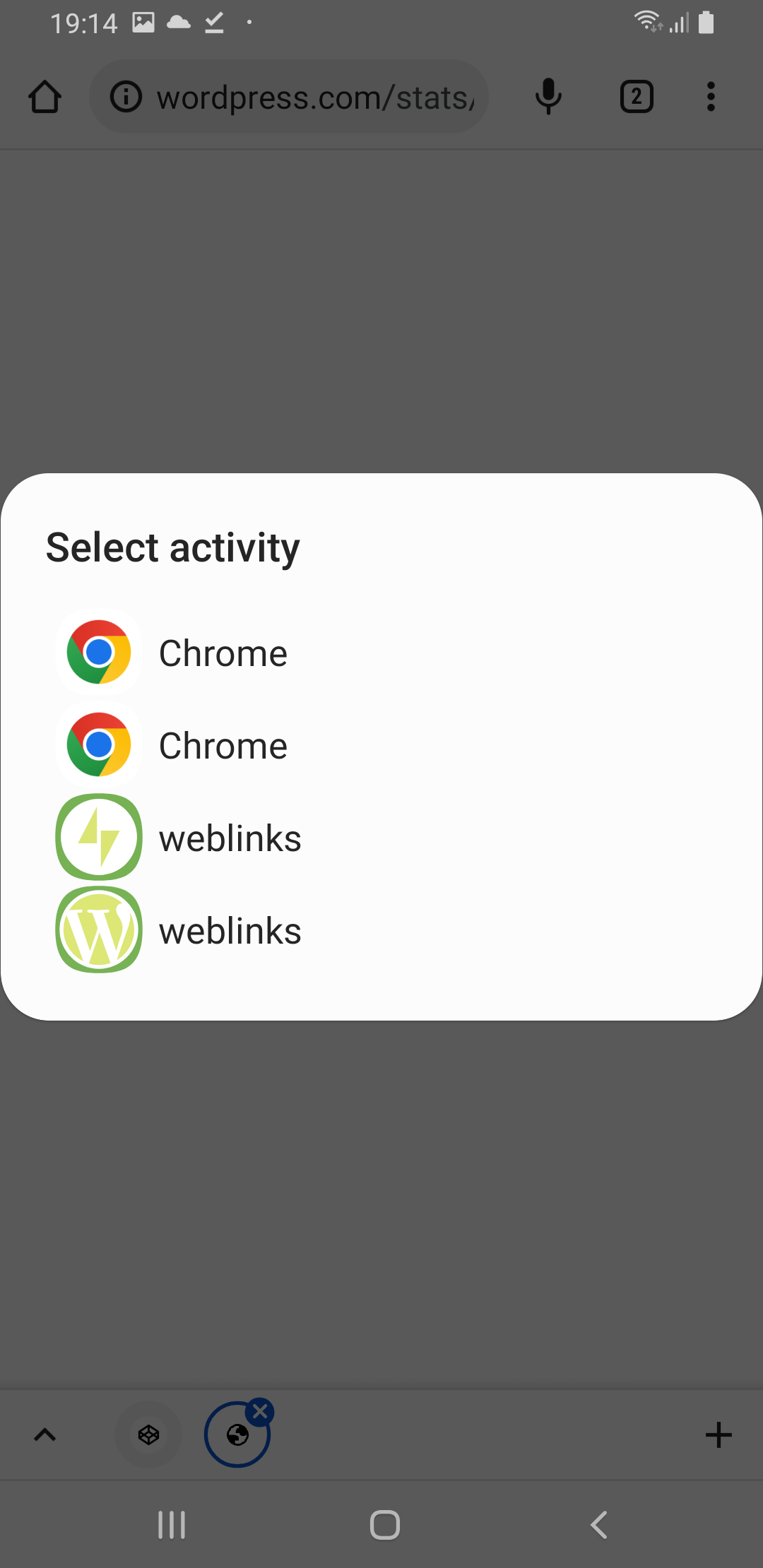
I was thinking if perhaps the issue you're encountering is because the Browser is set to open such links by default on your device, but it seems to still be possible to open the links with the apps on my device even if that's enabled:

↘️ Preview when Chrome is set to open such links by default

In addition I didn't see a link in your test html for the following type of links.

  • Shared link from the post itself

Thank you for informing me to add such links 🙇 , I'll add this tomorrow to the testing HTML and add/change a test to use such links 👍.

@zwarm

zwarm commented Jan 11, 2023

Copy link
Copy Markdown
Contributor

@ovitrif

While testing using Android Studio debug builds locally I could open the links in the app if using a physical device. This didn't work in the emulator for me as well.

I am using a physical device (Pixel 5 running Android 13.). I had to go into the app setting for WP and set the verified links manually, but then JP doesn't open them by default. Which app should be the default handler for the above tests? When using release builds, both apps will handle the links; however it the most recently installed app that will actually launch.

I was thinking if perhaps the issue you're encountering is because the Browser is set to open such links by default on your device, but it seems to still be possible to open the links with the apps on my device even if that's enabled:

I am not prompted with the disambiguation dialog; I go straight to the browser.

FYI: The link I shared has a different receiver and is handled inReaderPostPagerActivity

Here are the steps I took for the 1st test
- Install WP + log in
- Install JP then close it and clear app data
- Click on stats link - taken to browser not JP
- Navigate to app settings for JP and enable verified links
- Click the stats link
- Jetpack is launched on the login screen.
- Logged in
- Presented with the sites list, but no site selection available, just the “done” button
- Tapped “done”
- Taken to the stats view
- Did not see the migration flow

@ovitrif

ovitrif commented Jan 12, 2023

Copy link
Copy Markdown
Contributor Author

FYI: The link I shared has a different receiver and is handled inReaderPostPagerActivity

Thank you for the additional info! That means there should be logic to trigger the migration also from ReaderPostPagerActivity 👍
I'll work on adapting the code to handle it 👍 and see what other changes may be needed, as well as adding a test scenario for post links.

Here are the steps I took for the 1st test
[...]

Thanks, I'll test this flow and share my findings 👍

Which app should be the default handler for the above tests?
@zwarm Regarding the default handler, the steps for opening the app from a link have this format:

1. Complete migration flow from web link

...
3. ↗️ Open Stats web link with Jetpack app (just once)

The handler should be the app that is mentioned, in the case of the first test, Jetpack app.

In any case if this proves to be an issue for testing, I'll adapt the steps according to what would be the better option:

  • If using release builds, then adapt instructions to use release builds
  • If manually enable verified links for the handler app, then add steps for this

@ovitrif

ovitrif commented Jan 12, 2023

Copy link
Copy Markdown
Contributor Author

Here are the steps I took for the 1st test

  • Install WP + log in
  • Install JP then close it and clear app data
  • Click on stats link > taken to browser not JP
  • Navigate to app settings for JP and enable verified links
  • Click the stats link
  • Jetpack is launched on the login screen.
  • Logged in
  • Presented with the sites list, but no site selection available, just the “done” button
  • Tapped “done”
  • Taken to the stats view
  • Did not see the migration flow

Thanks, I'll test this flow and share my findings 👍

@zwarm In my tests following this steps opened the migration flow 🤷 .
I'm not sure what could be the issue but FYI the migration eligibility is checked before showing the migration UI, and if it fails for any reason then it's not shown. It might have been a different local setup 🤔 causing the migration to be ineligible, I can't think of any other reason.

Anyways I've updated the testing instructions with steps to set which app to handle verified links and went through all testing scenarios with the wasabiDebug variant of the apps, after the test cases adjustments they all succeeded for me ✅.

@ovitrif

ovitrif commented Jan 18, 2023

Copy link
Copy Markdown
Contributor Author

Update

As discussed with @mkevins although the PR seems ready, the plan is to:

This way we avoid introducing unexpected cases where users could migrate to the Jetpack App via a Reader deep link ending up without their blogging reminder(s) migrated from the WordPress app.

@mkevins

mkevins commented Jan 19, 2023

Copy link
Copy Markdown
Contributor

Thanks for these updates Ovi 👍 .

Since conflicts have arisen, I created a new branch with a rebase of this branch (which resolves the conflicts, and also splits out the wip commit from my earlier suggestion branch). However, after resolving the conflicts and retesting the above scenarios, I found that some of them are no longer working as expected 😞 . I haven't had a chance to dig into why yet, so hoping it is something simple 🤞 .

❌ These tests were performed on a Pixel 3a (physical device) with preconditions

WordPress app settings were changed:

  • Dark mode (OS default is light mode)
  • Language Spanish (OS default is English)

1. ✅ Jetpack App: Complete migration flow from web link

2. ❌ Jetpack App: Complete migration flow from deep link

  1. Prerequisite: WordPress app installed and logged in (should be the case)
  2. 🆕 Clear Jetpack app data
  3. ↗️ Open Jetpack Reader deep link with Jetpack app (just once)
  4. Expect to see migration flow
  5. Proceed to finish migration
  6. Expect to land on the Reader screen

I landed on the my site screen.

3. ✅ Jetpack App: Complete migration flow from post link

4. ❌ Jetpack App: Interrupt and resume migration from web link

  1. Prerequisite: WordPress app installed and logged in (should be the case)
  2. 🆕 Clear Jetpack app data
  3. ☑️ Set Jetpack app to handle verified links (should be the case)
  4. ↗️ Open Notifications web link
  5. Expect to see migration flow
  6. On the migration screen change device settings to dark mode
  7. Put the Jetpack app in background and bring it back to foreground (skip this step)
  8. Expect The migration flow to continue
  9. On the migration Welcome screen tap continue
  10. Disable dark theme
  11. Expect to remain on the migration Notifications screen
  12. Proceed to finish migration
  13. Expect To land on Notifications screen

I landed on the my site screen.

5. ❌ Jetpack App: Force close migration from web link and restart

  1. Prerequisite: WordPress app installed and logged in (should be the case)
  2. 🆕 Clear Jetpack app data
  3. ☑️ Set Jetpack app to handle verified links (should be the case)
  4. ↗️ Open Stats web link
  5. Expect to see migration flow
  6. Force close the Jetpack app
  7. Reopen the Jetpack app
  8. Expect to see migration flow
  9. Proceed to finish migration
  10. Expect to land on My Site screen
    Note: Even though it could be an option to land on the screen from the web link (Stats), this wouldn't be ideal because users could open the Jetpack app after a long time.

Upon re-opening the app, I saw the migration error screen

6. ✅ Jetpack App: Exit migration and login from web link

7. ✅ Jetpack App: Open from web link without migration

8. ❌ WordPress App: Open web link in WordPress app then Jetpack via Open links in Jetpack

  1. 🆕 Clear WordPress app data (should be the case)
  2. Open WordPress app and login
  3. 🆕 Clear Jetpack app data
  4. ☑️ Set WordPress app to handle verified links
  5. ↗️ Open Notifications web link
  6. Expect to see Open links in Jetpack? screen
  7. ☑️ Set Jetpack app to handle verified links
  8. Return to WordPress app
  9. Tap Open links in Jetpack
  10. Expect to see migration flow
  11. Proceed to finish migration
  12. Expect to land on Notifications screen

Everything worked about this except that the last step it went to my site screen.

9. ✅ Regression: Jetpack App migration not eligible with Local Draft Content

I thought that perhaps the locale update could be the culprit (since this is the first time testing these flows with that feature enabled), so I tried testing without changes to the app settings in WordPress, but also got a failure (step 2 failed, and I didn't not test the remaining scenarios, since this disproved my hunch 😞 )

These tests were performed on a Pixel 3a (physical device), without changes to WordPress app settings

1. ✅ Jetpack App: Complete migration flow from web link

2. ❌ Jetpack App: Complete migration flow from deep link

  1. Prerequisite: WordPress app installed and logged in (should be the case)
  2. 🆕 Clear Jetpack app data
  3. ↗️ Open Jetpack Reader deep link with Jetpack app (just once)
  4. Expect to see migration flow
  5. Proceed to finish migration
  6. Expect to land on the Reader screen

I landed on the my site screen.

Of the scenarios that failed, #‍5 seems like the most severe since it results in an error screen in the migration flow, while the others seem less severe (incomplete navigation to the deep link destination, which could be remedied by the user tapping the link once more).

I also double checked my rebase by also creating a new branch from this one and performing the same conflict resolutions on a regular merge from trunk, and confirmed that the branches are identical with git diff to rule out errors made while rebasing / resolving conflicts. 🤷‍♂️

@ovitrif

ovitrif commented Jan 19, 2023

Copy link
Copy Markdown
Contributor Author

Thanks for these updates Ovi 👍 .

Since conflicts have arisen, I created a new branch with a rebase of this branch (which resolves the conflicts, and also splits out the wip commit from my earlier suggestion branch). However, after resolving the conflicts and retesting the above scenarios, I found that some of them are no longer working as expected 😞 . I haven't had a chance to dig into why yet, so hoping it is something simple 🤞 .

@mkevins 👋 Thank you for preparing a better version history for these changes and for your effort to validate the PR over the latest updates on trunk 🙇

I thought that perhaps the locale update could be the culprit (since this is the first time testing these flows with that feature enabled), so I tried testing without changes to the app settings in WordPress, but also got a failure (step 2 failed, and I didn't not test the remaining scenarios, since this disproved my hunch 😞 )

Good thing we're retesting this together with language migration, as now even more things are coming together and it was expectable there might be a chance some of the fixes that were tested individually will need adjustments to integrate correctly with the others.

Of the scenarios that failed, #‍5 seems like the most severe since it results in an error screen in the migration flow, while the others seem less severe (incomplete navigation to the deep link destination, which could be remedied by the user tapping the link once more).

I agree, 5️⃣ should definitely be improved!

I hope I'll have time this afternoon to re-test and investigate what causes the unexpected behavior 👍. Thanks a lot for the detailed reporting, it's definitely great to be able to narrow down the scope of the investigation already thanks to your work 🥇

Since the blogging reminders migration were standardised, the prefs flag marking if syncing was attempted should be reset in order to enable resuming the flow after force-closing the app, just like it's done for all the other data migration flags.
@ovitrif
ovitrif force-pushed the issue/17653-jp-migration-web-links branch from 0ceead3 to ef7467c Compare January 21, 2023 22:19
@ovitrif

ovitrif commented Jan 21, 2023

Copy link
Copy Markdown
Contributor Author

@mkevins Thank you for all the help!

I've tested your rebase branch and the same test cases failed for me as well.

After looking into what's working unexpected, I found a few incompatibilities with newer changes on trunk and proceeded to adjust that code. The following changes fixed the failing test cases for me:

  • 99c5fa3 fixed the cases when instead of Reader or Notifications the app landed on My Site:

    • ❌ Jetpack App: Complete migration flow from deep link
    • ❌ Jetpack App: Interrupt and resume migration from web link
    • ❌ WordPress App: Open web link in WordPress app then Jetpack via Open links in Jetpack
  • ef7467c fixed the issue with resuming migration after force-closing the app

    • ❌ Jetpack App: Force close migration from web link and restart

Both fixes address issues that I suspect to reproduce on trunk via the same scenarios from the test cases of this PR, so my guess is these are needed as well 😉

I also added an intent of type intent://home (Jetpack Home) and validated it works 🚀

@peril-wordpress-mobile

Copy link
Copy Markdown
Warnings
⚠️ This PR is assigned to a milestone which is closing in less than 4 days Please, make sure to get it merged by then or assign it to a later expiring milestone

Generated by 🚫 dangerJS

@mkevins
mkevins self-requested a review January 23, 2023 03:21

@mkevins mkevins left a comment

Copy link
Copy Markdown
Contributor

Choose a reason for hiding this comment

The reason will be displayed to describe this comment to others. Learn more.

After looking into what's working unexpected, I found a few incompatibilities with newer changes on trunk and proceeded to adjust that code. The following changes fixed the failing test cases for me

Awesome!! Great work tracking down the source of the issues and restoring the behavior to it's working state! The code looks good, and all tests (including the most recent one with the intent link) are testing very well for me.

I tested the following on a Pixel 3a (physical device):

1. ✅ Jetpack App: Complete migration flow from web link

2. ✅ Jetpack App: Complete migration flow from deep link

3. ✅ Jetpack App: Complete migration flow from post link

4. ✅ Jetpack App: Interrupt and resume migration from web link

5. ✅ Jetpack App: Force close migration from web link and restart

6. ✅ Jetpack App: Exit migration and login from web link

  1. Prerequisite: WordPress app installed and logged in (should be the case)
  2. 🆕 Clear Jetpack app data
  3. ☑️ Set Jetpack app to handle verified links (should be the case)
  4. ↗️ Open Notifications web link
  5. Expect to see migration flow
  6. On the migration screen navigate back
  7. Expect to see login screen
  8. Login
  9. Expect to land on the My Site screen
  10. Verify that your data is not migrated (if you used the same account from WP app)

I landed on the notifications screen after login. I think this is a feature, though, and not a bug. 👍

7. ✅ Jetpack App: Open from web link without migration

8. ✅ WordPress App: Open web link in WordPress app then Jetpack via Open links in Jetpack

9. ✅ Regression: Jetpack App migration not eligible with Local Draft Content

10. ✅ Perform step 1, but with the Jetpack Home link instead

As a bonus, I also tested these scenarios with the WordPress app having a different "per-app" language setting and theme from the OS default, and everything works as expected with those conditions as well 🎉 .

Note: I pushed one single revert (f23ac99), since also was intentionally used (instead of let). The reason is that this way, if the return type of ActivityLauncher.openDeepLinkAfterJPMigration is ever changed to an optional, it will not result evaluation of the RHS of the elvis operator (whereas with let it could, e.g. if the block evaluates to null).

Thanks for all your effort in writing the test scenarios, performing them, and working to find a solution to the issues after the merge!

@mkevins
mkevins merged commit 605a3fc into trunk Jan 23, 2023
@mkevins
mkevins deleted the issue/17653-jp-migration-web-links branch January 23, 2023 03:42
Sign up for free to join this conversation on GitHub. Already have an account? Sign in to comment

Projects

None yet

Development

Successfully merging this pull request may close these issues.

Android - The migration flow is not triggered when launching the app from a web link

4 participants