Add login with Google button - #7731
Conversation


| ]) | ||
| } | ||
| } | ||
|
|

There was a problem hiding this comment.
Trailing Newline Violation: Files should have a single trailing newline. (trailing_newline)
There was a problem hiding this comment.
So you're the one they call the dog?


There was a problem hiding this comment.
Heya Nate! This is really nice :)
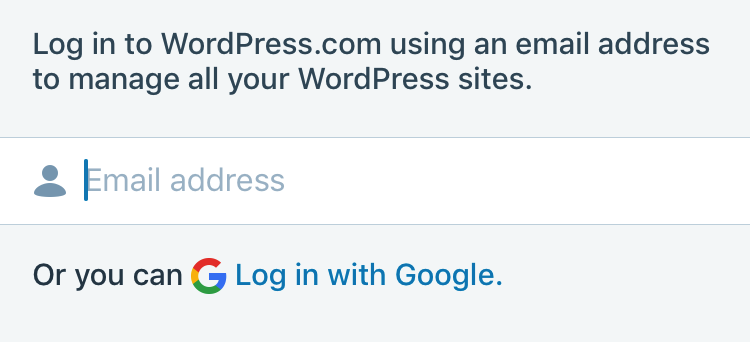
Visually, I think we might need to use greyDarken30 vs darkGrey for the text in order to match the info label.
Otherwise, the only other suggestion I have would be to consider maybe subclassing UIButton vs an extension. I realize the articles advising against subclassing, but the more I think about it I think its only a bad practice if the subclassing means to override methods responsible for a UIButton's layout or behavior. The code here doesn't alter a UIButtons behavior. it just acts as a factory. I think extensions on framework classes make the most sense when the added functionality is rather general in purpose and would be used in multiple places. This is a specific uses case. An extension works, but a subclass seems a better fit to me. Not a blocker, final call is up to you.
Edit: Ya know.. given that the extension is just acting as a factory, maybe WPStyleGuide would also be a good fit. Just a thought.

|
|
|
@aerych good catch on the text color. Totally looked the same at the time 😉 I feel like keeping this as an extension is fine for now, because it's working. At some point I want to fix the text buttons at the bottom of the login screens, and those will need to become some kind of class in order to be used in Storyboards. |
4 participants


Refs #7675
Add the Google login button that will launch the new login process (which currently doesn't exist).
To test:
Needs review: @aerych